
Understanding TikTok Ads Manager: Key Functions and How to Use Them
TikTok has evolved from a platform for short-form videos and trends into one of the most powerful marketing tools in the digital landscape. For businesses, especially startups, TikTok offers an affordable and effective way to reach their target audience. Central to this is the TikTok Ads Manager, a tool that allows users to create, manage, and optimize their advertising campaigns. Understanding its key functions can significantly enhance your marketing strategy.
What is TikTok Ads Manager?
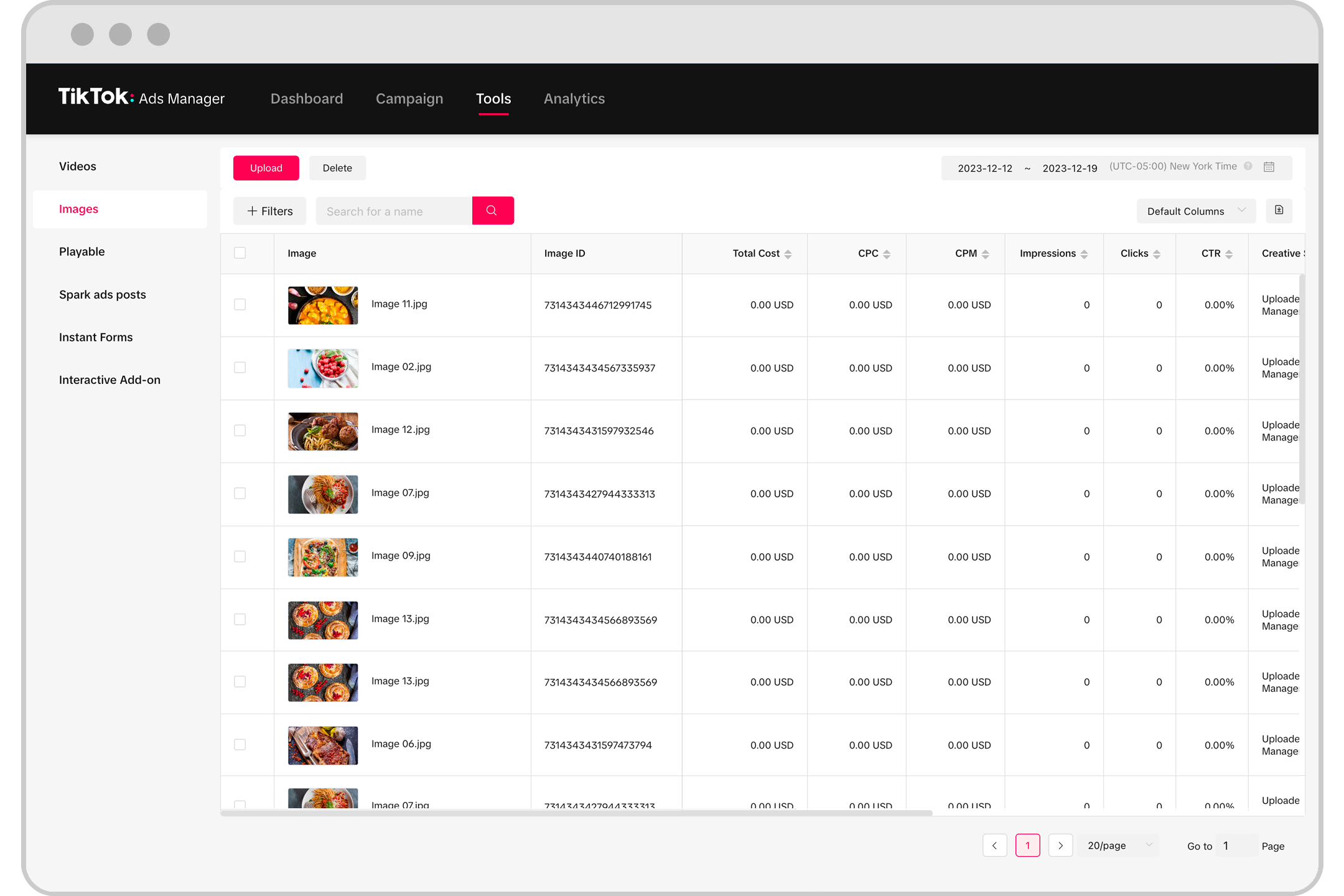
The TikTok Ads Manager is a comprehensive platform designed to help businesses run targeted ad campaigns on TikTok. It provides features such as campaign creation, audience targeting, budget allocation, performance tracking, and more. This tool is essential for anyone looking to leverage TikTok's massive user base for brand promotion, lead generation, or sales.
Key Functions of TikTok Ads Manager

1. Campaign Creation
One of the primary functions of TikTok Ads Manager is the ability to create and customize ad campaigns. Users can choose from various ad formats, including video ads, carousel ads, and lead generation ads. The process involves setting objectives, selecting target audiences, and defining budgets.
- Setting Objectives: Define what you want to achieve with your campaign—whether it's increasing brand awareness, driving traffic, generating leads, or boosting conversions.
- Selecting Ad Formats: Choose between different ad types based on your goals. Video ads are ideal for storytelling, while lead generation ads are perfect for collecting customer information.
- Defining Budgets: Set a daily or lifetime budget for your campaign. TikTok Ads Manager allows for flexible spending, making it suitable for businesses of all sizes.
2. Audience Targeting
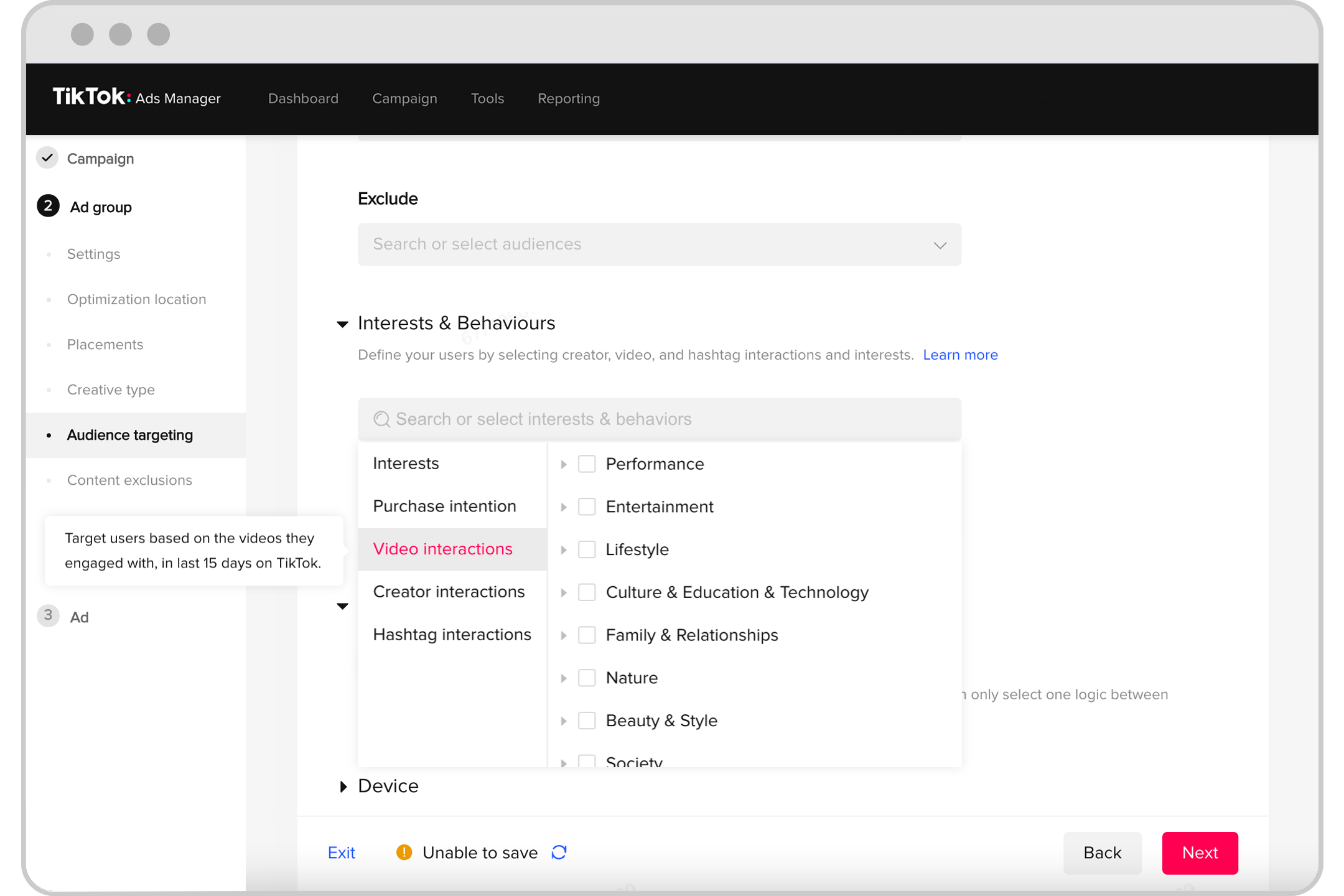
TikTok Ads Manager enables precise audience targeting, allowing you to reach specific demographics, interests, and behaviors. This ensures that your ads are shown to the right people.
- Demographic Targeting: Select age, gender, location, and language preferences to narrow down your audience.
- Interest-Based Targeting: Target users based on their interests, such as fashion, technology, or fitness.
- Behavioral Targeting: Reach users based on their online behavior, such as previous purchases or website visits.
3. Budget Management
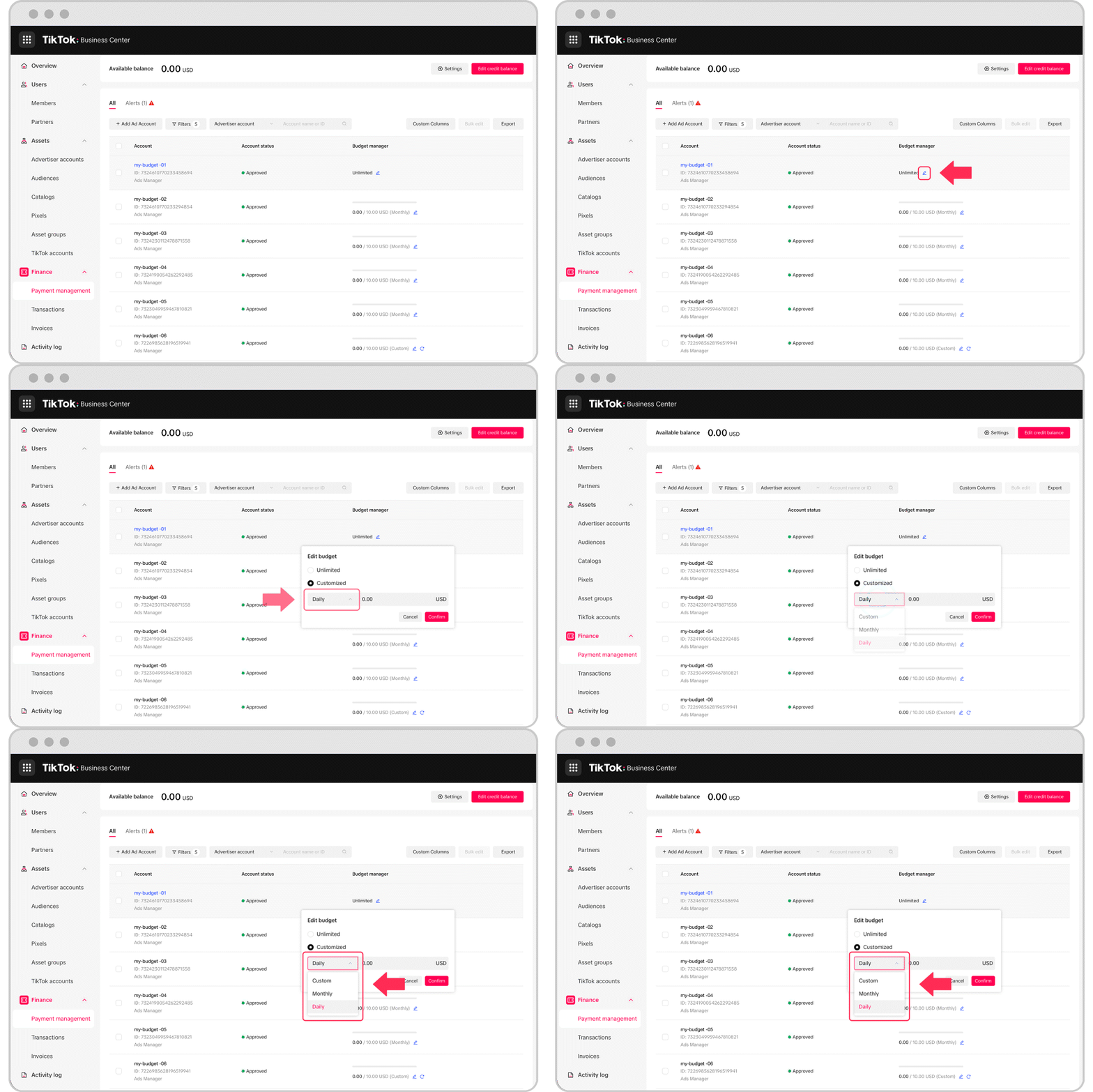
Managing your ad budget effectively is crucial for maximizing ROI. TikTok Ads Manager offers tools to monitor and adjust your spending in real-time.
- Daily vs. Lifetime Budgets: Choose between a daily budget for ongoing campaigns or a lifetime budget for one-time promotions.
- Bid Strategies: Optimize your bids to get the best results within your budget. Options include cost-per-click (CPC), cost-per-view (CPV), and cost-per-action (CPA).
- Performance Tracking: Monitor your campaign’s performance using metrics like impressions, clicks, and conversions to make informed adjustments.
4. Performance Analytics
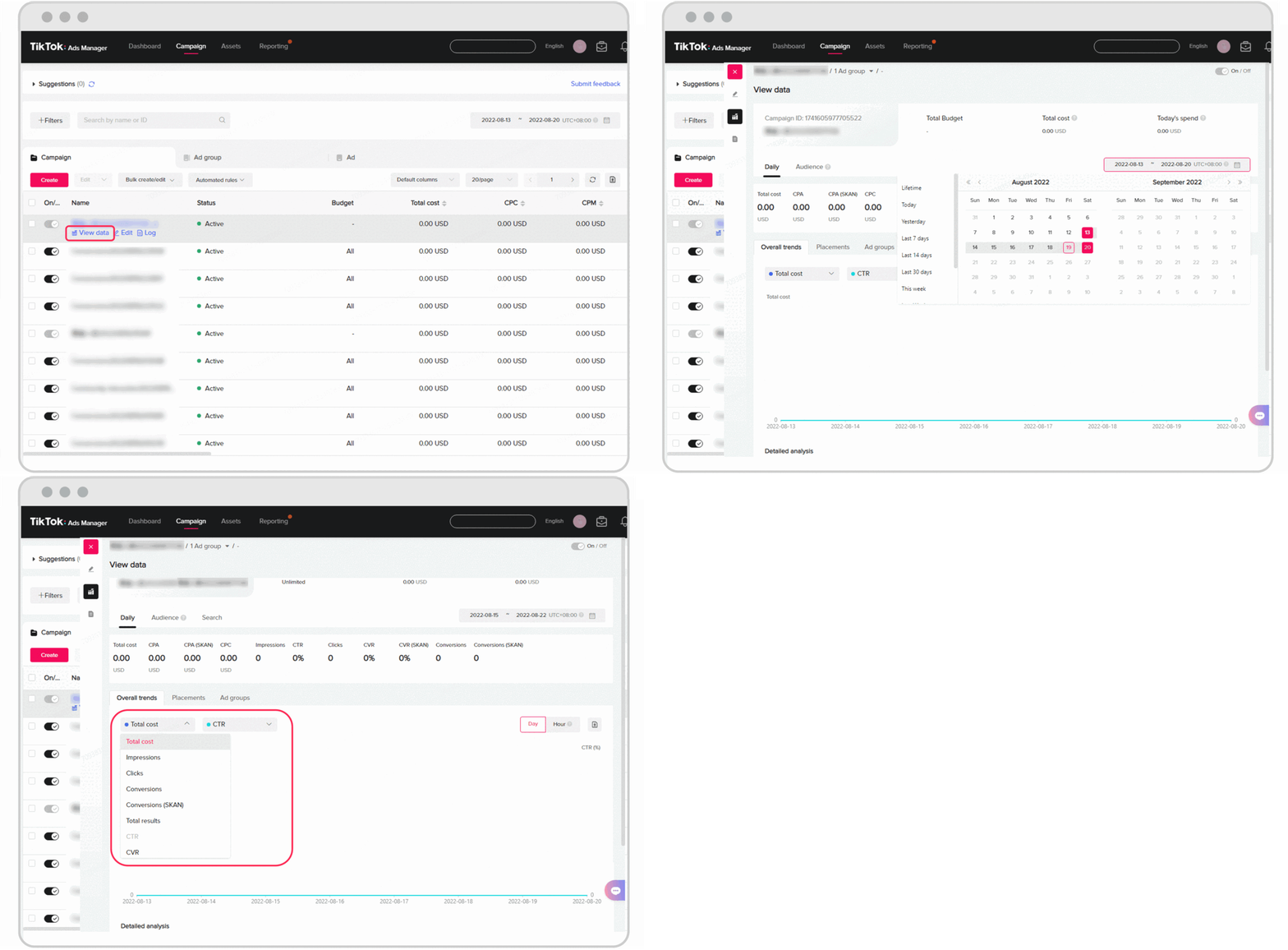
Understanding how your ads perform is essential for refining your strategy. TikTok Ads Manager provides detailed analytics to track the success of your campaigns.
- Real-Time Reporting: Access live data on views, engagement, and conversions.
- A/B Testing: Test different ad variations to determine which performs better.
- Conversion Tracking: Measure the effectiveness of your ads in driving desired actions, such as sign-ups or purchases.
5. Creative Tools
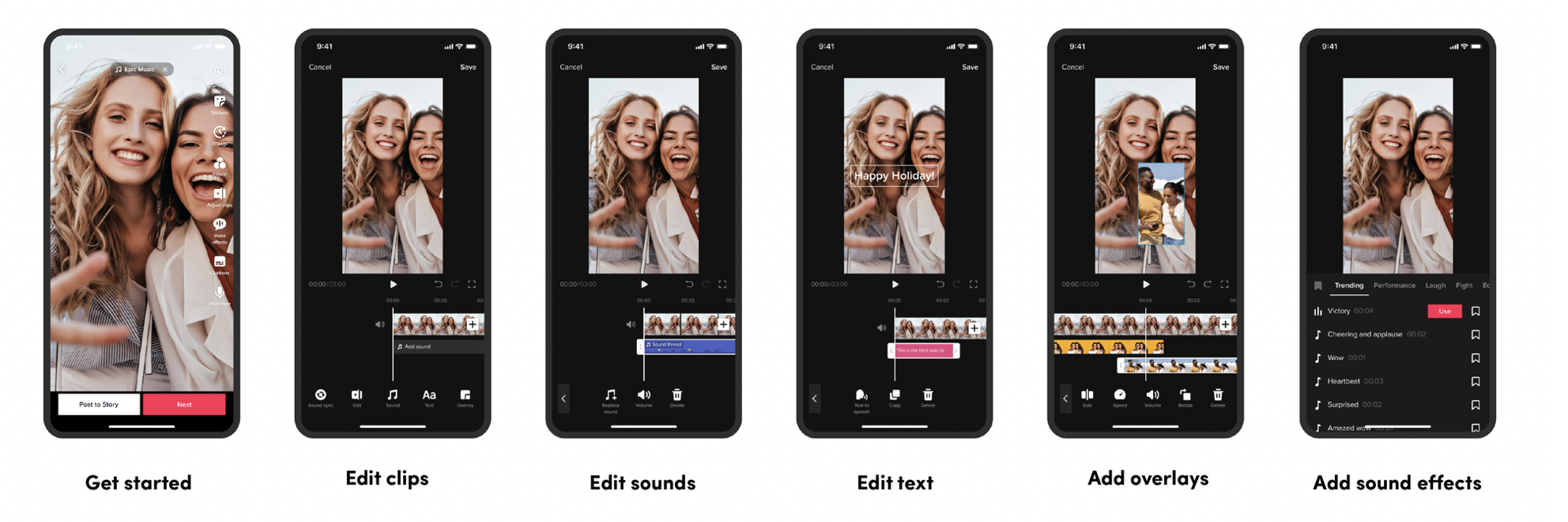
Creating engaging content is vital for successful TikTok ads. TikTok Ads Manager includes tools to help you design and edit your ads.
- Video Editor: Edit your videos directly within the platform, adding text, music, and effects.
- Asset Library: Store and reuse media assets, such as images and videos, across multiple campaigns.
- Trend Discovery: Leverage trending sounds and challenges to create content that resonates with TikTok users.
How to Start Using TikTok Ads Manager
Starting with TikTok Ads Manager is straightforward. First, you need to create an ad account. If you're a self-serve customer, refer to the Business Help Center for guidance. For those managing multiple accounts, your sales representative can assist with the setup process.
Once your account is set up, you can begin by defining your campaign objectives, selecting your target audience, and setting your budget. It's advisable to start small and test different ad variations to see what works best before scaling up.
Conclusion
TikTok Ads Manager is a powerful tool that empowers businesses to create and manage effective ad campaigns on one of the fastest-growing social media platforms. By understanding its key functions—campaign creation, audience targeting, budget management, performance analytics, and creative tools—you can maximize your marketing efforts and reach your target audience more effectively. Whether you're a startup or an established business, leveraging TikTok Ads Manager can provide a competitive edge in today's digital marketplace.

Posting Komentar untuk "Understanding TikTok Ads Manager: Key Functions and How to Use Them"
Posting Komentar