
Understanding TikTok Ads Manager: A Complete Billing Overview
TikTok has become a dominant force in the digital advertising landscape, with over 1 billion active users worldwide. For businesses looking to tap into this massive audience, TikTok Ads Manager offers a powerful platform to create, manage, and optimize ad campaigns. One of the critical aspects of using TikTok Ads Manager is understanding its billing system. This article provides a comprehensive overview of TikTok Ads Manager billing, including how to set up an account, how to use coupons, and how to track your spending effectively.
Setting Up Your TikTok Ads Manager Account
Before diving into billing, you need to create an ad account on TikTok. Self-serve customers can refer to the Business Help Center for guidance. If you're managing multiple accounts, your sales representative will assist you through the onboarding process. Here's a quick overview of the steps:
- Create an Ad Account: Visit the TikTok Ads Manager and follow the prompts to set up your business account.
- Verify Your Information: Provide necessary details such as business name, contact information, and payment method.
- Set Up Payment Methods: Add a credit card or other accepted payment methods to fund your campaigns.
Once your account is set up, you can start exploring the various billing options and promotional deals available.
Understanding TikTok Ads Manager Billing
TikTok Ads Manager operates on a pay-per-click (CPC) or cost-per-thousand-impressions (CPM) model. Advertisers can choose between different bidding strategies, such as manual or automated bidding, depending on their campaign goals. The platform also allows for daily or lifetime budgets, giving you control over your ad spend.
Key Billing Features:
- Daily Budgets: Set a maximum amount you're willing to spend each day.
- Lifetime Budgets: Define a total budget for your campaign that runs until the funds are exhausted.
- Bidding Strategies: Choose between manual bidding, where you set the maximum bid for each click or impression, or automated bidding, which lets TikTok optimize your bids based on your campaign objectives.
Utilizing TikTok Ads Coupons for Cost Savings
One of the most effective ways to reduce your ad spend on TikTok is by using coupons. These promotional offers can significantly stretch your marketing budget, allowing you to test the platform with minimal risk. Some of the most popular TikTok Ads coupons include:
- $1500 Welcome Credit Offer: New advertisers receive up to $1500 in ad credits when creating campaigns within 30 days of registration.
- $100 Double-Credit Deal: Spend $50 on your first month, and receive $100 in ad credits.
- $30 Quick Starter Coupon: Spend $20 on your first campaign to get a $30 bonus credit.
- $200 Match-Credit Promotion: Spend $200 on ads to receive an additional $200 in bonus credits.
- $500 Enterprise Ad Credit Deal: Spend $500 to get $500 in bonus credits for large-scale campaigns.
- AMEX Exclusive Discount: American Express cardholders can spend $50 on TikTok ads to receive $100 in ad credits.
These coupons are ideal for small businesses or those new to TikTok advertising, offering a low-risk way to test the platform and maximize your return on investment (ROI).
Tracking and Managing Your TikTok Ads Spending
To ensure you're getting the most out of your TikTok Ads Manager account, it's essential to track your spending and monitor campaign performance. TikTok provides detailed analytics to help you understand how your ads are performing and where you can make adjustments.
Key Metrics to Monitor:
- Impressions: The number of times your ad was displayed.
- Click-through Rate (CTR): The percentage of users who clicked on your ad after seeing it.
- Conversion Rate: The percentage of users who completed a desired action (e.g., purchase, sign-up) after clicking your ad.
- Cost per Click (CPC): The average cost you pay for each click on your ad.
- Cost per Mille (CPM): The cost per thousand impressions.
- Return on Ad Spend (ROAS): The revenue generated for every dollar spent on advertising.
By regularly analyzing these metrics, you can optimize your campaigns and ensure you're getting the best possible results from your ad spend.
Tips for Maximizing Your TikTok Ads Manager Experience
To make the most of your TikTok Ads Manager experience, consider the following tips:
- Plan Ahead: Map out your ad campaigns in advance to ensure you meet the spending requirements within the given timeframe.
- Target Wisely: Utilize TikTok's advanced targeting options to reach the most relevant audience for your business.
- Create Eye-Catching Content: Invest in high-quality video content that captures attention and resonates with TikTok's unique user base.
- Track Your Results: Monitor your campaign performance using TikTok's analytics dashboard and make adjustments as needed to optimize your results.
Conclusion
TikTok Ads Manager offers a powerful platform for businesses to connect with a vast and engaged audience. By understanding the billing system, utilizing coupons, and tracking your spending, you can maximize your ROI and achieve your marketing goals. Whether you're a small business owner or an established brand, TikTok provides the tools and resources needed to succeed in today's competitive digital landscape. With the right strategy and approach, TikTok Ads Manager can become an integral part of your marketing plan, helping you reach new audiences, boost sales, and grow your brand on one of the most dynamic social media platforms today.
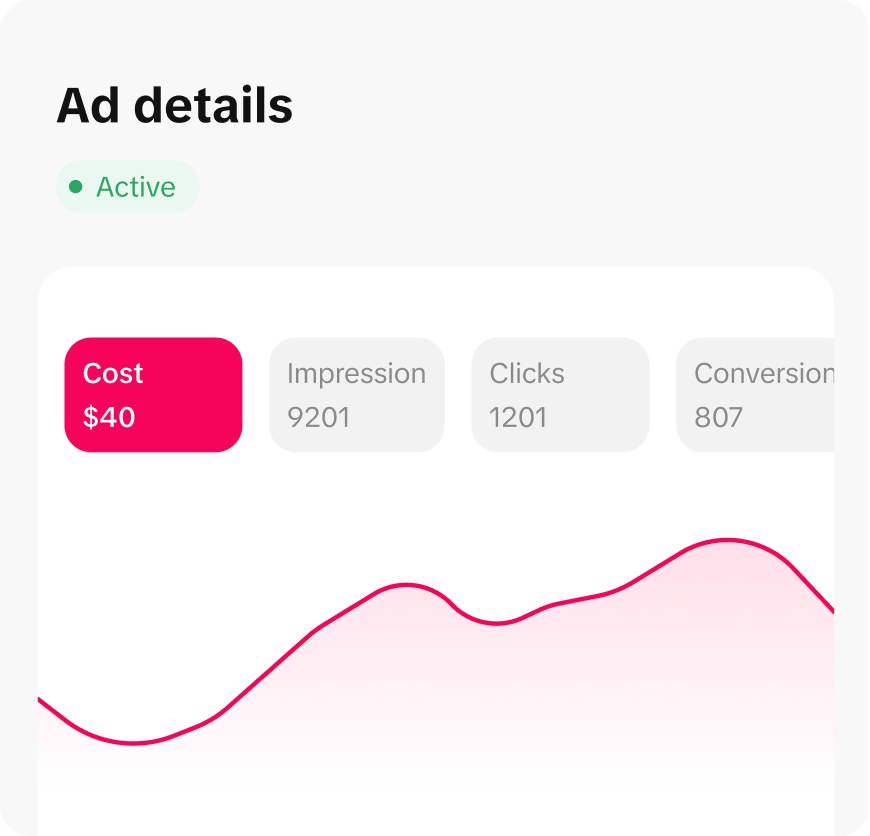
[IMAGE: TikTok Ads Manager billing overview interface]

Posting Komentar untuk "Understanding TikTok Ads Manager: A Complete Billing Overview"
Posting Komentar