
How to Appeal a TikTok Ads Account Suspension: Step-by-Step Guide
TikTok has become a powerful platform for businesses and individuals alike to connect with audiences, promote products, and drive engagement. However, with its growing popularity comes the risk of account suspension, especially for those running TikTok Ads. If your account is suspended, it can be frustrating and disruptive to your marketing efforts. Fortunately, TikTok provides an appeal process that allows users to contest their account suspension. In this guide, we’ll walk you through the steps to appeal a TikTok Ads account suspension and increase your chances of reinstatement.
Why Your TikTok Ads Account Might Be Suspended
Before diving into the appeal process, it’s important to understand why your account might have been suspended. TikTok has strict community guidelines that govern content and behavior on the platform. Common reasons for account suspension include:
- Violating TikTok's Community Guidelines (e.g., posting inappropriate, harmful, or illegal content)
- Receiving multiple reports from users
- Engaging in spammy or fraudulent activities
- Using automated tools or bots to manipulate engagement
- Breaching advertising policies (e.g., misleading claims, prohibited products)
If your account was suspended due to a violation, TikTok may send you a notification explaining the reason. It’s essential to review this message carefully to understand the specific issue and how to address it.
Step-by-Step Guide to Appealing a TikTok Ads Account Suspension

1. Review the Suspension Notice
When your account is suspended, TikTok will typically send you a notification detailing the reason for the suspension. This message may include a reference number or instructions on how to appeal. Take the time to read this message thoroughly and note any specific violations or issues mentioned.
2. Gather Supporting Evidence
To strengthen your appeal, gather any relevant evidence that supports your case. This could include:
- Screenshots of your content before the suspension
- Proof of compliance with TikTok's guidelines
- Any communication with TikTok support
- Documentation showing that the suspension was a mistake
Having clear and organized evidence can help demonstrate that your account was suspended unfairly or that you have taken steps to rectify any issues.
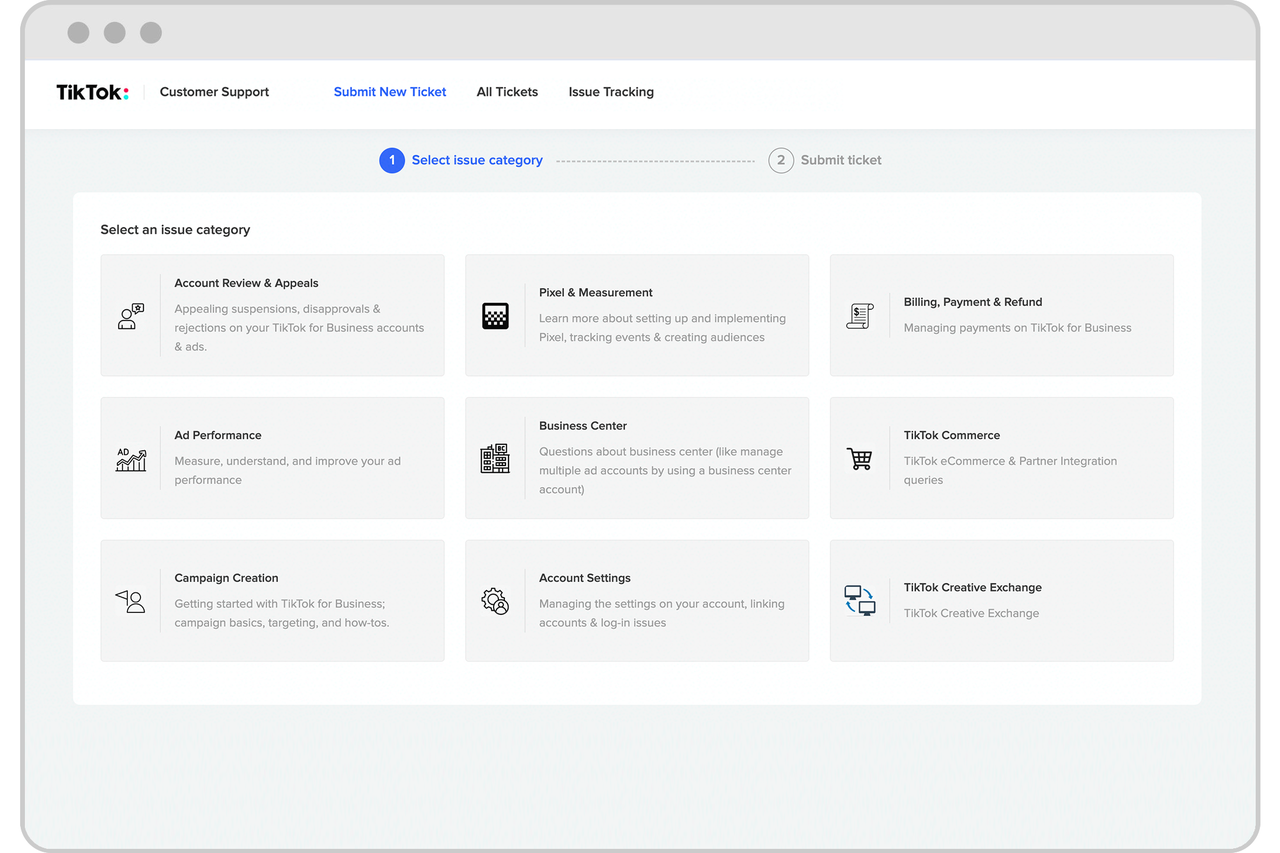
3. Access the TikTok Appeals Process
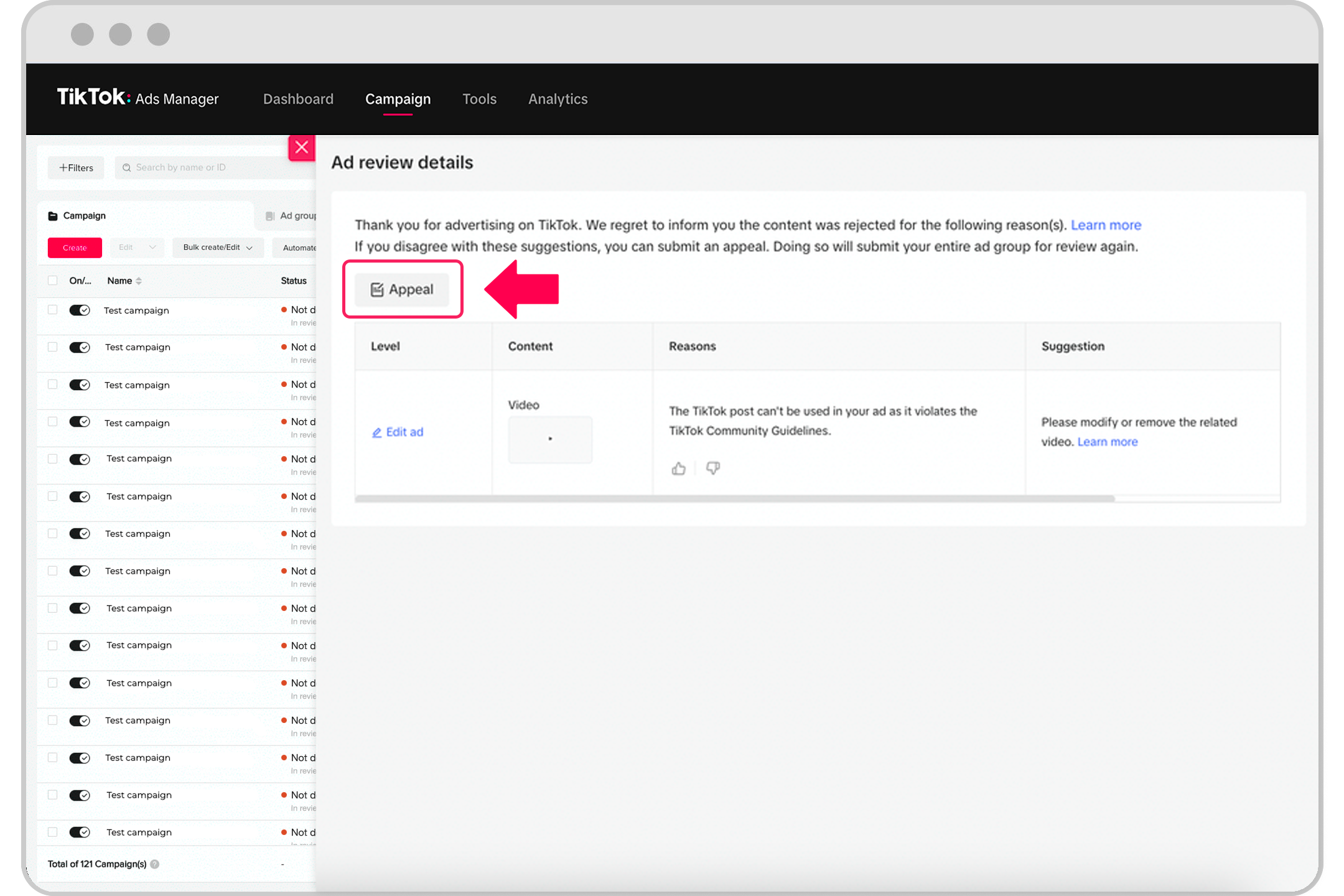
TikTok provides an official appeals process for users who believe their account was suspended incorrectly. To access this process:
- Open the TikTok app and navigate to the login screen.
- Tap on "Forgot Password" or "Login Issues."
- Follow the prompts to initiate an appeal.
Alternatively, you can access the appeal process directly through TikTok's website by visiting https://www.tiktok.com/help.
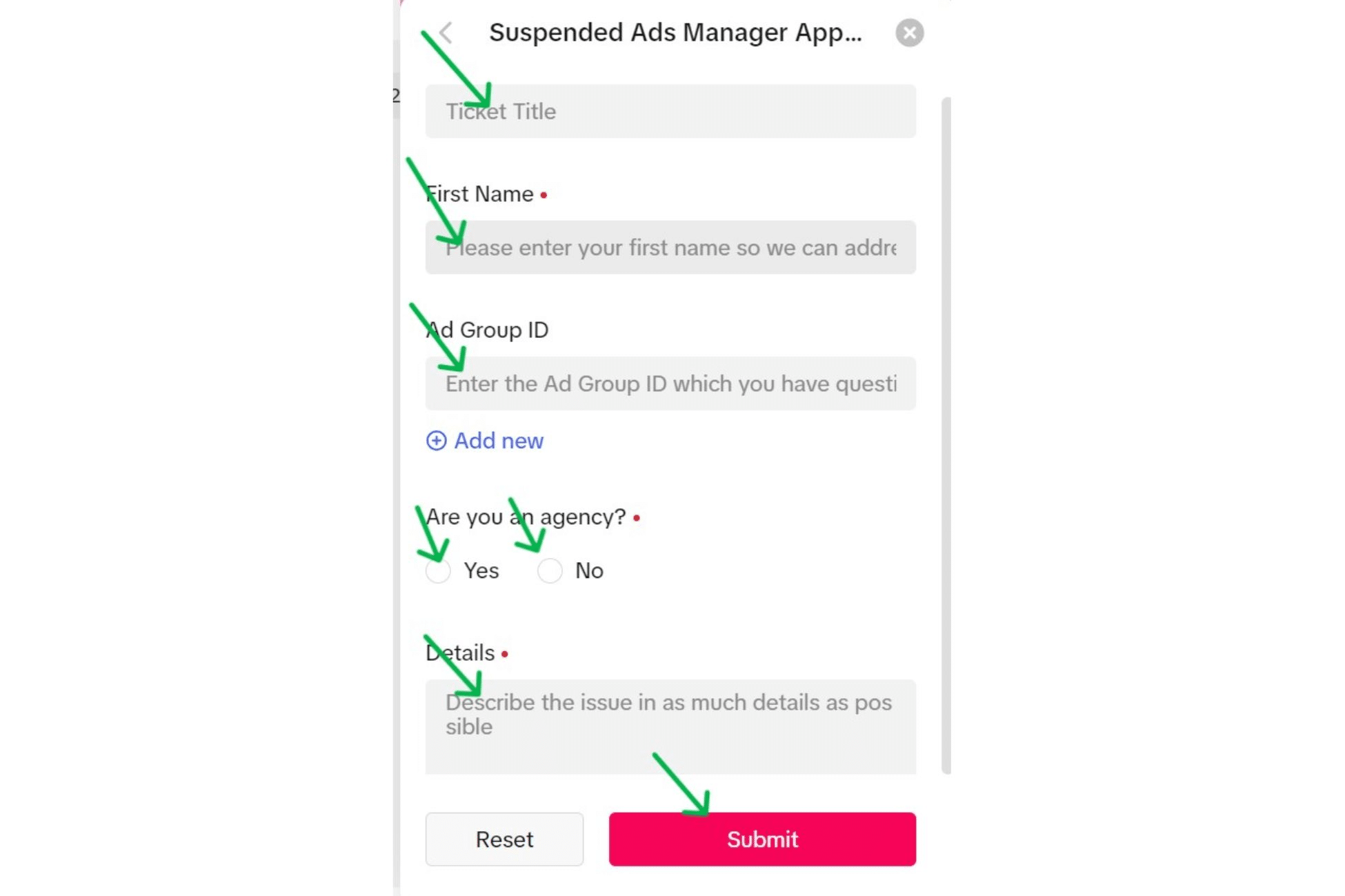
4. Complete the Appeal Form
Once you’ve accessed the appeal process, you’ll need to complete a form that includes the following information:
- Your TikTok username
- The date and time of the suspension
- A detailed explanation of why you believe your account was suspended unfairly
- Any supporting evidence you have gathered
Be sure to provide as much detail as possible to help TikTok understand your situation. Avoid using overly technical language or vague statements. Instead, focus on clearly explaining the issue and providing evidence where applicable.
5. Submit Your Appeal

After completing the appeal form, submit it through the designated channel. TikTok typically processes appeals within a few business days, but this can vary depending on the complexity of the case. You should receive a confirmation email or message once your appeal has been submitted.
6. Wait for a Response
Once your appeal is submitted, TikTok will review your case and determine whether to reinstate your account. During this time, avoid attempting to log in or create a new account, as this can complicate the process and potentially lead to further restrictions.
If your appeal is successful, you will receive a notification confirming that your account has been reinstated. If your appeal is denied, you may be given the option to resubmit your request with additional information or clarification.
Tips for a Successful Appeal

- Be Honest and Clear: Provide accurate information and avoid making false claims. TikTok values transparency and will take your honesty into consideration.
- Follow Instructions Carefully: Ensure that you follow all steps outlined in the appeal process. Missing any required information can delay the review of your case.
- Avoid Repeating Violations: If your account was suspended due to a specific violation, make sure to address the issue and avoid repeating the same behavior in the future.
- Stay Patient: The appeal process can take time, so be patient and avoid contacting TikTok repeatedly for updates unless instructed to do so.
Conclusion
Appealing a TikTok Ads account suspension can be a straightforward process if you follow the correct steps and provide clear, concise information. By understanding the reasons for suspension, gathering supporting evidence, and submitting a well-documented appeal, you can increase your chances of having your account reinstated. Remember to remain patient and avoid engaging in any actions that could further jeopardize your account.

Posting Komentar untuk "How to Appeal a TikTok Ads Account Suspension: Step-by-Step Guide"
Posting Komentar