
How to Link Your TikTok Ad Account: A Step-by-Step Guide
Introduction to TikTok Ad Account Linking
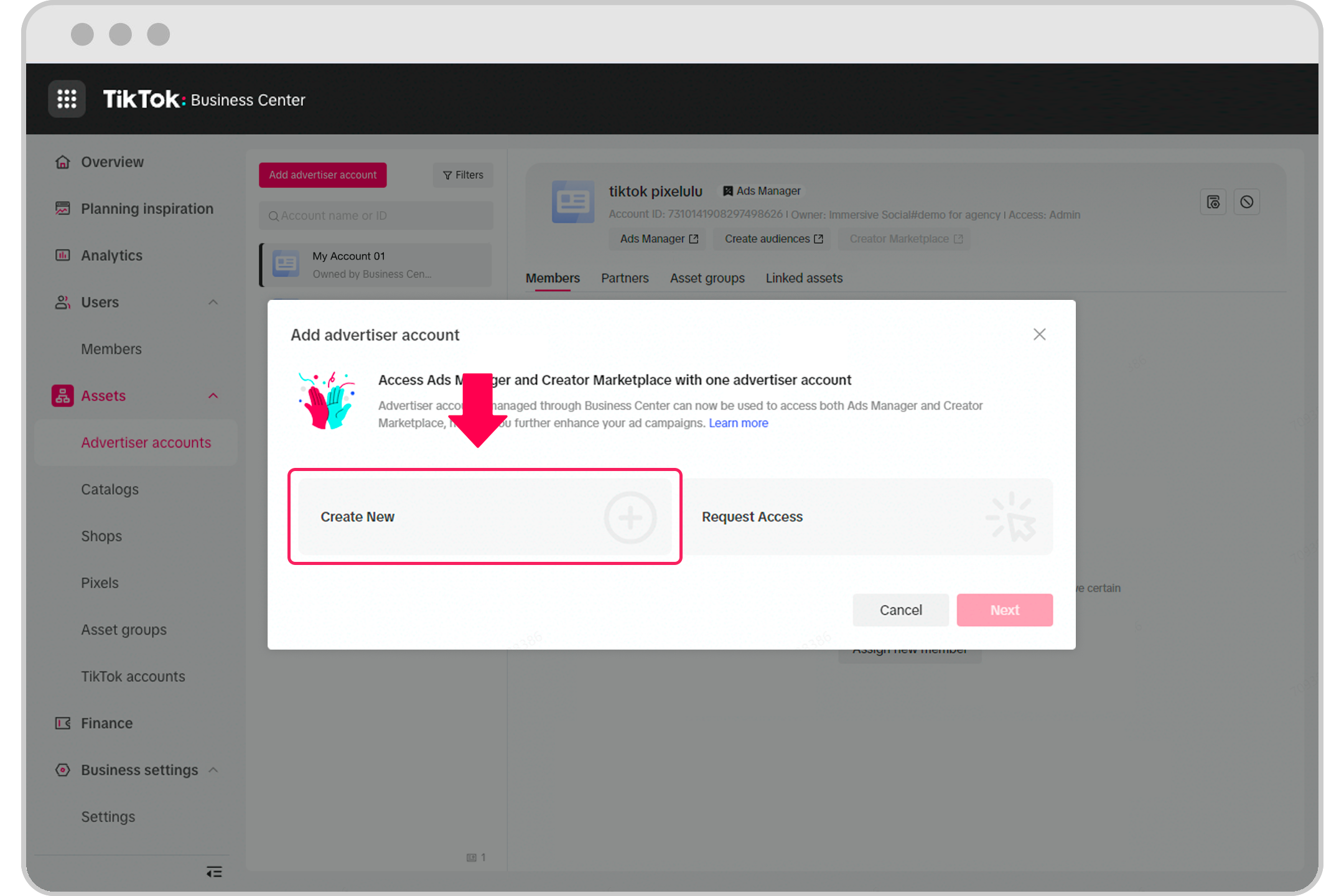
In the ever-evolving digital marketing landscape, TikTok has emerged as a powerful platform for brands and businesses to connect with their target audience. One of the essential steps in leveraging TikTok's advertising capabilities is linking your TikTok ad account. This process allows you to manage multiple accounts, streamline ad campaigns, and gain deeper insights into your marketing performance. Whether you're a small business owner or a seasoned marketer, understanding how to link your TikTok ad account is crucial for maximizing your online presence.
Why Link Your TikTok Ad Account?
Linking your TikTok ad account offers several benefits that can significantly enhance your advertising efforts. Here are some key reasons why this step is important:
- Centralized Management: By linking multiple accounts, you can manage all your ad campaigns from one place, making it easier to monitor performance and make adjustments.
- Enhanced Analytics: Linked accounts provide more comprehensive data, allowing you to track the effectiveness of your ads across different platforms.
- Improved Collaboration: If you're working with a team or an agency, linking accounts facilitates better communication and collaboration among stakeholders.
To begin, it's essential to have a clear understanding of the process involved in linking your TikTok ad account.
Step-by-Step Guide to Linking Your TikTok Ad Account
Here’s a detailed guide on how to link your TikTok ad account effectively:
-
Create an Ad Account
Before you can link your TikTok ad account, you need to create one. If you're a self-serve customer, refer to the Business Help Center article for instructions. If you need to manage multiple accounts, your sales representative will guide you through the process. -
Access TikTok Ads Manager
Once your ad account is set up, log in to the TikTok Ads Manager. This is where you'll manage all your ad campaigns and linked accounts. -
Navigate to Account Settings
In the TikTok Ads Manager, go to the "Account Settings" section. This is typically found under the "Settings" menu. -
Link Your TikTok Ad Account
Within the Account Settings, look for the option to "Link an Ad Account." Follow the prompts to enter the necessary details, such as your TikTok username and any additional verification information required. -
Verify the Link
After submitting the information, TikTok will verify the link. This process may take a few minutes. Once verified, your TikTok ad account will be successfully linked. -
Manage Linked Accounts
Once linked, you can manage all your accounts from the TikTok Ads Manager. This includes viewing performance metrics, adjusting ad settings, and generating reports.
Tips for Effective TikTok Ad Account Management
After linking your TikTok ad account, consider these tips to ensure effective management:
- Regularly Monitor Performance: Keep an eye on your ad campaigns to identify what's working and what needs improvement.
- Optimize Ad Content: Use high-quality visuals and engaging content to capture the attention of your audience.
- Utilize Targeting Options: Take advantage of TikTok's targeting features to reach the right audience for your products or services.
- Stay Updated: Keep yourself informed about new features and updates in TikTok Ads Manager to stay ahead of the competition.
Conclusion
Linking your TikTok ad account is a vital step in harnessing the full potential of TikTok's advertising platform. By following the steps outlined above, you can efficiently manage your ad campaigns, gain valuable insights, and ultimately drive better results for your business. As TikTok continues to grow in popularity, mastering the art of ad account linking will undoubtedly give you a competitive edge in the digital marketing world.

Posting Komentar untuk "How to Link Your TikTok Ad Account: A Step-by-Step Guide"
Posting Komentar