
How to Navigate the TikTok Ads Dashboard: A Complete Guide for Marketers
The TikTok Ads Dashboard is a powerful tool that allows marketers to manage, monitor, and optimize their advertising campaigns on the platform. As TikTok continues to grow as a major social media and advertising channel, understanding how to navigate this dashboard becomes essential for any marketer looking to leverage its potential.
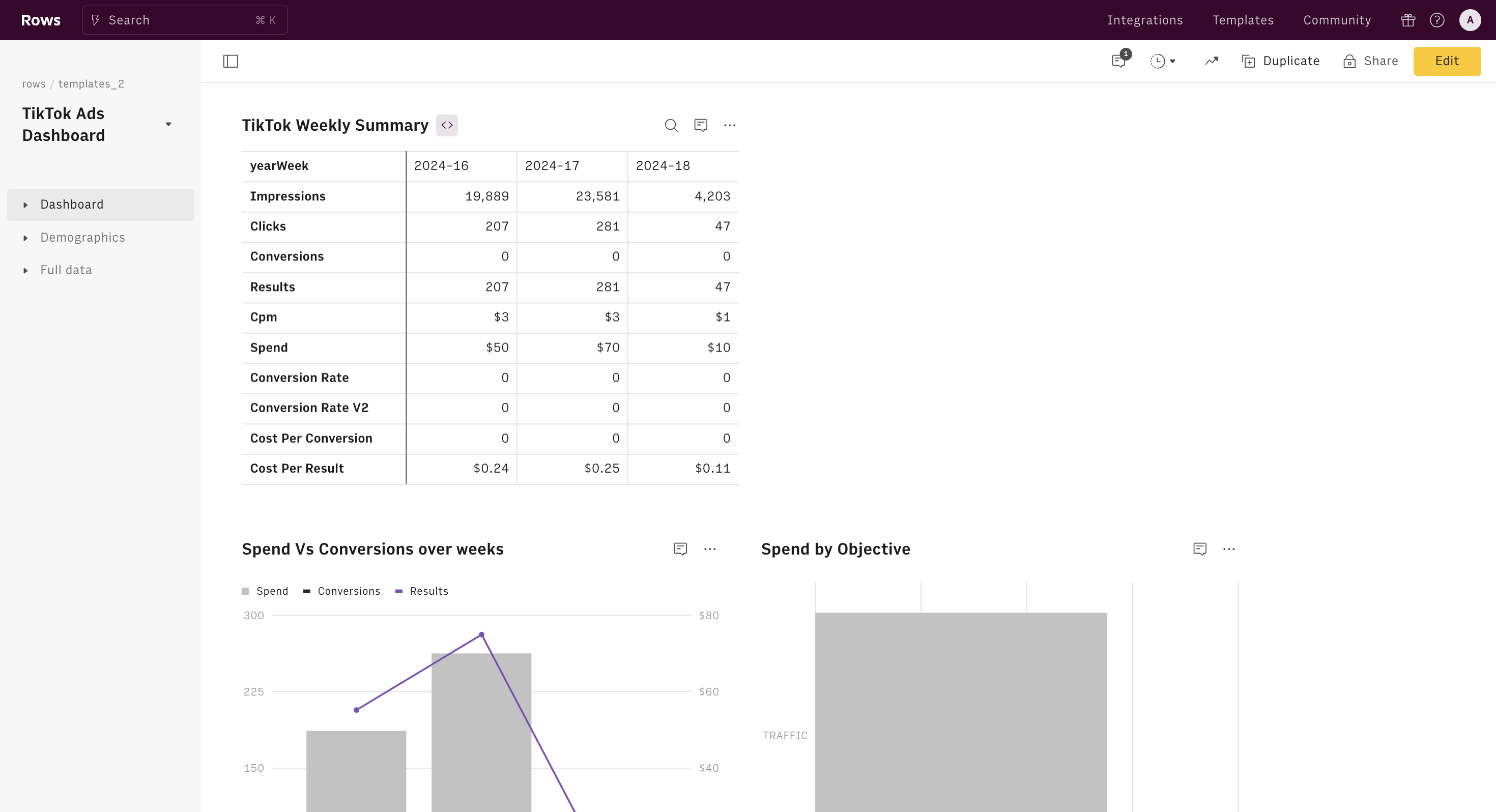
Understanding the TikTok Ads Dashboard
Before diving into the specifics of navigation, it's important to understand what the TikTok Ads Dashboard is and what it offers. The dashboard serves as a central hub where advertisers can create, track, and analyze their ad campaigns. It provides real-time data, performance insights, and tools to help you make informed decisions.
Key Features of the TikTok Ads Dashboard
- Campaign Creation: Easily set up new ad campaigns with options to choose your objective, target audience, budget, and ad format.
- Performance Tracking: Monitor key metrics such as views, clicks, engagement rates, and conversions in real time.
- Audience Insights: Gain detailed information about your target audience, including demographics, interests, and behavior patterns.
- Ad Optimization Tools: Use A/B testing, bid adjustments, and creative optimization to improve campaign performance.
- Reporting and Analytics: Generate custom reports and access in-depth analytics to evaluate the success of your campaigns.
[IMAGE: TikTok Ads Dashboard navigation guide for marketers]
Step-by-Step Navigation Guide
To effectively use the TikTok Ads Dashboard, follow these steps:
1. Accessing the Dashboard
Log in to your TikTok Ads Manager account using your business credentials. Once logged in, you will be directed to the main dashboard.
2. Navigating the Menu
The left-hand side of the dashboard features a menu with various sections. These include: - Campaigns: View and manage all your active and past campaigns. - Ads: Create and edit individual ad units within your campaigns. - Audiences: Manage and segment your target audiences. - Reports: Access detailed reports and analytics. - Settings: Adjust your account settings and preferences.
3. Creating a New Campaign
To create a new campaign, click on the "Create Campaign" button. You will be prompted to select your campaign objective (e.g., brand awareness, traffic, conversion, etc.), set your budget, and choose your target audience.
4. Managing Ad Units
Once your campaign is created, you can add ad units by clicking on the "Ads" section. Here, you can upload your creatives, set your ad copy, and choose your targeting options.
5. Monitoring Performance
Use the "Performance" tab to track the progress of your campaigns. This section displays key metrics such as impressions, clicks, and conversion rates. You can also view detailed analytics for each ad unit.
6. Optimizing Your Campaigns
The dashboard provides tools to optimize your campaigns. You can adjust bids, test different creatives, and refine your targeting to improve performance.
7. Generating Reports
Click on the "Reports" section to generate custom reports. You can choose the time frame, metrics, and filters to get a comprehensive view of your campaign performance.
[IMAGE: TikTok Ads Dashboard navigation guide for marketers]
Tips for Effective Dashboard Use
- Set Clear Goals: Define what you want to achieve with your campaigns before creating them.
- Monitor Regularly: Check your dashboard frequently to stay updated on campaign performance.
- Use A/B Testing: Test different creatives and targeting options to find what works best.
- Leverage Audience Insights: Use the audience data provided to refine your targeting strategies.
- Stay Updated: Keep an eye on new features and updates to the dashboard to take advantage of the latest tools.
Conclusion
Navigating the TikTok Ads Dashboard is crucial for any marketer looking to succeed on the platform. By understanding the key features and following a step-by-step approach, you can effectively manage and optimize your ad campaigns. With the right strategies and tools, you can maximize your return on investment and achieve your marketing goals on TikTok.
[IMAGE: TikTok Ads Dashboard navigation guide for marketers]

Posting Komentar untuk "How to Navigate the TikTok Ads Dashboard: A Complete Guide for Marketers"
Posting Komentar