
How to Navigate the TikTok Ads Dashboard: A Complete Guide
TikTok has emerged as a powerful platform for businesses, offering unique opportunities to engage with a vast and diverse audience. With over 1.582 billion users, it's no surprise that marketers are increasingly turning to TikTok for advertising. However, effectively leveraging TikTok's ad features requires understanding how to navigate the TikTok Ads Dashboard. This guide will walk you through the essential steps to manage your ads efficiently and maximize your return on investment.
Understanding the TikTok Ads Dashboard
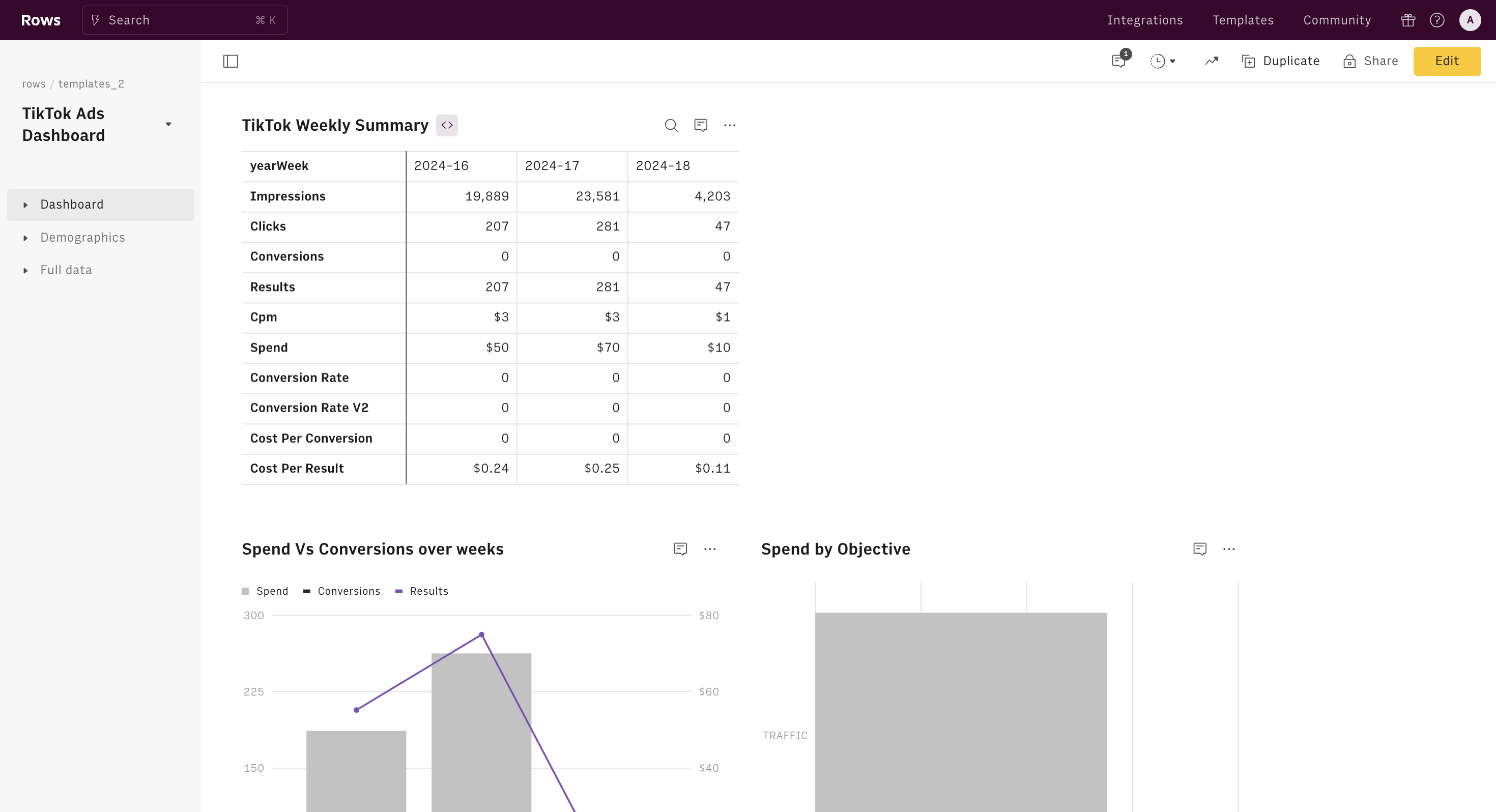
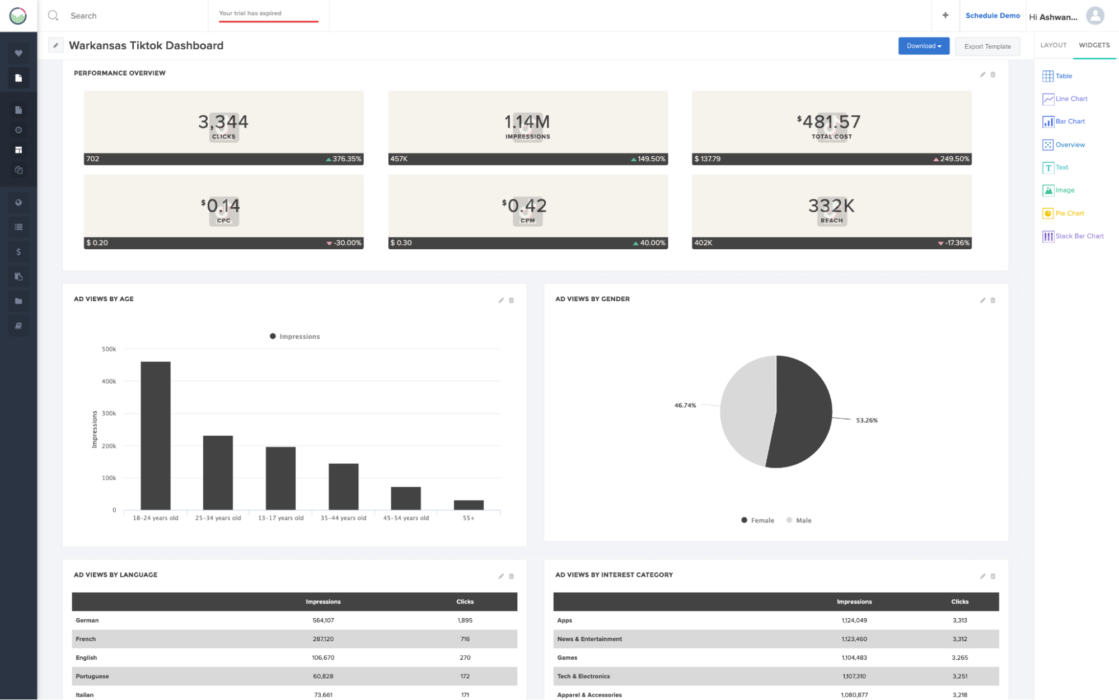
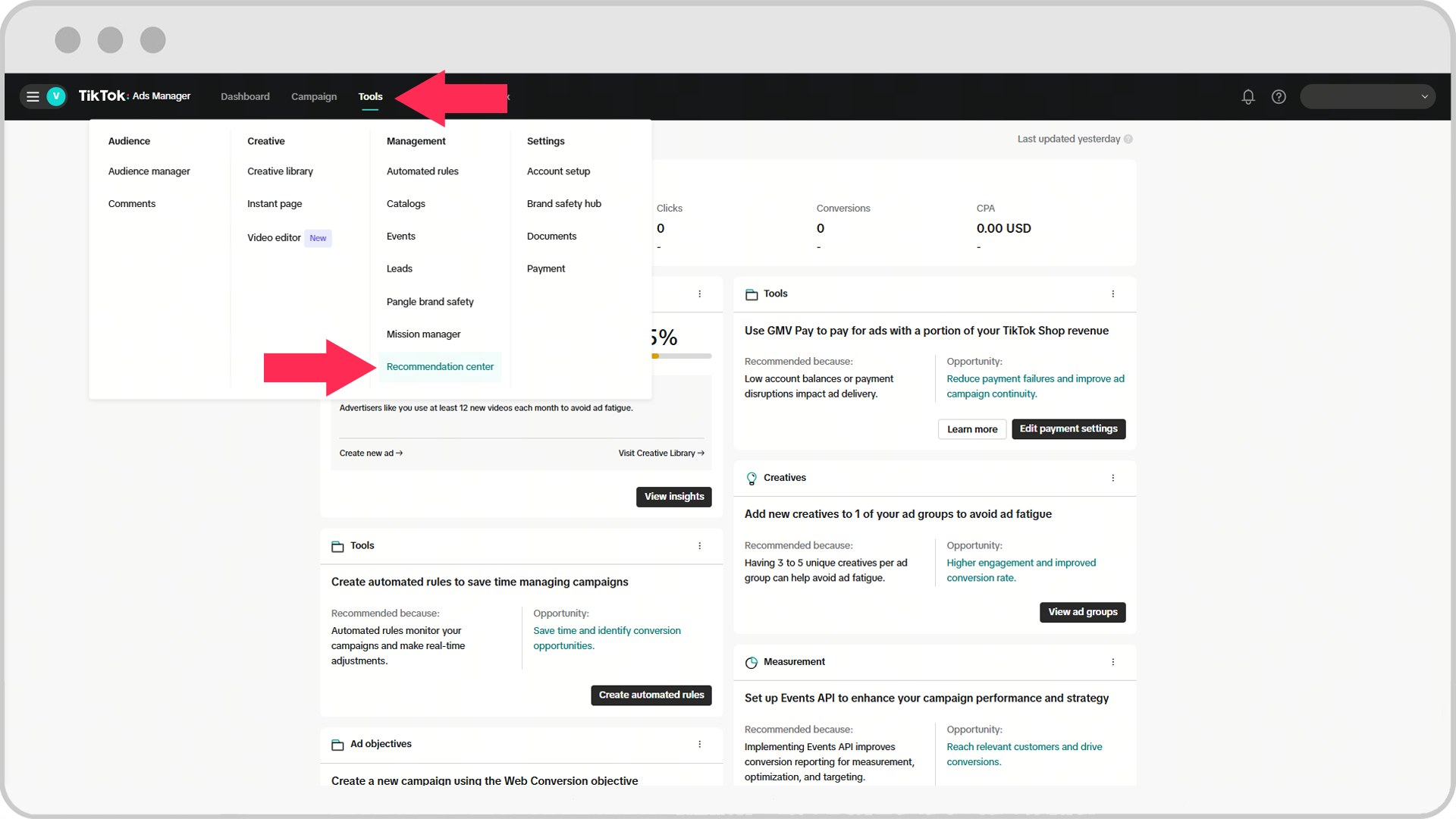
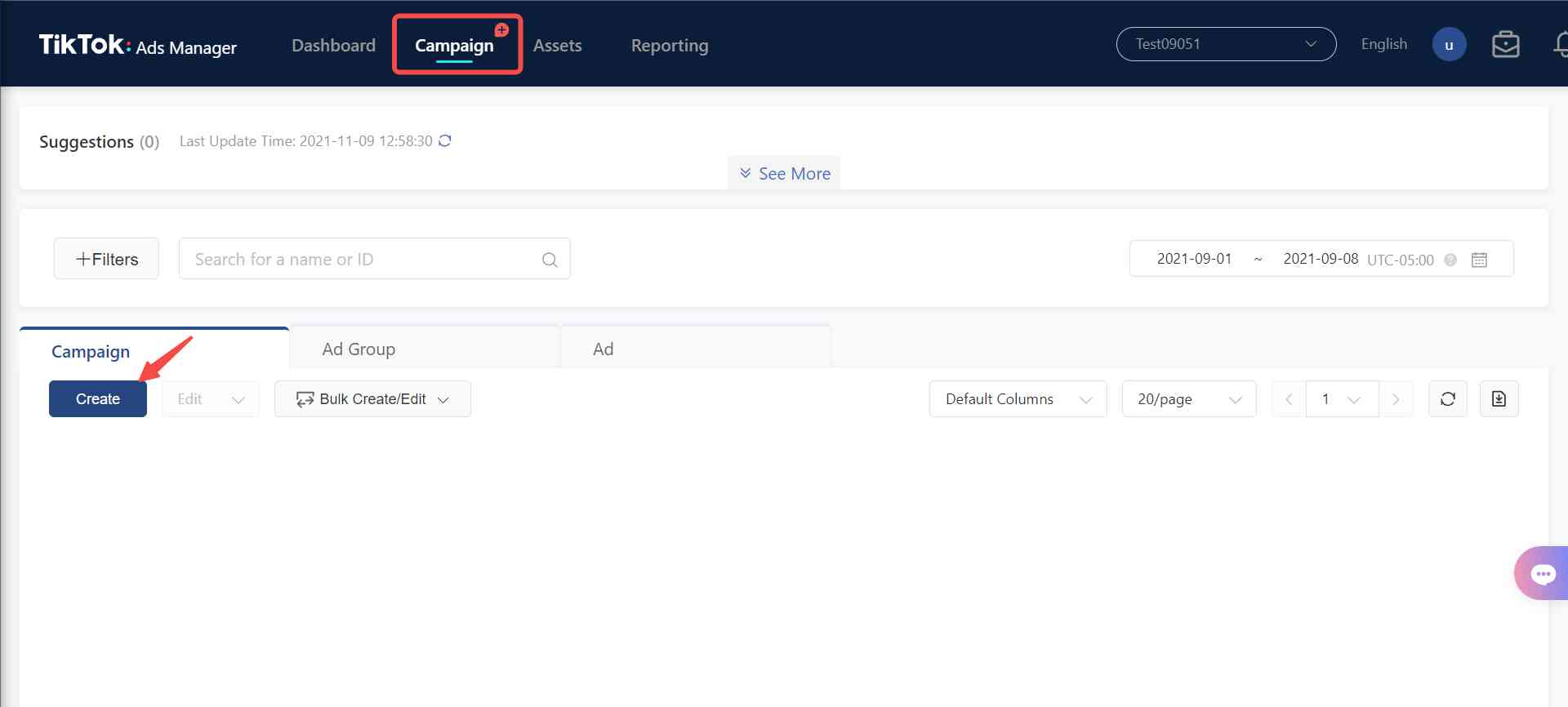
The TikTok Ads Dashboard is the central hub where you can create, manage, and monitor your advertising campaigns. It provides a comprehensive view of your ad performance, allowing you to make data-driven decisions. To access the dashboard, log into your TikTok Business account and navigate to the "Ads" section.
Key Sections of the Dashboard
Once you're in the Ads Dashboard, you'll encounter several key sections:
- Campaigns: Here, you can view all your active and past campaigns. You can also create new campaigns by clicking the "Create Campaign" button.
- Ad Sets: Ad sets allow you to group similar ads together. This is useful for managing different target audiences or ad formats.
- Ads: This section displays all the individual ads within your ad sets. You can edit, pause, or delete ads from here.
- Reports: The reports section provides detailed analytics about your ad performance. You can view metrics such as impressions, clicks, and conversions.
Creating Your First Campaign
Creating a campaign on TikTok involves several steps:
- Define Your Objective: Choose the primary goal of your campaign, such as increasing brand awareness, driving traffic to your website, or generating leads.
- Set Your Budget: Determine how much you want to spend on your campaign. TikTok allows you to set daily or lifetime budgets.
- Choose Your Target Audience: Define the demographics, interests, and behaviors of the audience you want to reach. TikTok offers advanced targeting options to help you refine your audience.
- Select Your Ad Format: TikTok supports various ad formats, including In-Feed Ads, Brand Takeover Ads, and Video Ads. Choose the format that best suits your campaign goals.
- Create Your Ad Content: Design your ad content, ensuring it aligns with your brand messaging and resonates with your target audience. Use high-quality visuals and compelling copy to capture attention.
- Review and Launch: Before launching your campaign, review all settings and ensure everything is configured correctly. Once satisfied, click "Launch" to start your campaign.
Managing and Optimizing Your Campaigns
Once your campaigns are live, it's essential to monitor their performance and make adjustments as needed:
- Track Performance Metrics: Regularly check key metrics such as click-through rate (CTR), conversion rate, and cost per action (CPA). These metrics provide insights into the effectiveness of your campaigns.
- A/B Testing: Conduct A/B tests to compare different ad variations and determine which performs better. This helps you optimize your ad content and targeting strategies.
- Adjust Targeting: Based on performance data, refine your targeting parameters to reach the most relevant audience. This may involve adjusting demographics, interests, or location settings.
- Optimize Bidding Strategies: TikTok offers different bidding strategies, such as cost-per-click (CPC) and cost-per-thousand impressions (CPM). Experiment with these strategies to find the one that delivers the best results for your campaign.
Utilizing Advanced Features
TikTok's Ads Dashboard includes several advanced features that can enhance your advertising efforts:
- Retargeting: Use retargeting to reach users who have previously interacted with your brand. This helps reinforce your message and increase the likelihood of conversion.
- Lookalike Audiences: Create lookalike audiences based on your existing customers or followers. This allows you to reach new users who share similar characteristics with your current audience.
- Dynamic Creative Optimization (DCO): DCO enables you to automatically test and optimize different ad elements, such as images, videos, and headlines, to improve performance.
- Conversion Tracking: Set up conversion tracking to measure the impact of your ads on specific actions, such as purchases or sign-ups. This helps you evaluate the effectiveness of your campaigns and make informed decisions.
Conclusion
Navigating the TikTok Ads Dashboard is essential for any business looking to leverage the platform's advertising capabilities. By understanding the key sections of the dashboard, creating effective campaigns, and continuously optimizing your strategies, you can maximize your reach and achieve your marketing goals. With the right approach, TikTok can become a valuable tool in your digital marketing arsenal.

Posting Komentar untuk "How to Navigate the TikTok Ads Dashboard: A Complete Guide"
Posting Komentar