
How to Set Up Custom Audiences for TikTok Ads: A Complete Guide
Setting up custom audiences for TikTok ads is a crucial step in optimizing your advertising strategy. Custom audiences allow you to target specific groups of users based on their behavior, interests, and other characteristics, making your ads more relevant and effective. This guide will walk you through the process of creating and managing custom audiences on TikTok.
Understanding Custom Audiences
Custom audiences are a powerful tool that enables advertisers to reach users who have interacted with their brand in specific ways. These interactions can include visiting a website, engaging with content, or downloading an app. By leveraging this data, you can create highly targeted ad campaigns that resonate with your audience.
Key Benefits of Custom Audiences
- Increased Relevance: Targeting users who have shown interest in your brand increases the likelihood of engagement.
- Improved Conversion Rates: Users who have already interacted with your brand are more likely to convert.
- Cost Efficiency: By focusing on a specific audience, you can reduce wasted ad spend on irrelevant users.
Step-by-Step Guide to Setting Up Custom Audiences
1. Access Your TikTok Ads Manager
To begin, log in to your TikTok Ads Manager. This platform allows you to manage all aspects of your ad campaigns, including targeting options.
2. Create a Custom Audience
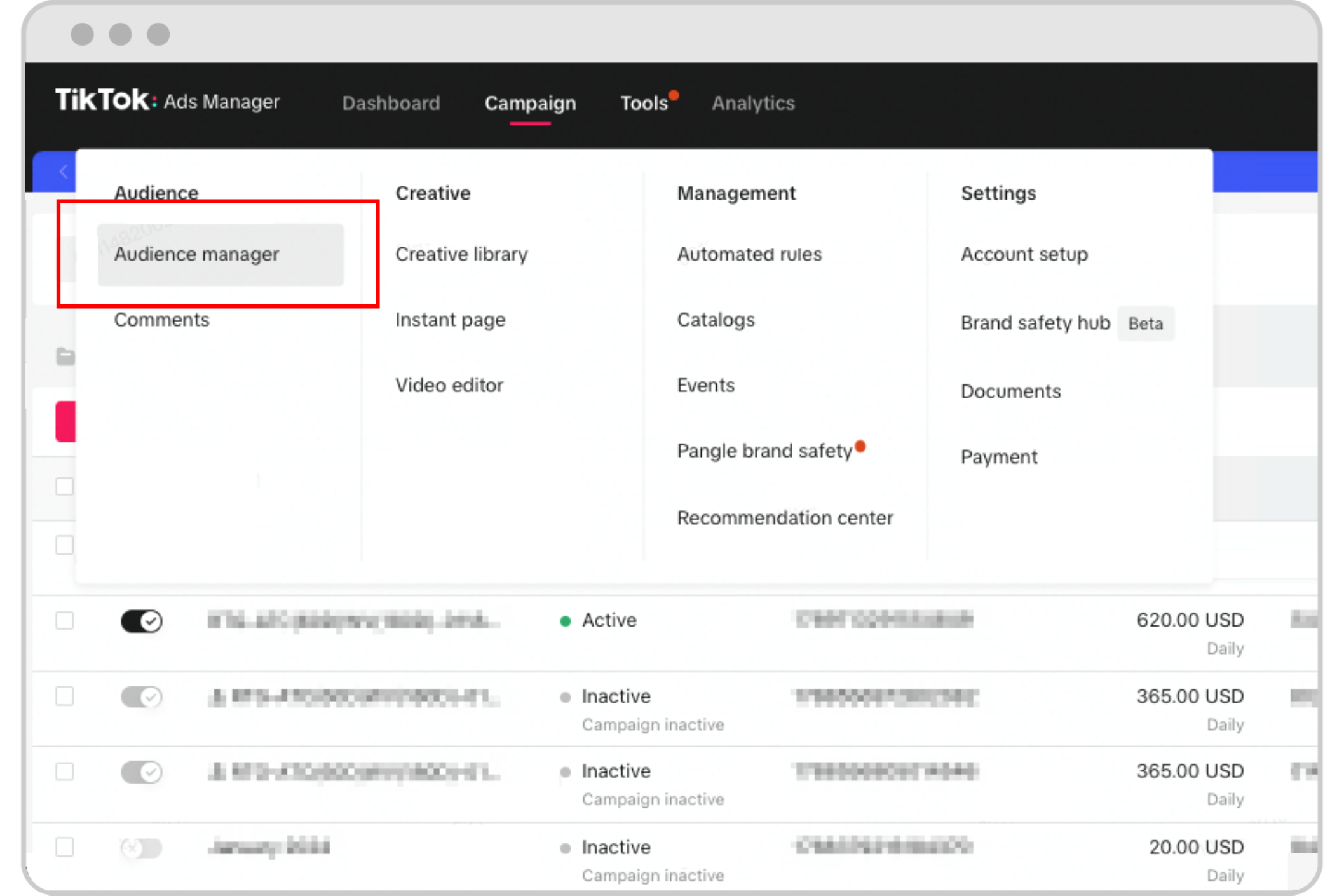
Once you're in the Ads Manager, navigate to the "Audience" section. Here, you can create a new custom audience by selecting the type of audience you want to target.
Options for Custom Audiences:
- Website Visitors: Target users who have visited your website.
- App Users: Target users who have downloaded and used your app.
- Engaged Users: Target users who have interacted with your content, such as liking, commenting, or sharing.
[IMAGE: TikTok ads custom audience setup]
3. Define Your Audience Parameters
After selecting the type of audience, define the parameters that will determine who is included in your custom audience. You can set criteria such as:
- Time Frame: Specify the date range for user interactions.
- Behavioral Data: Include users based on specific actions, such as viewing a product page or adding an item to their cart.
- Demographic Filters: Narrow down your audience by age, gender, location, or other demographic factors.
4. Upload User Data (Optional)
If you have a list of email addresses or phone numbers, you can upload this data to create a custom audience. This is particularly useful for retargeting existing customers or leads.
5. Test Your Audience
Before launching your campaign, test your custom audience to ensure it includes the right users. Use the preview feature in the Ads Manager to see how your audience looks and make adjustments if necessary.
6. Launch Your Ad Campaign
Once your custom audience is set up, you can proceed to create your ad campaign. Choose the ad format, budget, and schedule that best suits your goals.
[IMAGE: TikTok ads custom audience setup]
Best Practices for Custom Audience Setup
1. Use Lookalike Audiences
In addition to custom audiences, consider using lookalike audiences. These audiences are created based on the characteristics of your existing customers, helping you reach new users who are likely to be interested in your brand.
2. Leverage Retargeting
Retargeting is a powerful strategy that involves targeting users who have previously interacted with your brand but haven't converted yet. This can significantly improve your conversion rates.
3. Monitor and Optimize
Regularly monitor the performance of your custom audiences and adjust your targeting as needed. Use analytics tools to track key metrics such as click-through rates, conversion rates, and return on investment.
4. Combine with Other Targeting Options
Custom audiences can be combined with other targeting options, such as interests and demographics, to create a more comprehensive and effective ad strategy.
[IMAGE: TikTok ads custom audience setup]
Conclusion
Setting up custom audiences for TikTok ads is an essential part of any successful advertising strategy. By understanding your audience and leveraging the power of custom targeting, you can create more effective and efficient ad campaigns that drive engagement and conversions. With the right approach, you can maximize the impact of your TikTok ads and achieve your marketing goals.

Posting Komentar untuk "How to Set Up Custom Audiences for TikTok Ads: A Complete Guide"
Posting Komentar