
How to Set Up a Quick TikTok Ad: Step-by-Step Walkthrough for 2024
TikTok has become a powerful platform for brands and individuals looking to grow their online presence, engage with audiences, and drive sales. With its algorithm favoring content that resonates with users, setting up a quick TikTok ad can be an effective way to reach your target audience. This step-by-step walkthrough will guide you through the process of creating a TikTok ad efficiently and effectively.
Step 1: Create a Business Account
Before you can start advertising on TikTok, you'll need to create a business account. If you already have a personal account, you can convert it to a business account by going to your profile settings and selecting "Switch to Pro Account." This allows you to access advanced features like analytics, ad creation, and more.
Step 2: Set Up Your Ad Account
Once you have a business account, the next step is to set up your ad account. Navigate to the TikTok Ads Manager and follow the prompts to create an ad account. You’ll need to provide your business information, including your country/region and the purpose of your ad account.
Step 3: Implement Pixel Tracking
To track the performance of your ads, you'll need to implement the TikTok pixel. This can be done via Google Tag Manager (GTM), directly on your website, or through the TikTok integration for platforms like Shopify or WooCommerce. The pixel helps track user interactions and conversions, which is essential for measuring the success of your campaigns.
Step 4: Create a Campaign
In the TikTok Ads Manager, click on the "Campaigns" tab and select "Create." Choose your campaign objective based on your goals—whether it's awareness, consideration, or conversion. You'll also need to set a budget for your campaign, either daily or lifetime.
Step 5: Set Up Your Ad Group
After creating your campaign, move to the ad group setup. Here, you'll define your targeting options, including demographics, interests, and behaviors. You can choose between custom targeting and automatic targeting. Custom targeting allows you to specify your audience based on location, language, age, and other factors.
Step 6: Choose Your Ad Placement
Select where you want your ad to appear. TikTok offers various placements, including in-feed ads, TopView ads, and Branded Lenses. Each placement has its own benefits, so choose the one that best suits your campaign goals.
Step 7: Import Ad Creatives
You can either use existing content from your TikTok profile or upload new content specifically for your ad. If you're using Spark Ads, you can select posts from your profile to turn into ads. This is a great way to repurpose your existing content and save time.
Step 8: Set Your Budget and Bidding Strategy
Decide on your budget and bidding strategy. You can choose between a daily or lifetime budget and set an end date for your campaign. TikTok requires a minimum budget of $500, so make sure to allocate enough funds for your campaign.
Step 9: Optimize for Performance
Once your ad is live, monitor its performance closely. Use TikTok’s analytics tools to track metrics like engagement, clicks, and conversions. Adjust your targeting, creative elements, and bidding strategy as needed to optimize your campaign for better results.
Step 10: Review and Submit Your Ad
Before submitting your ad, review it to ensure it meets TikTok’s guidelines. Check for any issues with the content, targeting, or formatting. Once everything looks good, submit your ad for review. TikTok typically reviews ads within a few hours, and if approved, your ad will go live.
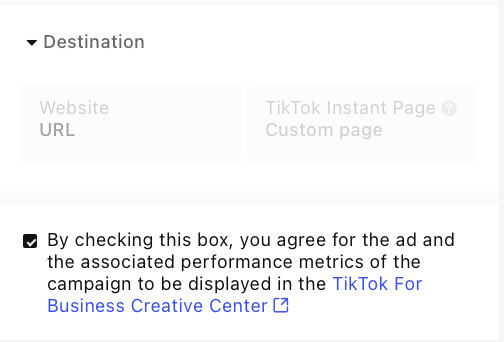
[IMAGE: Quick TikTok ad setup walkthrough for 2024]
Tips for Success
- Use the Right Format: TikTok favors vertical videos with a 9:16 ratio. Make sure your content is optimized for mobile viewing.
- Leverage Trends: Incorporate trending sounds and challenges into your ads to increase visibility and engagement.
- Be Authentic: Authentic content performs better on TikTok. Avoid overly polished ads and focus on creating content that resonates with your audience.
- Engage with Creators: Partner with TikTok creators to expand your reach and build trust with your audience.
- Track Your Results: Use TikTok’s analytics tools to track the performance of your ads and make data-driven decisions.
By following these steps and tips, you can set up a quick TikTok ad that effectively reaches your target audience and drives results. With the right strategy and execution, TikTok can be a valuable tool for growing your brand and increasing sales.

Posting Komentar untuk "How to Set Up a Quick TikTok Ad: Step-by-Step Walkthrough for 2024"
Posting Komentar