
How to Set Up TikTok Ads for Shopify in 2024: A Step-by-Step Guide
In today's digital age, social media platforms have become essential tools for businesses looking to reach new customers and drive sales. Among these platforms, TikTok has emerged as a powerful tool for e-commerce, particularly for Shopify merchants. With its massive user base and engaging content format, TikTok offers a unique opportunity to connect with potential customers and promote products effectively. In this guide, we will walk you through the process of setting up TikTok ads for your Shopify store, helping you leverage this platform to boost your online sales.
Understanding TikTok and Its Potential for E-commerce
TikTok is not just a platform for entertainment; it has evolved into a significant player in the e-commerce landscape. The platform's integration with TikTok Shopping allows businesses to sell products directly within the app, making it easier for users to discover and purchase items. This feature, combined with TikTok's algorithm that prioritizes engaging and relevant content, makes it an ideal platform for promoting Shopify stores.
To set up TikTok ads for your Shopify store, you need to understand how the platform works and what strategies can help you achieve your marketing goals. TikTok's algorithm is designed to show content that resonates with users, so creating content that aligns with your brand and appeals to your target audience is crucial.
Preparing Your Shopify Store for TikTok Integration
Before diving into setting up TikTok ads, ensure that your Shopify store is optimized for social commerce. This includes:
- Creating a Compelling Product Catalog: Ensure that your product listings are well-organized, visually appealing, and include high-quality images and detailed descriptions.
- Setting Up TikTok Shopping: If you haven't already, enable TikTok Shopping on your Shopify account. This allows you to tag products in your TikTok videos, making it easy for viewers to shop directly from the app.
- Optimizing Your Website for Mobile: Since a significant portion of TikTok users access the platform via mobile devices, ensure that your Shopify store is mobile-friendly and loads quickly.
Creating a TikTok Business Account
To run ads on TikTok, you need a business account. Here’s how to create one:
- Download the TikTok App: If you don’t already have the TikTok app installed on your device, download it from the App Store or Google Play.
- Create a New Account: Open the app and select "Create Account." Follow the prompts to set up a new account.
- Convert to a Business Account: Once you have a personal account, go to your profile settings and select "Switch to Pro Account." Follow the instructions to convert your account to a business account, which provides access to advanced features like TikTok Ads Manager.
Setting Up TikTok Ads for Your Shopify Store
Once you have a business account, you can start setting up your TikTok ads. Here’s a step-by-step guide:
Step 1: Access TikTok Ads Manager
- Open the TikTok App: Log in to your business account.
- Navigate to Ads Manager: Tap on the "Ads" tab at the bottom of the screen. From here, you can manage your ad campaigns.
Step 2: Create a New Ad Campaign
- Select "Create Campaign": Tap on the "Create Campaign" button to start a new ad campaign.
- Choose Your Objective: Select the objective that best aligns with your marketing goals. Common objectives include "Conversions," "Traffic," and "Brand Awareness."
- Set Your Budget: Determine the budget for your campaign. You can choose between a daily or lifetime budget.
Step 3: Define Your Target Audience
- Select Targeting Options: Choose the demographics, interests, and behaviors that define your ideal audience. This helps ensure that your ads are shown to the right people.
- Use Lookalike Audiences: Consider using lookalike audiences to target users who resemble your existing customers.
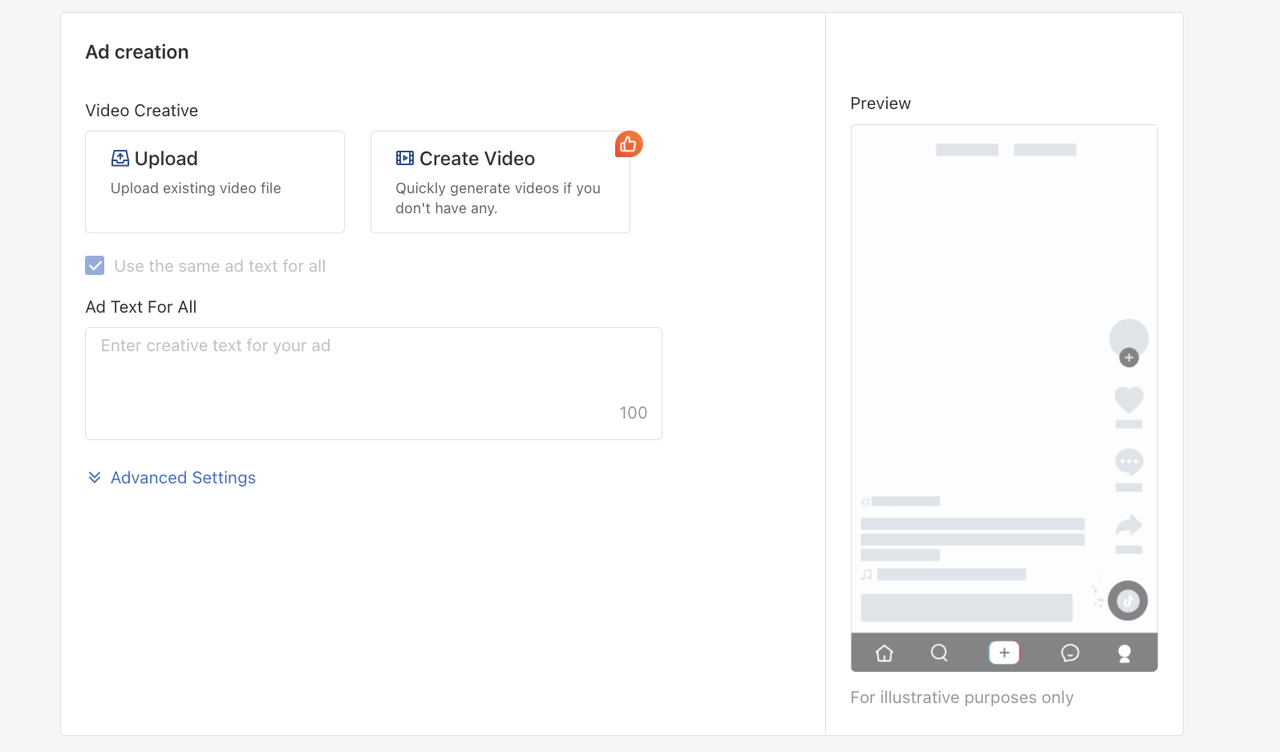
Step 4: Create Your Ad Content
- Choose Your Ad Format: TikTok offers various ad formats, including in-feed ads, brand takeovers, and shopping ads. Choose the format that best suits your campaign goals.
- Design Your Video: Create a video that showcases your product or service. Keep it engaging and aligned with your brand voice. Use trending sounds and hashtags to increase visibility.
- Add Call-to-Action (CTA): Include a clear call-to-action in your video, such as "Shop Now" or "Learn More."
Step 5: Set Up Tracking and Analytics
- Enable Conversion Tracking: To measure the effectiveness of your ads, enable conversion tracking in TikTok Ads Manager. This allows you to track key metrics like clicks, conversions, and return on ad spend (ROAS).
- Monitor Performance: Regularly review your ad performance using TikTok's analytics tools. Adjust your strategy based on the data to optimize your campaigns.
Best Practices for TikTok Ads on Shopify
To maximize the effectiveness of your TikTok ads, consider the following best practices:
- Leverage Trends: Stay updated with the latest TikTok trends and incorporate them into your content. This can help increase engagement and reach.
- Engage with Your Audience: Respond to comments and messages promptly. Building a connection with your audience can enhance brand loyalty and drive sales.
- Use High-Quality Visuals: Invest in professional photography and video production to create visually appealing content that stands out on TikTok.
- Test Different Formats: Experiment with different ad formats and content styles to determine what resonates best with your audience.
Conclusion
Setting up TikTok ads for your Shopify store can be a game-changer for your e-commerce business. By following the steps outlined in this guide, you can effectively leverage TikTok's powerful platform to reach new customers and drive sales. Remember to stay engaged with your audience, monitor your ad performance, and continuously refine your strategy to achieve the best results. With the right approach, TikTok can become a valuable asset in your marketing arsenal.

Posting Komentar untuk "How to Set Up TikTok Ads for Shopify in 2024: A Step-by-Step Guide"
Posting Komentar