
How to Set Up TikTok Ads on Your Phone: A Step-by-Step Guide
Setting up TikTok ads on your phone is a powerful way to reach a younger, highly engaged audience. With over 2 billion downloads and a growing user base, TikTok has become a key platform for marketers looking to connect with Gen Z and millennial audiences. Whether you're a small business owner or a digital marketer, understanding how to set up TikTok ads on your phone can significantly boost your brand's visibility and engagement.
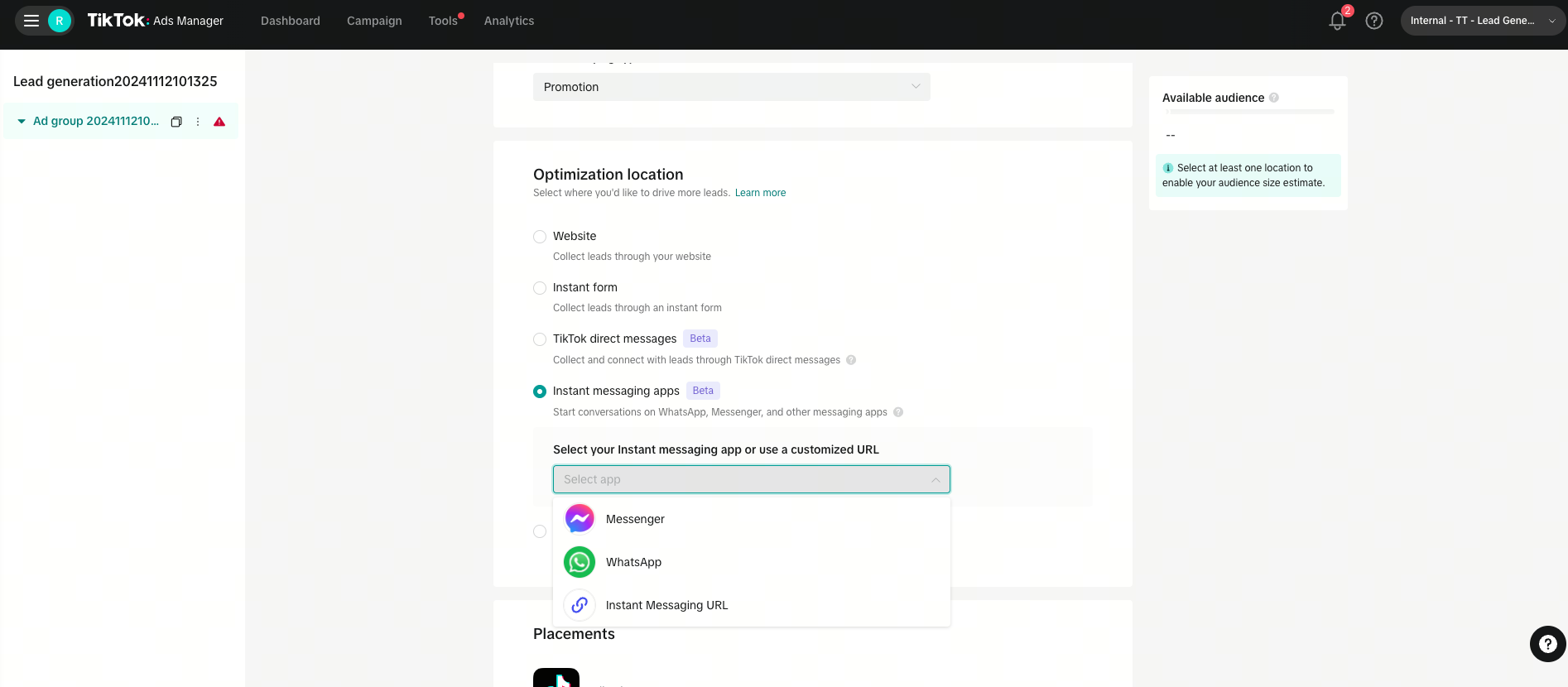
Why Use TikTok for Advertising?

TikTok offers several advantages that make it an attractive option for advertisers:
- Lower Costs: Compared to platforms like Facebook and Instagram, TikTok ads often have lower costs due to the platform's relatively newer status.
- Targeting Options: TikTok provides various targeting options, including interest-based targeting, lookalike audiences, and location-based targeting.
- Creative Flexibility: TikTok allows for unique and engaging ad formats, such as short videos, brand takeovers, and hashtag challenges.
- High Engagement: The platform's users are highly active, making it easier to capture attention and drive interactions.
Step-by-Step Guide to Setting Up TikTok Ads on Your Phone
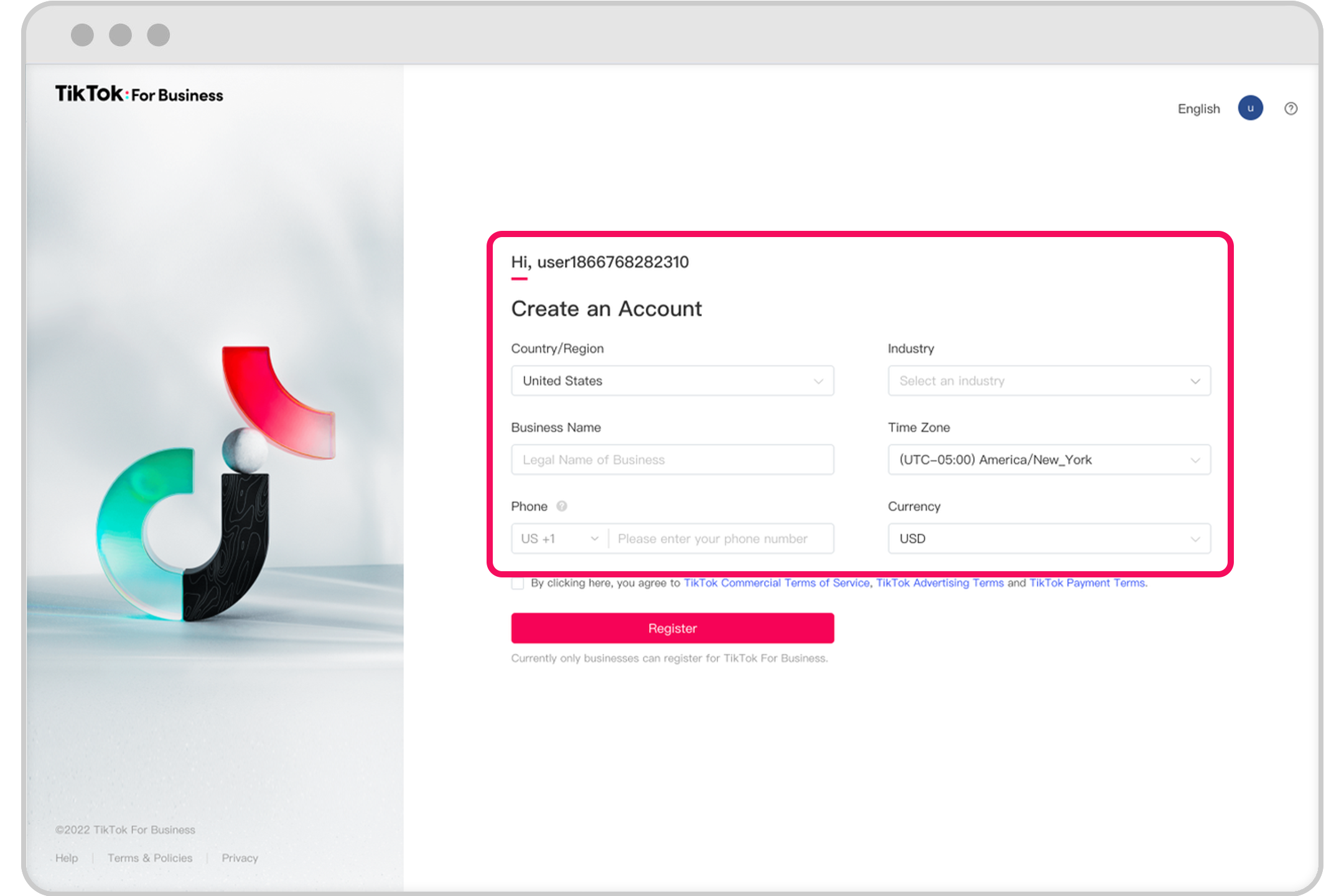
Step 1: Access the TikTok Ads Manager
To begin setting up your TikTok ads, you'll need to access the TikTok Ads Manager. This can be done through the TikTok app or via the web version at ads.tiktok.com.
- Open the TikTok app on your phone.
- Tap on your profile icon (top-left).
- Scroll down and select "Creator Studio" or "Ads Manager."
- If you don't see this option, ensure you're logged in with a business account.
Step 2: Create a New Campaign

Once you're in the Ads Manager, you can create a new campaign by following these steps:
- Tap on "Create Campaign."
- Choose your campaign objective. Common objectives include traffic, conversions, brand awareness, and engagement.
- Select the platform where you want your ads to run. For mobile users, this will typically be TikTok.
Step 3: Set Your Budget and Schedule
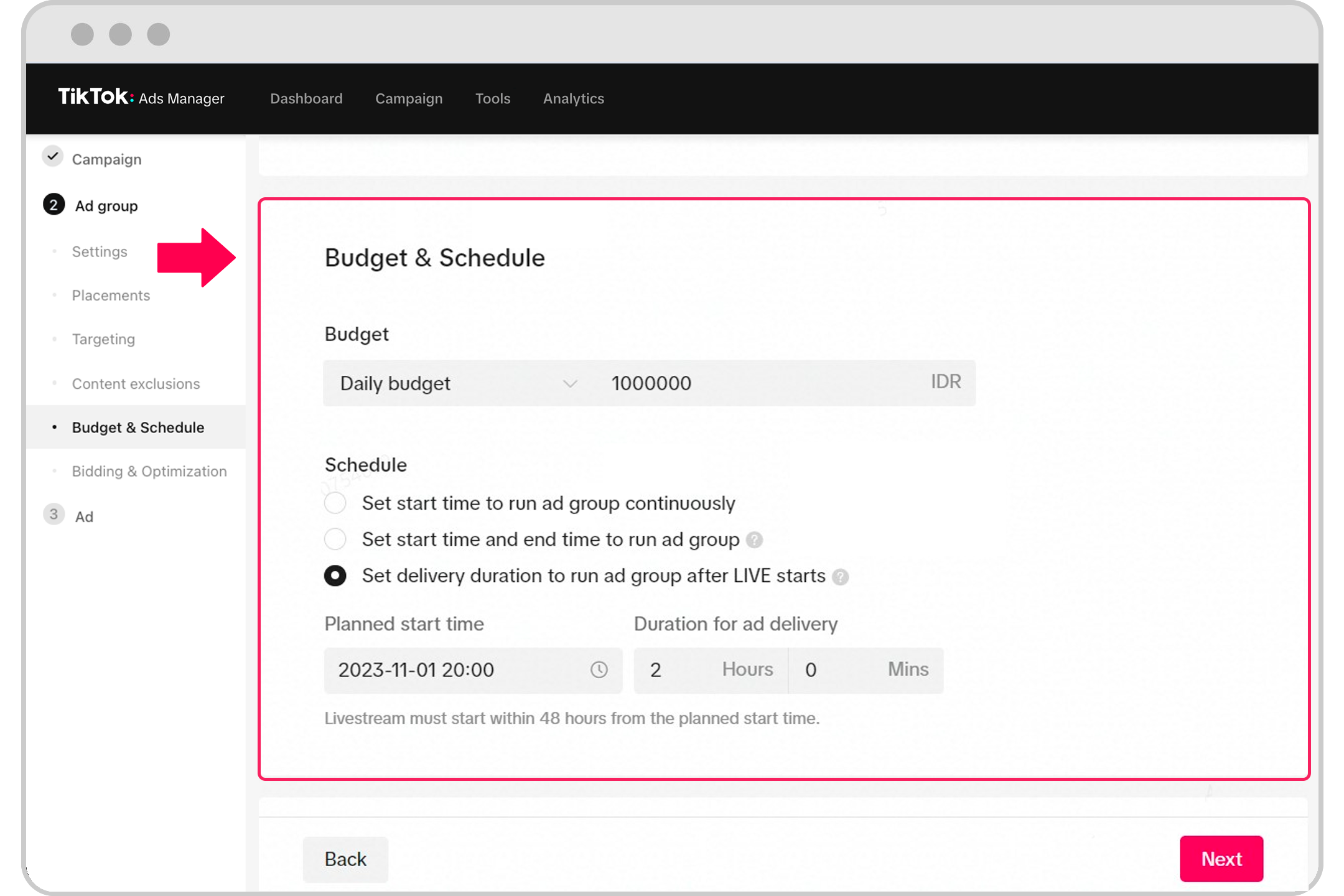
After selecting your campaign objective, you'll need to set your budget and schedule:
- Choose between a daily or lifetime budget.
- Set your start and end dates for the campaign.
- Decide whether you want to run your ads continuously or on specific days.
Step 4: Define Your Target Audience
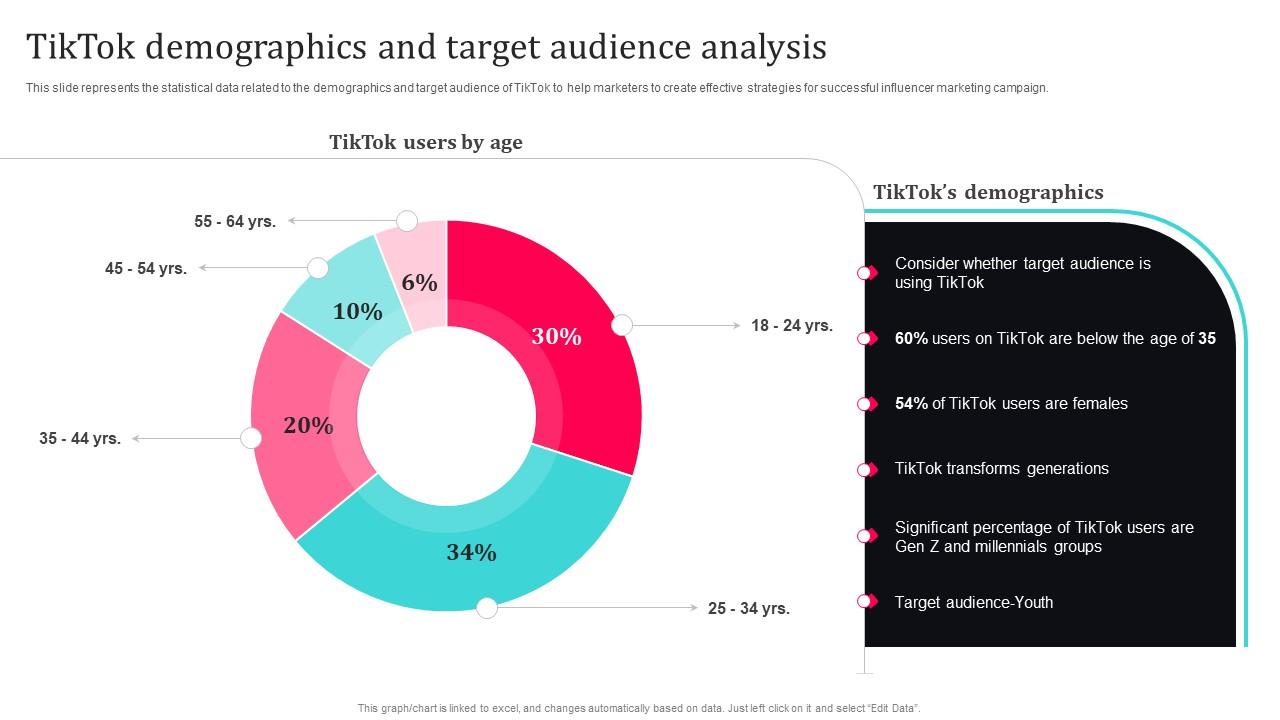
TikTok offers several targeting options to help you reach the right audience:
- Location: Choose the geographic locations where you want your ads to appear.
- Age and Gender: Specify the age range and gender of your target audience.
- Interests: Target users based on their interests, such as fashion, technology, or fitness.
- Lookalike Audiences: Use data from your existing customers to create lookalike audiences.
Step 5: Choose Your Ad Format

TikTok offers multiple ad formats, each with its own benefits:
- In-Feed Ads: These are video ads that appear in users' feeds.
- Brand Takeovers: Full-screen ads that appear when users open the app.
- Hashtag Challenges: Encourage users to participate in a branded challenge.
- Video Ads: Short-form video ads that can be up to 60 seconds long.
Step 6: Upload Your Creative Content

Creating engaging content is crucial for the success of your TikTok ads. Here are some tips:
- Use High-Quality Videos: Ensure your videos are clear and visually appealing.
- Add Captions and Sound: TikTok is a visual platform, so captions and sound can enhance the viewing experience.
- Keep It Short: TikTok users prefer short, engaging content. Aim for 15-30 seconds.
Step 7: Review and Launch Your Campaign
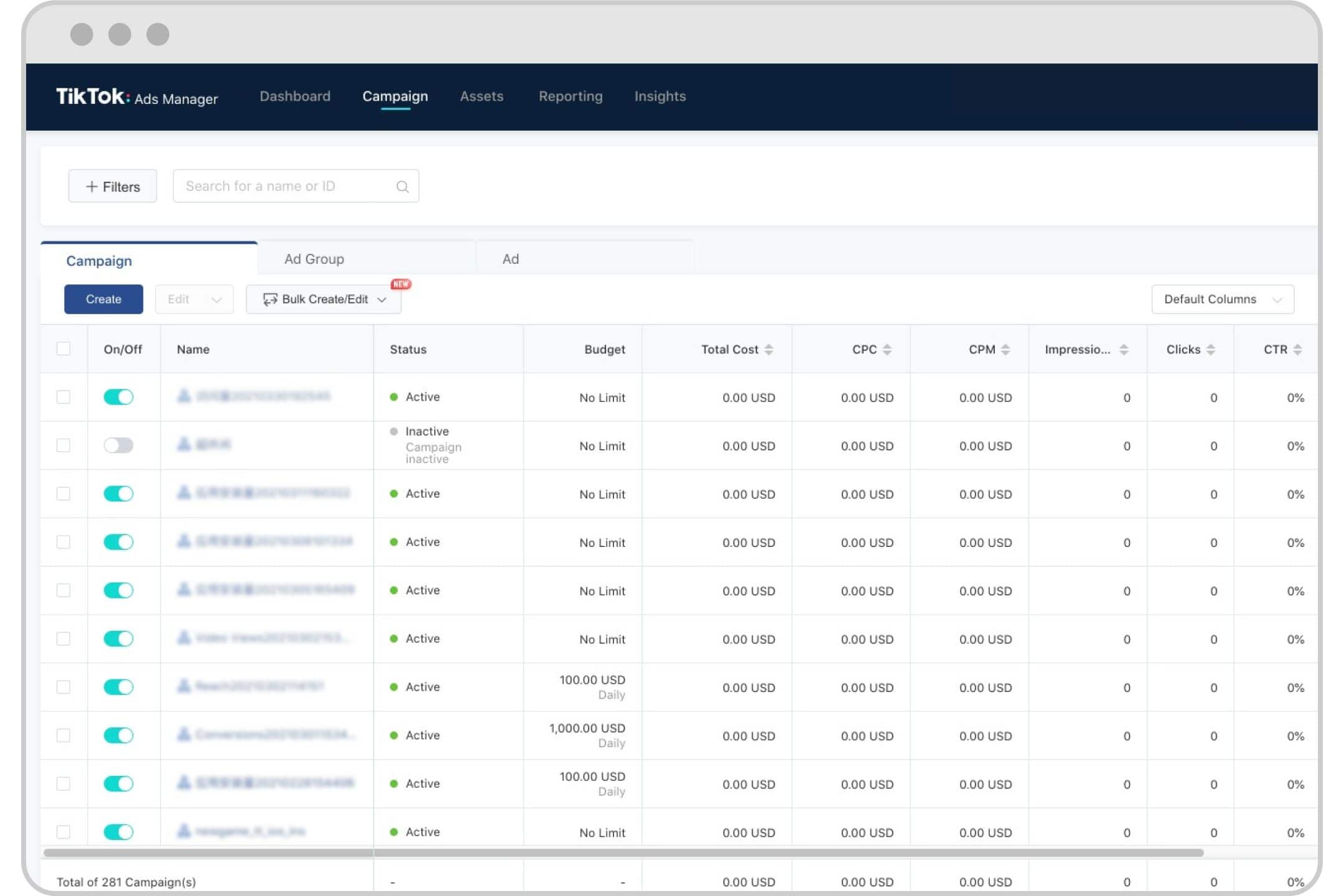
Before launching your campaign, review all the details to ensure everything is set up correctly:
- Check your targeting settings to ensure they align with your goals.
- Verify your budget and schedule.
- Confirm that your ad content is appropriate and compliant with TikTok's guidelines.
Once you're satisfied, tap "Launch" to start your campaign.
Tips for Optimizing Your TikTok Ads

- Use Automated Creative Optimization: Let TikTok test different combinations of images, videos, and copy to find the best-performing ad.
- Test Different Audiences: Experiment with different targeting options to see what works best for your brand.
- Monitor Performance: Regularly check your campaign performance and make adjustments as needed.
- Engage with Your Audience: Respond to comments and messages to build a stronger connection with your audience.
Conclusion
Setting up TikTok ads on your phone is a straightforward process that can yield significant results. By following the steps outlined above and leveraging TikTok's unique features, you can effectively reach and engage with your target audience. Whether you're promoting a product, service, or brand, TikTok offers a powerful platform for digital marketing. Start experimenting with your ads today and watch your online presence grow.

Posting Komentar untuk "How to Set Up TikTok Ads on Your Phone: A Step-by-Step Guide"
Posting Komentar