
How to Set Up TikTok Ads Pixel: A Complete Guide for Marketers
TikTok has become a powerful platform for businesses looking to connect with a younger, engaged audience. As the platform continues to grow, so does the need for effective advertising strategies. One of the most essential tools for marketers on TikTok is the TikTok Ads Pixel. This tool allows you to track user interactions, measure ad performance, and gain valuable insights into your audience's behavior. In this guide, we'll walk you through the process of setting up the TikTok Ads Pixel and how it can help boost your marketing efforts.
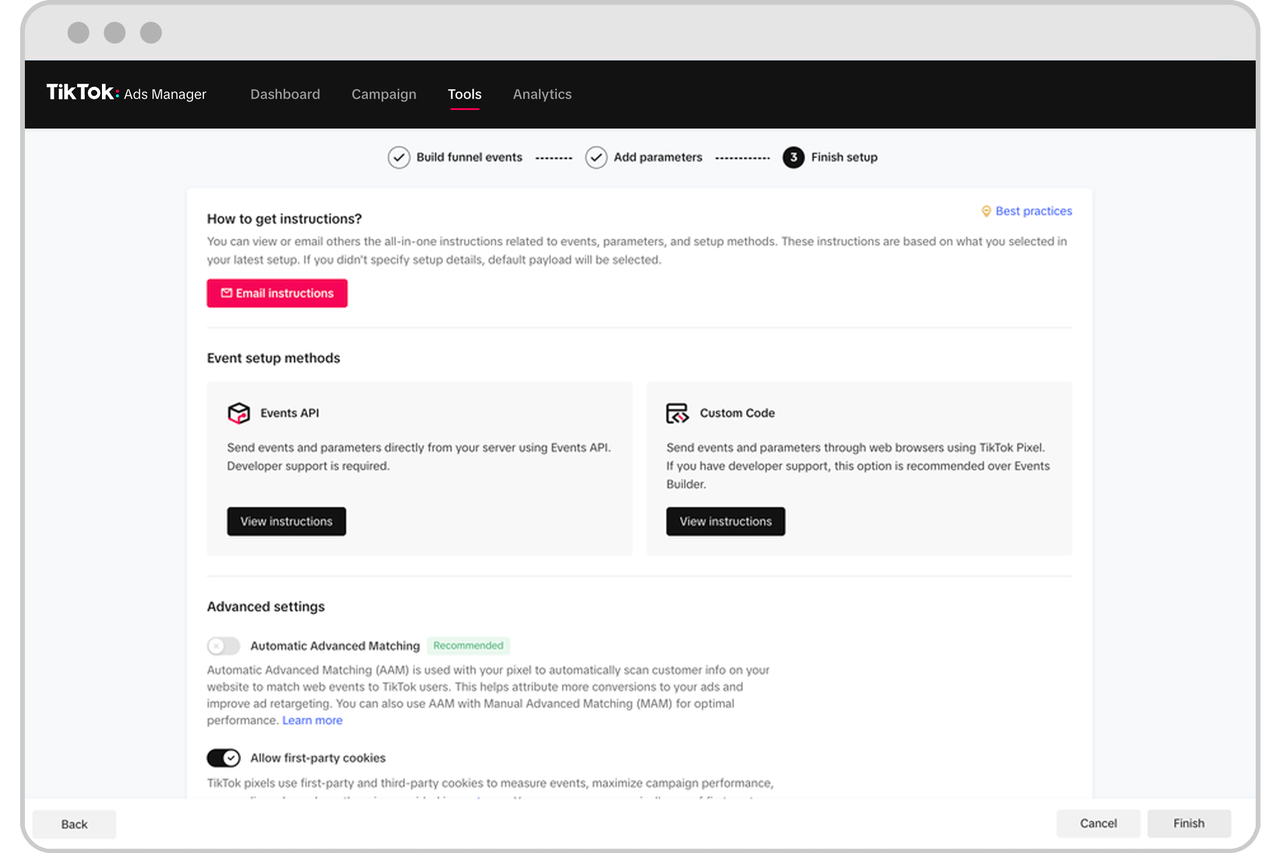
Understanding the TikTok Ads Pixel

The TikTok Ads Pixel is a tracking code that helps you monitor user actions after they interact with your ads. It enables you to measure conversions, understand customer behavior, and optimize your campaigns based on real-time data. By installing the pixel, you can track key events such as product views, add-to-cart actions, and completed purchases.
Key Features of the TikTok Ads Pixel
- Conversion Tracking: Measure the effectiveness of your ads by tracking specific actions users take on your website.
- Event Tracking: Define and monitor custom events to gain deeper insights into user behavior.
- Ad Optimization: Use the data collected to refine your targeting and improve campaign performance.
Step-by-Step Guide to Setting Up TikTok Ads Pixel
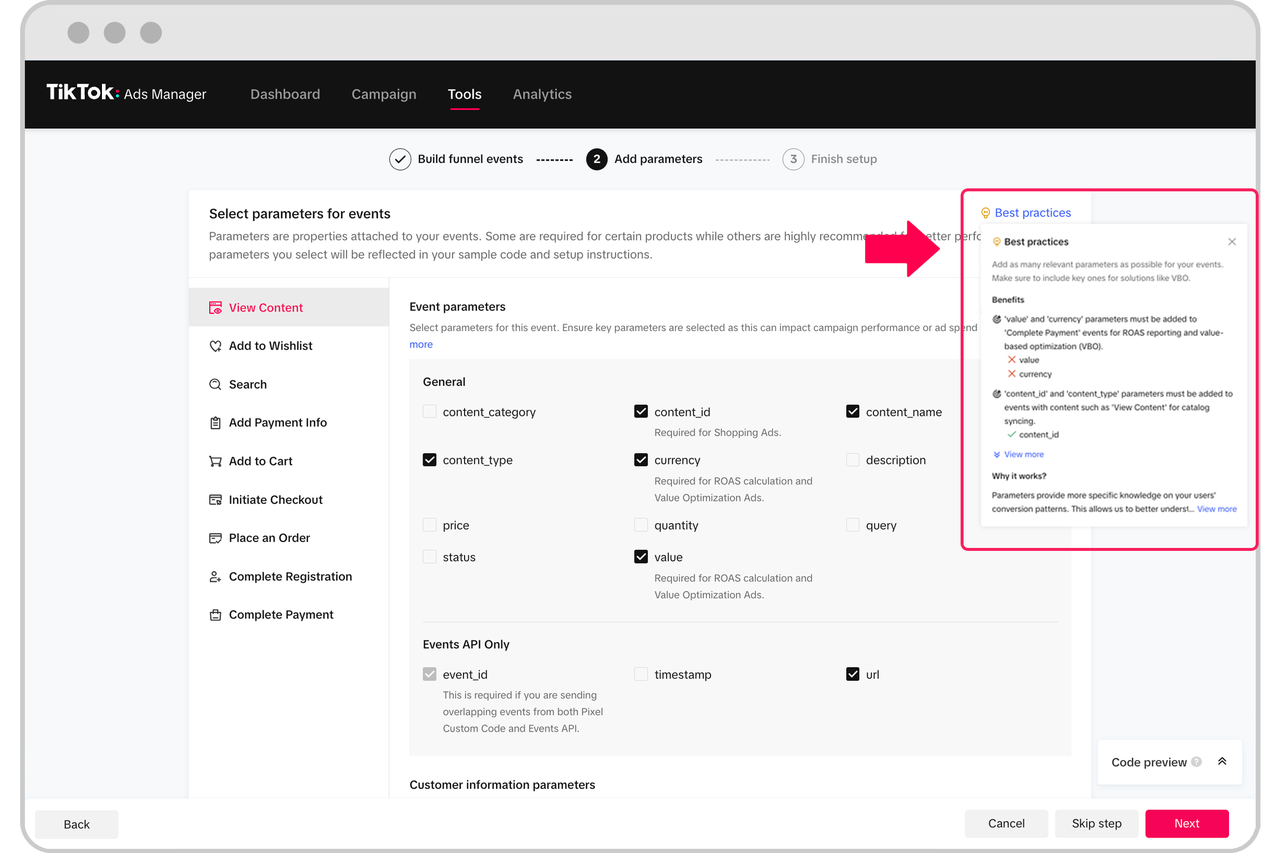
Step 1: Log Into Your TikTok Ads Manager Account
Start by logging into your TikTok Business Account. If you don’t have one, you can create it by visiting business.tiktok.com. Once logged in, navigate to the Ads Manager section.
Step 2: Create a New Pixel
In the Ads Manager, go to the Pixel section. Click on Create Pixel and give your pixel a name. You can choose to install the pixel manually or use the TikTok Pixel Helper extension for easier setup.
Step 3: Choose Developer Mode
When creating your pixel, make sure to select Developer Mode. This mode allows you to set custom event rules and ensures accurate tracking. If you accidentally choose Standard Mode, you’ll need to create a new pixel to track your events correctly.
Step 4: Copy the Pixel Code
Once you’ve set up your pixel, copy the pixel code provided by TikTok. This code will be used to install the pixel on your website.
Step 5: Install the Pixel on Your Website
To install the pixel, you’ll need to add the code to your website’s HTML. If you’re using a platform like Shopify, you can find the pixel installation settings within your Shopify admin panel. Alternatively, you can use a third-party app to simplify the process.
Step 6: Verify the Pixel Installation
After installing the pixel, verify its functionality by using the Test Event feature in the TikTok Business Center. This will ensure that your pixel is correctly tracking user interactions.
Optimizing Your TikTok Ads Pixel
Once your pixel is set up, you can start optimizing your campaigns using the data collected. Here are some tips to get the most out of your TikTok Ads Pixel:
1. Track Key Events
Define the events you want to track, such as: - Product views - Add-to-cart actions - Completed purchases - Newsletter sign-ups
By tracking these events, you can gain a better understanding of how users interact with your brand and adjust your campaigns accordingly.
2. Use Data for Ad Optimization
Use the insights from your pixel to refine your targeting and improve your ad performance. For example, if you notice that a particular ad has a high click-through rate but low conversion rate, you may need to adjust your landing page or targeting strategy.
3. Monitor Performance Metrics
Keep an eye on key metrics such as: - ROAS (Return on Ad Spend) - CPA (Cost Per Acquisition) - CTR (Click-Through Rate)
These metrics will help you evaluate the effectiveness of your campaigns and make data-driven decisions.
Common Challenges and Solutions

1. Incorrect Pixel Setup
If your pixel isn’t tracking events correctly, double-check that you’ve selected Developer Mode and that the code is properly installed on your website. If issues persist, consider reaching out to TikTok support for assistance.
2. Privacy Restrictions
With increasing privacy regulations, some users may block tracking pixels. To overcome this, consider using server-side tracking or other alternative methods to collect data.
3. Limited Budget
For small businesses, budget constraints can limit ad spend. However, TikTok offers flexible pricing models, allowing you to set daily or lifetime budgets. Focus on high-performing ad formats such as In-Feed Ads or TopView Ads to maximize your ROI.
Conclusion
Setting up the TikTok Ads Pixel is a crucial step in optimizing your advertising strategy on TikTok. By tracking user interactions and measuring conversions, you can gain valuable insights into your audience and improve your campaign performance. With the right setup and optimization techniques, you can leverage the power of TikTok to drive engagement, increase sales, and grow your brand.

Posting Komentar untuk "How to Set Up TikTok Ads Pixel: A Complete Guide for Marketers"
Posting Komentar