
How to Set Up TikTok Collection Ads in 2024: A Step-by-Step Guide
TikTok has become a powerful platform for brands to connect with their target audience and drive sales. One of the most effective ways to do this is through TikTok Collection Ads, which allow users to discover and purchase products directly within the app. However, it's important to note that as of April 2023, TikTok no longer supports Collection Ads. Instead, the features of Collection Ads have been integrated into Video Shopping Ads. Despite this change, understanding how to set up and utilize these ad formats remains crucial for marketers looking to leverage TikTok's capabilities.
What Are TikTok Collection Ads?
TikTok Collection Ads are interactive, shoppable video ads that let users browse products via an Instant Gallery Page without leaving the app. These ads combine TikTok's signature full-screen, sound-on experience with a smooth in-app shopping flow, helping brands reduce drop-offs and drive more conversions. By creating your Collection Ads, you can drive more traffic to an Instant Gallery Page — a place for TikTok users to discover a collection of your products without leaving the app.
Benefits of TikTok Collection Ads
-
Enhanced Product Discovery on Mobile: Collection Ads seamlessly integrate the distinctive features of TikTok ads, such as full-screen display, vertical orientation, and sound activation. This combination, coupled with a rapid-loading Instant Gallery Page and a sophisticated product recommendation algorithm, facilitates a user-friendly experience for discovering relevant products.
-
Personalized Product Recommendations: The Instant Gallery Page adapts its content based on individual user preferences, ensuring that each visitor sees products tailored to their interests. This dynamic promotion of products not only enhances the user experience but also increases the likelihood of meaningful interactions.
-
Seamless and Immersive Experience: Collection Ads TikTok goes beyond traditional advertising formats by offering a highly engaging and immersive experience. The in-feed video ad serves as the gateway to the Instant Gallery Page, eliminating the need for users to wait for a separate mobile landing page to load.
How TikTok Collection Ads Work
TikTok Collection Ads operate seamlessly to provide an immersive shopping experience for users. When users engage with an interactive element within the ad, a click directs them to the Instant Gallery Page. This page serves as a virtual storefront, offering a curated selection of product cards. Advertisers have the flexibility to manually select specific products for display or utilize TikTok Ads Manager’s dynamic feature, tailoring product recommendations based on individual user preferences.
The Instant Gallery Page becomes a digital showcase where users can effortlessly explore the catalog of featured products. It acts as a bridge, allowing interested users to transition smoothly from product discovery to the advertiser’s website, where they can finalize their purchase.
Setting Up TikTok Collection Ads
To set up TikTok Collection Ads, follow these steps:
Step 1: Create a Catalog
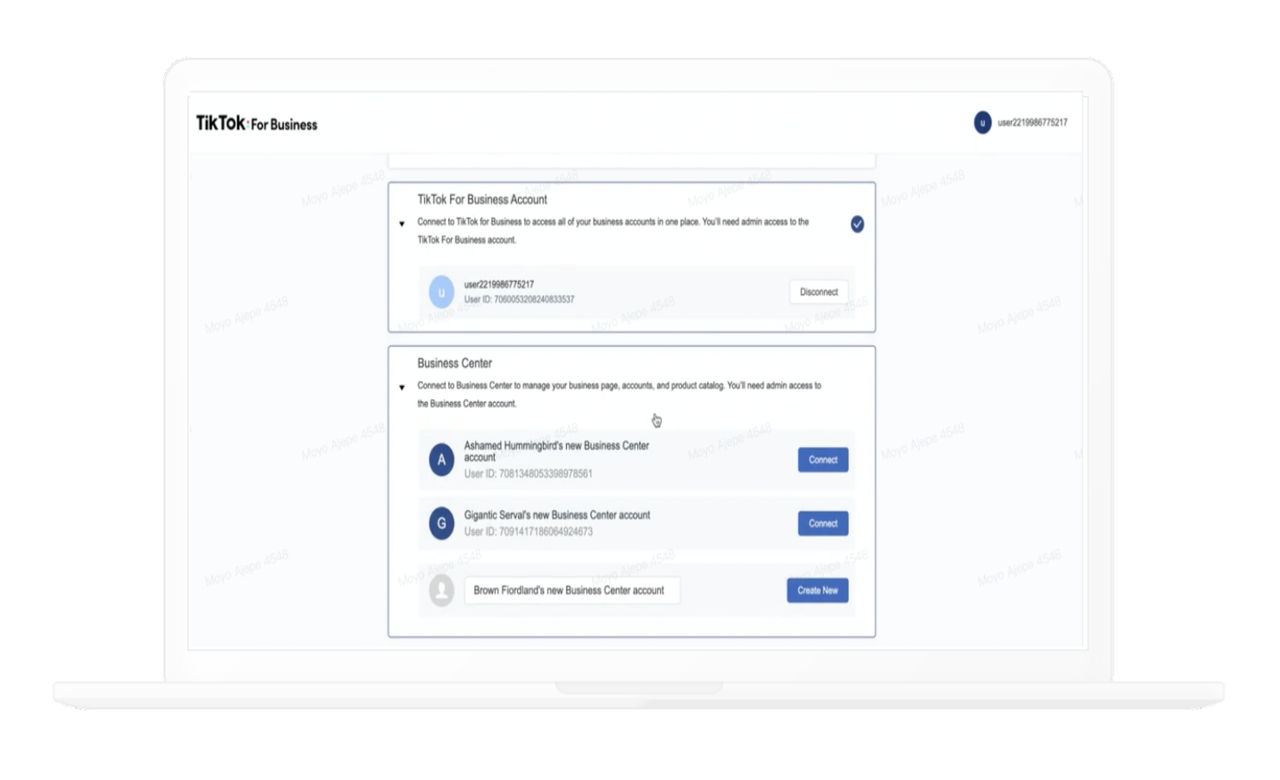
Log in to your TikTok Ads Manager account and navigate to the “Catalogs” section under the Asset tab. Click on Catalogs and then on the Create button. Provide essential information such as Catalog name, Business Center account, and Industry. Click Create to establish your catalog.
Step 2: Upload Products
Populate your catalog with product information. You can manually add products, set up a data feed schedule, upload a file, or import from Google.
Step 3: Manage Your Catalog
Utilize features like managing and adding products, creating product sets, setting up catalog rules, connecting event sources, and creating video packages.
Step 4: Create Collection Ads
Open TikTok Ads Manager and create a new campaign. Choose “Product Sales” as your advertising objective and complete the campaign settings. Under your Shop Settings, select the Shop you want to promote, and then choose “Video Shopping” as your promotion type. Next, choose the Identity that will be used for the ads. Ensure that you set the age selection to 18+ for targeting and complete the rest of the ad group settings.
Step 5: Choose the Product(s) to Promote
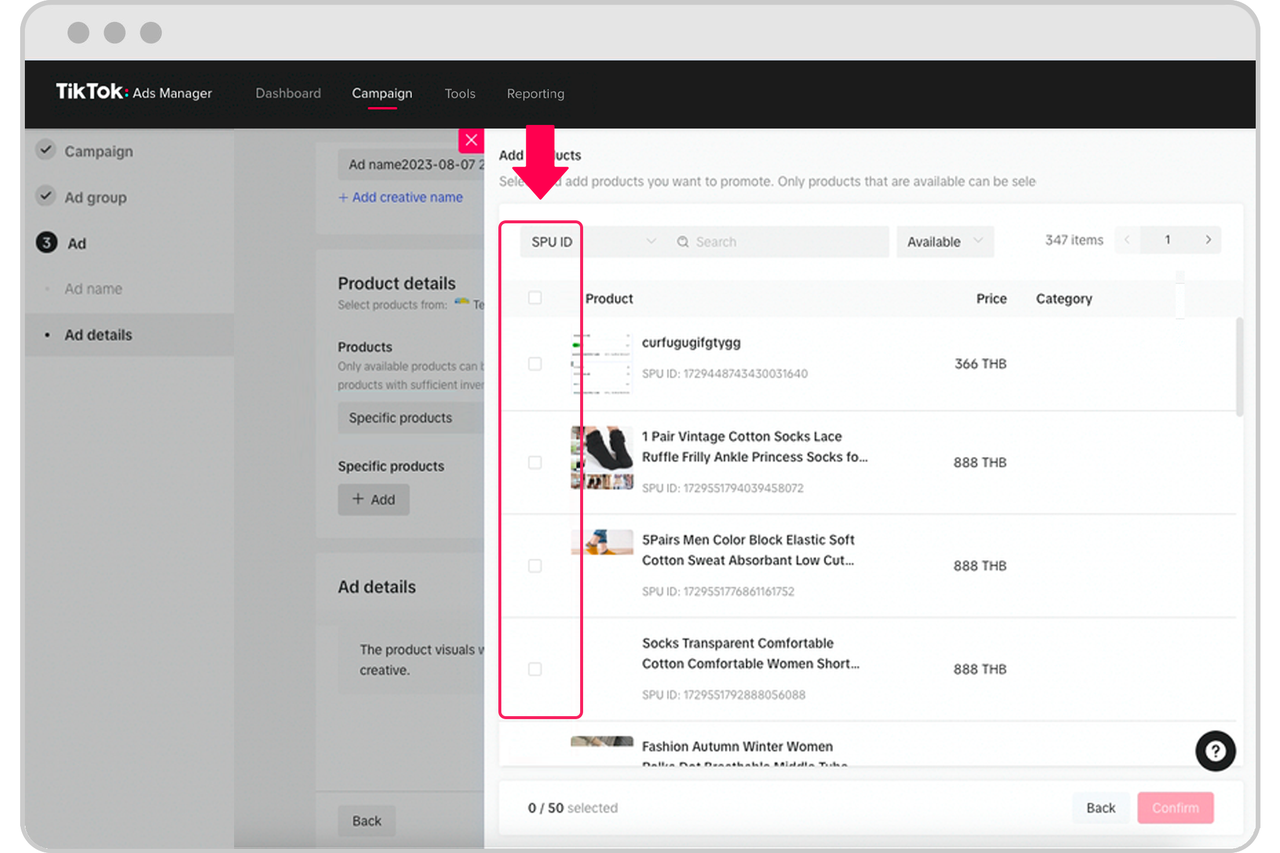
Navigate to the “Products” menu and select the product(s) you want to promote. You can choose one or multiple products to promote. After this, select a TikTok Post belonging to the Identity you selected earlier – this will be your ad creative.
Step 6: Complete the Ad Settings and Submit Your Ad
Finish filling in the rest of the Ad settings and hit ‘Submit’. Your TikTok Video Shopping Ad is now ready to go!
Best Practices for TikTok Collection Ads
To get the best results from your TikTok Collection Ads, focus on both creative quality and shopping experience optimization. Here’s what works best:
-
Keep Your Product Set Focused: Feature 4–8 key products in your Instant Gallery Page. A concise selection helps users focus on what matters and reduces drop-offs.
-
Use High-Quality, Mobile-First Visuals: Ensure your videos and product images are vertical (9:16), high resolution, and shot in good lighting. The first three seconds are crucial — start strong with motion or emotion.
-
Connect Your Catalog or TikTok Shop: Integrate your product catalog or TikTok Shop inventory so users can browse personalized products directly inside the app. This also enables dynamic updates and automatic stock syncing.
-
Optimize Your Instant Gallery Page: Use short, clear product titles and minimal text. Keep the layout visually consistent and prioritize fast loading. A clutter-free design improves click-through and conversion rates.
-
Combine with Creators or Spark Ads: Partner with relevant creators or use Spark Ads to run Collection Ads from authentic posts. This boosts trust and engagement, especially for fashion, beauty, and lifestyle brands.
-
Track and Test Performance: Monitor key metrics like CTR, CVR, and View-to-Click rate in TikTok Ads Manager. A/B test creative variations, captions, and product order to see what drives the most conversions.
Conclusion
TikTok Collection Ads provide users with a seamless shopping experience, from viewing the ad to completing the payment. With this advantage, businesses will reduce the rate of users exiting the shopping journey and increase revenue. While Collection Ads are no longer available, the features have been integrated into Video Shopping Ads, making it essential for marketers to understand how to set up and utilize these ad formats effectively. By following the steps outlined above and adhering to best practices, you can maximize the impact of your TikTok advertising efforts and drive meaningful results for your brand.

Posting Komentar untuk "How to Set Up TikTok Collection Ads in 2024: A Step-by-Step Guide"
Posting Komentar