
How to Set Up TikTok Conversion Events for Maximum ROI in 2024
In the ever-evolving digital marketing landscape, TikTok has emerged as a powerful platform for brands looking to engage younger audiences and drive conversions. With over 1 billion active users, TikTok offers unique opportunities for marketers to connect with their target demographics through creative content and targeted advertising. One of the most effective tools for maximizing return on investment (ROI) on TikTok is setting up TikTok Conversion Events. This guide will walk you through the process of setting up these events, ensuring you get the most out of your ad campaigns.

Understanding TikTok Conversion Events
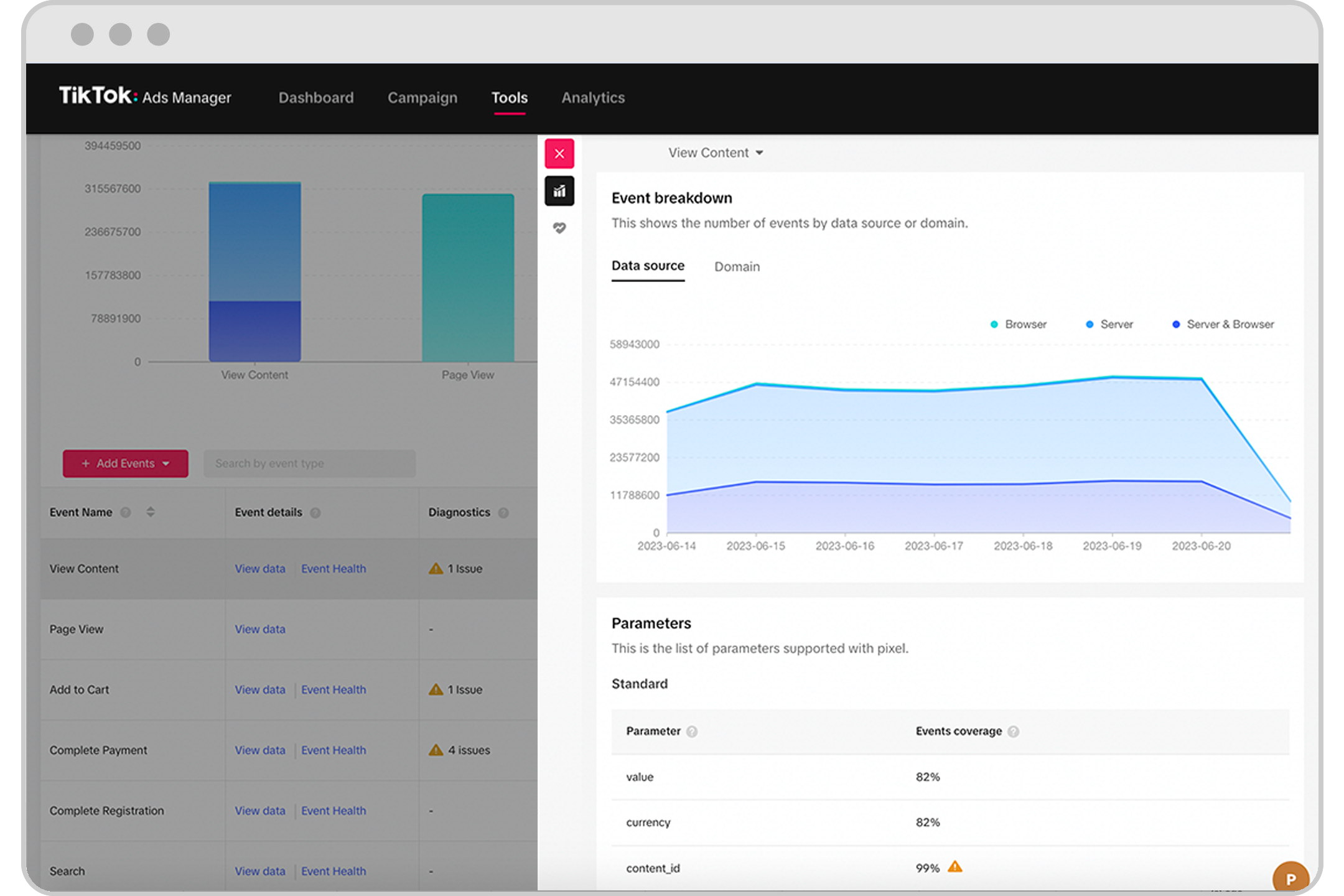
TikTok Conversion Events allow you to track specific actions taken by users after they interact with your ads. These events can include purchases, sign-ups, downloads, or any other valuable action that aligns with your business goals. By tracking these events, you gain insights into how well your ads are performing and where you can optimize your strategies.
Setting up TikTok Conversion Events involves using the TikTok Pixel, which is a piece of code that tracks user interactions on your website or app. Additionally, the TikTok Conversion API (also known as the Events API) provides a more robust way to track conversions, offering greater accuracy and control over the data you share with TikTok.
Step-by-Step Guide to Setting Up TikTok Conversion Events
1. Create a TikTok Ads Account
If you don't already have a TikTok Ads account, start by creating one. This will give you access to all the tools needed to set up conversion tracking.
2. Set Up TikTok Pixel
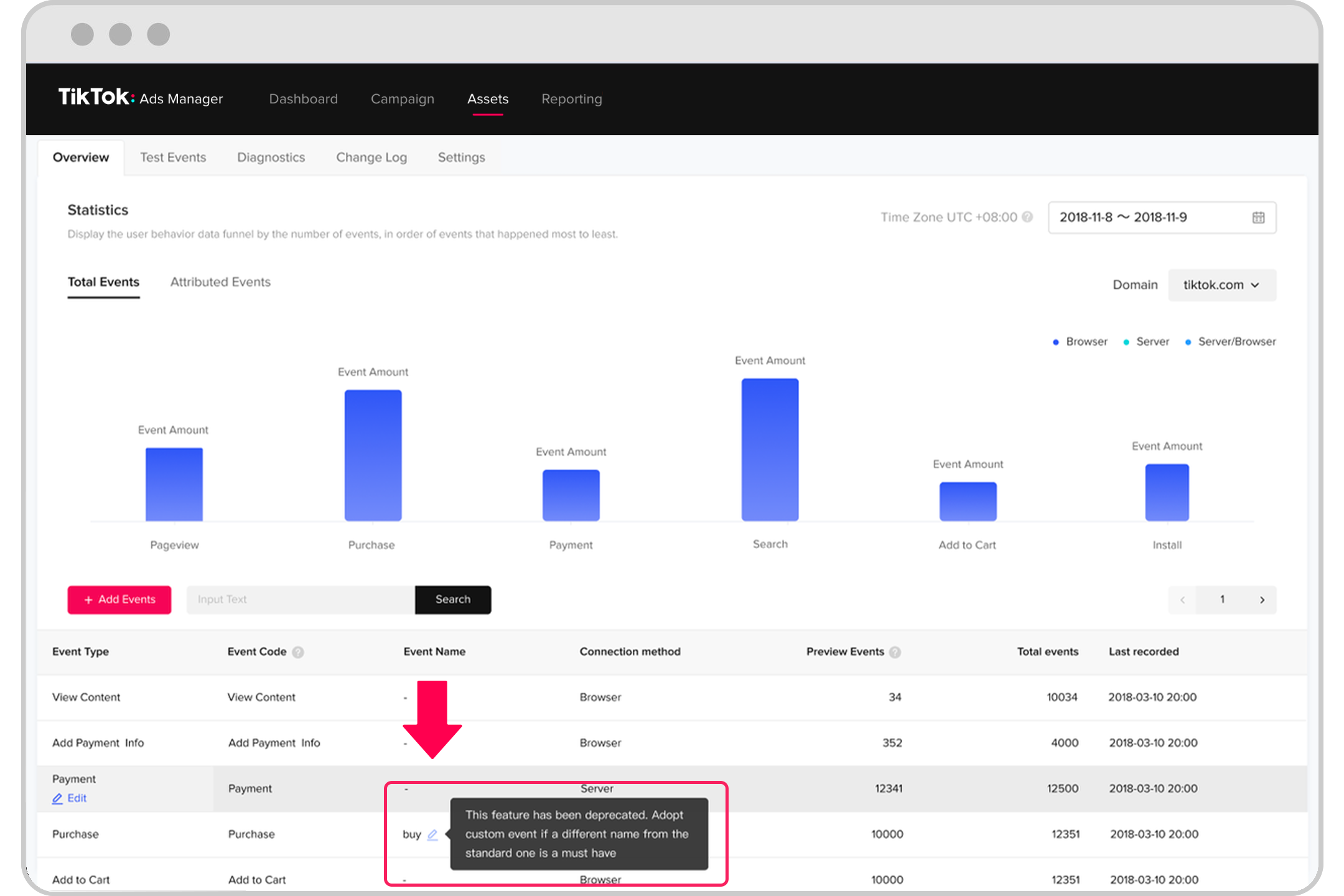
To set up the TikTok Pixel, follow these steps: - Go to your TikTok Ads Manager account. - Navigate to Assets and click on Event. - Under Web Events, select Manage. - Click Set Up Web Events. - From there, you can create a new pixel, customize its parameters, and install it on your website or app.
3. Set Up TikTok Conversion API (Events API)
You can set up the TikTok Conversion API through a third-party partner like LeadsBridge or through your in-house technical teams. Here's how: - Go to the Tools section of your TikTok Ads Manager account and select Conversions. - Create a new conversion event, customize its parameters, and connect it to your website, app, or CRM. - Generate an access token, which is used to authenticate your API requests.
4. Test and Optimize
Once you've set up both the TikTok Conversion API and the TikTok Pixel, it's important to test them to ensure they're working properly. Perform a test conversion event on your website or app and check if it's tracked correctly. Use the conversion data to optimize your campaigns and improve overall performance.
Benefits of Using Both TikTok Pixel and Conversion API
Using both the TikTok Pixel and the Conversion API together allows for more accurate tracking of user actions on your website or app. This combination helps you track user activities more effectively and use the data to optimize your ad delivery, create target audiences, and measure ad performance.
Here are some key benefits of using both tools: - Boost Ad Delivery and Targeting: The Events API provides full visibility on your conversions, enabling better-informed decisions regarding measurement, optimization, and targeting. - Control Over Data Sharing: The Events API integration grants you the power to choose which and how much data you want to share with TikTok to accomplish your marketing objectives. - Adaptability to Industry Changes: By incorporating the Events API alongside your existing Pixel, you'll be better prepared to navigate industry changes while maintaining your current campaign strategies and setup.
Best Practices for Launching TikTok Ads That Drive Conversions

To maximize the effectiveness of your TikTok ads, consider the following best practices: - Refine Your Creative Strategy: High-quality, engaging creatives are essential for capturing attention and driving conversions. - Optimize Audience Targeting: Accurate audience targeting ensures you reach the right people who are most likely to convert. - Launch Data-Fueled A/B Testing: Consistent A/B testing helps identify the most effective strategies for improving conversion rates. - Utilize Strategic CTAs: Clear and action-oriented calls to action can significantly impact your conversion rate. - Harness the Power of UGC: User-generated content adds authenticity and social proof, enhancing the effectiveness of your ads. - Think About the End-to-End Customer Journey: Ensure every stage of the customer journey is optimized for seamless conversions.
Final Thoughts
Setting up TikTok Conversion Events is a crucial step in maximizing your ROI on TikTok. By leveraging both the TikTok Pixel and the Conversion API, you gain valuable insights into your ad performance and can make data-driven decisions to optimize your campaigns. Whether you're a seasoned marketer or just starting out, understanding and implementing these strategies will help you achieve better results and drive meaningful conversions.
By following this guide, you'll be well-equipped to set up TikTok Conversion Events effectively and unlock the full potential of your TikTok advertising efforts. Stay informed, test regularly, and continuously refine your strategies to stay ahead in the competitive world of digital marketing.

Posting Komentar untuk "How to Set Up TikTok Conversion Events for Maximum ROI in 2024"
Posting Komentar