
How to Set Up TikTok Conversion Events: A Step-by-Step Tutorial
TikTok has become a powerful platform for businesses to reach their target audience and drive conversions. One of the key tools that help businesses track user interactions and measure campaign effectiveness is TikTok Conversion Events. These events allow you to monitor actions such as purchases, sign-ups, and add-to-cart activities, providing valuable insights into user behavior. In this tutorial, we’ll walk you through the process of setting up TikTok conversion events step by step.
Understanding TikTok Conversion Events
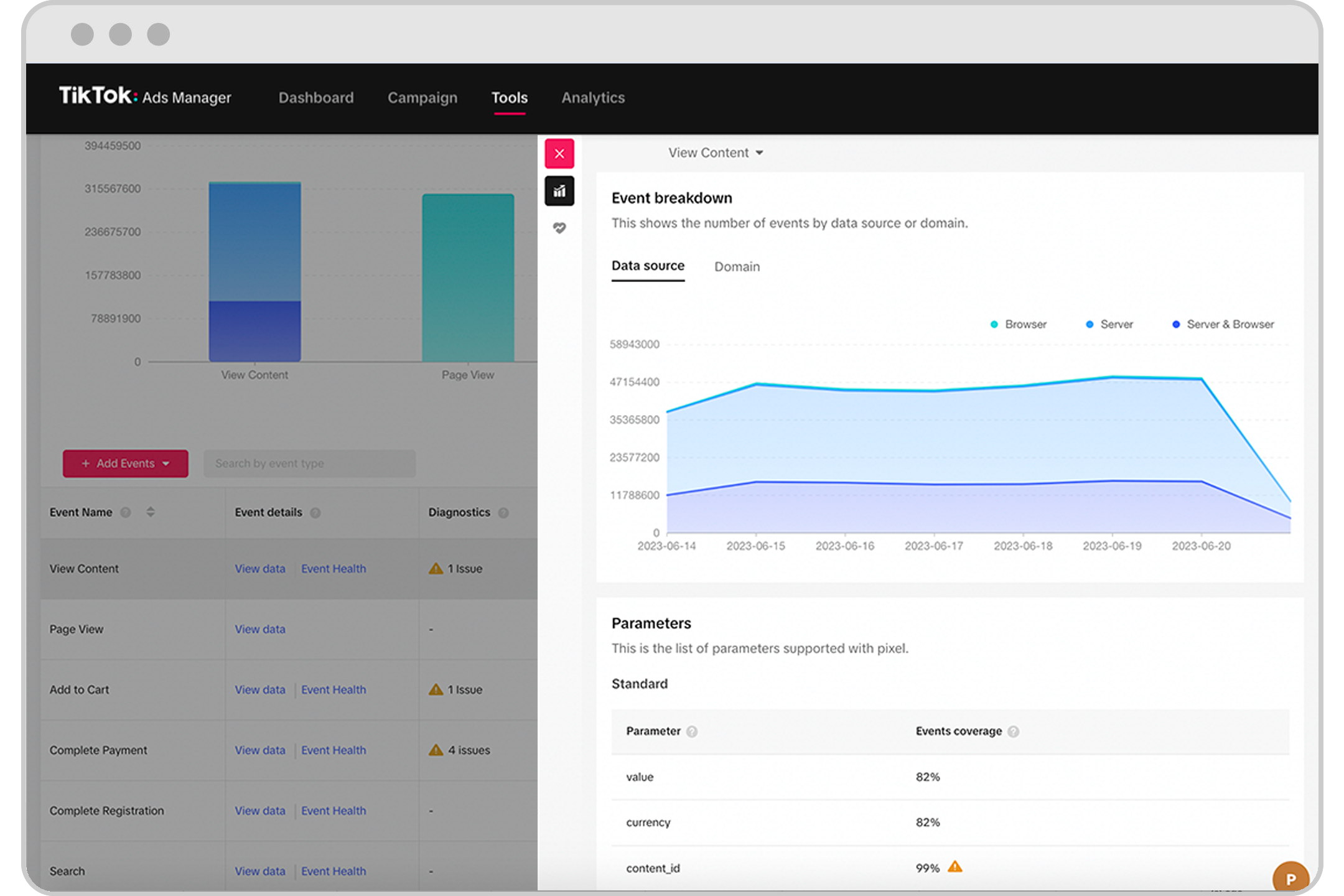
Before diving into the setup, it’s essential to understand what TikTok Conversion Events are and why they matter. These events are essentially tracking mechanisms that capture specific user actions on your website or app. By setting up these events, you can analyze how users interact with your content, which ads are most effective, and where potential customers drop off in the conversion funnel.
TikTok offers several types of conversion events, including:
- ViewContent: Tracks when a user views a specific page or product.
- AddToWishlist: Monitors when a user adds an item to their wishlist.
- Search: Captures when a user performs a search on your site.
- AddToCart: Tracks when a user adds a product to their cart.
- InitiateCheckout: Records when a user starts the checkout process.
- PlaceAnOrder: Indicates when a user completes an order.
- CompleteRegistration: Tracks when a user finishes signing up.
- Purchase: Measures actual purchases made on your site.
Each of these events helps you gather data that can be used to refine your marketing strategies and improve user engagement.
Setting Up the TikTok Pixel

The first step in setting up TikTok Conversion Events is to install the TikTok Pixel. This is a snippet of code that tracks user interactions on your website. Here’s how to do it:
- Access Your TikTok Business Account: Log in to your TikTok Business account and navigate to the "Conversion Events" section.
- Create a New Pixel: Click on "Create New Pixel" and follow the prompts to set up your pixel. You’ll need to provide your website URL and select the type of pixel you want to create.
- Install the Pixel Code: Once the pixel is created, you’ll receive a code snippet. This code needs to be added to every page of your website where you want to track user interactions. For example, if you’re using Shopify, you can add the code to your theme’s
theme.liquidfile.
Manually Adding Conversion Events
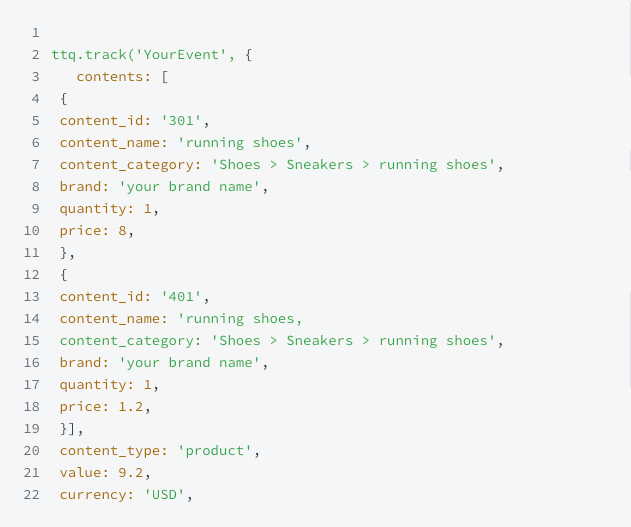
If the automatic method isn’t suitable for your website (e.g., if your order confirmation page uses a different URL structure), you may need to manually add conversion events. Here’s how to do it:
- Identify the Pages: Determine which pages you want to track, such as the product page, add-to-cart page, checkout page, and order confirmation page.
- Insert the Code Snippet: Copy the provided code snippet from TikTok and paste it into the HTML of each relevant page. Make sure to replace the placeholders with your actual data, such as product IDs, names, and values.
- Test the Code: After adding the code, test each page to ensure that the events are being tracked correctly. You can use TikTok’s event builder tool to verify the setup.
Configuring Event Parameters
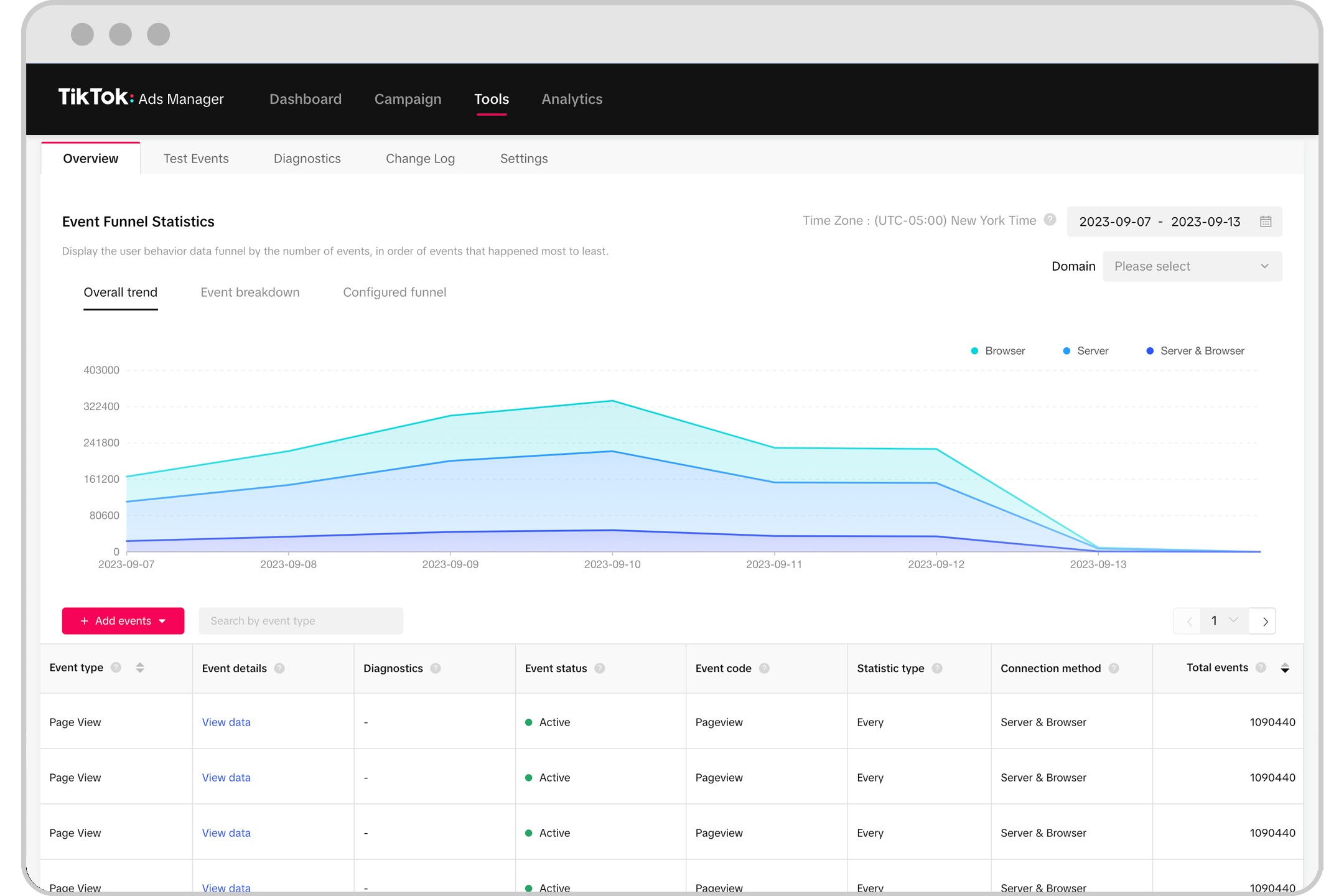
Each conversion event requires specific parameters to capture the right data. Here are some key parameters to consider:
- content_id: The unique identifier for the product or page.
- content_type: Whether the content is a product or product group.
- content_name: The name of the product or page.
- value: The monetary value associated with the event.
- currency: The currency code (e.g., USD).
These parameters help ensure that the data collected is accurate and useful for analysis.
Monitoring and Analyzing Data
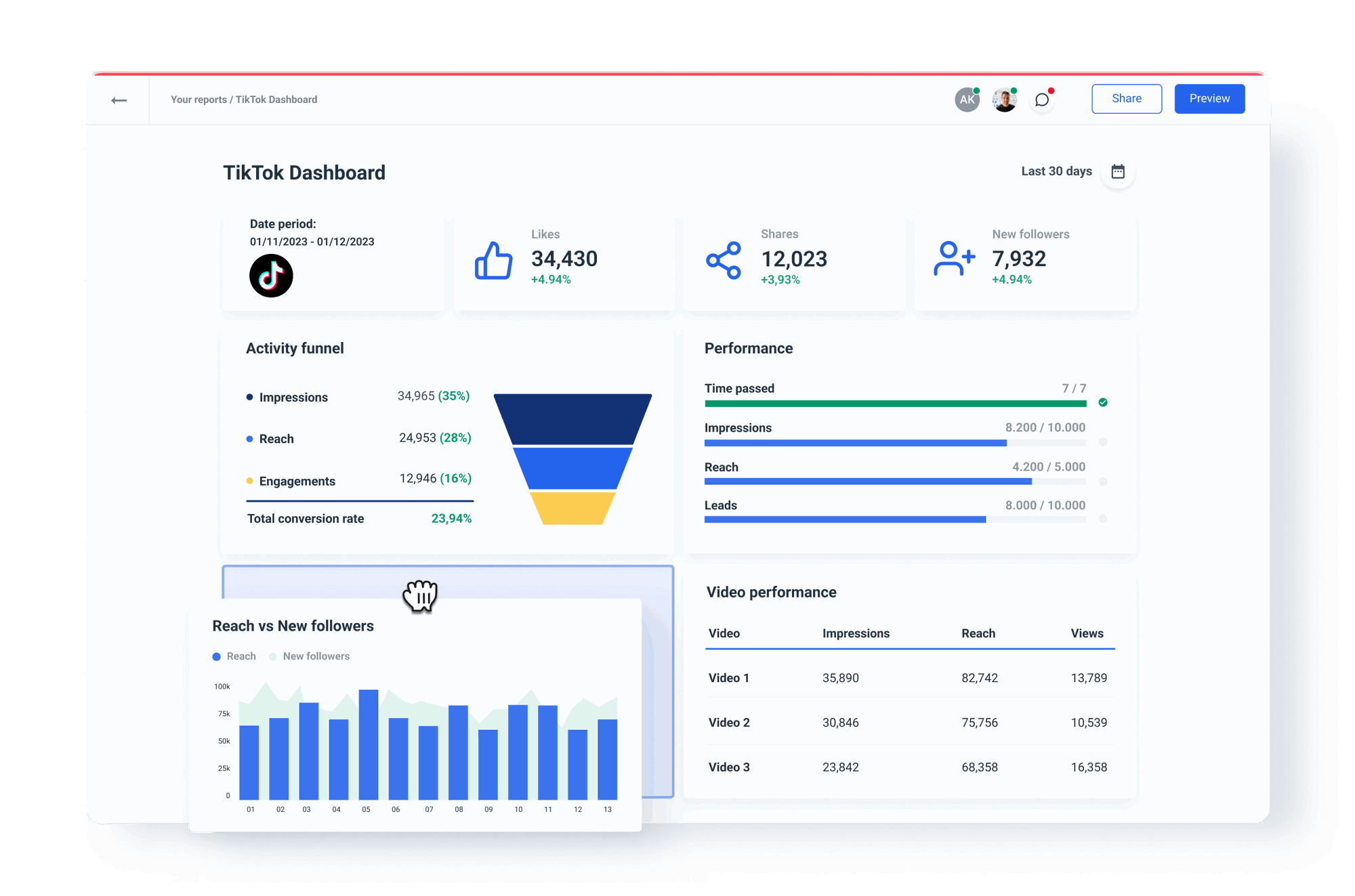
Once the conversion events are set up, it’s time to monitor and analyze the data. TikTok provides a dashboard where you can view detailed reports on user interactions, campaign performance, and conversion rates. Regularly reviewing this data allows you to make informed decisions about your marketing strategy.
Some key metrics to focus on include:
- Click-through Rate (CTR): Measures how many users click on your ads.
- Conversion Rate: Tracks how many users complete a desired action.
- Return on Investment (ROI): Helps determine the effectiveness of your campaigns.
By continuously analyzing these metrics, you can identify areas for improvement and optimize your campaigns for better results.
Conclusion
Setting up TikTok Conversion Events is a crucial step for any business looking to maximize the impact of their advertising efforts on TikTok. By following the steps outlined in this tutorial, you can effectively track user interactions, gain valuable insights, and refine your marketing strategies. Whether you choose to use the automatic method or manually add events, ensuring that your pixel is properly configured will help you achieve better results and drive more conversions.
Remember, the key to success lies in continuous monitoring and data-driven decision-making. With the right tools and strategies, you can unlock the full potential of TikTok as a marketing platform.

Posting Komentar untuk "How to Set Up TikTok Conversion Events: A Step-by-Step Tutorial"
Posting Komentar