
How to Track Conversions in TikTok Ads: A Complete Guide for Marketers
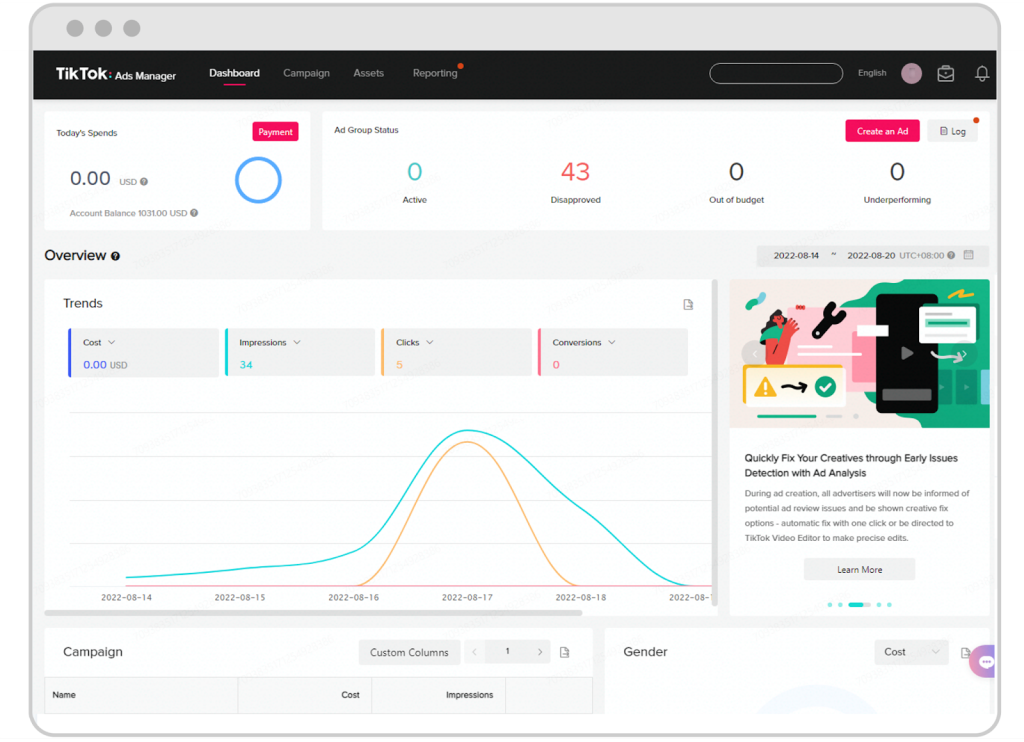
TikTok has become a powerful platform for brands to connect with their audience and drive conversions. With its massive user base and engaging content, it's no wonder that many businesses are turning to TikTok for their advertising efforts. However, to truly measure the success of your TikTok ads, you need to implement effective conversion tracking. This guide will walk you through the steps to track conversions in TikTok Ads, helping you understand how your campaigns are performing and where you can improve.
Understanding Conversion Tracking in TikTok Ads
Conversion tracking is the process of measuring the actions users take after interacting with your ads. These actions can include making a purchase, signing up for a newsletter, or downloading an app. By tracking these conversions, you can gain valuable insights into the effectiveness of your TikTok ad campaigns and make data-driven decisions to optimize your strategy.
Why Conversion Tracking Matters
- Measuring ROI: Conversion tracking allows you to determine the return on investment (ROI) of your TikTok ad campaigns. By understanding which ads lead to conversions, you can allocate your budget more effectively.
- Optimizing Campaigns: With conversion data, you can identify which ad creatives, targeting options, and landing pages are most effective. This information helps you refine your campaigns for better performance.
- Improving User Experience: Tracking conversions can also help you understand how users interact with your website or app after clicking on your ads. This insight can lead to improvements in the user experience, increasing the likelihood of future conversions.
Steps to Track Conversions in TikTok Ads
1. Set Up a TikTok Business Account
Before you can start tracking conversions, you need to have a TikTok Business account. If you don't already have one, you can create it by following these steps: - Go to the TikTok app and tap on your profile. - Tap on "Edit Profile" and then select "Switch to Pro Account." - Follow the prompts to set up your business account.
2. Install the TikTok Pixel
The TikTok Pixel is a piece of code that tracks user interactions on your website. To install it: - Log in to your TikTok Business account. - Navigate to the "Ads Manager" section. - Click on "Pixel" and follow the instructions to generate the pixel code. - Add the pixel code to your website's header or footer using a tag manager like Google Tag Manager.
3. Define Your Conversion Events
Once the TikTok Pixel is installed, you need to define the conversion events you want to track. Common conversion events include: - Purchase: Track when a user completes a purchase on your website. - Sign-up: Track when a user signs up for your newsletter or creates an account. - Lead Generation: Track when a user fills out a form or downloads a resource.
To define these events: - In the TikTok Ads Manager, go to the "Pixel" section. - Click on "Events" and select "Create Event." - Choose the type of event you want to track and provide a name for it. - Follow the prompts to set up the event.
4. Monitor and Analyze Your Data
After setting up the TikTok Pixel and defining your conversion events, you can start monitoring your data in the TikTok Ads Manager. Here are some key metrics to watch: - Conversion Rate: The percentage of users who complete a conversion after clicking on your ad. - Cost Per Conversion: The cost of each conversion, calculated by dividing your total ad spend by the number of conversions. - Return on Ad Spend (ROAS): The revenue generated from your ad campaigns compared to the cost of the ads.
By regularly analyzing these metrics, you can identify trends and make informed decisions to improve your campaign performance.
5. Optimize Your Campaigns
Based on the data you collect, you can optimize your TikTok ad campaigns to increase conversions. Here are some strategies to consider: - A/B Testing: Test different ad creatives, headlines, and calls-to-action to see what resonates best with your audience. - Targeting Adjustments: Refine your targeting options to reach users who are more likely to convert. - Landing Page Optimization: Ensure your landing pages are optimized for conversions by providing clear value and a seamless user experience.
Best Practices for Conversion Tracking
To get the most out of your TikTok ad conversion tracking, consider the following best practices: - Consistent Monitoring: Regularly check your conversion data to stay informed about your campaign performance. - Data Integration: Integrate your TikTok conversion data with other analytics tools to gain a comprehensive view of your marketing efforts. - Continuous Improvement: Use the insights you gain from conversion tracking to continuously improve your ad campaigns and strategies.
Conclusion
Tracking conversions in TikTok Ads is essential for measuring the success of your advertising efforts and making data-driven decisions. By following the steps outlined in this guide, you can set up effective conversion tracking, monitor your performance, and optimize your campaigns for better results. As TikTok continues to grow as a powerful advertising platform, mastering conversion tracking will be key to achieving your marketing goals.
[IMAGE: TikTok ads conversion tracking guide for marketers]

Posting Komentar untuk "How to Track Conversions in TikTok Ads: A Complete Guide for Marketers"
Posting Komentar