
How to Use TikTok Ads Business Center: A Complete Tutorial for Marketers
TikTok has become a powerful platform for brands to connect with their target audience and drive sales. With its massive user base and unique algorithm, understanding how to effectively use the TikTok Ads Business Center is essential for any marketer looking to succeed on the platform. This tutorial will guide you through the process of setting up and utilizing the TikTok Ads Business Center to create impactful ad campaigns.
Understanding the TikTok Ads Business Center
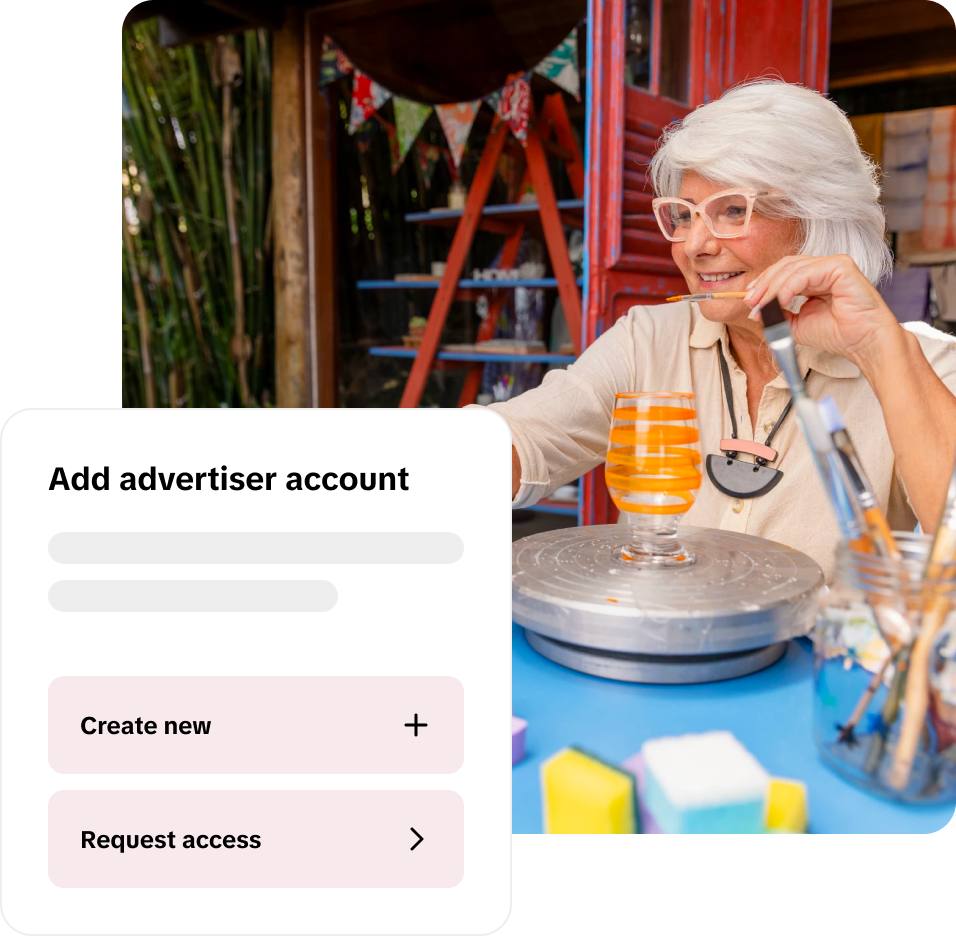
The TikTok Ads Business Center is a comprehensive tool designed to help businesses manage their advertising efforts on TikTok. It provides access to a variety of features that allow marketers to create, manage, and analyze their ad campaigns. The center is accessible through the TikTok app and offers a range of tools to help you optimize your advertising strategy.
Key Features of the TikTok Ads Business Center
- Ad Creation Tools: The center allows you to create various types of ads, including in-feed ads, TopView ads, and Spark Ads. Each ad type has specific requirements and formats that cater to different campaign goals.
- Analytics and Reporting: Track the performance of your ads using detailed analytics. You can monitor metrics such as views, clicks, and conversions to understand what works best for your audience.
- Audience Targeting: Utilize advanced targeting options to reach specific demographics, interests, and behaviors. This ensures that your ads are seen by the right people.
- Budget Management: Set and manage your advertising budget efficiently. The center allows you to allocate funds to different campaigns and adjust them based on performance.
Setting Up Your TikTok Ads Business Center
To begin using the TikTok Ads Business Center, you need to set up a business account on TikTok. Here’s a step-by-step guide:
Step 1: Create a Business Account
- Open the TikTok app and navigate to the profile section.
- Tap on "Edit Profile" and select "Switch to Pro Account."
- Follow the prompts to verify your account and complete the setup process.
Step 2: Access the Ads Business Center
- Once your business account is set up, go to the "Ads" section within the app.
- Tap on "Business Center" to access the Ads Business Center.
Step 3: Configure Your Campaign Settings
- Choose the type of campaign you want to run (e.g., brand awareness, conversions, engagement).
- Set your budget and duration for the campaign.
- Define your target audience based on demographics, interests, and behaviors.
Creating Effective Ad Campaigns

Once your account is set up, you can start creating your ad campaigns. Here are some tips to help you create effective ads:
1. Define Clear Objectives
Before creating your ad, determine your primary goal. Are you looking to increase brand awareness, drive website traffic, or generate sales? Your objectives will guide the content and structure of your ad.
2. Choose the Right Ad Format
TikTok offers several ad formats, each suited for different campaign goals: - In-Feed Ads: These appear in the user's For You Page and are ideal for brand awareness. - TopView Ads: Full-screen ads that play when users open the app, perfect for major launches. - Spark Ads: Boost high-performing organic content to reach a wider audience.
3. Craft Compelling Content
Your ad content should be engaging and aligned with your brand message. Use the following elements to create compelling content: - Hook: Start with a strong hook to grab attention within the first few seconds. - Value Proposition: Clearly communicate the value of your product or service. - Call-to-Action (CTA): Encourage users to take action, such as visiting your website or downloading an app.
4. Optimize for Performance
Use the analytics provided by the Ads Business Center to track the performance of your ads. Adjust your strategies based on the data to improve results.
Managing and Analyzing Your Campaigns
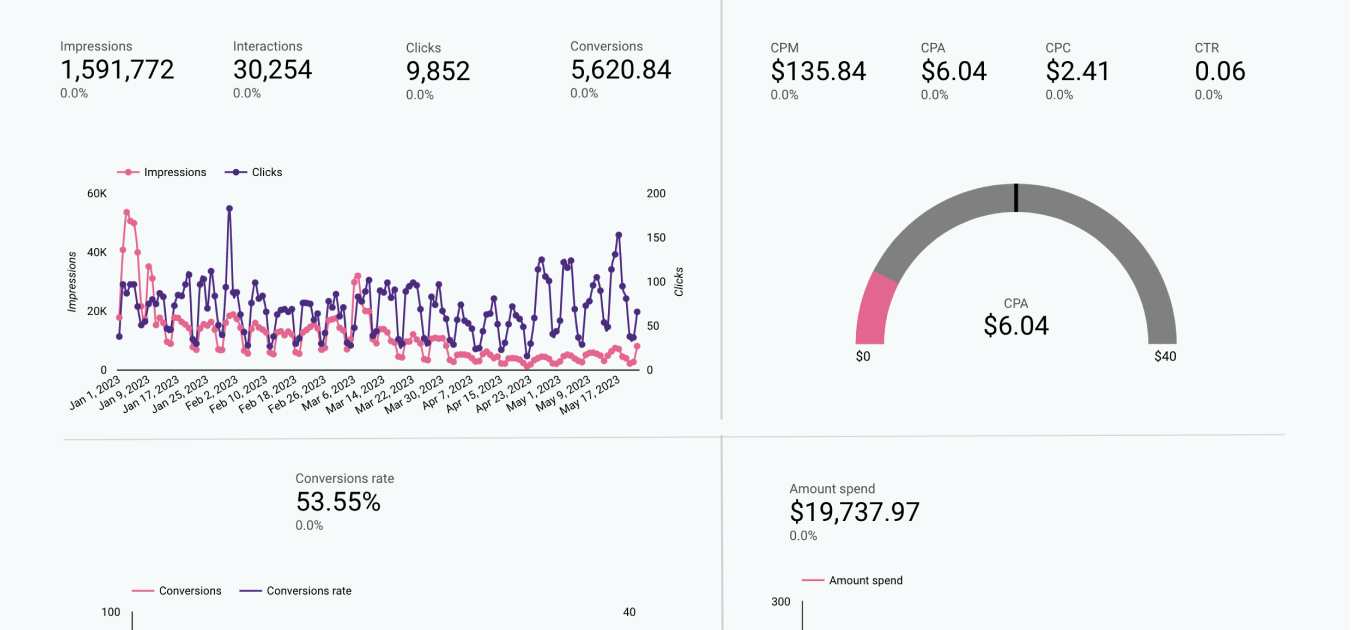
After launching your ad campaigns, it's essential to monitor their performance and make necessary adjustments. Here are some key steps to manage and analyze your campaigns effectively:
1. Monitor Key Metrics
Track important metrics such as: - Impressions: The number of times your ad is shown. - Click-Through Rate (CTR): The percentage of users who click on your ad. - Conversion Rate: The percentage of users who complete a desired action after clicking on your ad.
2. Adjust Your Strategy
Based on the performance data, make adjustments to your campaigns. This may include changing your targeting, adjusting your budget, or modifying your ad content.
3. Utilize A/B Testing
Test different versions of your ads to determine which ones perform best. This helps you refine your strategy and improve overall campaign effectiveness.
4. Leverage Insights from the Creative Center
Use the TikTok Creative Center to gain insights into trending content and popular ad formats. This can help you stay ahead of the curve and create content that resonates with your audience.
Conclusion
The TikTok Ads Business Center is a powerful tool that enables marketers to create, manage, and analyze their ad campaigns effectively. By following the steps outlined in this tutorial, you can harness the potential of TikTok to reach a broader audience and drive meaningful results for your brand. Remember to continuously monitor your campaigns and adapt your strategies based on performance data to maximize your return on investment.

Posting Komentar untuk "How to Use TikTok Ads Business Center: A Complete Tutorial for Marketers"
Posting Komentar