
How to Use the TikTok Ads Dashboard: A Complete Guide for Marketers
TikTok has evolved from a platform for entertainment into a powerful marketing tool. With its massive user base and unique algorithm, TikTok offers brands an incredible opportunity to reach new audiences, drive engagement, and boost sales. One of the most essential tools in this ecosystem is the TikTok Ads Dashboard, which allows marketers to manage, track, and optimize their ad campaigns effectively. In this guide, we’ll walk you through how to use the TikTok Ads Dashboard, from setting up your account to analyzing performance and refining your strategy.
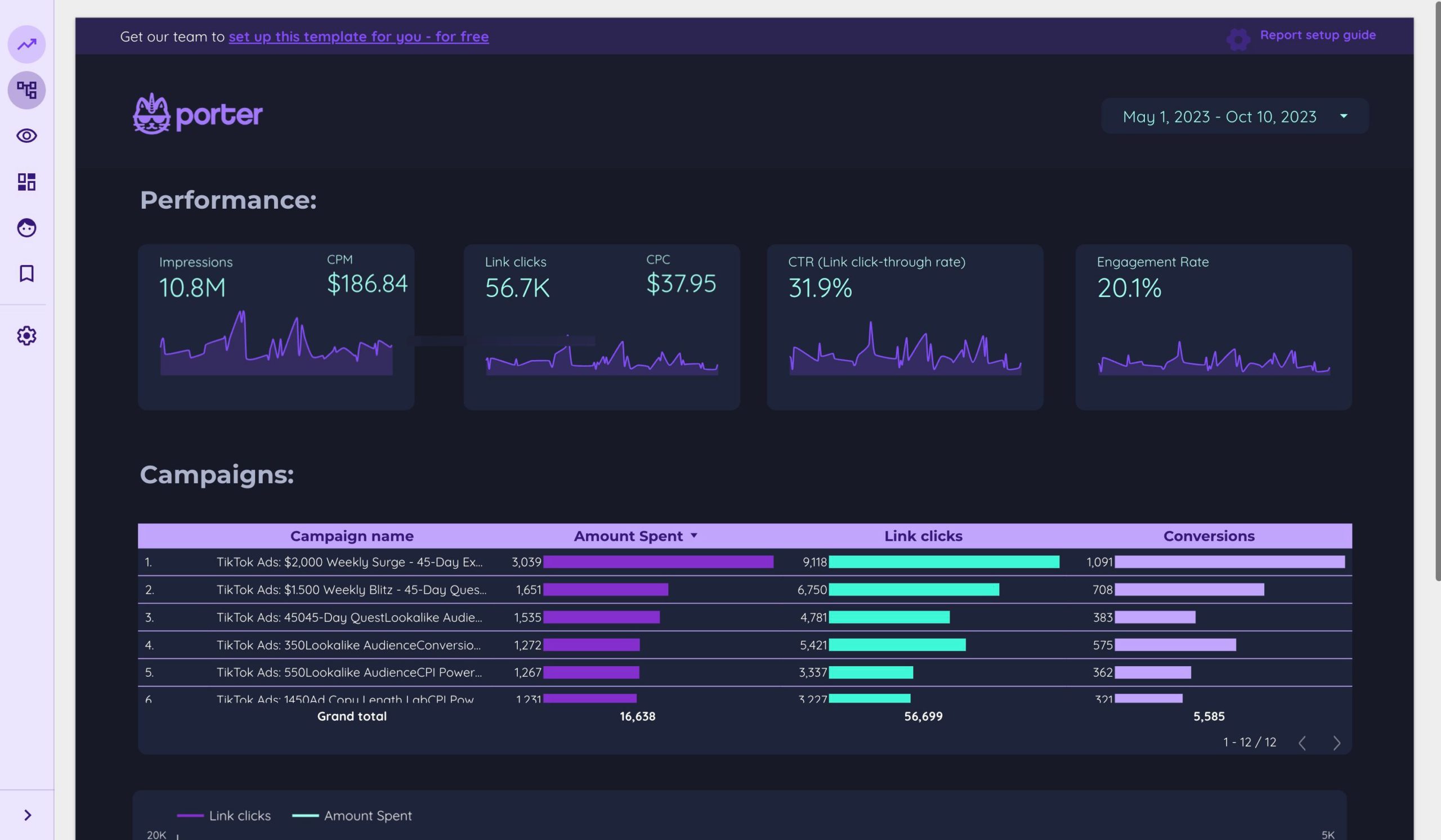
Understanding the TikTok Ads Dashboard
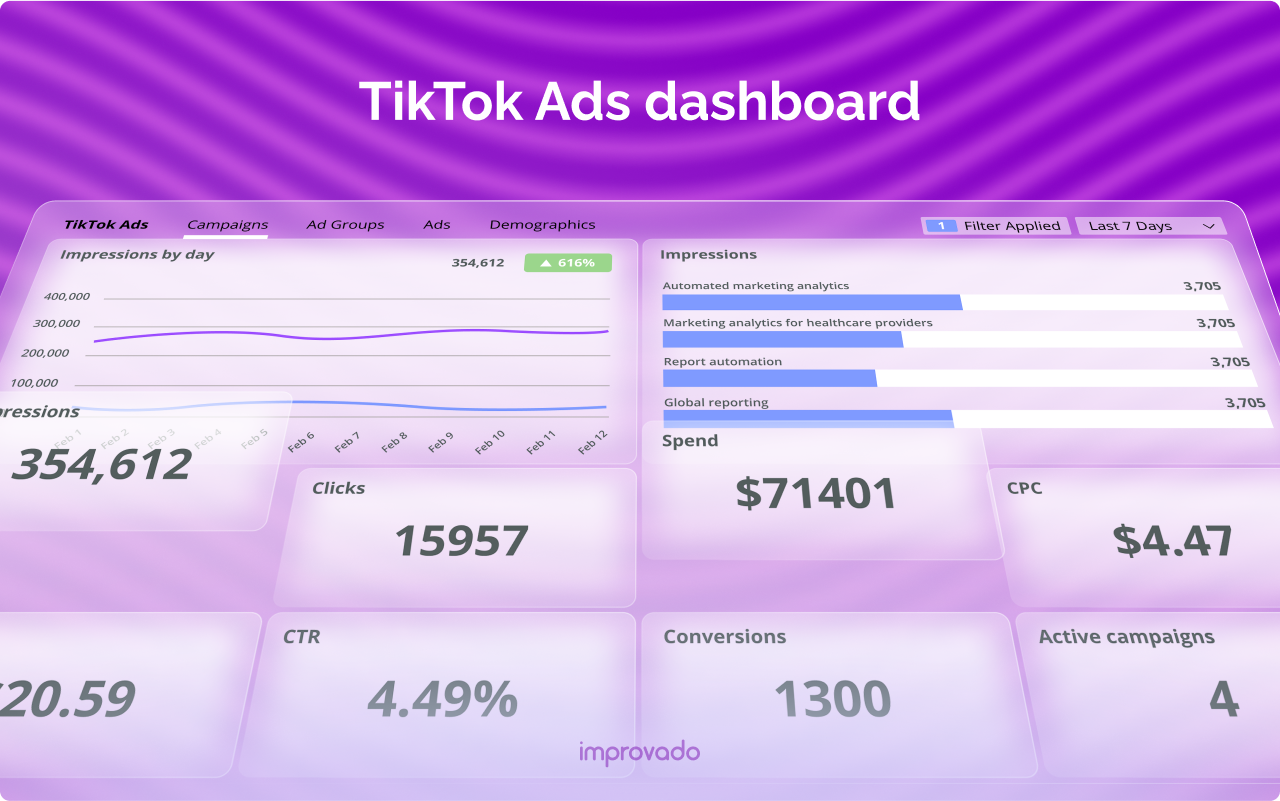
Before diving into the specifics, it’s important to understand what the TikTok Ads Dashboard is and why it matters. The dashboard is the central hub where advertisers can create, manage, and monitor their TikTok ad campaigns. It provides insights into campaign performance, audience demographics, ad formats, and more. Whether you're running a small business or managing a large brand, mastering the TikTok Ads Dashboard is key to maximizing your return on investment (ROI).
Key Features of the TikTok Ads Dashboard
- Campaign Management: Create and edit ad campaigns, set budgets, and define targeting parameters.
- Ad Creation Tools: Choose from various ad formats such as in-feed ads, Spark Ads, and video ads.
- Performance Analytics: Track metrics like impressions, clicks, conversions, and engagement rates.
- Audience Insights: Understand who is viewing your ads and tailor your messaging accordingly.
- Budget Optimization: Adjust your spending based on real-time data to ensure you’re getting the best results.
Setting Up Your TikTok Ads Account
To start using the TikTok Ads Dashboard, you’ll need to set up an ad account. Here’s a step-by-step guide:
- Create a Business Account: If you don’t already have one, sign up for a TikTok Business account. This gives you access to advanced features and analytics.
- Verify Your Business: Provide necessary information to verify your business, including your company name, address, and tax details.
- Set Up Payment Methods: Add a payment method to fund your ad campaigns. TikTok supports various payment options, including credit cards and bank transfers.
- Access the Ads Dashboard: Once your account is set up, log in to the TikTok Ads Dashboard through the TikTok app or the web version.
Creating Your First Ad Campaign
Once you’ve accessed the dashboard, it’s time to create your first ad campaign. Here’s how to do it:
- Choose a Campaign Objective: Select the goal of your campaign, such as increasing brand awareness, driving traffic, or generating leads.
- Define Your Target Audience: Use the targeting tools to specify demographics, interests, and behaviors. You can also upload customer lists for lookalike targeting.
- Select Ad Formats: Choose from different ad formats, including in-feed videos, Spark Ads, and carousel ads. Each format has its own benefits and use cases.
- Set Your Budget and Schedule: Determine your daily or total budget and set the start and end dates for your campaign.
- Upload Your Creative Assets: Add videos, images, and text that align with your campaign goals. Make sure your content is engaging and optimized for mobile viewing.
- Review and Launch: Double-check all settings and launch your campaign.
Managing and Optimizing Your Campaigns
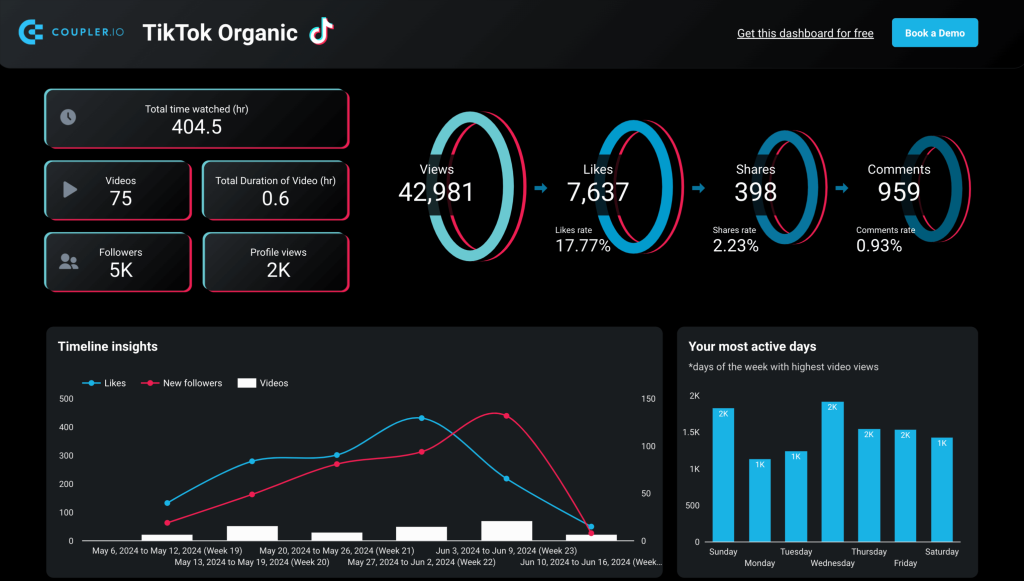
After launching your campaign, it’s crucial to monitor and optimize it regularly. Here are some tips for effective campaign management:
Monitor Performance Metrics
Track key metrics such as:
- Impressions: The number of times your ad was shown.
- Click-Through Rate (CTR): The percentage of users who clicked on your ad.
- Conversion Rate: The percentage of users who completed a desired action, such as making a purchase or signing up for a newsletter.
- Cost Per Click (CPC): The average cost for each click on your ad.
- Return on Ad Spend (ROAS): The revenue generated compared to the amount spent on ads.
Use these metrics to identify what’s working and what needs improvement.
Adjust Your Strategy
Based on the data, make adjustments to your campaigns. For example:
- A/B Testing: Test different ad variations to see which performs better.
- Optimize Bidding: Adjust your bidding strategy to get the best results within your budget.
- Refine Targeting: Narrow or expand your audience based on performance data.
Utilize TikTok’s AI Tools
TikTok offers AI-powered tools to help you optimize your campaigns. These include:
- Creative Suggestions: Get recommendations for ad content based on trends and audience preferences.
- Audience Insights: Use AI to analyze your audience and find new potential customers.
- Automated Bidding: Let TikTok’s algorithm adjust your bids in real-time for optimal performance.
Advanced Features and Tips
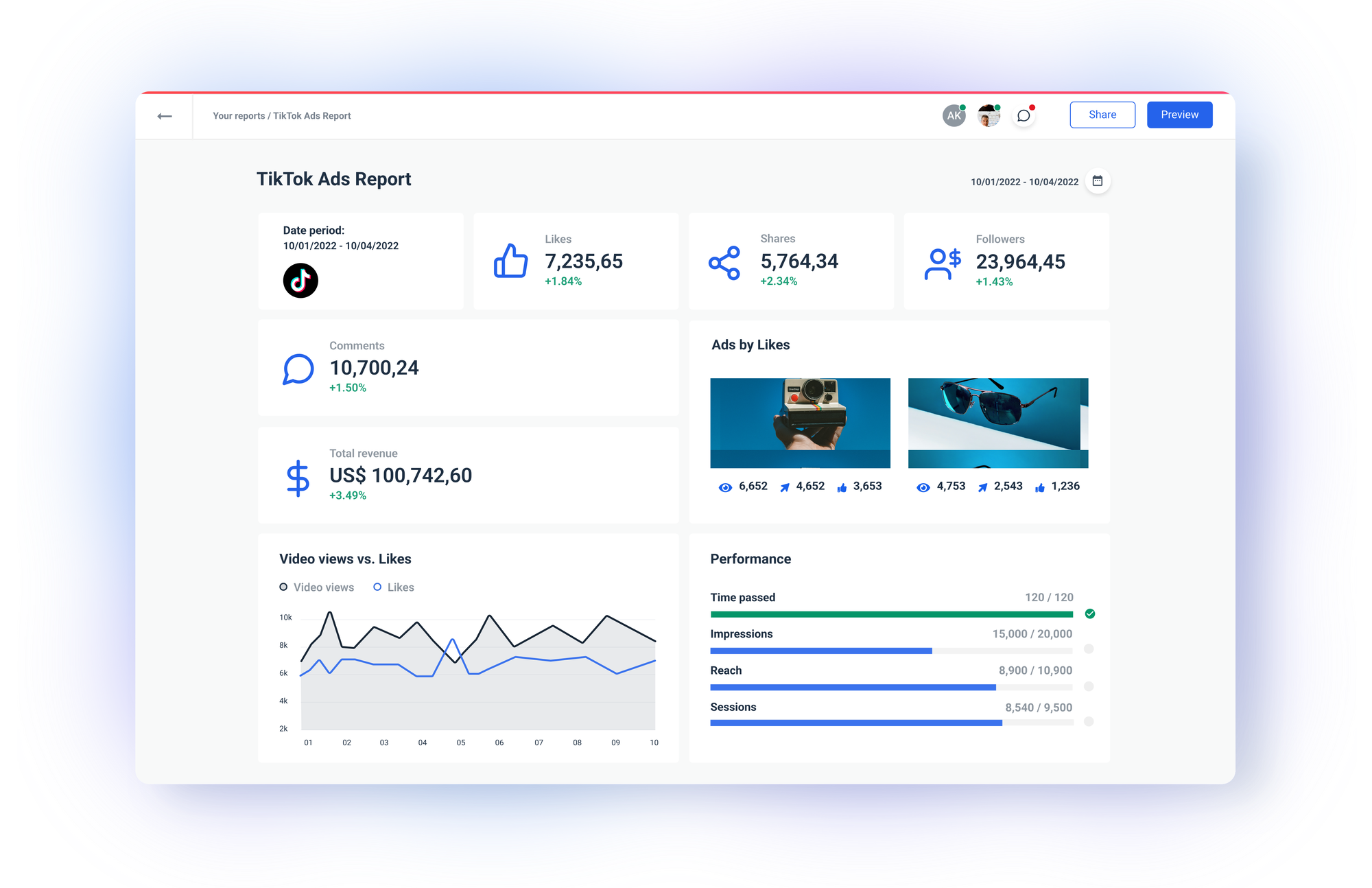
As you become more familiar with the TikTok Ads Dashboard, explore advanced features to take your campaigns to the next level:
Use Spark Ads for Creator-Led Content
Spark Ads allow you to promote content created by influencers or creators. This type of ad leverages the authenticity of user-generated content, which often performs better than traditional ads.
Leverage TikTok Shop for E-commerce
If you’re selling products, consider using TikTok Shop to integrate your ads with e-commerce functionality. This allows users to shop directly from your ads, streamlining the purchasing process.
Retarget Engaged Users
Use retargeting to reach users who have interacted with your brand but haven’t converted yet. This can include people who viewed your ad, visited your website, or added items to their cart.
Stay Updated on Trends
TikTok is constantly evolving, so stay informed about the latest trends and features. Regularly check TikTok’s official resources and community forums to stay ahead of the curve.
Conclusion
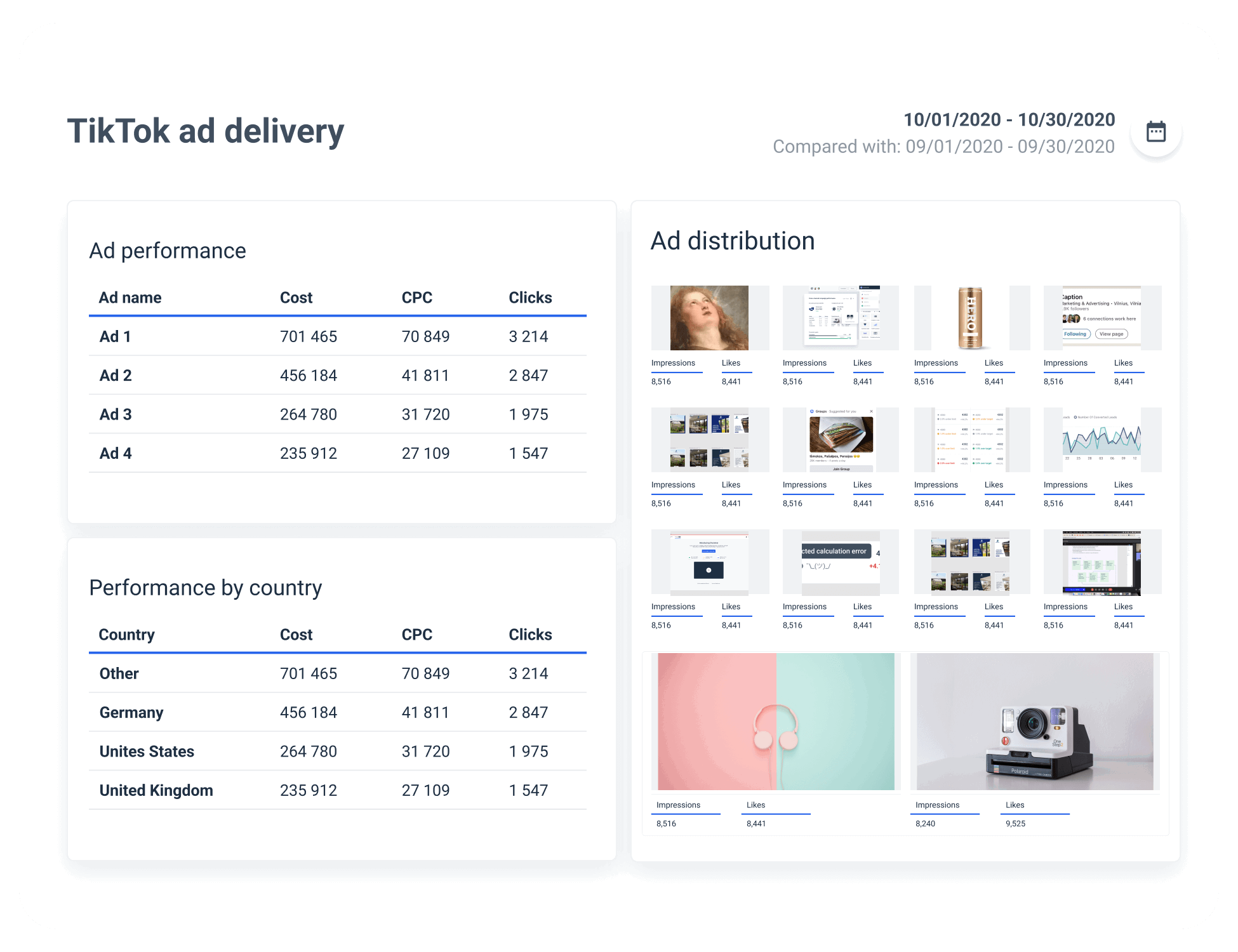
The TikTok Ads Dashboard is a powerful tool that can help you achieve your marketing goals on one of the fastest-growing social media platforms. By understanding how to use the dashboard effectively, you can create, manage, and optimize your ad campaigns to drive engagement, increase sales, and build brand awareness. With the right strategies and continuous optimization, TikTok can become a valuable asset in your digital marketing arsenal.

Posting Komentar untuk "How to Use the TikTok Ads Dashboard: A Complete Guide for Marketers"
Posting Komentar