
A Complete Guide to Using TikTok Ads Manager: Tips and Best Practices
TikTok has become a powerful platform for businesses to connect with their target audience. With over 1.582 billion users, it's no wonder that marketers are turning to TikTok Ads Manager to promote their products and services. This guide will walk you through the process of using TikTok Ads Manager effectively, helping you maximize your advertising efforts.
Understanding TikTok Ads Manager
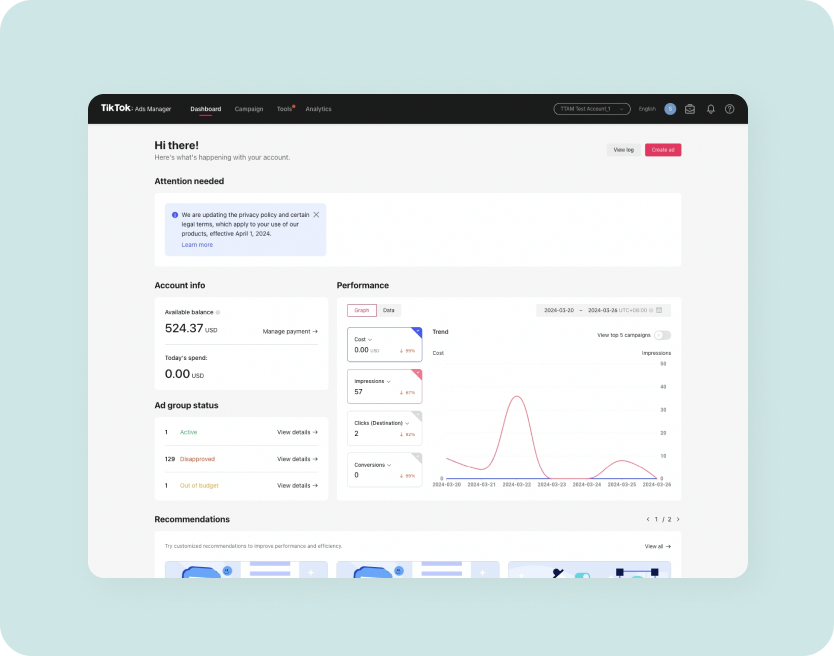
TikTok Ads Manager is the platform where businesses can create, manage, and track their ad campaigns on TikTok. It offers a range of features to help you reach your target audience, from setting up your account to analyzing campaign performance. Whether you're a seasoned marketer or just starting out, understanding how to use TikTok Ads Manager is essential for success on the platform.
Setting Up Your Account
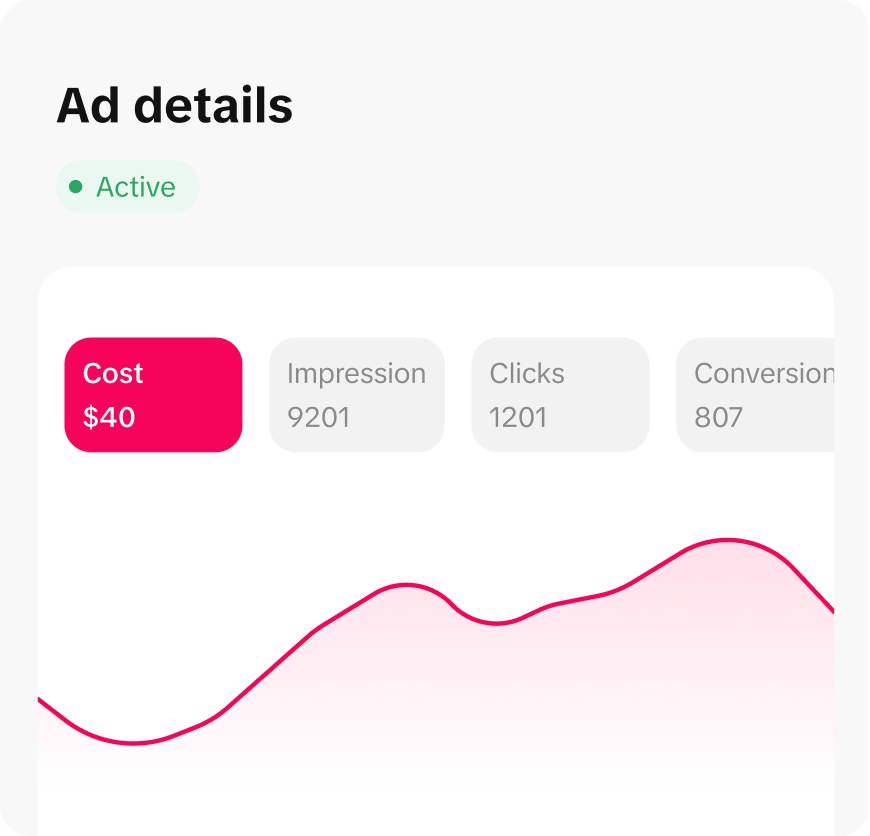
Before you can start running ads, you'll need to set up a TikTok Ads Manager account. Here's how to do it:
- Create a Business Account: If you don't already have one, sign up for a TikTok business account. This gives you access to advanced features and analytics.
- Verify Your Account: Verify your business account by providing necessary information such as your company name, address, and phone number.
- Set Up Payment Method: Add a payment method to your account to fund your ad campaigns. TikTok accepts various payment options, including credit cards and bank transfers.
Once your account is set up, you can start creating your first ad campaign.
Creating Your First Ad Campaign
Creating an ad campaign on TikTok involves several steps. Here's a breakdown of the process:
Step 1: Define Your Campaign Objective
The first step in creating an ad campaign is to define your objective. TikTok offers several campaign objectives, including:
- Brand Awareness: Increase visibility and recognition of your brand.
- Consideration: Drive engagement and interest in your products or services.
- Conversions: Encourage users to take specific actions, such as making a purchase or signing up for a newsletter.
Choose the objective that aligns with your marketing goals.
Step 2: Set Your Target Audience
TikTok allows you to target specific demographics, interests, and behaviors. To define your target audience:
- Select Location: Choose the geographic locations where you want your ads to appear.
- Define Age Range: Specify the age range of your target audience.
- Choose Interests: Select the interests and hobbies that your target audience might have.
- Set Budget: Determine your daily or total budget for the campaign.
By carefully defining your target audience, you can ensure that your ads reach the right people.
Step 3: Create Your Ad Content
Creating compelling ad content is crucial for engaging your audience. Here are some tips:
- Use High-Quality Visuals: Ensure your videos are clear and visually appealing.
- Include a Strong Call-to-Action (CTA): Encourage viewers to take action, such as visiting your website or making a purchase.
- Leverage Trends: Use popular trends and sounds to increase the chances of your ad being seen.
Step 4: Set Your Bid and Schedule
After creating your ad content, you'll need to set your bid and schedule:
- Choose Bidding Strategy: Decide whether you want to use automatic bidding or manual bidding.
- Set Start and End Dates: Determine when your ad campaign will run.
- Choose Delivery Type: Select whether you want your ads to be delivered continuously or at specific times.
By setting the right bid and schedule, you can optimize your ad spend and reach your target audience effectively.
Managing and Optimizing Your Campaign
Once your ad campaign is live, it's important to monitor its performance and make adjustments as needed. Here are some key steps to manage and optimize your campaign:
Monitor Performance Metrics
TikTok Ads Manager provides detailed analytics to help you track the performance of your campaigns. Key metrics to monitor include:
- Impressions: The number of times your ad was shown.
- Click-Through Rate (CTR): The percentage of users who clicked on your ad.
- Conversion Rate: The percentage of users who completed a desired action after clicking on your ad.
By analyzing these metrics, you can identify what's working and what needs improvement.
Adjust Your Targeting and Bidding
Based on the performance data, you may need to adjust your targeting and bidding strategies:
- Refine Target Audience: Narrow down or expand your target audience based on performance.
- Optimize Bidding: Adjust your bids to improve the effectiveness of your ad spend.
Test Different Ad Variations
Testing different ad variations can help you find the most effective approach. Consider testing:
- Different Ad Formats: Experiment with video, image, and carousel ads.
- Variations in Copy and Visuals: Try different headlines, descriptions, and visuals to see what resonates with your audience.
By continuously testing and refining your ads, you can improve their performance over time.
Best Practices for Using TikTok Ads Manager
To get the most out of TikTok Ads Manager, consider the following best practices:
1. Focus on Quality Content
High-quality content is essential for capturing attention and driving engagement. Invest time in creating visually appealing and relevant videos that resonate with your target audience.
2. Leverage TikTok Trends
TikTok is known for its trends, and leveraging these can significantly increase the visibility of your ads. Stay updated on current trends and incorporate them into your ad content.
3. Use A/B Testing
A/B testing allows you to compare different versions of your ads to determine which performs better. This helps you make data-driven decisions and optimize your campaigns.
4. Engage with Your Audience
Engaging with your audience through comments and messages can build a stronger connection and encourage more interaction with your brand. Respond to comments promptly and actively participate in conversations.
5. Analyze and Adapt
Regularly analyze your campaign performance and adapt your strategies accordingly. Use the insights gained from your analytics to refine your targeting, content, and bidding strategies.
Conclusion
Using TikTok Ads Manager effectively requires a combination of strategic planning, creative content, and continuous optimization. By following the steps outlined in this guide, you can create successful ad campaigns that drive engagement, conversions, and brand awareness. Remember to stay updated on the latest trends and best practices to maximize your results on TikTok.

Posting Komentar untuk "A Complete Guide to Using TikTok Ads Manager: Tips and Best Practices"
Posting Komentar