
Beginner's Guide to Free TikTok Ads: A Step-by-Step Tutorial
TikTok has become a powerful platform for businesses and individuals looking to grow their audience, promote products, or build brand awareness. While paid advertising is an effective way to reach a larger audience, many creators and small businesses are eager to explore free TikTok ads as a cost-effective alternative. This guide will walk you through the process of creating and running free TikTok ads, helping you leverage the platform’s algorithm and tools to maximize your visibility.
Understanding TikTok’s Advertising Ecosystem

Before diving into how to create free TikTok ads, it's important to understand how TikTok’s ad system works. Unlike traditional social media platforms, TikTok uses a unique algorithm that prioritizes content relevance over popularity. This means even new users can gain traction if their content resonates with the right audience.
However, when it comes to ads, TikTok operates differently. While there are paid options, such as in-feed video ads and TopView ads, there are also ways to create and run ads without spending money. These free methods often involve leveraging TikTok’s built-in tools and organic engagement strategies.
Step 1: Use TikTok’s Built-In Tools for Free Ad Creation
One of the best ways to create free TikTok ads is by using TikTok’s in-app editing tools and templates. These tools allow you to design visually appealing videos without needing advanced video editing skills.
Key Features to Use:
- Video Templates: TikTok offers a wide range of pre-designed templates that you can customize with your own text, images, and music.
- Text Overlays: Add captions, headlines, or call-to-action buttons directly on your video.
- Music Library: Choose from TikTok’s vast library of trending sounds to enhance your video’s appeal.
- Filters and Effects: Use filters and effects to make your content more engaging and eye-catching.
Step 2: Leverage TikTok’s Creative Center

The TikTok Creative Center is a valuable resource for anyone looking to create content that aligns with current trends and user interests. It provides insights into what’s popular, including trending hashtags, audio, and video formats.
How to Use the Creative Center:
- Search for Trends: Find trending hashtags and audio clips that match your niche.
- Analyze Performance: View data on which types of content are performing well.
- Get Inspiration: Explore popular videos to understand what resonates with your target audience.
Step 3: Optimize Your Content for Organic Reach

While free TikTok ads may not be traditional ads, they still require strategic optimization to ensure they get seen. Here are some tips to boost your organic reach:
Tips for Optimization:
- Use Relevant Hashtags: Include 3–5 relevant hashtags in your video to increase discoverability.
- Add Captions: Write engaging captions that encourage likes, comments, and shares.
- Engage with the Community: Respond to comments, like other users’ videos, and collaborate with creators to build relationships.
- Post Consistently: Aim to post 3–5 times per week to stay visible in the TikTok feed.
Step 4: Utilize TikTok’s SEO Strategies

Just like Google or YouTube, TikTok has its own form of search engine optimization (SEO). By optimizing your content for search, you can increase the chances of your videos appearing in users’ feeds.
TikTok SEO Best Practices:
- Research Keywords: Use tools like Google Trends or Answer the Public to find popular search terms in your niche.
- Incorporate Keywords: Weave your chosen keywords into your video descriptions, captions, and on-screen text.
- Create Evergreen Content: Focus on topics that remain relevant over time, rather than just chasing short-lived trends.
Step 5: Collaborate with Other Creators

Collaboration is a powerful way to expand your reach on TikTok without spending money. By working with other creators, you can tap into their audiences and gain exposure to new followers.
How to Collaborate:
- Join Challenges: Participate in trending challenges to appear in the For You Page.
- Duet or Stitch: Use TikTok’s duet and stitch features to engage with other creators’ content.
- Cross-Promote: Share each other’s videos and mention each other in captions to drive traffic.
Step 6: Monitor and Analyze Your Performance
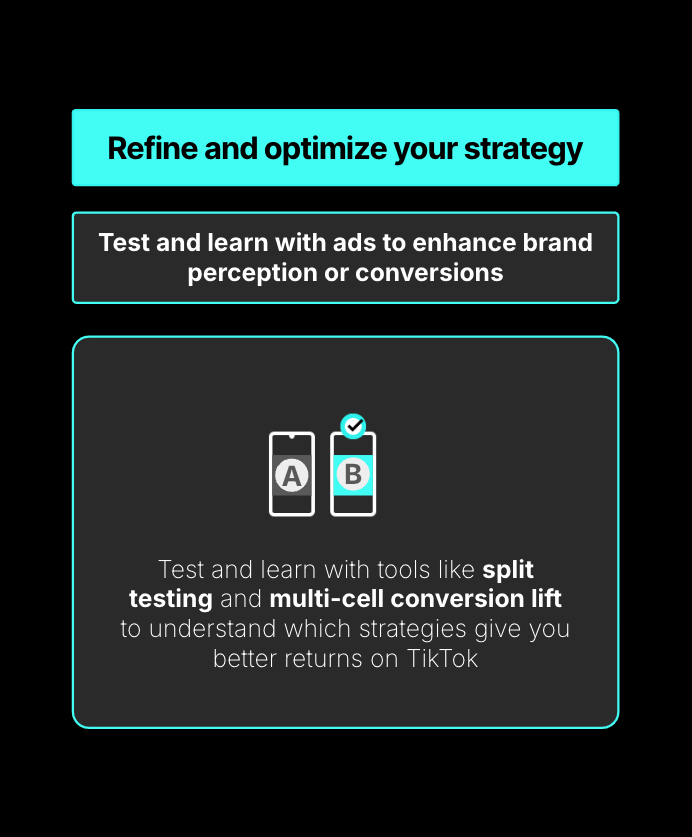
Even with free TikTok ads, it’s essential to track your performance and adjust your strategy accordingly. TikTok provides analytics tools that help you understand what’s working and what’s not.
Key Metrics to Track:
- Views: How many people watched your video.
- Engagement Rate: Likes, comments, shares, and saves.
- Watch Time: How long users stayed on your video.
- Follower Growth: How many new followers you gained after posting.
Conclusion
Creating free TikTok ads doesn’t mean sacrificing quality or effectiveness. By using TikTok’s built-in tools, optimizing your content, and engaging with the community, you can build a strong presence on the platform without spending a dime. With consistent effort and a focus on relevance, you’ll be well on your way to growing your audience and achieving your goals on TikTok.
Start experimenting today and see how far your free TikTok ads can take you!

Posting Komentar untuk "Beginner's Guide to Free TikTok Ads: A Step-by-Step Tutorial"
Posting Komentar