
Beginner's Guide to Using TikTok Ad Manager: Step-by-Step Tutorial
TikTok has evolved from a simple platform for dancing and trends into one of the most powerful marketing tools in the world. For beginners, navigating TikTok Ad Manager can seem daunting, but with the right approach, it can be an effective way to reach your target audience. This guide will walk you through the basics of setting up and using TikTok Ad Manager, helping you create compelling ads that resonate with users.
Setting Up Your TikTok Ad Account
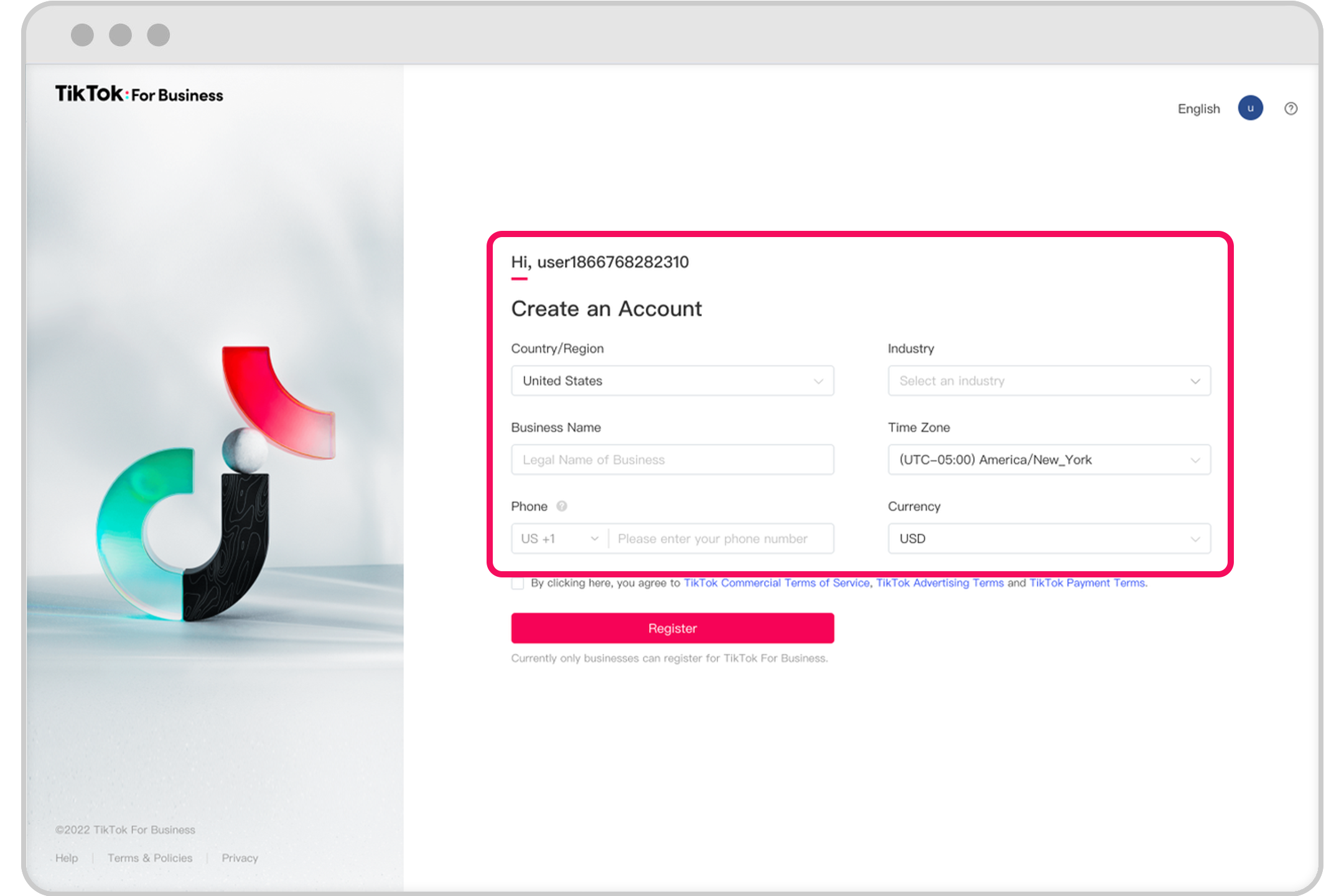
Before you can start running ads on TikTok, you need to set up an ad account. If you're a self-serve customer, refer to the Business Help Center for detailed instructions. This guide will help you understand the process and ensure you're following the correct steps.
Steps to Create an Ad Account:
- Log in to your TikTok Business account: If you don’t have one, you’ll need to create it first.
- Navigate to the Ads Manager: Once logged in, go to the Ads Manager section.
- Follow the onboarding process: TikTok provides a step-by-step guide to help you set up your account.
- Set up payment methods: You’ll need to add a payment method to start running ads.
- Create your first campaign: After your account is set up, you can begin creating your first ad campaign.
Understanding TikTok’s Unique Advertising Strategy

TikTok’s algorithm is designed to prioritize content that grabs attention quickly. Unlike traditional advertising platforms, TikTok users scroll through their feed rapidly, so your ad must stand out within the first few seconds.
Key Tips for Creating Effective TikTok Ads:
- Hook within 3 seconds: The first few seconds are critical. Use a provocative question or a clear pain point to capture attention.
- Focus on UGC (User-Generated Content): Users prefer authentic content over polished commercials. Videos that look like they were shot on a phone without a script perform better.
- Use sound effectively: Most users watch TikTok with sound. Incorporate trending sounds or a clear voice-over to enhance engagement.
- Add text and subtitles: Even though many users watch with sound, text overlays are still important. Use TikTok’s native fonts and place them in the safe zone.
- Show, don’t tell: Visual proof is more convincing than words. Demonstrate how your product solves a problem or delivers results.
Optimizing Your Ad Campaigns
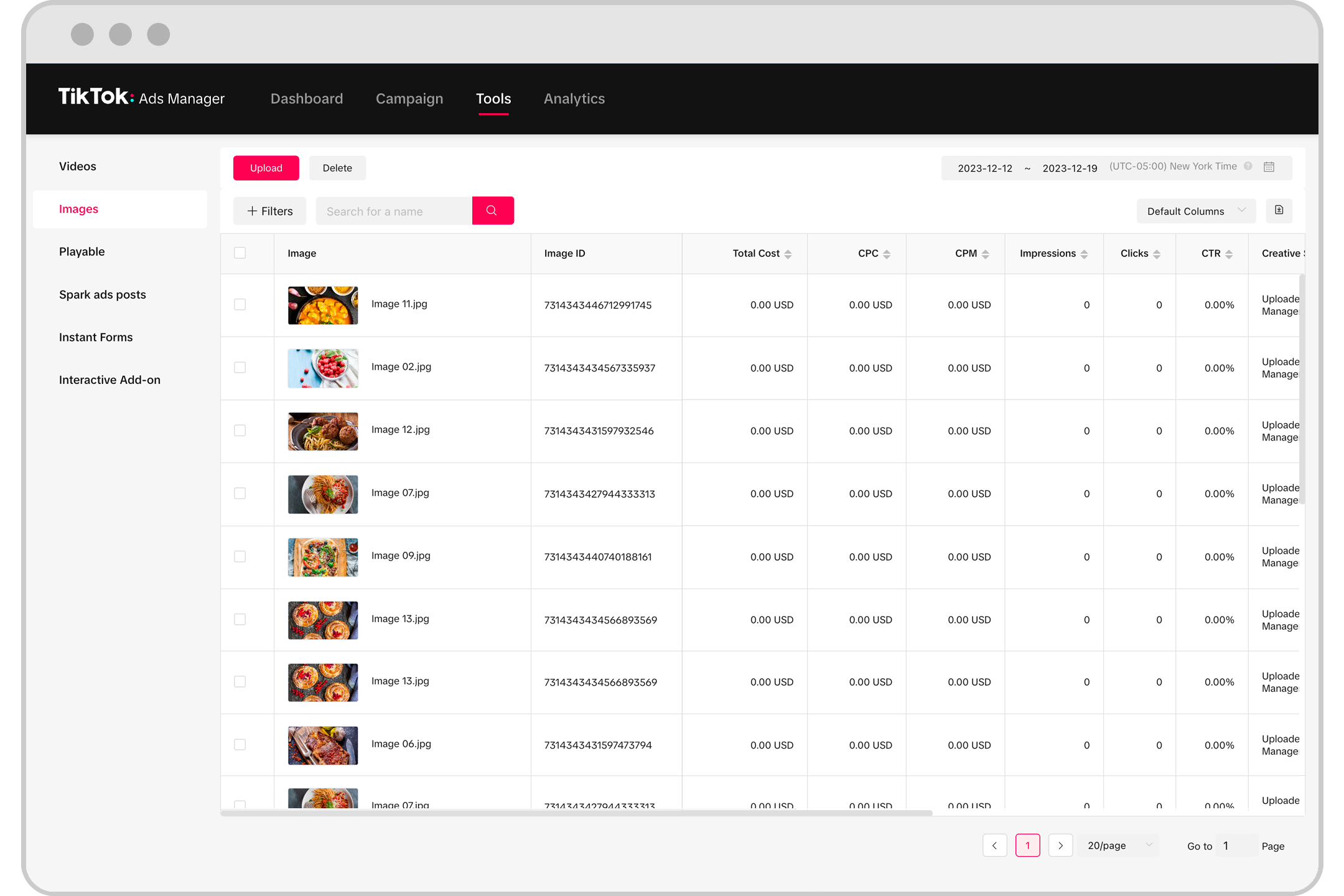
Once your ad account is set up, you can start optimizing your campaigns for maximum impact. Here are some best practices to consider:
1. Start Small and Test Everything
Don’t invest your entire budget in a single ad. Instead, run multiple small-scale tests to see which ads perform best. Track metrics like views, clicks, and comments to determine what works.
2. Focus on Innovation, Not Budget
You don’t need a high budget to create effective ads. Many successful TikTok ads are created using just a smartphone. Emphasize authenticity and real-life scenarios to build trust with your audience.
3. Use AI Tools to Reduce Costs
AI can help streamline the ad creation process. From scriptwriting to video editing, AI tools can reduce production costs while improving ad performance.
4. Adapt Trends, Don’t Copy Them
TikTok is driven by trends, but blindly copying a trend won’t work. Instead, adapt trends to fit your brand message. For example, if a trend involves a dramatic transformation, use it to showcase how your product solves a problem.
5. Show Real People and Real Reactions
People connect with real stories and genuine experiences. Feature actual customers, employees, or founders in your ads to build emotional connections with your audience.
Final Tips for Success
- Keep your call to action clear: Tell viewers exactly what to do next—click, download, buy.
- Add social proof: Include reviews, testimonials, or stats to build trust.
- Continuously improve: Every ad is an opportunity to learn. Analyze what worked and what didn’t, and refine your approach.
By following these steps and focusing on authenticity, you can create TikTok ads that not only grab attention but also drive meaningful results. Whether you're a startup or an established business, TikTok Ad Manager offers a powerful platform to connect with your audience. With the right strategy, you can turn your TikTok presence into a valuable marketing tool.

Posting Komentar untuk "Beginner's Guide to Using TikTok Ad Manager: Step-by-Step Tutorial"
Posting Komentar