
How to Confirm TikTok Pixel Events: A Step-by-Step Guide
In the ever-evolving world of digital marketing, understanding how your audience interacts with your content is crucial. One of the most powerful tools for this is the TikTok Pixel. This small piece of code allows you to track user actions on your website or app, giving you valuable insights into campaign performance and user behavior. If you're looking to confirm TikTok pixel events, you're on the right track. This guide will walk you through the process step by step.
What Is the TikTok Pixel?
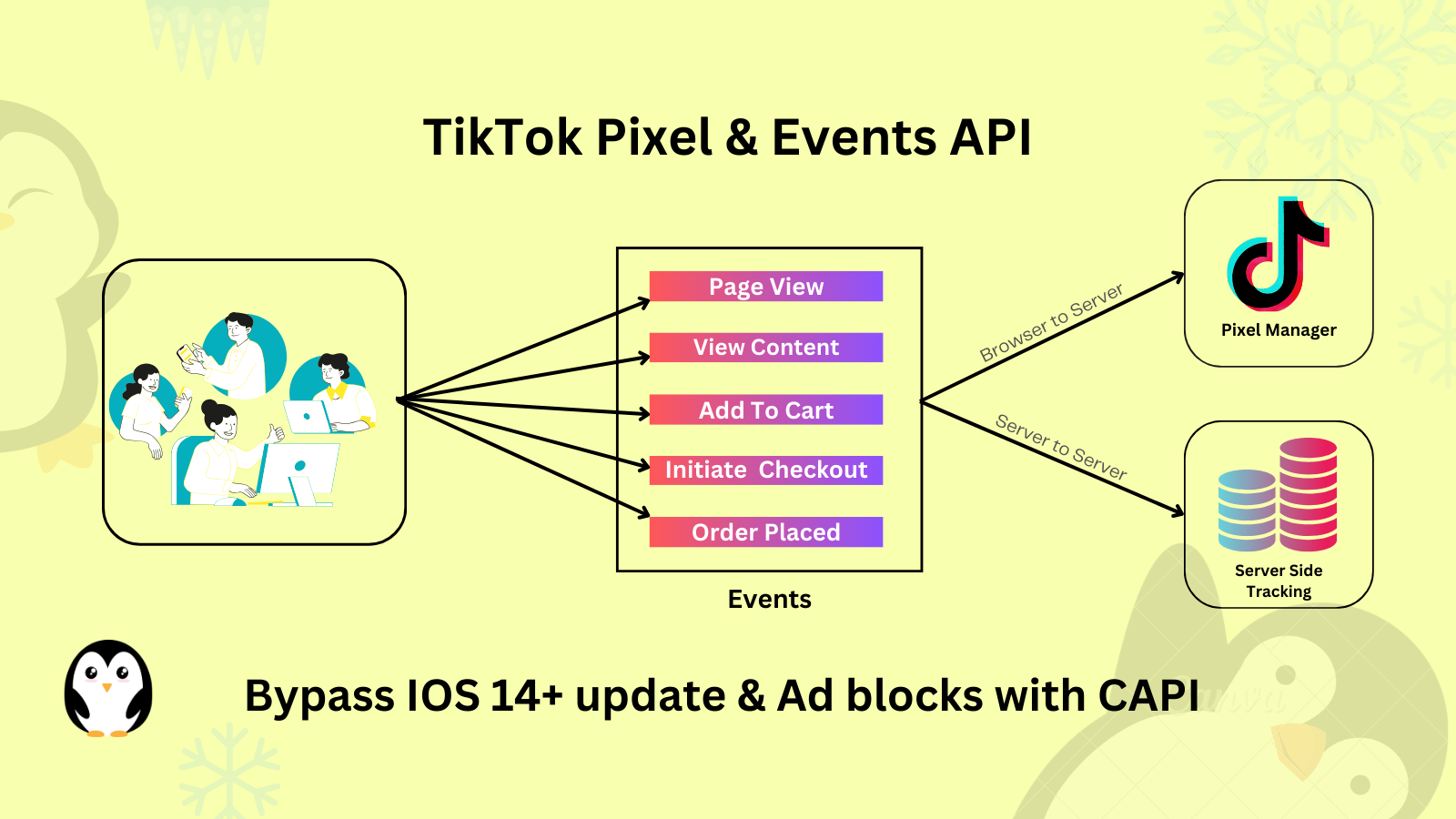
The TikTok Pixel is a tracking tool that helps you measure the effectiveness of your advertising campaigns on TikTok. It works by placing a snippet of code on your website or app, which then tracks specific actions taken by users—such as clicks, sign-ups, or purchases. By confirming these events, you can gain a clearer picture of how your ads are performing and make data-driven decisions to optimize your strategy.
Why Confirming TikTok Pixel Events Matters
Confirming TikTok pixel events is essential for several reasons:
- Accurate Tracking: Ensuring that the pixel is correctly set up allows you to accurately track user interactions, which is vital for measuring campaign success.
- Optimization: With confirmed events, you can identify which campaigns are driving conversions and adjust your strategies accordingly.
- Budget Efficiency: Knowing which ads are performing well helps you allocate your budget more effectively, ensuring you get the best return on investment.
Step-by-Step Guide to Confirm TikTok Pixel Events
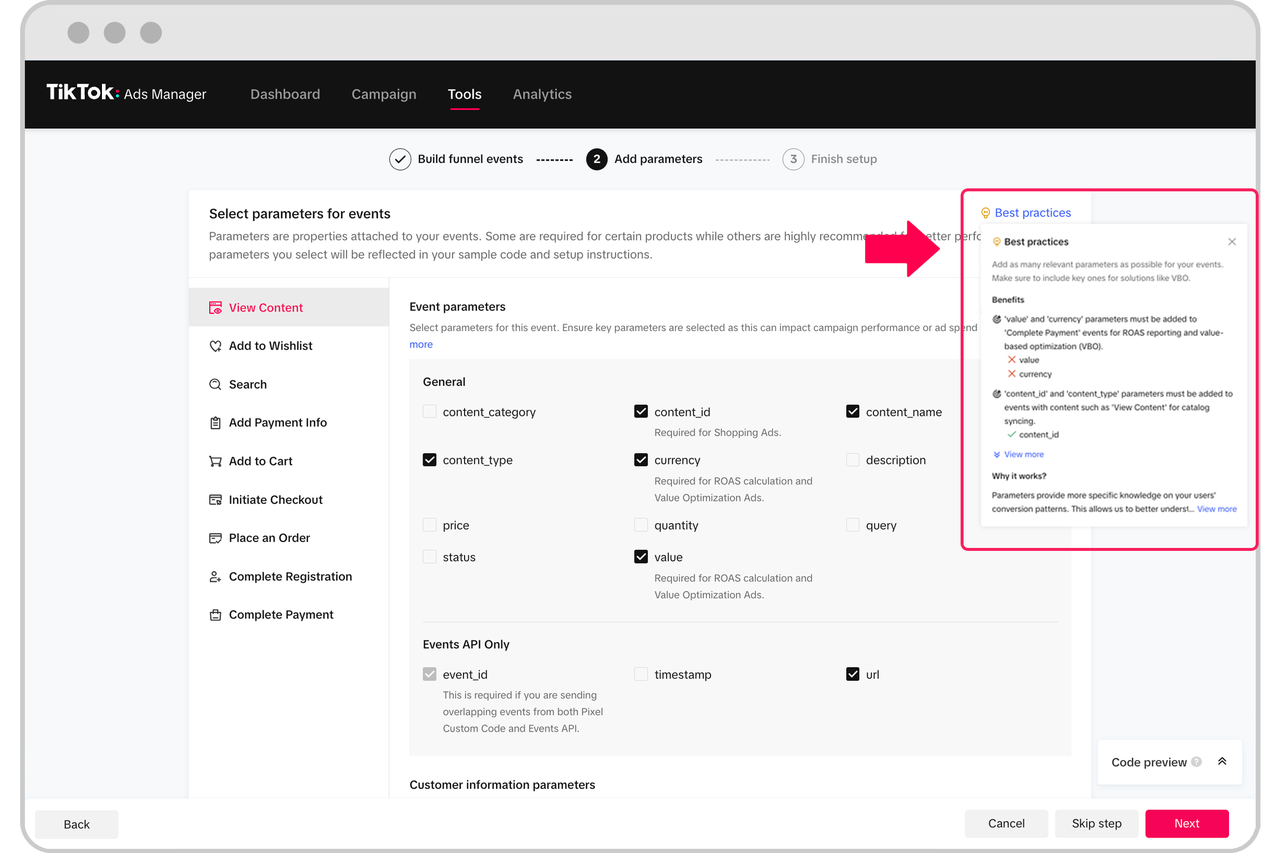
Step 1: Access Your TikTok Ads Manager
To begin, log in to your TikTok Ads Manager account. This is where you'll manage all your advertising campaigns and track their performance. Once logged in, navigate to the "Pixel" section.
Step 2: Locate the Pixel Code
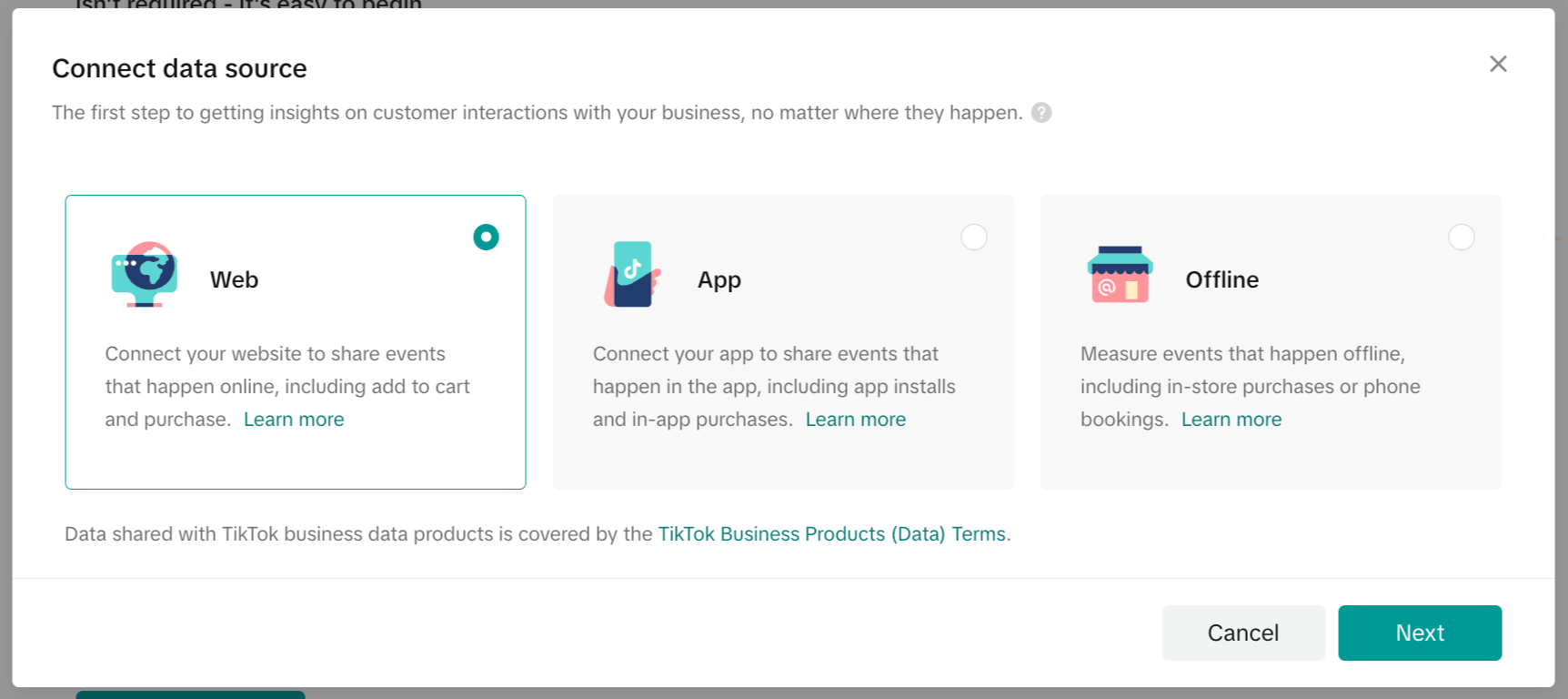
In the Pixel section, you'll find the unique pixel code assigned to your account. This code needs to be placed on the pages of your website where you want to track user actions. For example, if you're tracking a purchase, you would place the pixel code on the thank you page after a transaction.
Step 3: Install the Pixel on Your Website
To install the pixel, you'll need to add the code to the header of your website. This can typically be done through your website's content management system (CMS) or by working with a developer. Ensure that the code is placed on all relevant pages, including landing pages, product pages, and confirmation pages.
Step 4: Verify the Pixel Installation
After installing the pixel, it's important to verify that it's working correctly. You can do this by using the Facebook Pixel Helper tool or by checking the TikTok Ads Manager for any errors. This step ensures that the pixel is properly tracking user interactions.
Step 5: Set Up Event Tracking
Once the pixel is installed, you can set up event tracking for specific actions. These events could include things like clicks, sign-ups, or purchases. In the TikTok Ads Manager, navigate to the "Events" section and define the events you want to track. You can also set up custom events based on your specific goals.
Step 6: Monitor and Analyze Performance
With the pixel confirmed and events set up, you can now monitor and analyze the performance of your campaigns. The TikTok Ads Manager provides detailed analytics, allowing you to see which campaigns are driving the most conversions and where improvements can be made.
Tips for Effective Pixel Event Confirmation
- Regularly Check for Errors: Make sure to periodically check the pixel for any issues or errors that might affect tracking.
- Update Tracking Events: As your business goals evolve, update your tracking events to reflect new objectives and user behaviors.
- Use A/B Testing: Experiment with different ad creatives and landing pages to see what drives the best results.
Conclusion
Confirming TikTok pixel events is a critical step in optimizing your digital marketing strategy. By following the steps outlined in this guide, you can ensure that your pixel is correctly set up and that you're accurately tracking user interactions. This not only helps you measure campaign performance but also enables you to make informed decisions that drive better results. With the right tools and a clear understanding of your audience, you can unlock the full potential of your TikTok advertising efforts.

Posting Komentar untuk "How to Confirm TikTok Pixel Events: A Step-by-Step Guide"
Posting Komentar