
How to Create Custom Audiences for TikTok Ads in 2024
TikTok has become a dominant force in the digital advertising landscape, especially with its ability to connect with Gen Z and younger audiences. For businesses looking to maximize their ad spend and reach the right people, TikTok Custom Audiences is a powerful tool that allows you to target users who have already engaged with your brand or shown interest in your products. This article will walk you through the process of creating custom audiences for TikTok ads in 2024, along with tips on how to make the most of this targeting option.
What Are TikTok Custom Audiences?

TikTok Custom Audiences is an advanced targeting feature that lets you reach users who have previously interacted with your brand outside of TikTok. This could include people who have visited your website, downloaded your app, engaged with your content, or even signed up for your email list. By leveraging this data, you can create highly relevant ads that resonate with these users, increasing the chances of conversion and engagement.
Key Benefits of TikTok Custom Audiences
- Higher Engagement Rates: Targeting users who already know your brand increases the likelihood of them interacting with your ads.
- Better Conversion Rates: Users who have shown interest in your business are more likely to convert.
- Cost Efficiency: You avoid wasting ad spend on irrelevant audiences.
- Lookalike Audience Building: Use your existing audience to find new users with similar traits.
- Brand Awareness: Retargeting helps keep your brand top of mind.
How to Create Custom Audiences for TikTok Ads
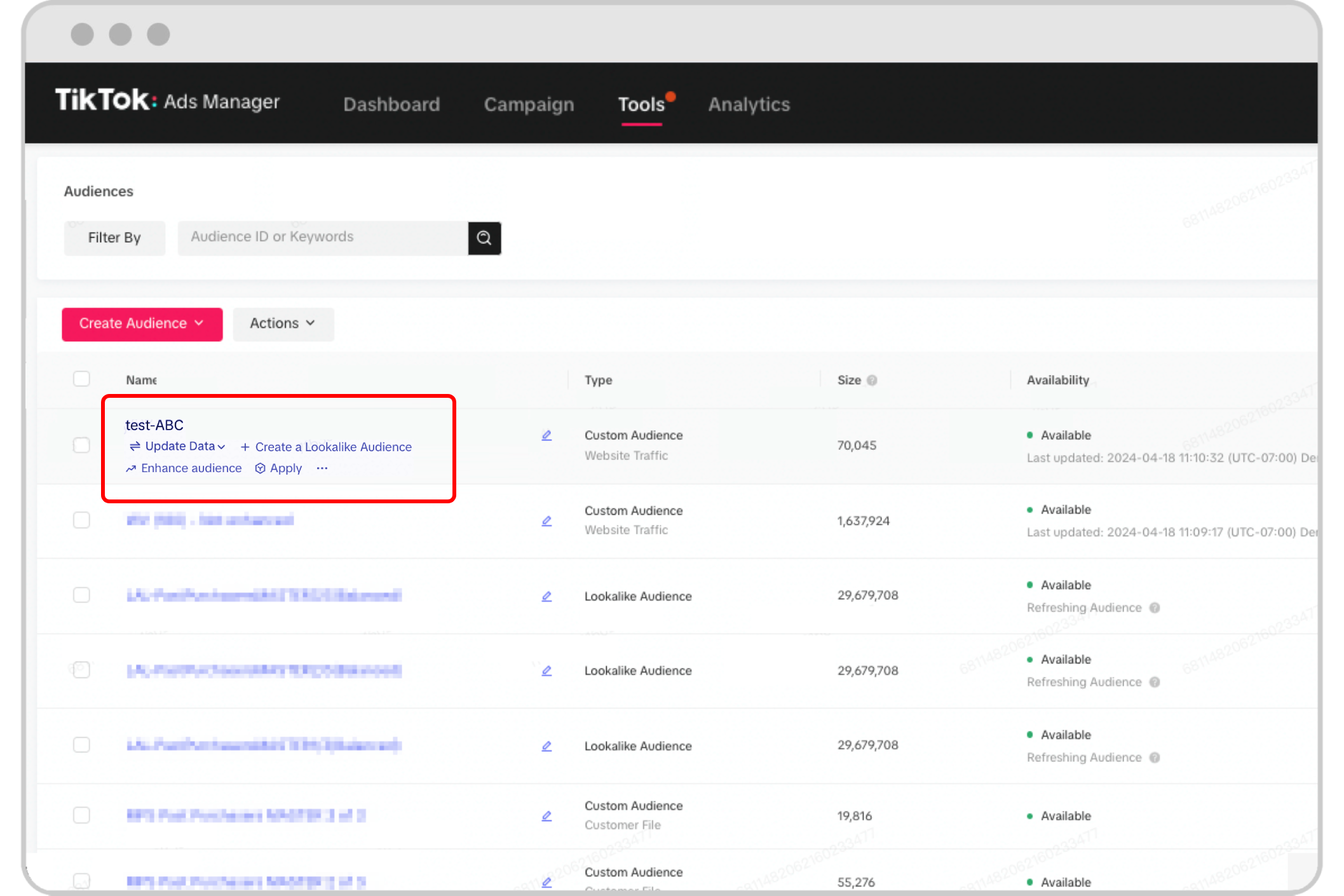
Creating custom audiences on TikTok involves several steps, depending on the source of your data. Here’s a step-by-step guide:
Step 1: Access TikTok Ads Manager
Log in to your TikTok Ads Manager account. This is where you’ll manage all aspects of your ad campaigns, including audience creation.
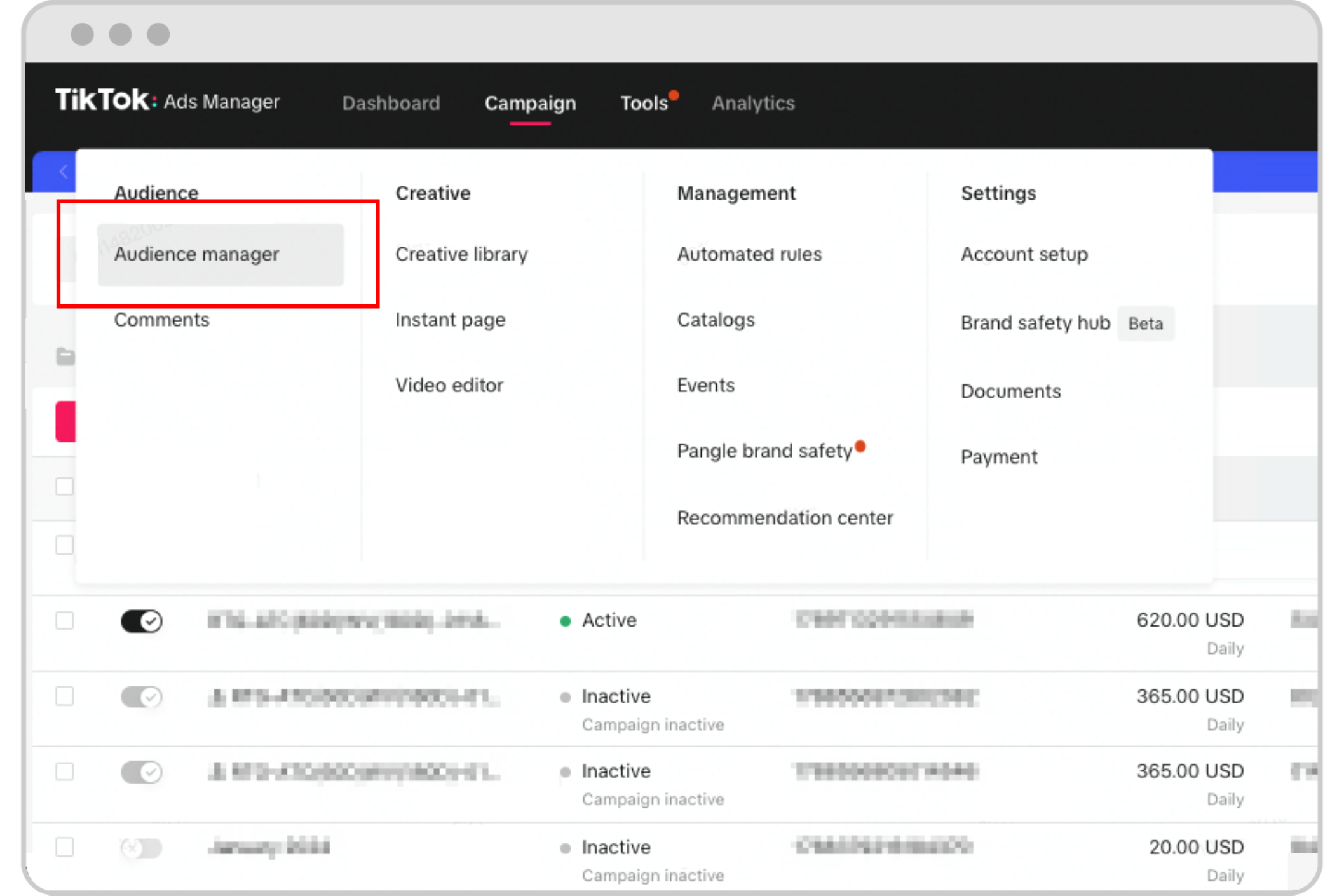
Step 2: Navigate to the Audiences Section
From the main dashboard, go to the Audiences section under Assets. This is where you'll create and manage your custom audiences.
Step 3: Choose Your Audience Source
TikTok allows you to create custom audiences from various sources. Here are the most common options:
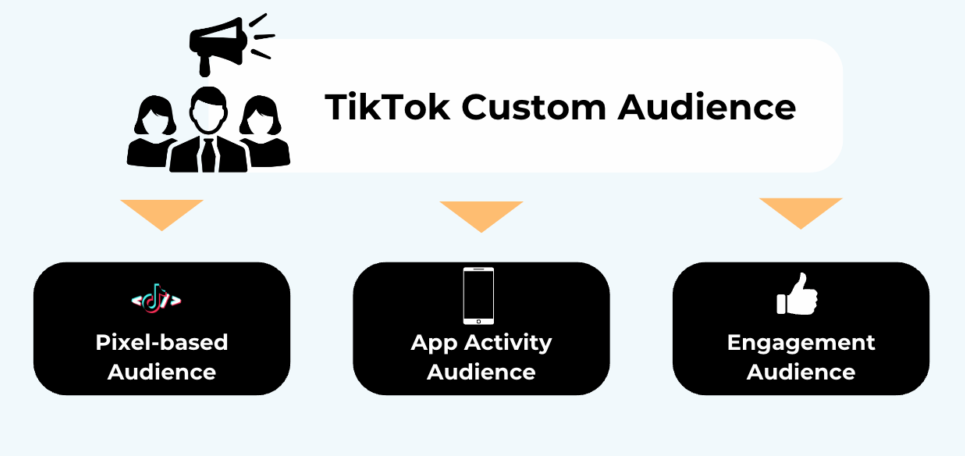
- Customer File: Upload an email list, phone numbers, or other identifiers.
- App Activity: Target users based on actions taken within your mobile app (e.g., purchases, sign-ups).
- Website Traffic: Use data from your website, such as page views, form submissions, or purchases.
- Engagement: Target users who have interacted with your TikTok content (likes, comments, shares).
- Lead Generation: Use data from lead forms or webinars.
- Business Account: Target followers or profile visitors from your TikTok Business Account.
- Shop Activity: Target users based on interactions with your TikTok Shop.
Step 4: Set Up Your Audience
Once you’ve selected your source, define the parameters for your audience. For example, if using a customer file, you’ll need to upload a CSV or Excel file with user data. Ensure that your audience meets the minimum size requirement of 1,000 users.
Step 5: Apply the Audience to Your Campaign
After creating your custom audience, apply it to your ad group. You can also combine it with other targeting options like interests or demographics to further refine your reach.
Best Practices for Effective Custom Audiences

To get the most out of your TikTok Custom Audiences, consider the following best practices:
1. Use High-Quality Data
Ensure that the data you use to build your custom audiences is accurate and up-to-date. This includes email lists, app activity logs, and website traffic data.
2. Segment Your Audience
Break down your custom audiences into smaller segments based on behavior, interests, or engagement levels. This allows for more personalized and effective ad campaigns.
3. Leverage Lookalike Audiences
Once you have a solid custom audience, use TikTok’s Lookalike Audience feature to find new users who share similar characteristics. This helps expand your reach without compromising relevance.
4. Monitor and Optimize
Regularly track the performance of your custom audience campaigns. Adjust your targeting, ad creatives, and messaging based on what works best.
5. Auto-Refresh Your Audience
Enable the auto-refresh feature in TikTok Ads Manager to ensure your audience remains up-to-date. This helps maintain relevance and improve campaign performance over time.
Common Questions About TikTok Custom Audiences

Can I Auto-Update My Custom Audience?
Yes, TikTok allows you to enable auto-refresh when creating your audience. This ensures that your audience is updated daily based on the lookback window you choose.
What’s the Difference Between Custom and Lookalike Audiences?
Custom Audiences are users who have already engaged with your brand, while Lookalike Audiences are users who resemble your existing audience but haven’t interacted with your brand yet.
What If I Don’t Have an Audience Database?
If you don’t have an existing audience, you may need to start with a broader targeting strategy. Tools like NestAds can help you build a database quickly and efficiently.
Conclusion
TikTok Custom Audiences is a powerful tool that allows businesses to reach users who have already shown interest in their brand. By leveraging this feature, you can create more targeted, engaging, and cost-effective ad campaigns. Whether you’re a seasoned advertiser or just starting out, understanding how to create and optimize custom audiences on TikTok is essential for success in 2024.

Posting Komentar untuk "How to Create Custom Audiences for TikTok Ads in 2024"
Posting Komentar