
How to Create TikTok Ads Directly from Your Phone in 2024
TikTok has become one of the most powerful platforms for marketing and advertising, with over a billion active users worldwide. For businesses and creators looking to reach this massive audience, creating TikTok ads directly from your phone is an essential skill. With the right tools and strategies, you can design, edit, and launch compelling ad campaigns without needing a computer. This guide will walk you through the process of creating TikTok ads from your phone, highlighting the key features and best practices for success.
Understanding TikTok Ads
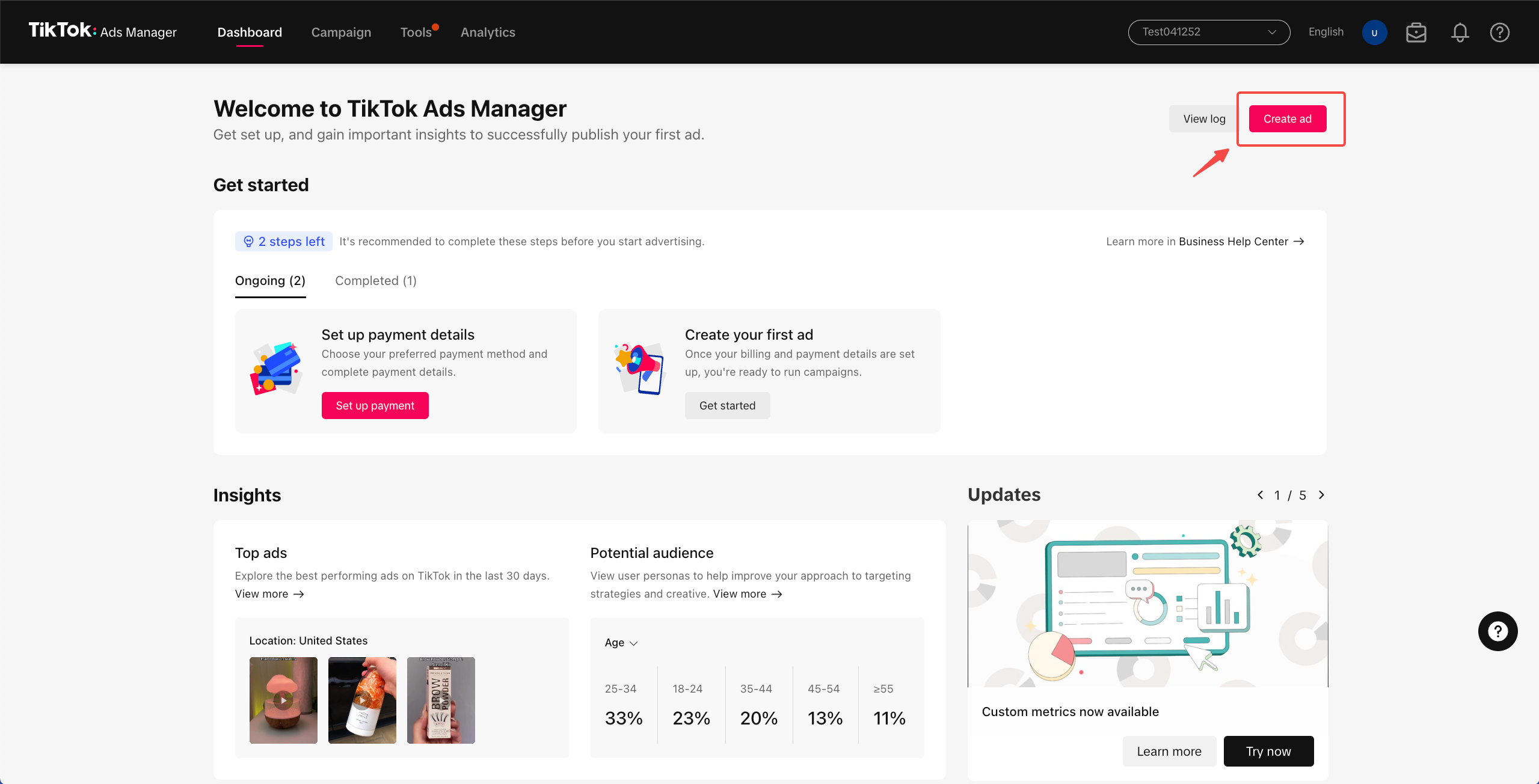
Before diving into the creation process, it's important to understand what TikTok Ads are and how they work. TikTok Ads allow businesses to promote their products or services through various ad formats, such as In-Feed Ads, Spark Ads, and Brand Takeovers. These ads appear in users' feeds, similar to regular content, making them highly engaging and effective for reaching a broad audience.
To get started, you'll need a TikTok Business Account. This account provides access to the TikTok Ads Manager, which is where you'll create and manage your ad campaigns. If you're new to TikTok Ads, you can refer to the Business Help Center for detailed guidance on setting up your account.
Step-by-Step Guide to Creating TikTok Ads from Your Phone
1. Install the TikTok App and Set Up Your Business Account
First, make sure you have the TikTok app installed on your phone. If you don't have one, download it from the App Store (iOS) or Google Play (Android). Once installed, sign in with your account or create a new one. To access advanced ad features, convert your personal account to a Business Account by following the prompts within the app.
2. Access the TikTok Ads Manager
Once your Business Account is set up, navigate to the "Ads Manager" section within the TikTok app. This is where you'll create and manage your ad campaigns. From here, you can choose the type of ad you want to create, such as a Video Ad, Carousel Ad, or Spark Ad.
3. Choose Your Ad Objective
When creating a new ad, you'll be prompted to select an objective. Common objectives include brand awareness, traffic, conversions, and app installs. Choose the objective that aligns with your marketing goals. For example, if you're promoting a mobile game, selecting "App Installs" would be the best choice.
4. Create Your Ad Content
Now comes the creative part—designing your ad. TikTok offers a built-in video editor that allows you to trim, add music, text, and effects directly from your phone. You can also upload videos from your camera roll or record new ones using the app's recording feature.
Some key tips for creating effective TikTok ads: - Keep it short: TikTok users have short attention spans, so aim for a video length of 15-30 seconds. - Use trending sounds: Incorporate popular TikTok sounds to increase the chances of your ad going viral. - Add captions: Text overlays can help convey your message more effectively, especially if the video is played without sound. - Include a call-to-action (CTA): Encourage viewers to take action, such as "Download now" or "Learn more."
5. Target Your Audience
After creating your ad, you'll need to define your target audience. TikTok allows you to specify demographics, interests, and behaviors to ensure your ad reaches the right people. You can also use lookalike audiences to target users similar to your existing customers.
6. Set Your Budget and Schedule
Next, set your budget and choose when you want your ad to run. TikTok offers flexible pricing options, including daily and lifetime budgets. You can also schedule your ad to run at specific times or continuously.
7. Review and Launch Your Ad
Before launching your ad, review all the details to ensure everything is correct. Check the ad format, targeting settings, and budget. Once satisfied, click "Publish" to launch your ad.
Best Practices for Creating TikTok Ads from Your Phone
Creating successful TikTok ads requires more than just technical skills—it also involves understanding your audience and staying up-to-date with trends. Here are some best practices to keep in mind:
- Leverage AI Tools: Use AI-powered editing tools to generate multiple variations of your ad quickly. This helps reduce creative fatigue and keeps your content fresh.
- Test Different Formats: Experiment with different ad formats, such as video, carousel, and Spark Ads, to see what resonates best with your audience.
- Monitor Performance: Regularly check your ad performance using TikTok's analytics tools. Track metrics like click-through rate (CTR), conversion rate, and cost per install (CPI).
- Engage with Your Audience: Respond to comments and messages to build a connection with your audience. Engaged users are more likely to share your content and recommend your brand.
Conclusion
Creating TikTok ads from your phone is easier than ever, thanks to the platform's user-friendly interface and powerful tools. By following the steps outlined above and implementing best practices, you can create engaging and effective ad campaigns that drive results. Whether you're a small business owner or a digital marketer, TikTok offers a unique opportunity to connect with millions of users and grow your brand.
[IMAGE: Creating TikTok Ads Directly from Your Phone]

Posting Komentar untuk "How to Create TikTok Ads Directly from Your Phone in 2024"
Posting Komentar