
How to Create TikTok Custom Audiences: A Complete Guide for Marketers
TikTok has become a powerful platform for marketers, offering unique opportunities to connect with audiences through engaging content and targeted advertising. One of the most effective tools available on TikTok is Custom Audiences, which allows brands to reach users based on specific criteria such as website visitors, app activity, or customer data. This guide will walk you through the process of creating TikTok Custom Audiences, helping you refine your targeting strategy and improve campaign performance.

What Are TikTok Custom Audiences?

TikTok Custom Audiences are groups of users that you can target based on data you’ve collected from your own sources, such as website visits, app interactions, or email lists. These audiences allow you to serve ads to people who have already shown interest in your brand, increasing the likelihood of engagement and conversion.
Unlike traditional demographic targeting, Custom Audiences leverage real user behavior, making your ads more relevant and effective. By using this feature, you can create personalized ad experiences that resonate with your existing customers or potential leads.
Why Use TikTok Custom Audiences?

There are several benefits to using TikTok Custom Audiences:
- Improved Relevance: Ads are shown to users who have already interacted with your brand, increasing the chances of engagement.
- Higher Conversion Rates: Targeting users with a history of interest in your products or services can lead to better conversion rates.
- Cost Efficiency: By focusing on users who are more likely to convert, you can reduce ad spend and improve ROI.
- Scalability: Custom Audiences allow you to expand your reach while maintaining relevance, making it easier to scale your campaigns.
Step-by-Step Guide to Creating TikTok Custom Audiences
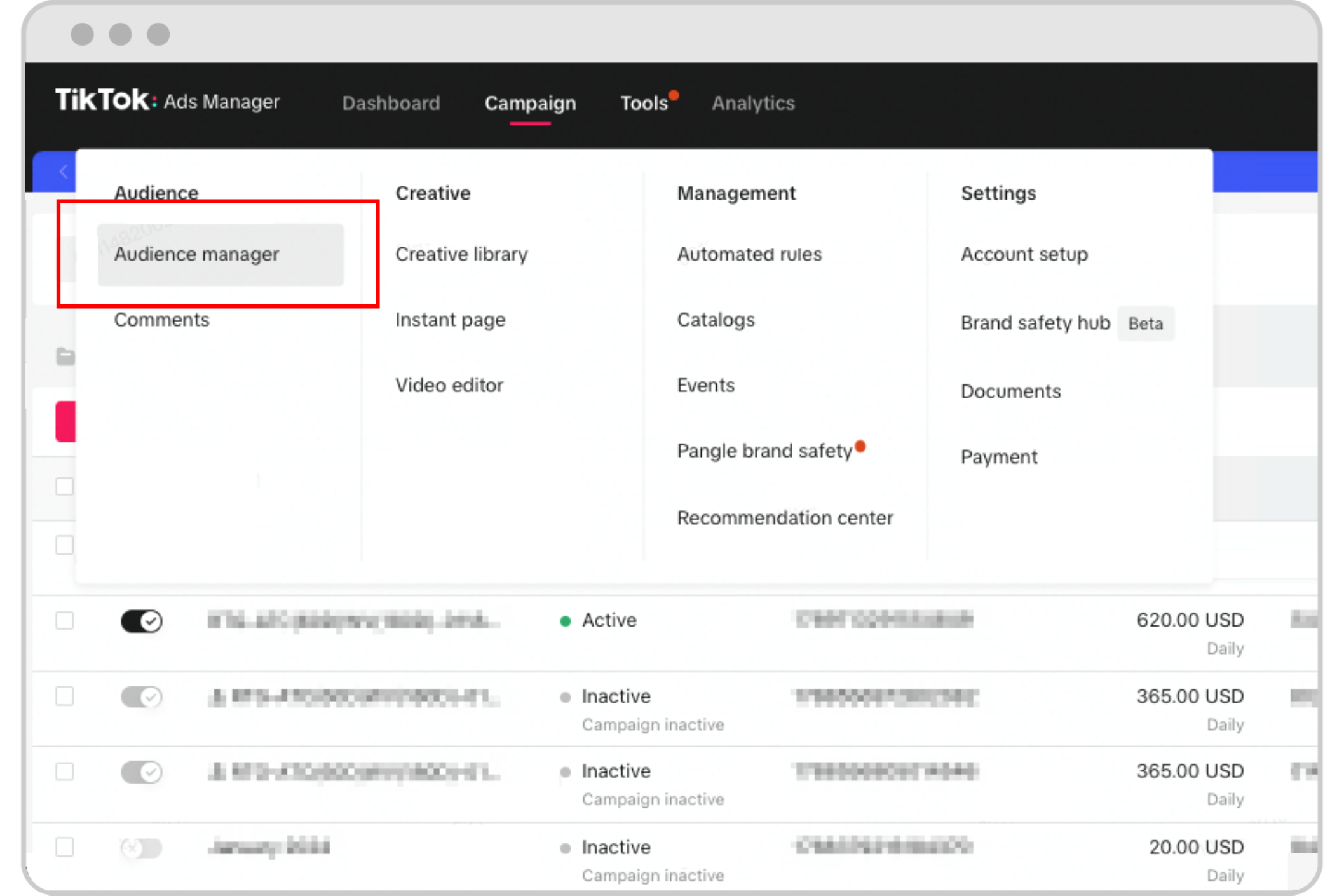
Creating a TikTok Custom Audience involves several steps, starting from setting up your account to defining your audience criteria. Here’s how you can do it:
1. Access TikTok Ads Manager
To begin, log in to your TikTok Ads Manager account. This is where you’ll manage all your campaigns, ad sets, and audiences.
2. Navigate to the Audiences Section
Once inside the dashboard, locate the "Assets" section at the top of the screen. Click on "Audiences" to access the audience management tools.
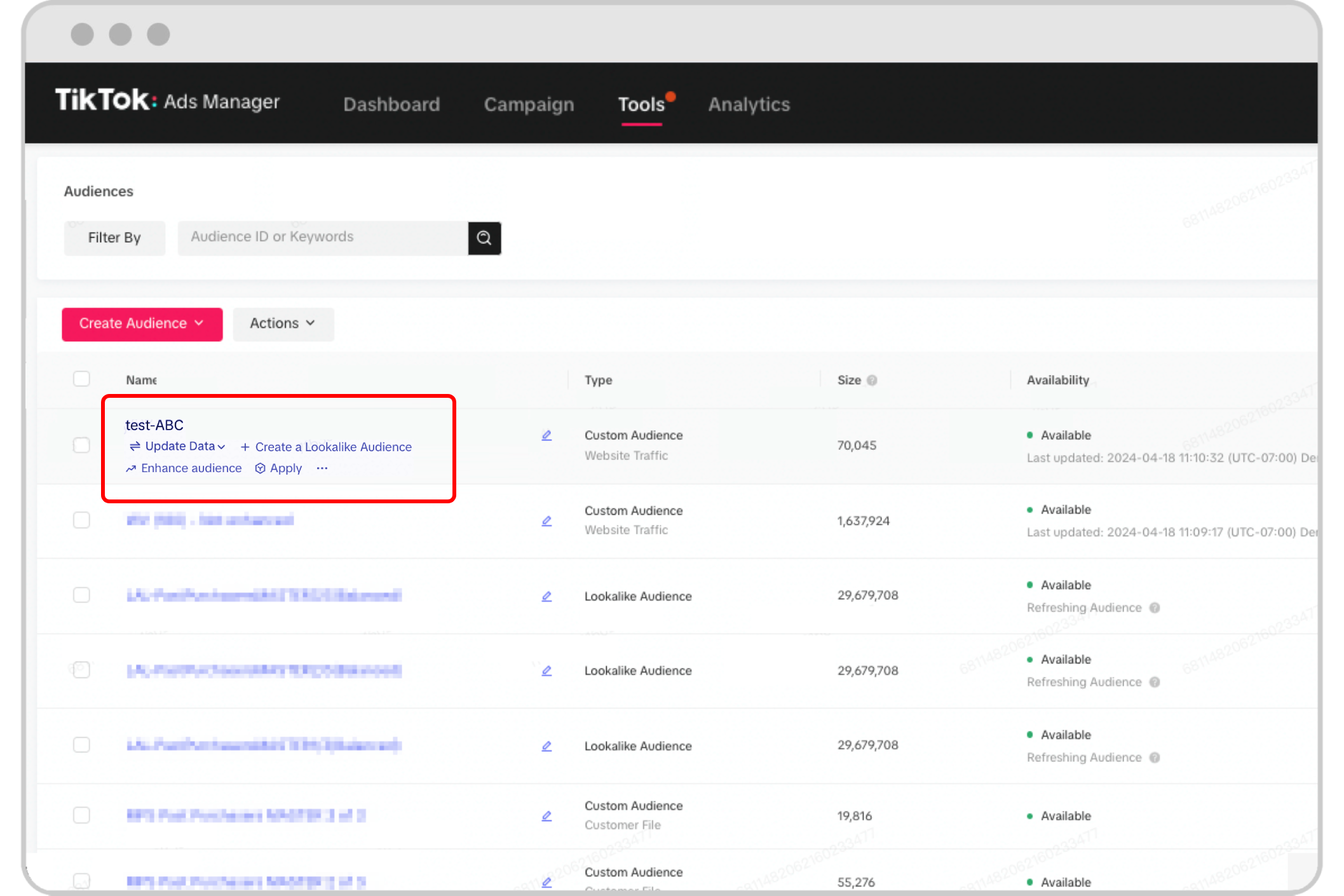
3. Click "Create Audience"
In the Audiences section, click the "Create Audience" button. This will bring up different options for audience creation.
4. Choose "Custom Audience"
From the menu, select "Custom Audience". This option allows you to create an audience based on your own data.
5. Select Your Data Source
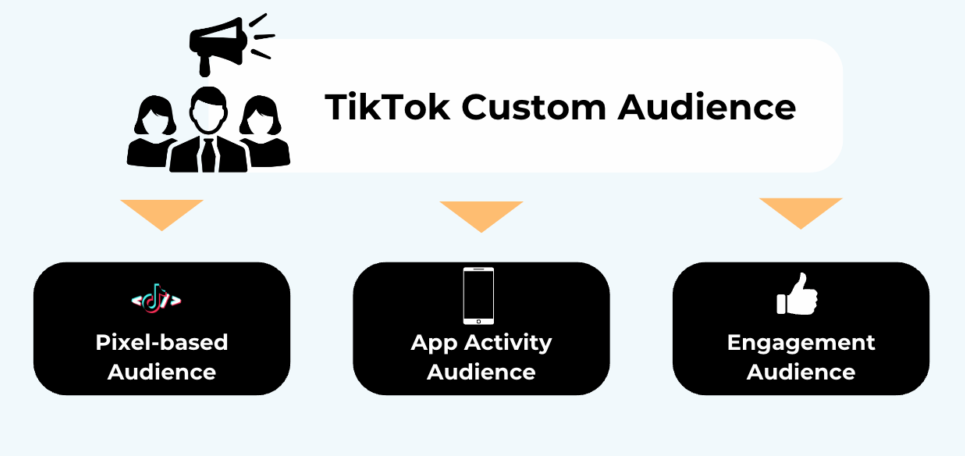
Choose the type of data you want to use for your Custom Audience. Options include:
- Website Traffic: Target users who have visited your website.
- App Activity: Target users who have interacted with your mobile app.
- Customer Files: Upload a list of email addresses or phone numbers.
- Lead Ads: Use data from TikTok Lead Ads.
Make sure your source audience is rich in valuable user signals and contains at least 1,000 users for optimal performance.
6. Define Your Target Location
Specify the location for your new audience. TikTok only allows you to generate Custom Audiences in the same country or region as the source audience, so ensure consistency between both.
7. Name Your Audience
Enter a unique and descriptive name for your Custom Audience. It’s best to include key details like the type of source audience and any specific criteria, so you can easily identify it later.
8. Confirm and Save
After reviewing all selections, click "Confirm". Your Custom Audience will be created and made available under the "Audiences" tab. You can now assign it to your ad groups when setting up a campaign.
Tips for Optimizing Your Custom Audiences
To get the most out of your TikTok Custom Audiences, consider the following tips:
- Use High-Quality Data: Ensure your source audience is well-segmented and reflects your conversion goals, such as users who have made purchases or added items to their cart.
- Test Different Segments: Experiment with various audience segments to see what works best for your campaigns.
- Monitor Performance: Regularly check your campaign metrics to track the effectiveness of your Custom Audiences.
- Refine and Iterate: Use the data you gather to refine your targeting and improve future campaigns.
Common Mistakes to Avoid
While TikTok Custom Audiences are a powerful tool, there are some common mistakes that advertisers make:
- Using Low-Quality Sources: Building audiences from unqualified or low-value data can lead to poor performance.
- Ignoring Performance Metrics: Failing to monitor your campaign metrics can result in wasted budget and missed opportunities.
- Overlooking Audience Size: A very small source audience may limit TikTok's ability to find meaningful patterns, leading to less accurate targeting.
Final Thoughts

TikTok Custom Audiences offer a smart and scalable way to reach users who have already shown interest in your brand. By leveraging real user data, you can create highly targeted ads that drive engagement and conversions. Whether you're looking to retarget website visitors, engage app users, or connect with leads, Custom Audiences provide a powerful tool for refining your marketing strategy.
As TikTok continues to evolve, staying informed about the latest features and best practices will help you maximize the impact of your campaigns. With the right approach, TikTok Custom Audiences can become a cornerstone of your digital marketing efforts, driving growth and success in the ever-changing social media landscape.

Posting Komentar untuk "How to Create TikTok Custom Audiences: A Complete Guide for Marketers"
Posting Komentar