
How to Create TikTok Custom Audiences: A Step-by-Step Tutorial
TikTok has become a powerful platform for both personal and business marketing, with its algorithm-driven content discovery making it easier than ever to reach new audiences. However, for businesses looking to maximize their ad ROI, understanding how to target the right people is crucial. One of the most effective tools available on TikTok is Custom Audiences, which allows you to retarget users who have already interacted with your brand. In this tutorial, we’ll walk you through how to create TikTok Custom Audiences step by step.
What Are TikTok Custom Audiences?
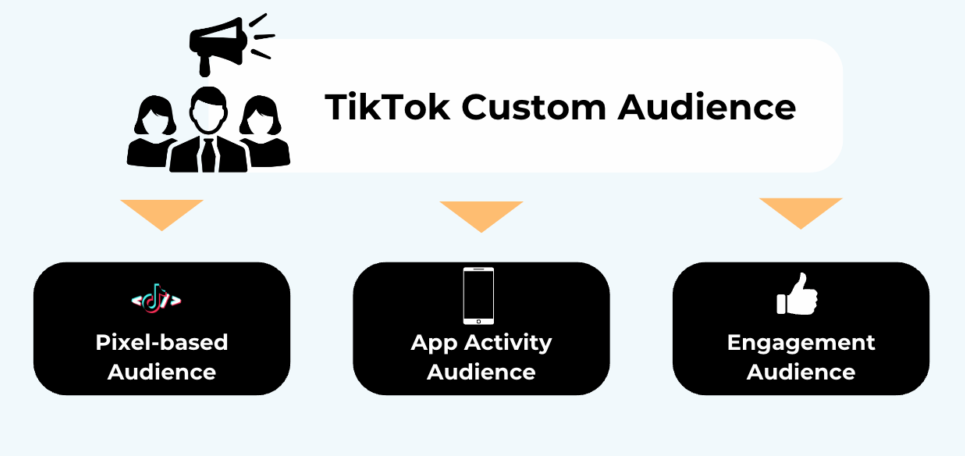
TikTok Custom Audiences are a form of ad targeting that lets you re-engage users who have previously interacted with your brand. This could include people who have visited your website, used your app, engaged with your TikTok content, or provided their contact information through lead generation forms. By creating custom audiences, you can tailor your ads to these individuals, increasing the likelihood of conversion and engagement.
To use TikTok Custom Audiences, you must first enable retargeting in your TikTok Ads Manager account. Once enabled, you can upload data from various sources, such as email lists, website traffic, or app activity, to build your audience.
Step-by-Step Guide to Creating TikTok Custom Audiences
Step 1: Open TikTok Ads Manager
To begin, log into your TikTok Ads Manager account. If you haven’t set one up yet, you’ll need to create an ad account through the TikTok Business Help Center.
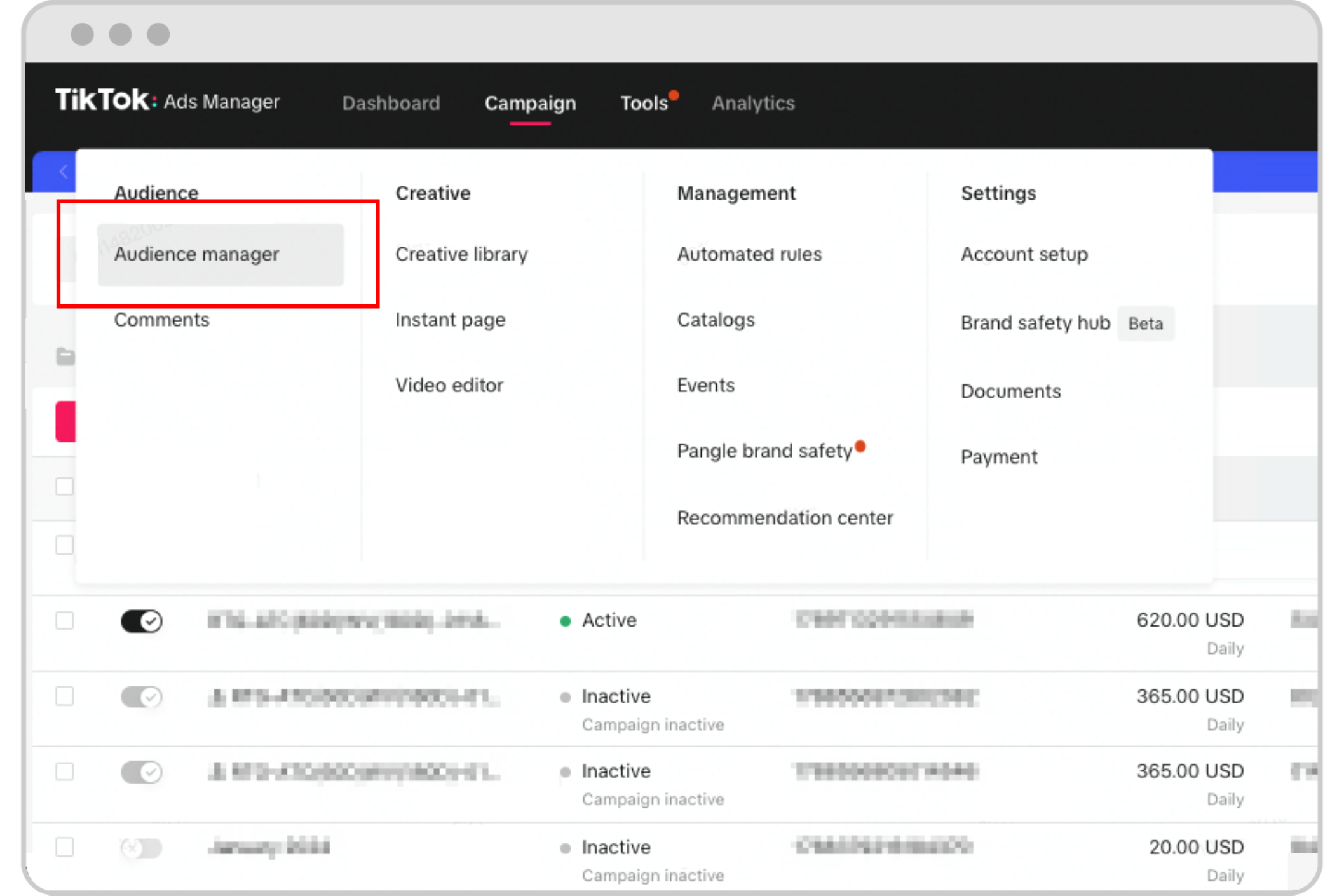
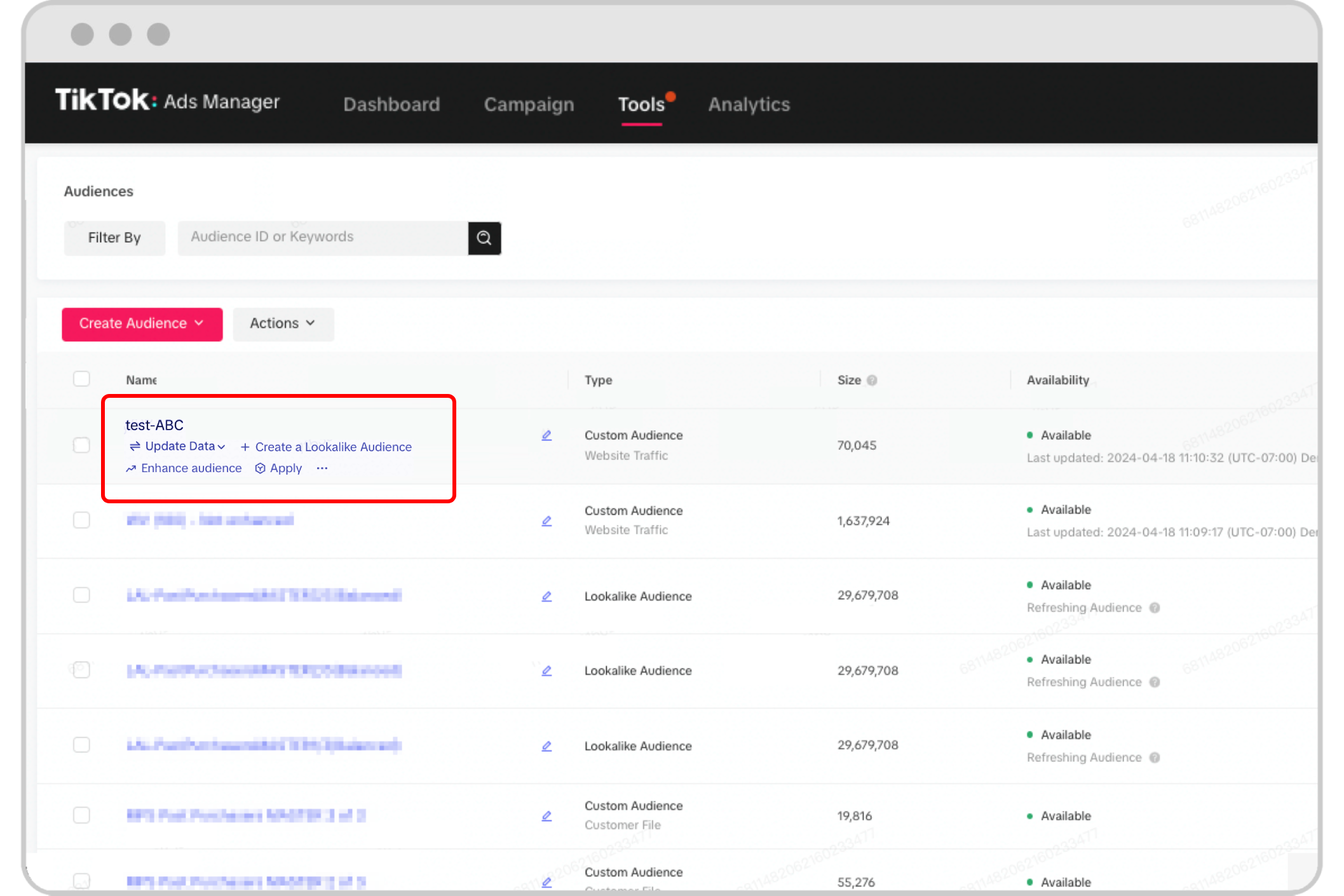
Step 2: Navigate to the Audiences Section
Once logged in, go to the Audiences section under the Assets tab. This is where you’ll manage all your custom audiences.
Step 3: Choose Your Audience Source
TikTok offers several sources for building your custom audience:
- Customer File: Upload an email list or phone number list of your existing customers.
- Website Traffic: Target users who have visited your website or performed specific actions (e.g., completed a form, added items to a cart).
- Engagement: Target users who have interacted with your TikTok content, such as liking, commenting, or sharing your videos.
- App Activity: Target users who have used your app and performed certain actions (e.g., made a purchase, registered for an account).
- Lead Generation: Target users who have submitted a form through your lead ads.
- Business Account: Target users who have engaged with your TikTok business account (e.g., followed, liked, or commented on your posts).
- Shop Activity: Target users who have interacted with your TikTok Shop, such as viewing products or completing a purchase.
Choose the source that best fits your campaign goals.
Step 4: Upload Your Data
Depending on the source you selected, you may need to upload a file containing your audience data. For example:
- If using a customer file, you’ll need to upload a CSV or Excel file with names, email addresses, or phone numbers.
- If using website traffic, you’ll need to integrate your website with TikTok’s tracking pixel.
- If using app activity, you’ll need to set up in-app event tracking.
Make sure your data meets TikTok’s requirements, such as a minimum audience size of 1,000 users.
Tips for Optimizing Your Custom Audiences
1. Use Auto-Refresh for Updated Data
TikTok allows you to enable auto-refresh when creating your custom audience. This ensures your audience stays updated with the latest data, helping you reach more relevant users.
2. Segment Your Audience
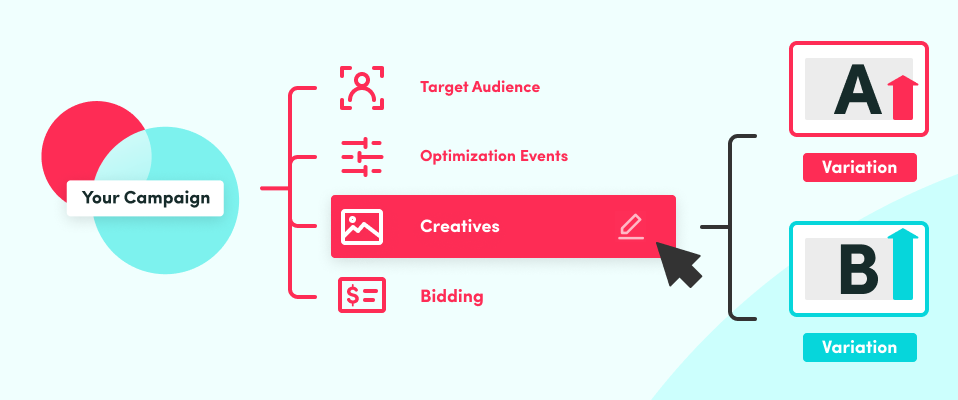
Create multiple custom audiences based on different user behaviors (e.g., past buyers, website visitors, app users). This allows you to tailor your ads to each group’s preferences.
3. Combine with Lookalike Audiences
For even better results, combine your custom audiences with Lookalike Audiences. These are users who share similar characteristics with your existing audience, helping you expand your reach.
4. Monitor Performance
Track the performance of your custom audience campaigns using TikTok’s analytics tools. Adjust your targeting and ad creatives based on what works best.
Frequently Asked Questions
Can TikTok Custom Audiences Auto-Update?
Yes, you can enable auto-refresh when creating your audience. This will update your audience daily based on the lookback window you choose.
What’s the Difference Between Custom and Lookalike Audiences?
Custom Audiences are users who have already interacted with your brand, while Lookalike Audiences are users who resemble your existing audience but haven’t interacted with your brand yet.
What if I Don’t Have a Large Audience?
If you’re just starting out, consider using third-party tools like NestAds to help you build and manage your custom audiences more effectively.
By following this guide, you can leverage TikTok Custom Audiences to refine your ad targeting and improve your campaign performance. Whether you're a seasoned marketer or just getting started, mastering this tool can help you connect with the right people at the right time.

Posting Komentar untuk "How to Create TikTok Custom Audiences: A Step-by-Step Tutorial"
Posting Komentar