
How to Create TikTok Retargeting Ads: A Step-by-Step Guide for 2024
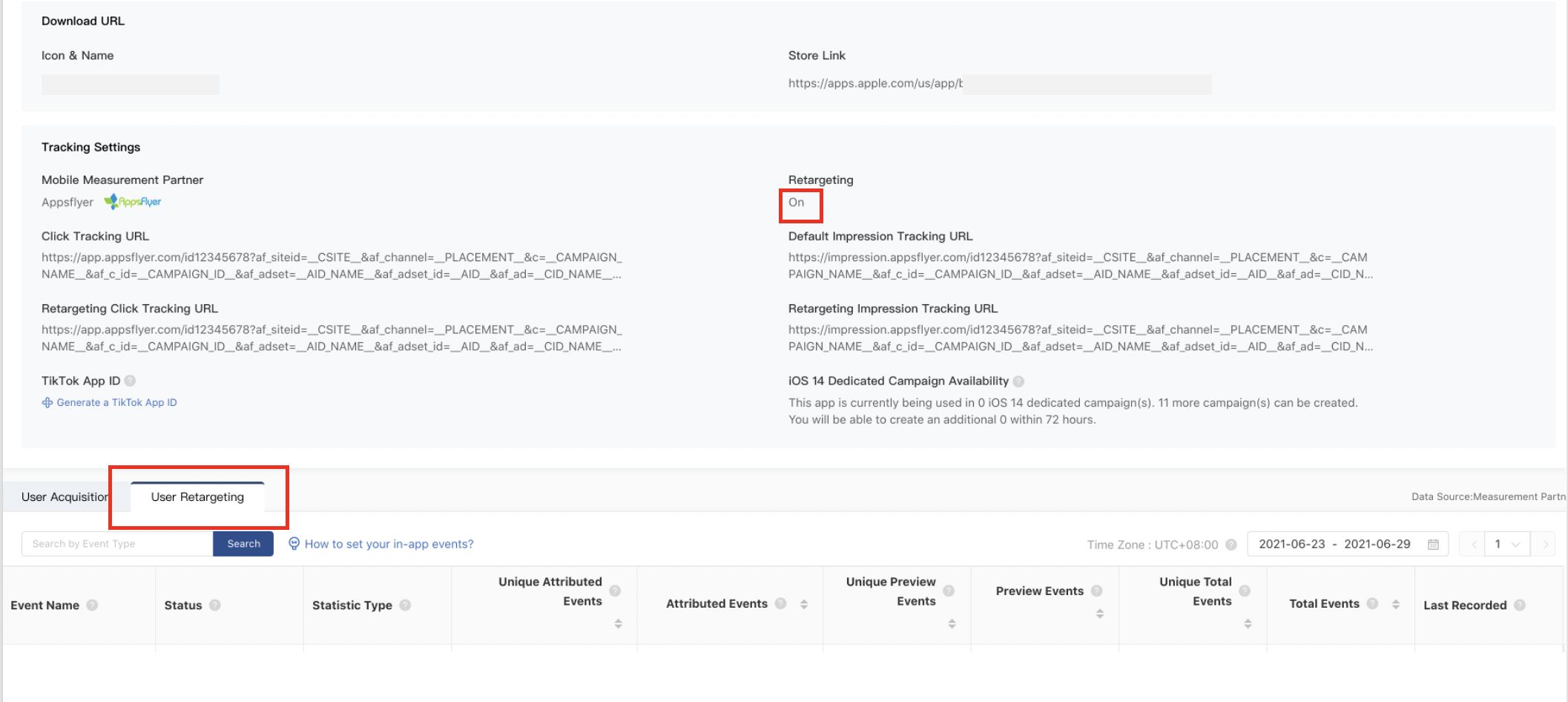
In today's digital landscape, where attention spans are shorter than ever, retargeting ads have become a crucial tool for marketers. TikTok, with its massive user base and high engagement rates, offers a unique opportunity to re-engage users who have shown interest in your brand. This guide will walk you through the process of creating effective TikTok retargeting ads, ensuring you maximize your marketing efforts.
Understanding Retargeting Ads
Retargeting ads are a form of online advertising that targets users who have previously interacted with your website or content. These ads appear to users as they scroll through social media or watch videos, reminding them of your brand and encouraging them to take action. The key advantage of retargeting is that it focuses on users who have already shown interest, making them more likely to convert than cold leads.
The "Rule of 7" in marketing suggests that a prospect needs to be exposed to your message at least seven times before taking action. Retargeting ads help achieve this by keeping your brand top-of-mind.
Setting Up Your TikTok Pixel
Before you can start retargeting, you need to set up a TikTok pixel. This is a piece of code that tracks user interactions on your website, allowing you to gather data and target specific audiences. Here’s how to do it:
- Access TikTok Ads Manager: Log in to your TikTok Ads Manager account.
- Create a Pixel: Navigate to the "Assets" section and select "Pixels."
- Install the Pixel: Follow the instructions to install the pixel on your website. This involves adding the code snippet to your site's header or footer.
- Verify Installation: Use the TikTok Pixel Helper tool to ensure the pixel is correctly installed and tracking data.
Once your pixel is set up, it will track user behavior, such as page views, purchases, and other actions, which you can then use to create custom audiences.
Creating Custom Audiences
Custom audiences allow you to target users based on their interactions with your brand. Here are the main types of custom audiences you can create:
- Website Traffic Audience: Target users who have visited specific pages on your website.
- Customer File Audience: Upload your email list or CRM data to target existing customers.
- Engagement Audience: Target users who have interacted with your TikTok content, such as liking, commenting, or sharing your videos.
- App Activity Audience: Target users who have engaged with your mobile app, such as making a purchase or completing a specific action.
- Lead Generation Audience: Target users who have engaged with your lead generation forms but haven’t completed them.
To create a custom audience: 1. Go to the Audience Section: In TikTok Ads Manager, navigate to the "Audiences" section. 2. Choose Custom Audience: Select "Custom Audience" and choose the type of audience you want to create. 3. Set Parameters: Define the criteria for your audience, such as the time frame, events, and exclusion rules. 4. Name and Save: Give your audience a name and save it for future use.
Running Your Retargeting Campaign
Once you have your custom audience set up, you can start running your retargeting campaign. Here’s a step-by-step guide:
- Create a New Campaign: In TikTok Ads Manager, click "Create Campaign" and choose your campaign objective (e.g., conversions, app installs, or traffic).
- Select Your Audience: Choose the custom audience you created in the previous step.
- Set Your Budget and Schedule: Define your budget and schedule for the campaign.
- Design Your Ad: Create an engaging ad that resonates with your audience. Use eye-catching visuals and compelling copy to encourage clicks.
- Optimize Your Ad: Use TikTok's optimization tools to adjust your ad based on performance metrics. This includes adjusting your targeting, bid strategy, and ad creative.
Tips for Effective Retargeting
- Use Multiple Touchpoints: Run multiple ads to keep your brand in front of users. This increases the chances of conversion.
- Personalize Your Ads: Tailor your ads to the specific interests and behaviors of your audience. Personalization increases engagement and conversion rates.
- Test and Refine: Continuously test different ad creatives, targeting options, and messaging to find what works best for your audience.
- Leverage Lookalike Audiences: Use TikTok's lookalike audience feature to target users similar to your existing customers. This helps expand your reach while maintaining relevance.
Conclusion
Creating TikTok retargeting ads is a powerful way to re-engage users who have shown interest in your brand. By setting up a TikTok pixel, creating custom audiences, and running targeted campaigns, you can significantly improve your conversion rates and return on investment. Remember to continuously test and refine your approach to ensure optimal results.
[IMAGE: How to Create TikTok Retargeting Ads 2024]

Posting Komentar untuk "How to Create TikTok Retargeting Ads: A Step-by-Step Guide for 2024"
Posting Komentar