
How to Create TikTok Video Ads: A Step-by-Step Guide for Beginners

TikTok has become one of the most powerful platforms for digital marketing, offering brands and creators a unique way to connect with their audience through short-form video content. With over 1 billion active users, TikTok provides an excellent opportunity to create engaging video ads that can drive brand awareness, generate leads, and even boost sales. If you're new to TikTok advertising, this step-by-step guide will walk you through the process of creating effective TikTok video ads.
Step 1: Define Your Objective and Target Audience

Before diving into the creation process, it's essential to clearly define your objective and identify your target audience. Are you looking to increase brand awareness, drive traffic to your website, or generate sales? Understanding your goals will help you craft a message that resonates with your audience.
Once you've defined your objective, research your target audience. Who are they? What are their interests, pain points, and preferences? This information will help you tailor your ad content to better engage your audience.
Step 2: Choose the Right Ad Format

TikTok offers several ad formats, each designed to suit different marketing goals. The most common formats include:
- In-Feed Ads: These are native videos that appear in the user's feed, similar to organic content.
- TopView Ads: Full-screen ads that play immediately after a user opens the app.
- Branded Hashtag Challenges: Encourage users to create content using a branded hashtag.
- Spark Ads: Promote existing organic content with a call-to-action.
- Shop Ads: Allow users to shop directly within the app.
Choose the format that best aligns with your objective and budget.
Step 3: Plan Your Content Strategy

Creating compelling content is crucial for the success of your TikTok video ads. Start by planning your content strategy, which should include:
- Hook: Grab attention within the first 3 seconds.
- Message: Clearly communicate your value proposition.
- Call-to-Action (CTA): Encourage users to take a specific action, such as visiting your website or making a purchase.
- Visuals: Use high-quality images and videos that align with your brand.
- Sound: Choose trending sounds or music that resonate with your audience.
Remember to keep your content concise and engaging, as TikTok users tend to scroll quickly.
Step 4: Create Your Video

Now that you have a plan, it's time to create your video. Here are some tips to help you produce a high-quality TikTok video:
- Use TikTok’s Built-in Editor: TikTok offers a range of editing tools, including trimming, adding text, and applying filters.
- Add Captions: Many users watch videos without sound, so captions can help convey your message.
- Include a CTA: Make sure to include a clear call-to-action at the end of your video.
- Optimize Length: Keep your video between 15-60 seconds, depending on your content.
You can also use third-party video editing software if you want more advanced features.
Step 5: Set Up Your TikTok Business Account
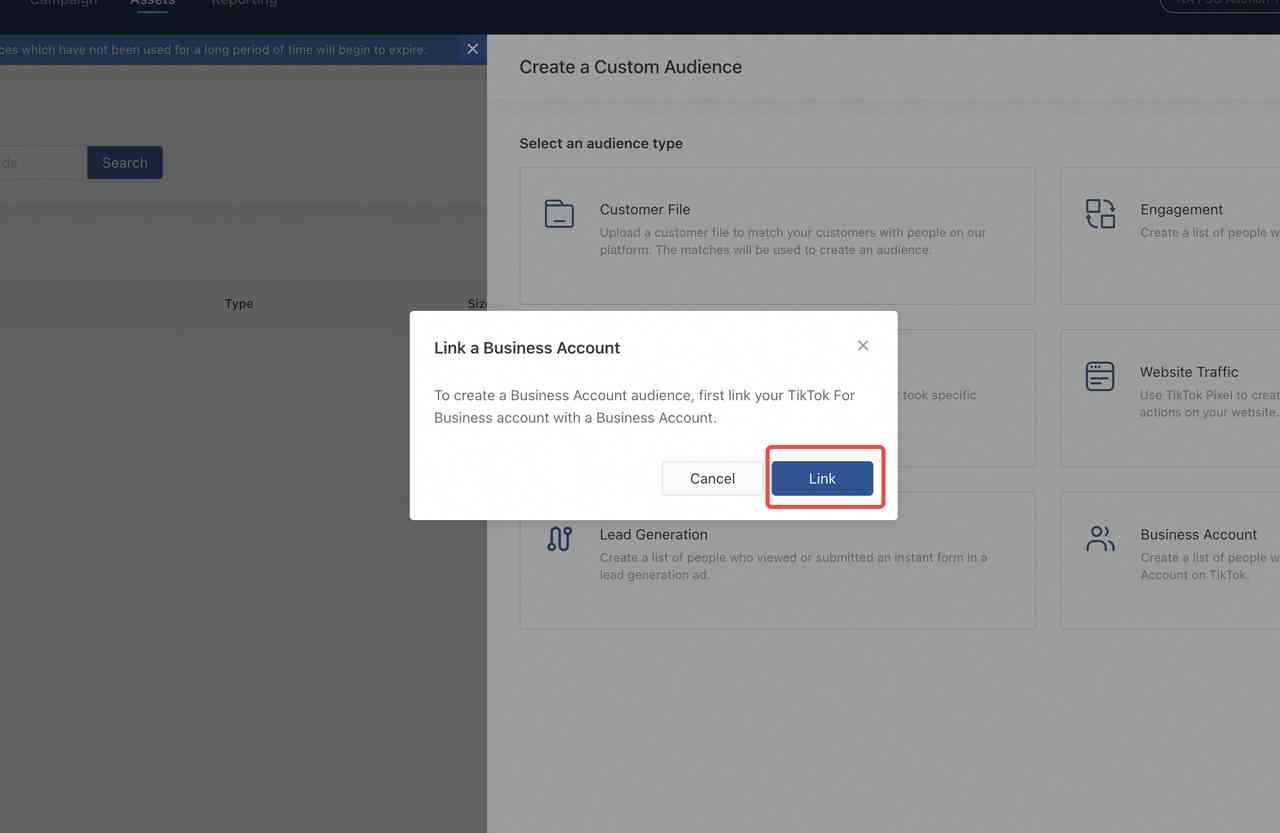
To access TikTok's advertising tools, you'll need to set up a business account. Here's how to do it:
- Open the TikTok app and tap on your profile icon.
- Tap on "Edit Profile" and then select "Switch to Pro Account."
- Follow the prompts to complete the setup, including linking your business account to Facebook or Instagram.
Once your business account is set up, you can access TikTok Ads Manager to create and manage your campaigns.
Step 6: Launch Your Campaign

After creating your video, it's time to launch your campaign. Here's how to do it:
- Go to TikTok Ads Manager and select "Create Campaign."
- Choose your campaign objective, such as "Brand Awareness" or "Conversions."
- Select your target audience based on demographics, interests, and behaviors.
- Set your budget and schedule for the campaign.
- Upload your video and add a headline, description, and CTA.
- Review your campaign settings and click "Publish."
Once your campaign is live, monitor its performance regularly and make adjustments as needed.
Step 7: Analyze and Optimize

After your campaign is running, it's important to analyze its performance and make optimizations. Key metrics to track include:
- Impressions: The number of times your ad was shown.
- Click-Through Rate (CTR): The percentage of users who clicked on your ad.
- Conversion Rate: The percentage of users who completed a desired action, such as making a purchase.
- Engagement Rate: The percentage of users who liked, commented, or shared your ad.
Use this data to refine your strategy and improve the effectiveness of future campaigns.
Conclusion
Creating TikTok video ads can be a powerful way to reach and engage your target audience. By following these steps, you can develop a successful advertising strategy that drives results. Remember to stay consistent, experiment with different formats and content types, and continuously analyze your performance to optimize your campaigns. With the right approach, TikTok can become a valuable tool in your marketing arsenal.
Posting Komentar untuk "How to Create TikTok Video Ads: A Step-by-Step Guide for Beginners"
Posting Komentar