
How to Fix TikTok Ad Account Issues: Step-by-Step Guide
TikTok has become a powerful platform for businesses to reach their target audience through advertising. However, issues with TikTok ad accounts can disrupt campaigns and lead to financial losses. Whether your account is suspended, your ads are not showing up, or you're facing technical glitches, knowing how to fix TikTok ad account issues is essential. This guide provides a comprehensive step-by-step approach to resolving common problems and ensuring your TikTok ad account runs smoothly.
Common Reasons for TikTok Ad Account Issues
Before diving into solutions, it's important to understand why your TikTok ad account might be experiencing issues. Here are some of the most common causes:
-
Policy Violations
TikTok enforces strict advertising policies. If your ads violate these rules—such as including misleading content, inappropriate material, or infringing on intellectual property—you may face account suspension or ad disapproval. -
Payment Problems
Insufficient funds, expired payment methods, or billing errors can prevent your ads from running. These issues often result in temporary account restrictions or suspensions. -
User Reports
If users report your ads for being spammy, misleading, or violating community guidelines, TikTok may investigate and take action against your account. -
Technical Glitches
Sometimes, TikTok’s system may experience technical issues that affect ad delivery, such as server outages or bugs in the ad manager. -
Account Suspension
In severe cases, TikTok may suspend an account due to repeated violations or suspicious activity. This can halt all ad operations until the issue is resolved.
Steps to Fix TikTok Ad Account Issues
If you're facing issues with your TikTok ad account, follow these steps to resolve them:
1. Check for Policy Violations
Review your ad content to ensure it complies with TikTok’s advertising policies. Avoid: - Misleading claims or false information - Offensive language or inappropriate content - Unauthorized use of trademarks or copyrighted material
If you believe your account was suspended due to a misunderstanding, you can appeal the decision through TikTok’s support channels.
2. Verify Payment Information
Ensure your payment methods are valid and up-to-date. Check for: - Sufficient balance in your account - Active and valid credit cards or bank accounts - No pending billing issues or chargebacks
Updating your payment details promptly can prevent account restrictions caused by financial issues.
3. Address User Reports
If your account has been reported, review the nature of the complaints. Ensure your ads are: - Free from spam or deceptive content - Aligned with TikTok’s community guidelines - Not using unauthorized brand references or copyrighted material
If necessary, respond to user reports and provide clarification to TikTok’s moderation team.
4. Contact TikTok Support
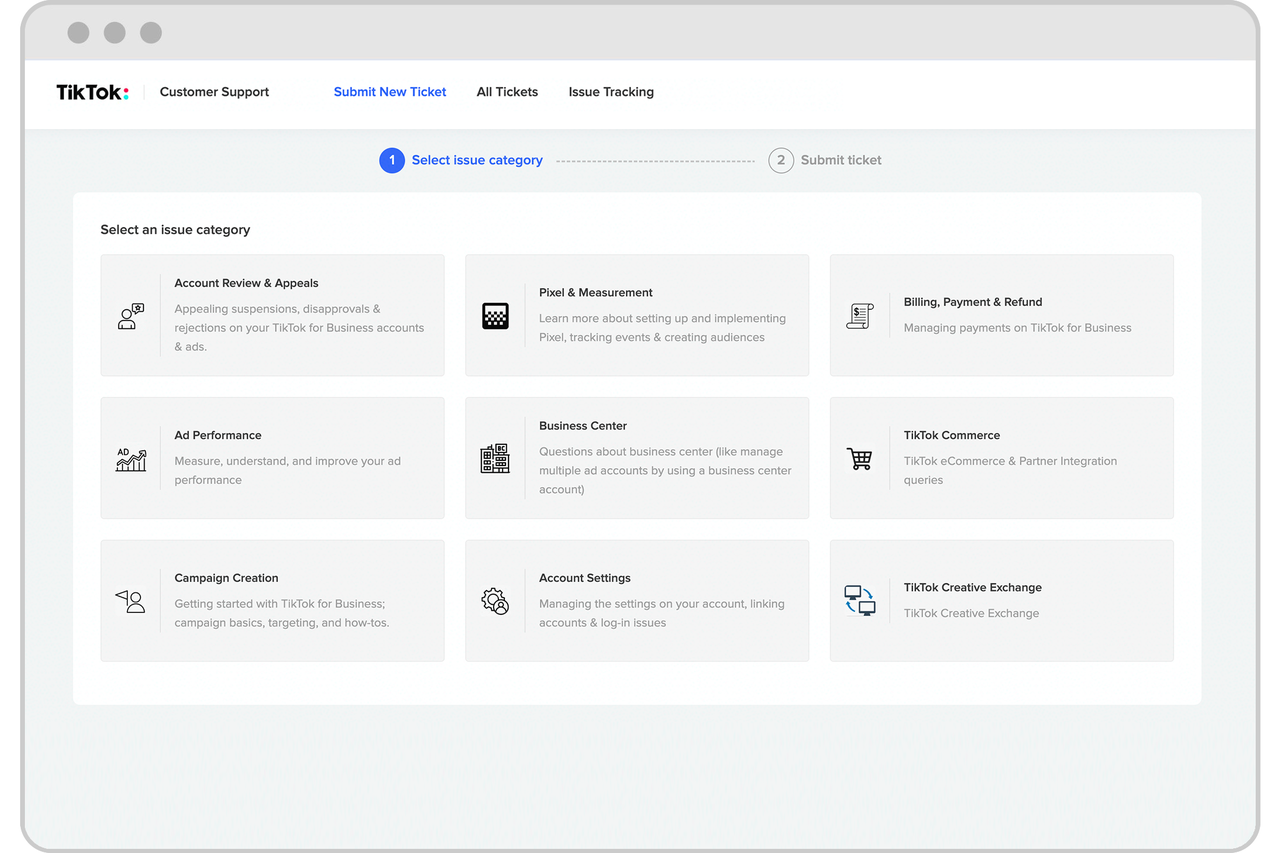
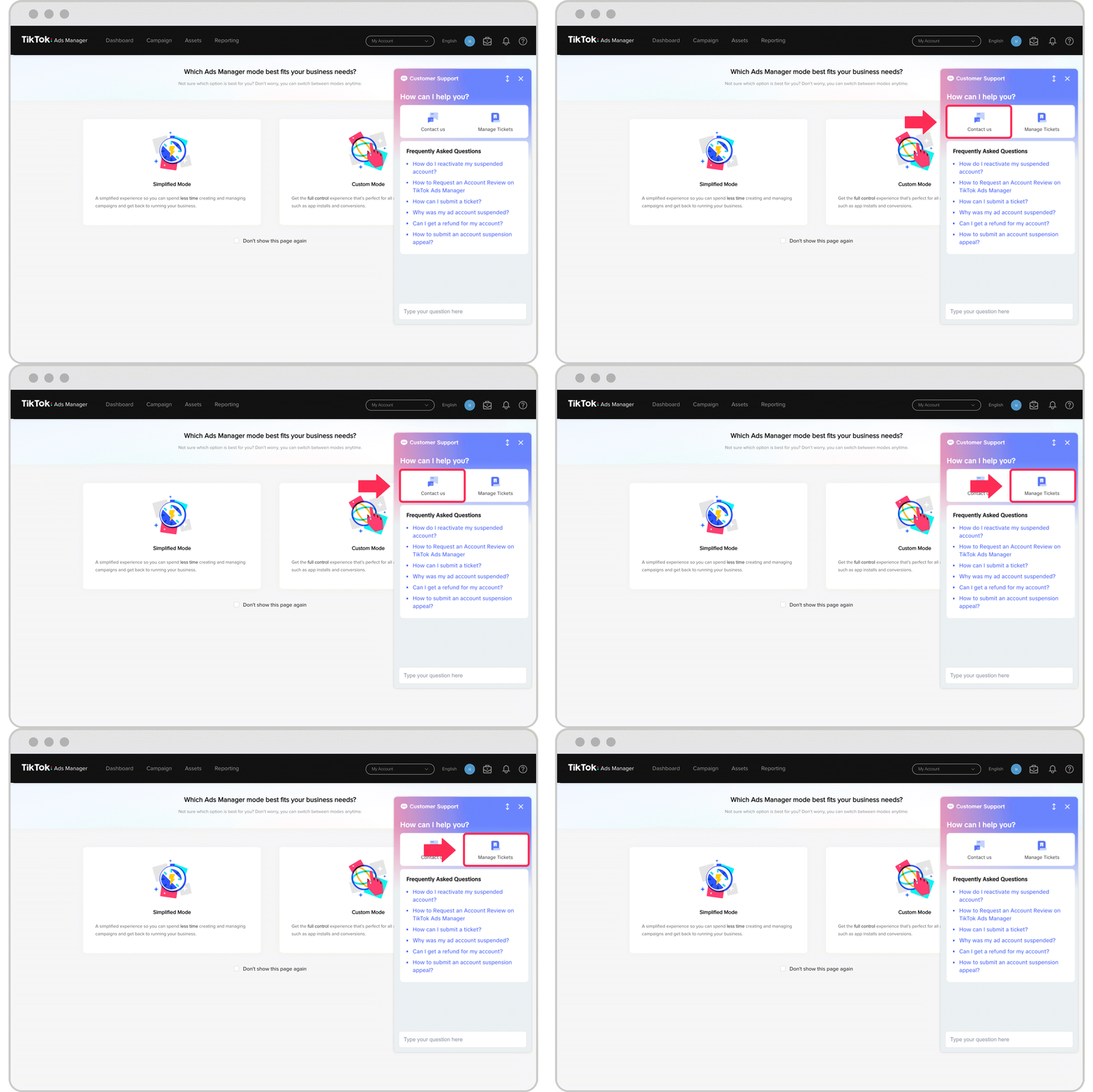
If the issue persists, contact TikTok’s customer support directly. You can: - Submit a support ticket through the TikTok Ads Manager - Use the "Help Center" within the app to report issues - Reach out via email or phone if available
When contacting support, provide detailed information about the problem, including: - Your account ID - The date and time of the issue - Any error messages or notifications received
5. Monitor Account Activity

Regularly check your TikTok Ads Manager for updates on your account status. Monitor: - Ad performance metrics - Campaign budgets and spending - Account alerts or notifications
Staying proactive can help you identify and address issues before they escalate.
Preventive Measures to Avoid Future Issues
To minimize the risk of future TikTok ad account issues, implement the following best practices:
1. Stay Updated on TikTok Policies
TikTok frequently updates its advertising guidelines. Make sure to: - Regularly review the official TikTok Advertising Policies - Attend webinars or training sessions offered by TikTok - Keep your team informed about policy changes
2. Use Legitimate Payment Methods
Avoid using unverified or suspicious payment sources. Stick to: - Verified credit cards or bank accounts - Trusted payment processors - Transparent billing practices
3. Maintain a Low Chargeback Rate
High chargeback rates can trigger account reviews. To reduce this: - Provide clear terms and conditions - Offer excellent customer service - Ensure accurate and transparent billing
4. Optimize Ad Content
Create high-quality, relevant ads that align with TikTok’s standards. Avoid: - Repetitive or low-quality content - Spammy or misleading headlines - Poorly designed landing pages
Conclusion
Fixing TikTok ad account issues requires a combination of understanding the platform’s policies, addressing technical and financial challenges, and maintaining compliance. By following the steps outlined in this guide, you can resolve common issues and prevent future disruptions. Remember, staying proactive and informed is key to maximizing the effectiveness of your TikTok advertising efforts. With the right strategies in place, you can ensure your ads continue to perform well and drive results for your business.

Posting Komentar untuk "How to Fix TikTok Ad Account Issues: Step-by-Step Guide"
Posting Komentar