
How to Get Started with a TikTok Ads Campaign: A Beginner's Guide
TikTok has become one of the most powerful platforms for brands looking to connect with younger audiences. With over 1.5 billion active users, it's no surprise that many businesses are turning to TikTok ads to boost visibility and drive sales. If you're new to TikTok advertising, this guide will walk you through the process of getting started with a TikTok ads campaign.

Understanding TikTok Ads

Before diving into creating your first TikTok ad campaign, it's essential to understand how TikTok ads work. Unlike traditional social media platforms, TikTok is a video-first platform where content is consumed in a fast-paced, engaging format. This means your ads need to be creative, concise, and attention-grabbing from the very first second.
TikTok offers several ad formats, including in-feed video ads, TopView ads, Brand Takeover ads, Hashtag Challenges, and Branded Effects. Each of these formats has its own unique benefits and use cases. For example, in-feed video ads appear in users' feeds as they scroll, while TopView ads are full-screen videos that play when a user opens the app.
Setting Up Your TikTok Ads Account
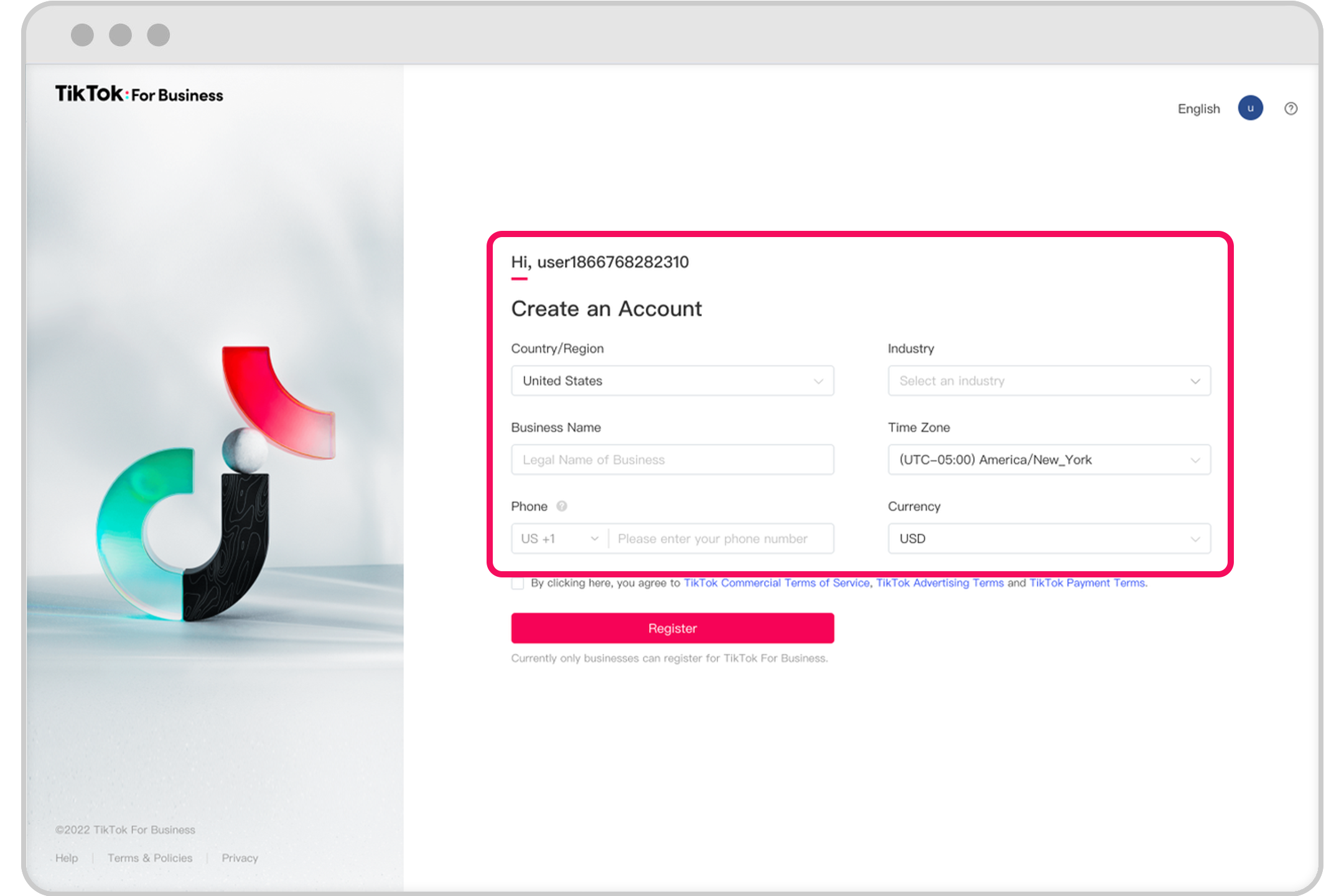
To get started with TikTok ads, you'll need to create a TikTok Ads account. This can be done by visiting the TikTok Ads homepage and clicking "Create an Ad." You'll then need to fill out a form requesting your business details. A TikTok representative will reach out to you within 48 hours to set up your account.
If you're in certain regions like India, Vietnam, Japan, Taiwan, Malaysia, Indonesia, or Thailand, you may be able to sign up for a TikTok ad account directly. Otherwise, you'll need to go through a representative to set up your account.
Creating a TikTok Advertising Campaign

Once your TikTok Ads account is set up, you can start creating your first campaign. The first step is to choose your campaign objective. TikTok offers several objectives, including Traffic (driving more traffic to your site), App Install (getting more people to install your app), and Conversions (increasing sales or other desired actions).
After selecting your objective, you'll need to create an ad group. This is where you choose ad placements, define ad details, choose a target audience, and refine your budget, schedule, bidding method, and delivery type.
Choosing Your Target Audience

One of the most important aspects of any TikTok ad campaign is choosing the right target audience. TikTok allows you to target users based on demographics such as age, gender, location, and interests. You can also create custom audiences or lookalike audiences similar to Facebook.
Additionally, you can target users based on their device type, operating system, and even mobile carrier. If you have a list of specific users you want to target, you can upload a CSV, TXT, or ZIP file to create a custom audience.
Setting a Budget and Schedule
After defining your target audience, you'll need to set a budget and schedule for your ad campaign. TikTok allows you to choose between a daily budget or a lifetime budget. You can also specify the duration of your ad campaign and set specific times of the day or week when your ads should run.
TikTok also offers two pacing options: Standard delivery, which spreads your budget evenly over the duration of your campaign, and Accelerated delivery, which spends your budget as quickly as possible.
Creating Your Ad Creative

Once your campaign is set up, it's time to create your ad creative. TikTok offers a variety of tools to help you create engaging video ads, including a built-in video creation tool that makes it easy to design eye-catching ads without a production team or video editing experience.
You can upload images or videos directly from your computer, add them from your library, or use a video template. TikTok also offers a Smart Video feature that analyzes your media to create great videos automatically.
Finalizing and Submitting Your Ad

After uploading your ad creative, you'll need to choose a cover photo and preview your TikTok ad. You'll also need to enter a name for your ad, add text to your ad, and finally add a call-to-action.
Once everything is set, click "Submit" to finalize and submit your ad. From there, you can monitor your campaign performance using TikTok's analytics tools and make adjustments as needed.
Conclusion
Starting a TikTok ads campaign can be a powerful way to reach a large and engaged audience. By understanding how TikTok ads work, setting up your account, choosing the right target audience, and creating compelling ad creative, you can effectively leverage TikTok to grow your brand and drive sales.
Whether you're a small business owner or a marketing professional, TikTok offers a unique opportunity to connect with younger audiences and build brand awareness. With the right strategy and execution, your TikTok ads campaign can help you achieve your business goals and stand out in a crowded digital landscape.

Posting Komentar untuk "How to Get Started with a TikTok Ads Campaign: A Beginner's Guide"
Posting Komentar