
How to Implement TikTok Pixel Events for Effective Marketing
In today’s digital landscape, businesses are constantly seeking ways to improve their marketing strategies and measure the effectiveness of their campaigns. One powerful tool that has gained significant traction is the TikTok Pixel. This tracking technology allows marketers to monitor user behavior on their websites and optimize their advertising efforts accordingly. For businesses looking to harness the power of TikTok for their marketing campaigns, understanding how to implement TikTok Pixel events is essential.
What is the TikTok Pixel?
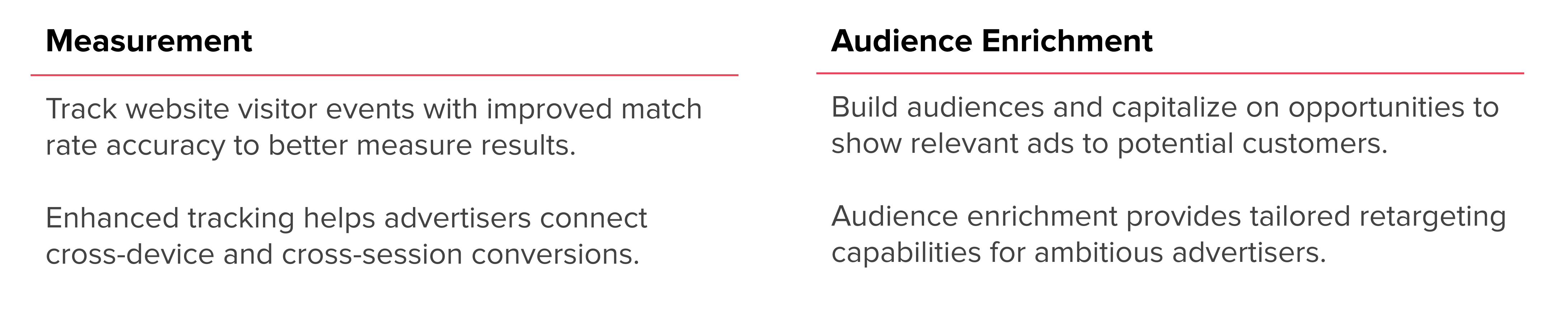
The TikTok Pixel is a piece of JavaScript code that you can add to your website. Once installed, it tracks user interactions such as page views, clicks, and conversions. These events are then sent back to TikTok's Ads Manager, where they can be used to build custom audiences, optimize ad delivery, and measure campaign performance.
Key features of the TikTok Pixel include:
- Tracking conversions: Monitor actions like "Add to Cart," "Complete Payment," and "Place an Order."
- Optimizing ad delivery: Use the data collected to refine targeting and bidding models.
- Creating custom audiences: Leverage user behavior to create retargeting or lookalike audiences.
Why Use TikTok Pixel Events?

Implementing TikTok Pixel events offers several advantages for businesses aiming to enhance their digital marketing strategy:
- Track Conversions: Gain insights into which users are taking desired actions on your site.
- Boost Campaign Optimization: Use real-time data to adjust ad strategies and improve ROI.
- Build Custom Audiences: Create targeted audiences based on user behavior, such as those who have added items to their cart but haven't completed a purchase.
- Easy Setup: The pixel can be implemented with minimal technical knowledge, either by manually adding code or using partner platforms.
These benefits make the TikTok Pixel an invaluable tool for any business leveraging TikTok for advertising.
How to Implement TikTok Pixel Events
Setting up the TikTok Pixel involves a few straightforward steps. Whether you're using a partner platform or installing the code manually, the process is designed to be user-friendly.
Step 1: Create a TikTok Business Account
If you don’t already have one, sign up for a TikTok Business account. This will give you access to the TikTok Ads Manager, where you'll manage your pixel and track events.
Step 2: Access the TikTok Ads Manager
Once logged in, navigate to Assets > Events > Web Events > Manage. Here, you can create a new pixel or manage existing ones.
Step 3: Choose Your Installation Method
You have two options for installing the pixel:
- Manual Installation: Copy the provided JavaScript code and paste it into your website’s HTML.
- Partner Platform Integration: Use platforms like Shopify, BigCommerce, or Google Tag Manager to automatically set up the pixel.
Step 4: Set Up Events
Define the specific user actions you want to track. TikTok supports 14 types of events, including:
- Add to Cart
- Complete Payment
- Place an Order
- View Content
- Download
- Submit Form
Each event corresponds to a particular action on your website, allowing you to gather detailed analytics.
Best Practices for TikTok Pixel Implementation
To ensure the success of your TikTok Pixel implementation, consider the following best practices:
- Use the Event Builder: If you're not comfortable with coding, use TikTok's event builder to create custom events without technical expertise.
- Test Your Pixel: Install the TikTok Pixel Helper Chrome extension to verify that your pixel is working correctly and that events are being tracked.
- Monitor Performance: Regularly review your TikTok Ads Manager to analyze the data and adjust your campaigns accordingly.
- Update Frequently: Keep your pixel updated to take advantage of new features and improvements.
Common Challenges and Solutions
While implementing the TikTok Pixel is generally straightforward, some challenges may arise:
- Pixel Not Tracking: Ensure the code is correctly placed on all relevant pages and that no ad blockers are interfering.
- Event Not Triggering: Check if the event is properly defined and that the user interaction matches the event type.
- Data Discrepancies: Compare data from TikTok with other analytics tools to identify and resolve inconsistencies.
By addressing these issues proactively, you can maximize the effectiveness of your TikTok Pixel.
Conclusion
Implementing TikTok Pixel events is a crucial step for any business looking to leverage TikTok for advertising. By tracking user behavior and optimizing ad campaigns, you can significantly improve your marketing ROI. With the right setup and ongoing monitoring, the TikTok Pixel becomes a powerful ally in your digital marketing arsenal.
Whether you're just starting out or looking to refine your current strategy, understanding and utilizing TikTok Pixel events can help you stay ahead in the competitive world of online advertising.
[IMAGE: TikTok Pixel events implementation for effective marketing]

Posting Komentar untuk "How to Implement TikTok Pixel Events for Effective Marketing"
Posting Komentar