
How to Learn TikTok Ads Step-by-Step: A Complete Beginner's Guide

TikTok has emerged as one of the most powerful platforms for digital advertising, offering a unique blend of creativity, engagement, and targeted reach. Whether you're an entrepreneur, marketer, or content creator, learning how to run TikTok ads can significantly boost your brand's visibility and sales. This guide will walk you through the process of learning TikTok ads step-by-step, from understanding the basics to mastering advanced strategies.
Step 1: Understand What TikTok Ads Are

Before diving into the mechanics of running TikTok ads, it’s essential to understand what they are and why they matter. TikTok ads are short-form video advertisements that appear in users' feeds, often in between other videos. These ads are designed to be engaging, entertaining, and relevant to the viewer.
Key Features of TikTok Ads:
- Short Video Format: Typically 15-60 seconds long.
- Targeted Reach: Allows you to target specific demographics, interests, and behaviors.
- Low Cost: Offers competitive pricing compared to other social media platforms.
- High Engagement: Users on TikTok are highly engaged, making them more likely to interact with your ads.
Step 2: Define Your Target Audience

One of the most critical steps in creating effective TikTok ads is defining your target audience. Without a clear understanding of who you’re trying to reach, your ads may not resonate with the right people.
How to Define Your Target Audience:
- Demographics: Consider age, gender, location, income level, and occupation.
- Interests: Identify what your audience enjoys, such as music, fashion, technology, or fitness.
- Behaviors: Analyze what your audience does online, including their browsing habits and purchasing patterns.
Creating a customer avatar—a detailed profile of your ideal customer—will help you tailor your ad content and strategy to better meet their needs.
Step 3: Set Up Your TikTok Ad Account
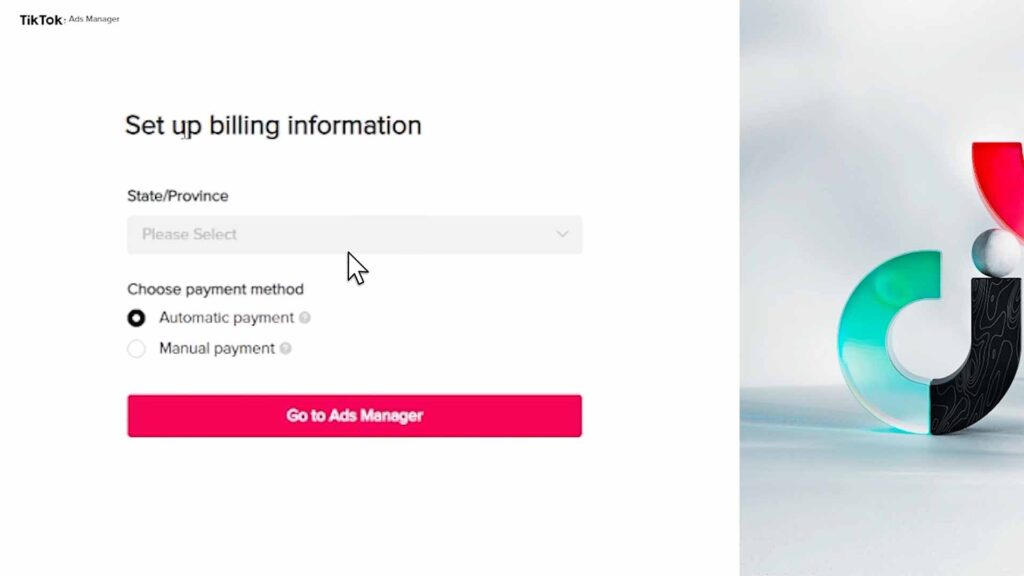
Once you have a clear understanding of your audience, the next step is to set up your TikTok ad account. This involves creating an account, setting up payment methods, and familiarizing yourself with the TikTok Ads Manager.
Steps to Set Up Your TikTok Ad Account:
- Visit the TikTok Ads Manager and sign up for an account.
- Verify your business by providing necessary details and documentation.
- Set up a payment method to fund your ad campaigns.
- Explore the TikTok Ads Manager interface to understand its features and tools.
Step 4: Install TikTok Pixel

The TikTok Pixel is a tracking tool that allows you to monitor user interactions on your website or landing page. It helps you track conversions, retarget visitors, and optimize your ad performance.
How to Install TikTok Pixel:
- Go to the TikTok Ads Manager and navigate to "Assets" > "Events."
- Create a new pixel by following the installation instructions.
- Place the pixel code on your website or landing page.
- Test the pixel to ensure it's working correctly.
Step 5: Create Your First TikTok Ad

Now that your account is set up and the pixel is installed, it's time to create your first TikTok ad. This involves choosing an ad objective, setting a budget, defining your target audience, and creating engaging video content.
Steps to Create a TikTok Ad:
- Choose an ad objective: Traffic or Conversion, depending on your goals.
- Set a budget: Decide how much you want to spend on your campaign.
- Define your target audience: Use the customer avatar you created earlier.
- Create engaging video content: Keep it under 60 seconds and make it native to the TikTok platform.
Step 6: Monitor and Optimize Your Ads
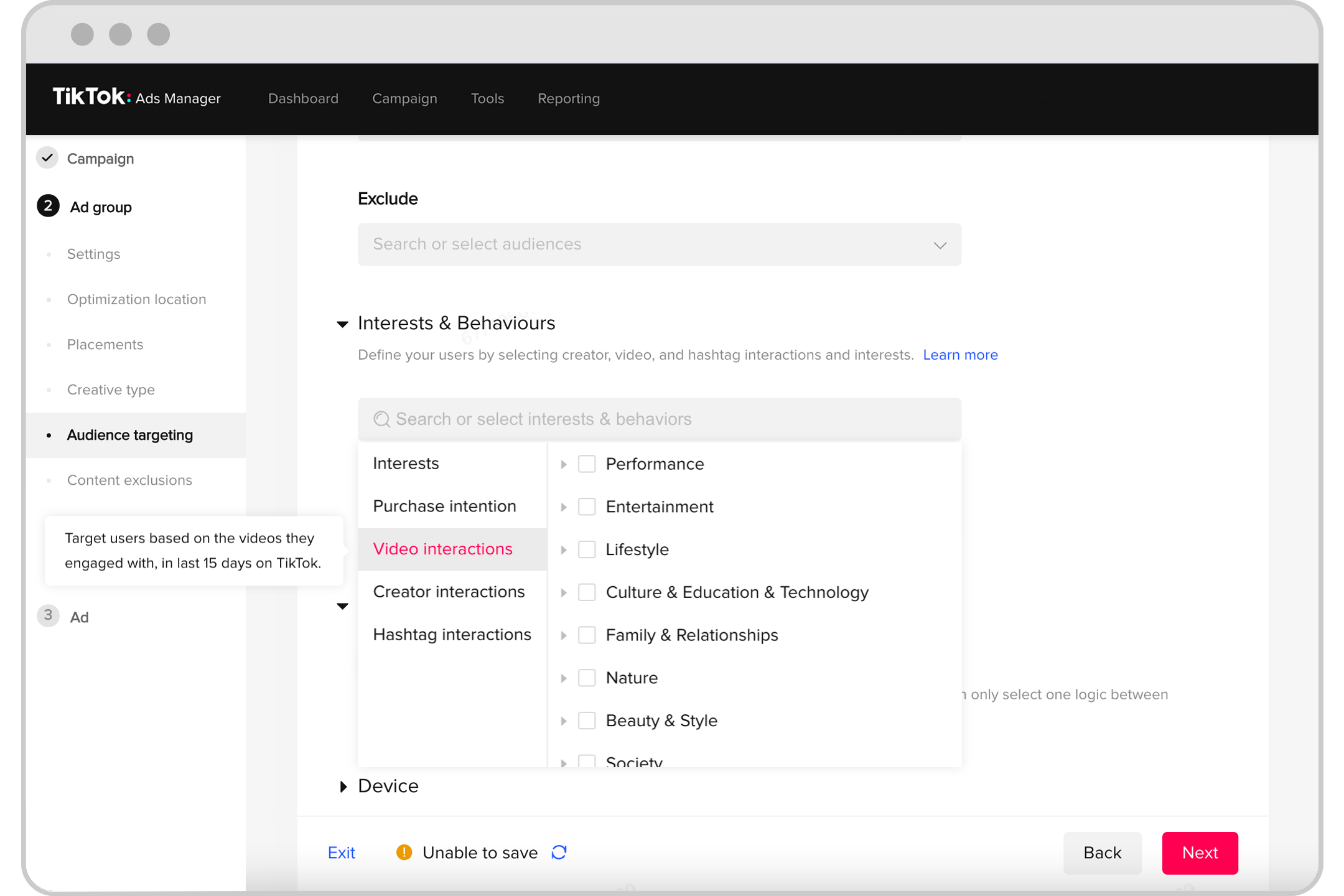
After launching your TikTok ad, it's crucial to monitor its performance and make adjustments as needed. This involves tracking metrics like CPM (cost per thousand impressions), CTR (click-through rate), and conversion rate.
Tips for Monitoring and Optimizing:
- Track key metrics: Use the TikTok Ads Manager to monitor your campaign's performance.
- A/B test different creatives: Experiment with different video styles, headlines, and calls to action.
- Adjust targeting: Refine your audience based on performance data.
- Optimize for conversions: Focus on improving your conversion rate by refining your landing page and ad copy.
Step 7: Follow Up with Your Audience

Once users click through your ad, it's important to follow up with them. This involves redirecting them to a well-designed landing page or a video bridge page where you can capture emails and nurture leads effectively.
Strategies for Following Up:
- Use a landing page: Ensure it's optimized for conversions and provides a seamless user experience.
- Capture emails: Use lead magnets like free guides or webinars to collect email addresses.
- Nurture leads: Send follow-up emails with valuable content and offers to build trust and encourage purchases.
Conclusion
Learning TikTok ads step-by-step is a valuable skill that can significantly enhance your marketing efforts. By understanding your audience, setting up your account, creating engaging content, and optimizing your campaigns, you can leverage the power of TikTok to grow your brand and increase sales. With the right approach and consistent effort, you can master TikTok ads and achieve great results.

Posting Komentar untuk "How to Learn TikTok Ads Step-by-Step: A Complete Beginner's Guide"
Posting Komentar