
How to Learn TikTok Editing Skills: A Complete Guide for Beginners
TikTok has become a powerful platform for content creators, influencers, and businesses looking to connect with audiences in a fun and engaging way. With millions of users scrolling through videos every day, standing out on TikTok requires more than just creativity—it demands strong editing skills. Whether you're a beginner or an experienced creator, learning TikTok editing skills can significantly enhance your content quality and help you grow your following.
Understanding the Importance of TikTok Editing
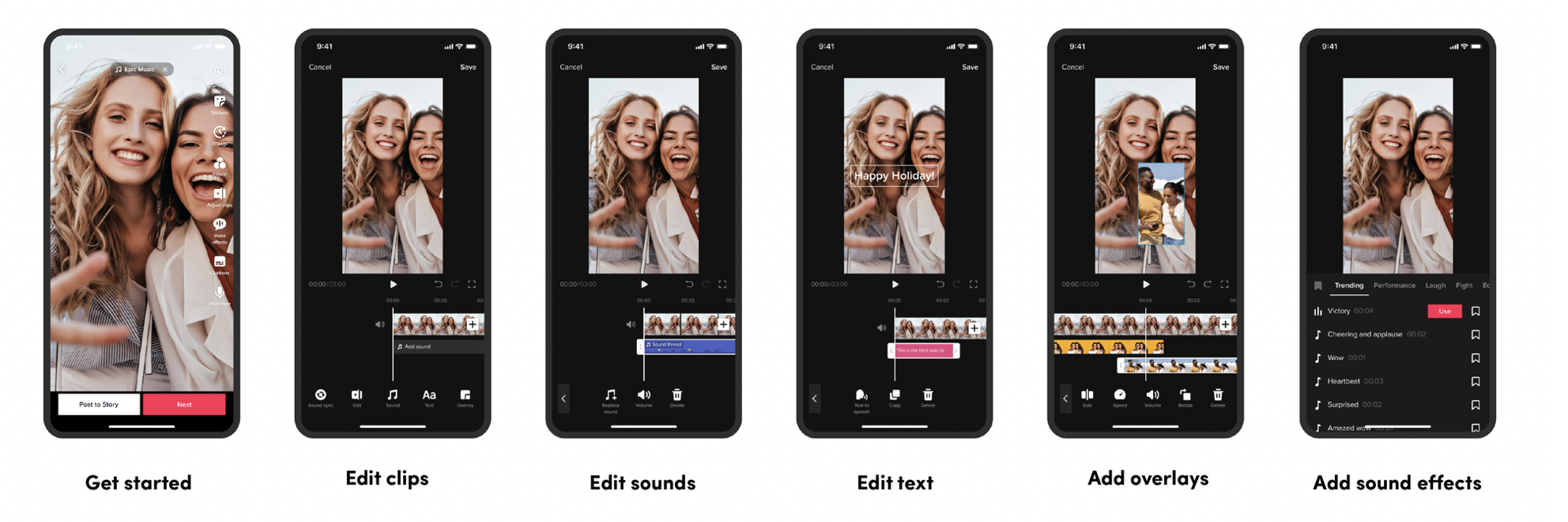
Editing is one of the most critical aspects of creating compelling TikTok videos. A well-edited video can capture attention, convey your message effectively, and keep viewers engaged. From trimming clips to adding effects, transitions, and captions, the right editing tools can transform your raw footage into a polished, professional-looking video.
The key to success on TikTok lies in understanding what makes a video "trendy." This includes timing, rhythm, visual appeal, and the use of trending music. Learning how to edit your videos to align with these trends can make a huge difference in your visibility and engagement.
Essential Tools for TikTok Editing
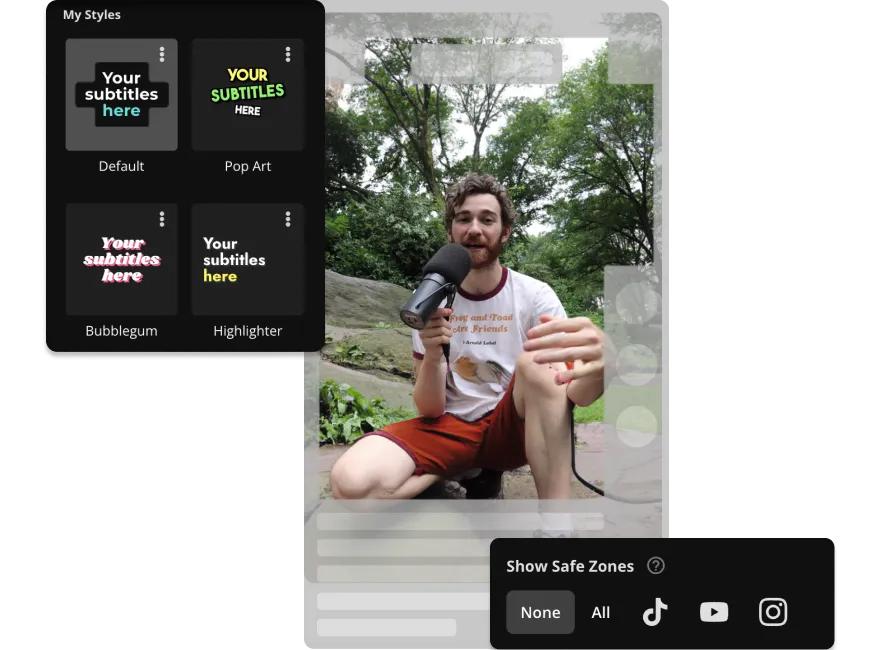
While TikTok has its own built-in editor, many creators find that using external tools offers more flexibility and advanced features. Online video editors are becoming increasingly popular because they allow you to edit your content directly in your browser without needing to download any software.
One such tool is an all-in-one video editor that supports a wide range of features, including trimming, adding text, applying filters, and inserting music. These editors are often user-friendly and compatible with both desktop and mobile devices, making it easy to work on your content from anywhere.
Step-by-Step Guide to Learning TikTok Editing
If you're new to TikTok editing, here's a step-by-step guide to help you get started:
- Familiarize Yourself with the Basics
- Start by understanding the core elements of TikTok editing, such as trimming, splitting, and adjusting the speed of your clips.
-
Explore the different editing tools available in the TikTok app and see how they can be used to enhance your videos.
-
Use Online Editors for Advanced Features
- Consider using an online video editor that offers more advanced tools, such as adding transitions, overlays, and special effects.
-
These editors often provide a more intuitive interface and allow you to experiment with different styles and techniques.
-
Practice with Different Styles
- Experiment with various editing styles, such as fast cuts, slow motion, and split-screen effects.
-
Watch tutorials and observe how other successful creators edit their videos to understand what works best.
-
Learn to Use Captions and Text
- Captions and text overlays are essential for conveying your message and engaging your audience.
-
Practice adding text to your videos and learn how to time it with the audio or visuals for maximum impact.
-
Incorporate Trending Music and Effects
- Stay updated with the latest trends on TikTok by using popular music and effects.
- Use the music library within the TikTok app or an online editor to find the perfect track for your video.
Tips for Improving Your TikTok Editing Skills
- Keep It Simple: Sometimes, less is more. Avoid overcomplicating your edits and focus on making your content visually appealing and easy to follow.
- Experiment with Transitions: Try different types of transitions, such as fade-ins, slide-ins, and crossfades, to add variety to your videos.
- Use Filters and Effects Wisely: Filters and effects can enhance your videos, but use them sparingly to maintain a natural look.
- Optimize for Mobile Viewing: Most TikTok users watch videos on their phones, so ensure your edits are optimized for mobile viewing, including proper aspect ratios and font sizes.
Conclusion
Learning TikTok editing skills is a valuable investment for anyone looking to succeed on the platform. By understanding the basics, using the right tools, and practicing regularly, you can create high-quality content that stands out and resonates with your audience. Whether you're using TikTok's built-in editor or an online alternative, the key is to stay consistent, experiment with different techniques, and keep up with the latest trends.
With dedication and practice, you'll soon be able to produce TikTok videos that not only look professional but also engage and entertain your followers. Start today and take your TikTok game to the next level.

Posting Komentar untuk "How to Learn TikTok Editing Skills: A Complete Guide for Beginners"
Posting Komentar