
How to Link Your TikTok Business Account: A Step-by-Step Guide
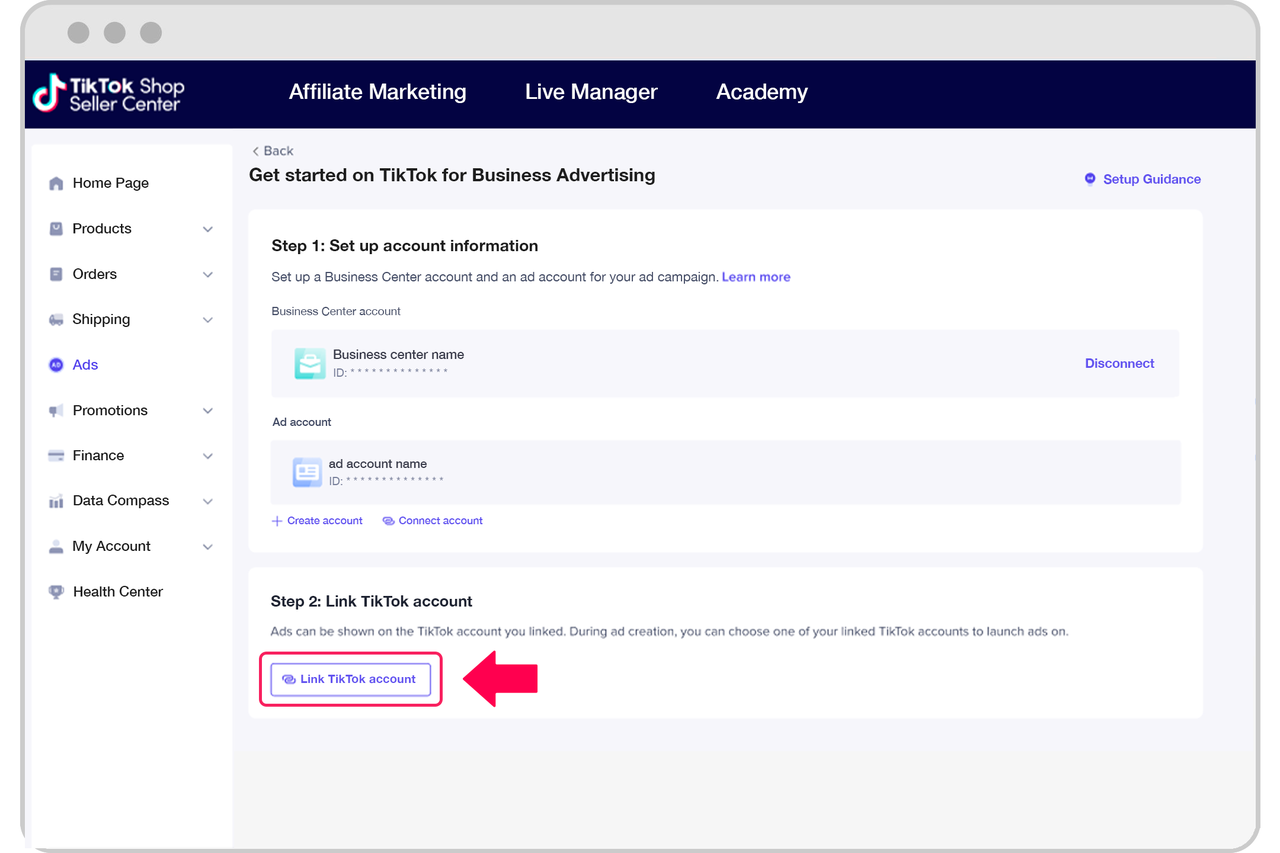
In today's digital age, social media platforms like TikTok have become essential tools for businesses looking to connect with their target audience. One of the most powerful features available to businesses on TikTok is the ability to link a business account. This feature allows businesses to access advanced analytics, advertising tools, and other features that can help them grow their brand and reach more customers. In this article, we will guide you through the process of linking your TikTok business account.
Why Link Your TikTok Business Account?
Linking your TikTok business account offers several benefits:
- Access to Analytics: You'll get detailed insights into your audience's behavior, engagement rates, and content performance.
- Advertising Tools: You can create and manage ads directly from your business account.
- Brand Verification: A verified business account adds credibility to your brand.
- Customer Engagement: You can interact with your audience more effectively and build a loyal following.
Step-by-Step Guide to Linking Your TikTok Business Account
1. Ensure You Have a TikTok Business Account
Before you can link your account, you need to have a TikTok business account. If you don't have one, you can create it by following these steps:
- Open the TikTok app.
- Tap on your profile icon.
- Tap on "Edit Profile."
- Scroll down and tap on "Switch to Pro Account."
- Follow the prompts to complete the setup.
2. Access the TikTok Business Dashboard
Once you have a business account, you can access the TikTok Business Dashboard:
- Open the TikTok app.
- Tap on your profile icon.
- Tap on "Business Account" or "Manage Business Account."
3. Connect Your Business Account to a Website or Social Media Platform
To link your TikTok business account, you need to connect it to a website or another social media platform. Here's how:
- On the TikTok Business Dashboard, tap on "Connect Accounts."
- Choose the platform you want to connect (e.g., Facebook, Instagram, or a website).
- Follow the prompts to authenticate and link your accounts.
4. Verify Your Business Information
After connecting your accounts, you need to verify your business information:
- Provide your business name, address, and contact details.
- Upload any required documents, such as a government-issued ID or business license.
- Confirm your email address and phone number.
5. Set Up Payment Information
To use the advertising tools on TikTok, you need to set up payment information:
- Go to the "Payment" section in the TikTok Business Dashboard.
- Add your credit card or bank account details.
- Confirm the payment method.
6. Start Using Your Business Account Features
Once your account is linked and verified, you can start using the advanced features of your TikTok business account:
- Create and manage ads.
- Analyze your audience's behavior.
- Engage with your followers more effectively.
Tips for Maximizing Your TikTok Business Account
- Create High-Quality Content: The quality of your content plays a significant role in attracting and retaining followers.
- Engage with Your Audience: Respond to comments, messages, and mentions to build a loyal community.
- Use Hashtags Strategically: Use relevant hashtags to increase the visibility of your content.
- Post Consistently: Regular posting helps keep your audience engaged and grows your following.
Conclusion
Linking your TikTok business account is a crucial step in leveraging the power of TikTok for your business. By following the steps outlined above, you can unlock advanced features that will help you grow your brand and reach more customers. Remember to create high-quality content, engage with your audience, and use hashtags strategically to maximize the impact of your TikTok business account.
[IMAGE: How to Link TikTok Business Account]

Posting Komentar untuk "How to Link Your TikTok Business Account: A Step-by-Step Guide"
Posting Komentar