
How to Master the TikTok Ads Dashboard: A Complete Guide for Beginners
TikTok has evolved from a platform for entertainment into a powerful tool for brand marketing. With its unique algorithm and user engagement model, TikTok offers brands a chance to reach new audiences, drive sales, and build communities. However, to fully leverage TikTok’s potential, understanding how to use the TikTok Ads Dashboard is essential. This guide will walk you through everything you need to know to master the TikTok Ads Dashboard and create effective ad campaigns.
Understanding the TikTok Ads Dashboard
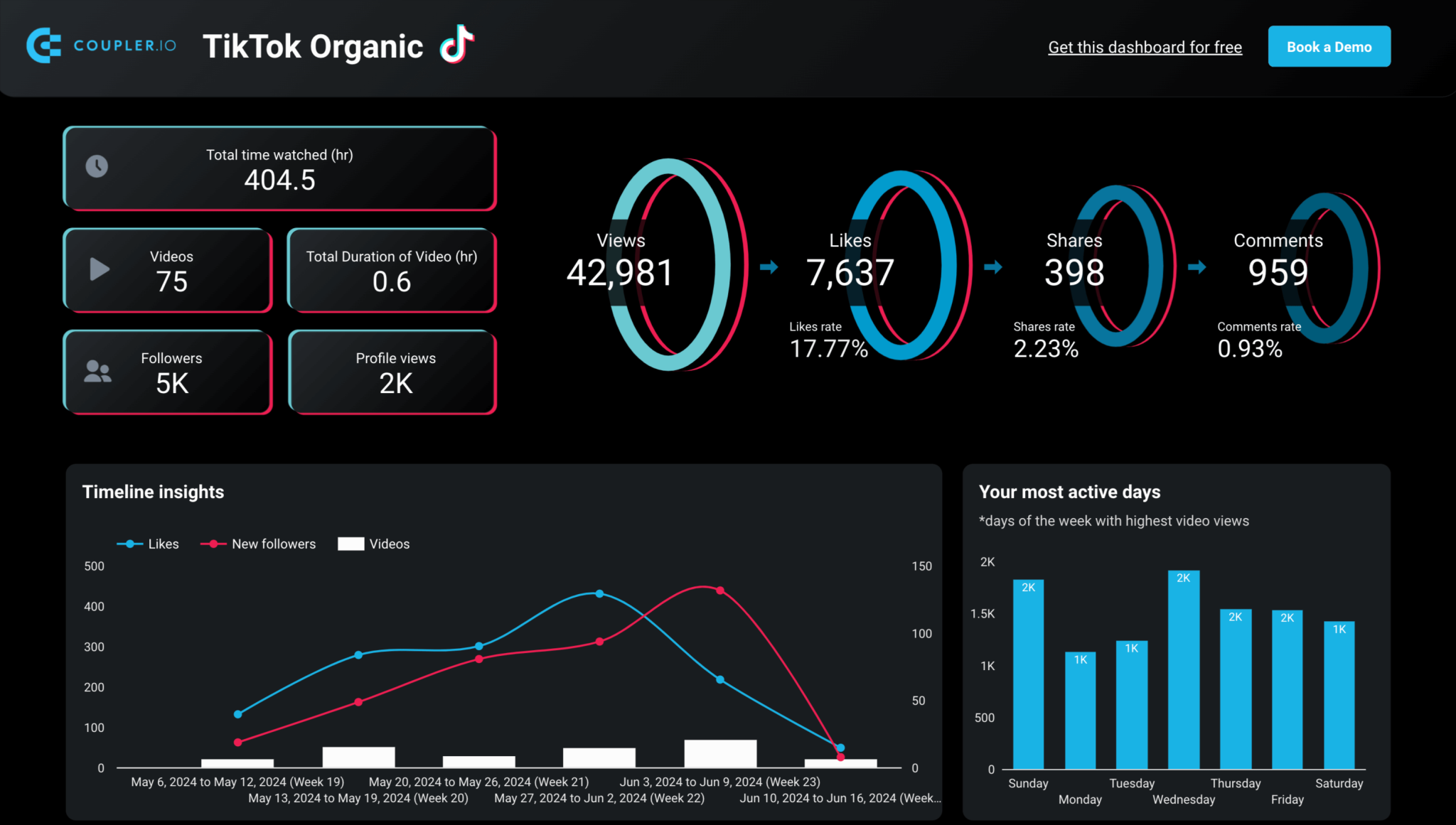
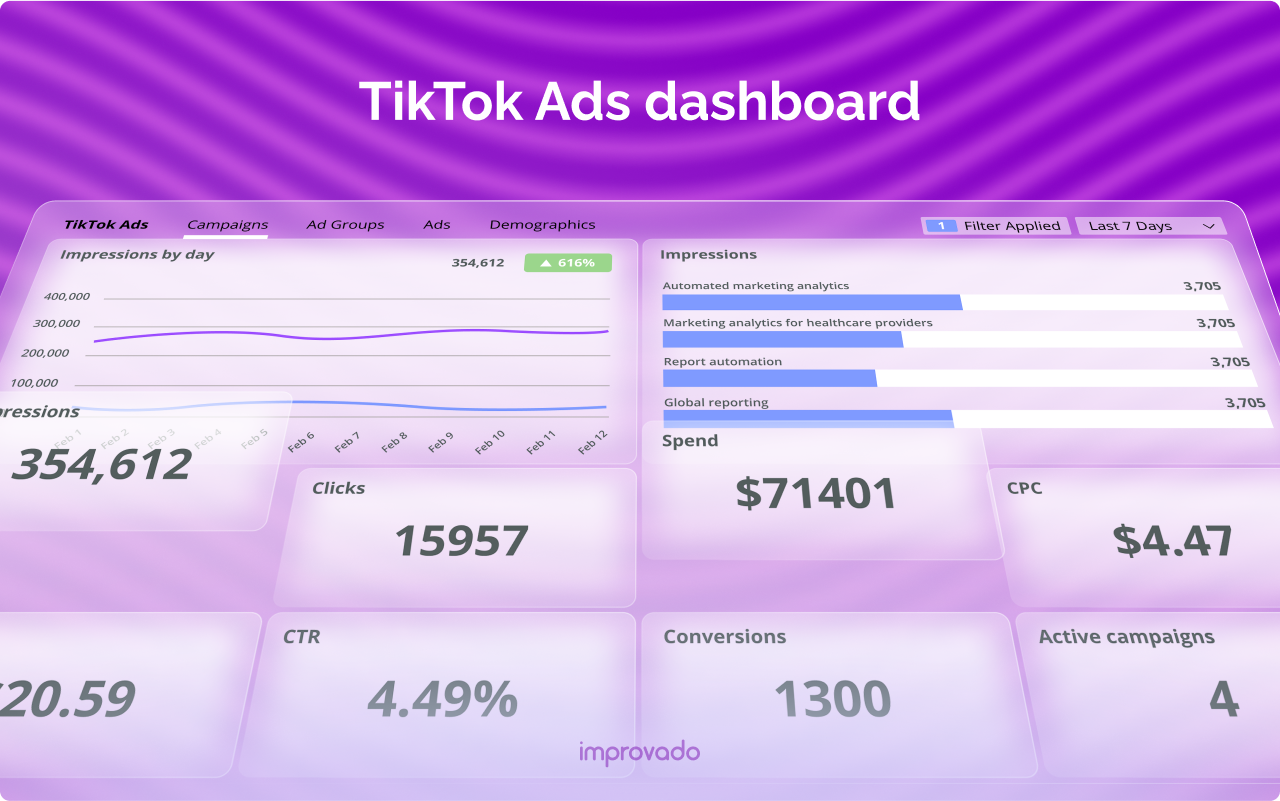
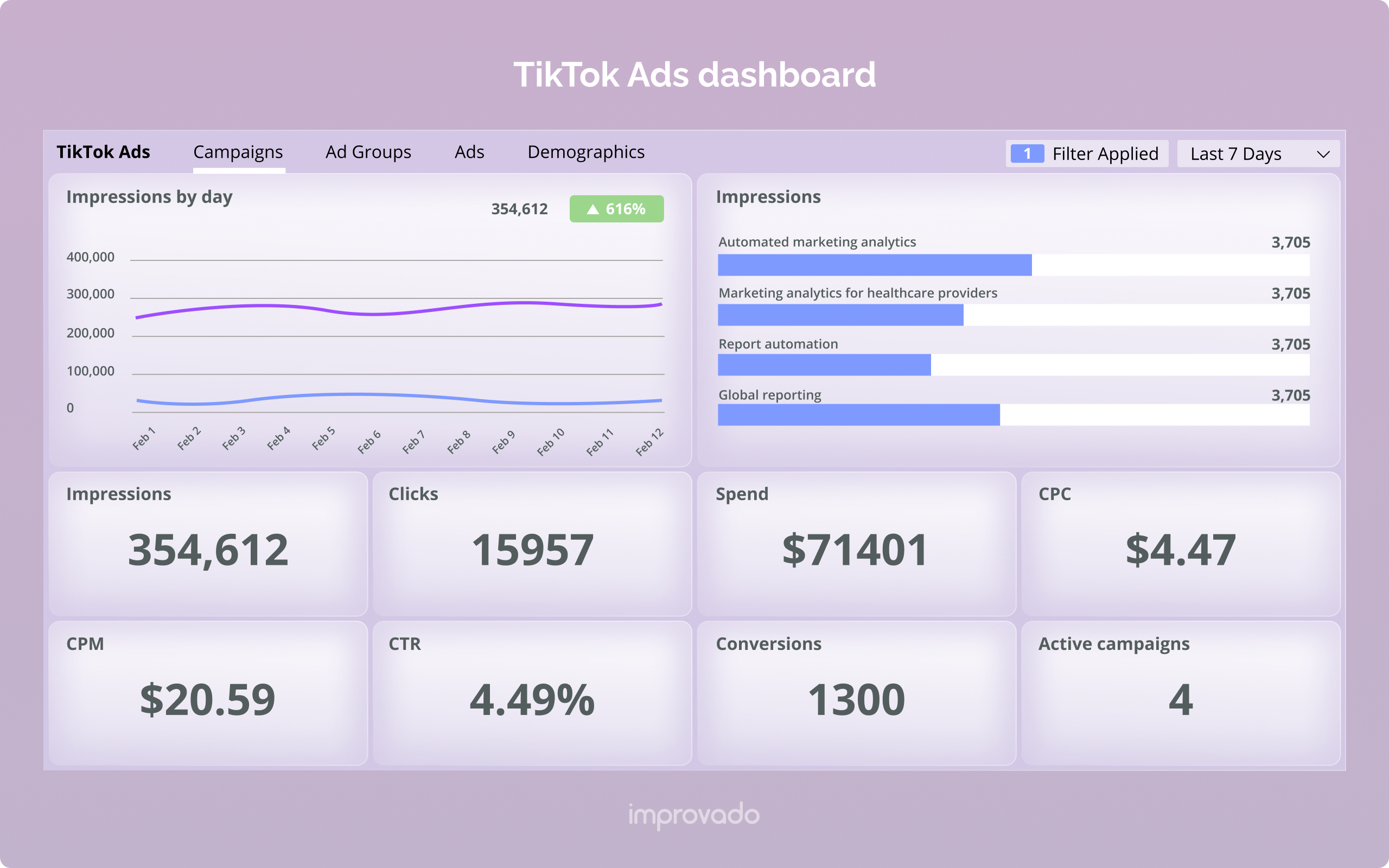
The TikTok Ads Dashboard is the central hub where advertisers manage their ad campaigns, track performance, and optimize their strategies. It provides insights into metrics like impressions, clicks, conversions, and engagement, helping you understand what works and what doesn’t.
Key Features of the TikTok Ads Dashboard
- Campaign Management: Create, edit, and monitor your ad campaigns.
- Audience Targeting: Define your target audience based on demographics, interests, behaviors, and more.
- Ad Creation Tools: Design and upload your ads directly within the dashboard.
- Performance Analytics: Track key metrics such as CTR (Click-Through Rate), CPA (Cost Per Acquisition), and ROAS (Return on Ad Spend).
- Budget Controls: Set and adjust your advertising budget for each campaign.
Step-by-Step Guide to Using the TikTok Ads Dashboard
1. Create an Ad Account
Before you can start using the TikTok Ads Dashboard, you’ll need to set up an ad account. If you’re a self-serve advertiser, follow the steps in the Business Help Center. For businesses managing multiple accounts, your sales representative will assist you with the process.
2. Set Up Your First Campaign
Once your account is ready, you can start creating your first campaign. Here’s how:
- Choose Your Objective: Select the goal of your campaign, such as increasing brand awareness, driving traffic, or generating leads.
- Define Your Audience: Use TikTok’s targeting options to specify who will see your ads. Consider factors like age, location, interests, and behaviors.
- Set Your Budget: Decide how much you want to spend on your campaign. You can choose between daily or lifetime budgets.
- Select Your Ad Format: TikTok offers several ad formats, including In-Feed Ads, TopView Ads, Spark Ads, and Collection Ads. Choose the one that best fits your goals.
3. Create Your Ad Content
After setting up your campaign, it’s time to create your ad content. TikTok emphasizes authentic and engaging content, so make sure your videos are short, hook-filled, and relevant to your audience.
- Use High-Quality Visuals: Ensure your videos are clear and visually appealing.
- Include Strong Call-to-Actions (CTAs): Encourage viewers to take action, such as clicking a link, downloading an app, or making a purchase.
- Optimize for Mobile: Most TikTok users watch videos on mobile devices, so ensure your content is optimized for smaller screens.
4. Monitor and Optimize Your Campaign
Once your campaign is live, regularly check the TikTok Ads Dashboard to monitor performance. Look at metrics like CTR, CPA, and ROAS to determine what’s working and what needs improvement.
- A/B Test Different Elements: Experiment with different headlines, visuals, and CTAs to see what resonates with your audience.
- Adjust Your Targeting: Refine your audience targeting based on the data you collect.
- Increase or Decrease Budget: Adjust your budget based on the performance of your ads.
Tips for Success on TikTok Ads
1. Leverage TikTok’s Algorithm
TikTok’s algorithm prioritizes content that keeps users engaged. To increase your chances of appearing on the For You Page, focus on creating content that is entertaining, informative, and relatable.
2. Use TikTok SEO
Optimize your ad content for search by including relevant keywords in your captions, on-screen text, and voiceover. This helps your ads appear in search results and increases visibility.
3. Engage with Your Audience
TikTok is all about community and interaction. Respond to comments, engage with your followers, and create content that encourages user participation.
4. Track Your KPIs
Regularly track your key performance indicators (KPIs) to measure the success of your campaigns. Focus on metrics like engagement rate, conversion rate, and cost per acquisition.
5. Stay Updated on Trends
TikTok is constantly evolving, so stay updated on the latest trends and challenges. Incorporate these trends into your ad content to stay relevant and increase engagement.
Common Mistakes to Avoid
While using the TikTok Ads Dashboard, avoid these common mistakes:
- Overproducing Content: Highly polished ads may not perform as well as authentic, user-generated content.
- Ignoring Trends: Failing to adapt to TikTok’s culture can limit your reach.
- Selling Too Aggressively: TikTok users prefer value and entertainment before purchase prompts.
- Not Optimizing for Search: Ignoring TikTok SEO reduces long-term discoverability.
- Not Testing Hooks: Weak openings can kill performance before the message is delivered.
Conclusion
Mastering the TikTok Ads Dashboard is crucial for any brand looking to succeed on TikTok. By understanding the features of the dashboard, following a step-by-step guide, and implementing best practices, you can create effective ad campaigns that drive engagement, conversions, and growth. Remember to stay consistent, test different elements, and continuously refine your strategy based on data and insights. With the right approach, TikTok can become a powerful tool for your brand’s marketing efforts.

Posting Komentar untuk "How to Master the TikTok Ads Dashboard: A Complete Guide for Beginners"
Posting Komentar