
How to Navigate TikTok Ads Reporting Data: A Complete Guide
Navigating TikTok Ads reporting data can be a game-changer for brands looking to optimize their marketing efforts on the platform. With TikTok's unique algorithm and user behavior, understanding how to interpret and utilize this data is crucial for success. This guide will walk you through the key steps and strategies to effectively navigate TikTok Ads reporting data.
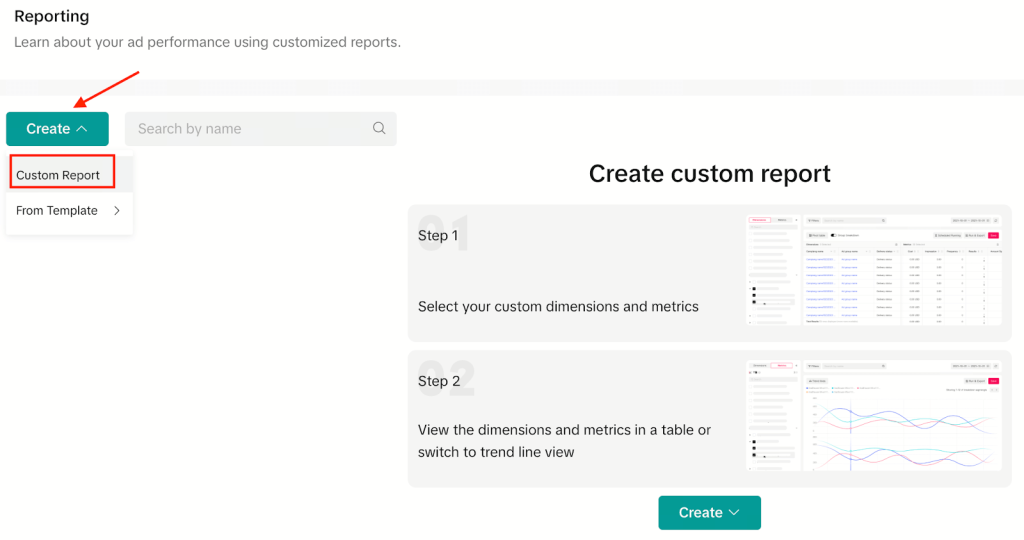
Understanding TikTok Ads Reporting Data
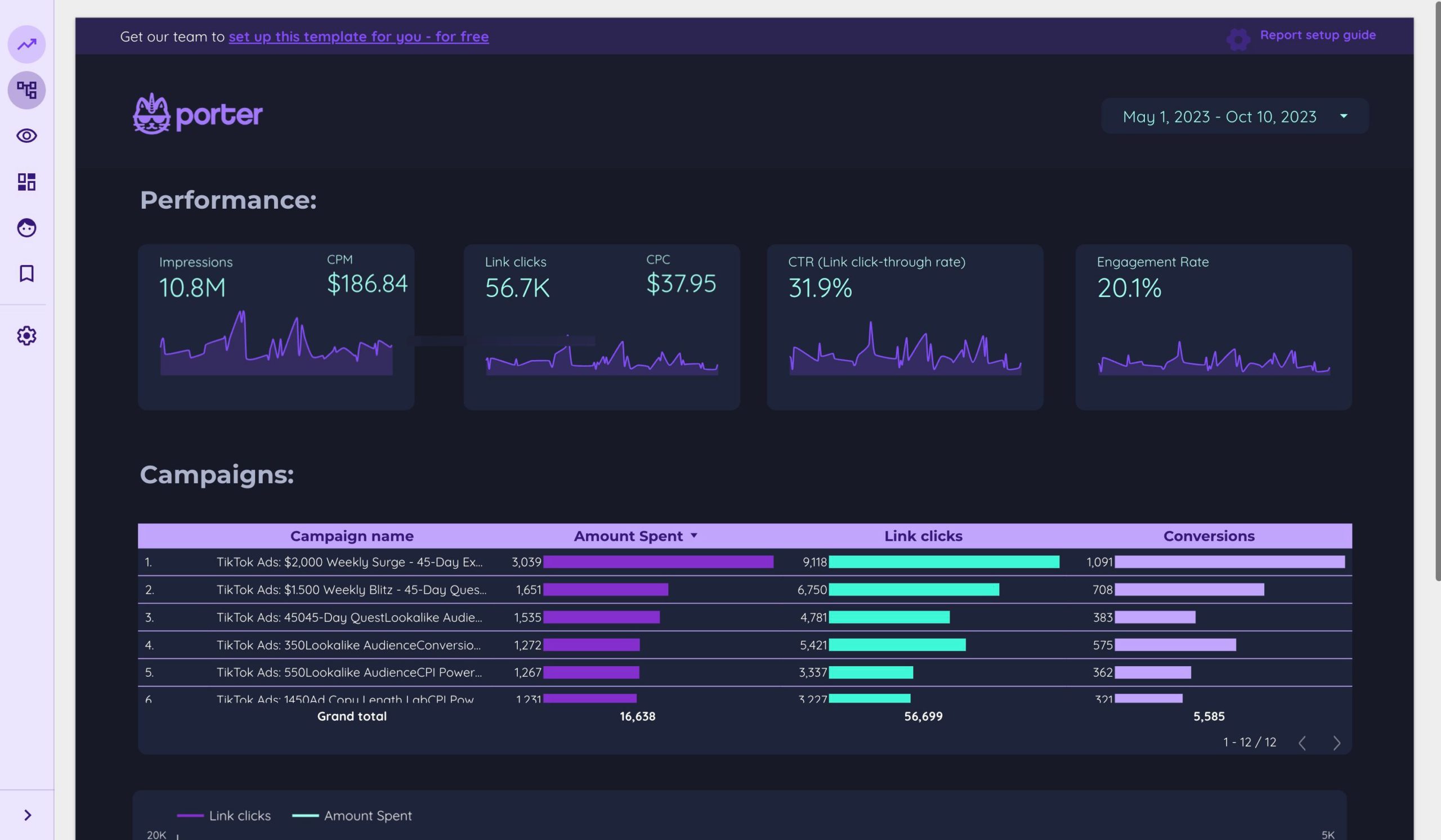
TikTok Ads reporting data provides insights into the performance of your advertisements, including metrics such as views, engagement rates, click-through rates (CTR), and conversion rates. These metrics help you understand how your ads are performing and where you can improve. Here are some essential components of TikTok Ads reporting data:
1. Performance Metrics
- Views: The number of times your ad was viewed.
- Engagement Rate: The percentage of viewers who interacted with your ad (likes, comments, shares).
- Click-Through Rate (CTR): The percentage of viewers who clicked on your ad.
- Conversion Rate: The percentage of viewers who completed a desired action (e.g., making a purchase, signing up for a newsletter).
2. Audience Insights
- Demographics: Information about the age, gender, and location of your audience.
- Interests: The topics and categories that your audience is interested in.
- Behavior: How your audience interacts with your content (e.g., time spent watching, frequency of engagement).
3. Ad Performance by Format
- Video Ads: Analyze the performance of your video ads based on length, content, and engagement.
- Image Ads: Evaluate the effectiveness of image-based ads.
- Carousel Ads: Assess how well your carousel ads perform in terms of clicks and conversions.
4. Budget and Spend Analysis
- Cost Per Click (CPC): The average cost you pay for each click on your ad.
- Cost Per Thousand Impressions (CPM): The cost per thousand views of your ad.
- Return on Ad Spend (ROAS): The revenue generated for every dollar spent on your ads.
Steps to Navigate TikTok Ads Reporting Data

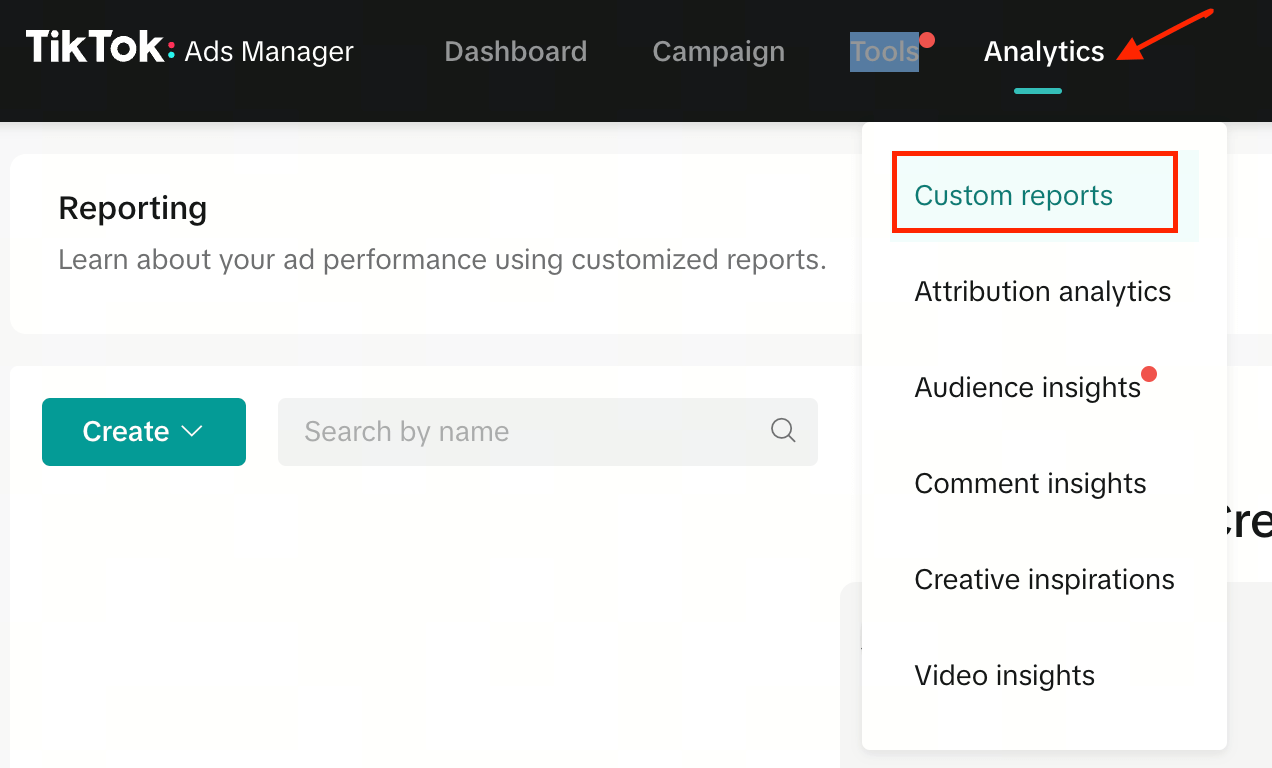
1. Accessing TikTok Ads Reporting Data
- Log in to your TikTok Business account.
- Navigate to the "Ads" section.
- Select the specific ad campaign you want to analyze.
- Use the reporting tools provided by TikTok to access detailed data.
2. Analyzing Key Metrics
- View Count: Track the number of views your ad receives over time.
- Engagement Rate: Monitor how often users interact with your ad.
- CTR: Calculate the percentage of users who clicked on your ad.
- Conversion Rate: Measure the effectiveness of your ad in driving conversions.
3. Segmenting Your Audience
- Use TikTok's audience segmentation tools to break down your data by demographics, interests, and behaviors.
- Identify which segments are most engaged with your content and focus your efforts on those groups.
4. Optimizing Ad Performance
- A/B Testing: Test different versions of your ads to see which performs better.
- Adjusting Targeting: Refine your audience targeting based on the data you collect.
- Improving Creative Elements: Use insights from your reporting data to enhance the visual and textual elements of your ads.
Best Practices for Using TikTok Ads Reporting Data
1. Set Clear Goals
- Define what you want to achieve with your TikTok ads (e.g., brand awareness, lead generation, sales).
- Align your reporting goals with these objectives to ensure you're tracking the right metrics.
2. Regularly Review and Update Your Strategy
- Continuously monitor your ad performance and make adjustments as needed.
- Stay updated on TikTok's algorithm changes and user trends to keep your strategy relevant.
3. Leverage Competitor Insights
- Analyze your competitors' ads to identify what works and what doesn't.
- Use this information to refine your own ad strategy and stay ahead of the competition.
4. Utilize Third-Party Tools
- Consider using third-party analytics tools to gain deeper insights into your ad performance.
- These tools can provide additional metrics and visualization options to help you make informed decisions.
Common Pitfalls to Avoid
1. Overlooking Important Metrics
- Don't just focus on surface-level metrics like views and likes. Pay attention to engagement, CTR, and conversion rates for a more comprehensive understanding of your ad performance.
2. Ignoring Audience Insights
- Failing to analyze your audience data can lead to ineffective targeting and poor ad performance.
- Use audience insights to tailor your content and messaging to better resonate with your target demographic.
3. Not Testing and Iterating
- A static ad strategy won't yield the best results. Continuously test different elements of your ads and iterate based on the data you collect.
4. Neglecting Budget Management
- Keep track of your ad spend and ensure you're getting the best return on investment.
- Adjust your budget allocation based on the performance of your ads.
Conclusion
Navigating TikTok Ads reporting data is essential for any brand looking to maximize their marketing efforts on the platform. By understanding the key metrics, analyzing your audience, and optimizing your ad strategy, you can unlock valuable insights that drive better performance and higher returns. Remember to set clear goals, regularly review your data, and leverage competitor insights to stay ahead in the competitive TikTok advertising landscape. With the right approach, you can turn your TikTok Ads reporting data into a powerful tool for growth and success.

Posting Komentar untuk "How to Navigate TikTok Ads Reporting Data: A Complete Guide"
Posting Komentar