
How to Set Up Conversion Tracking on TikTok Ads: A Complete Guide
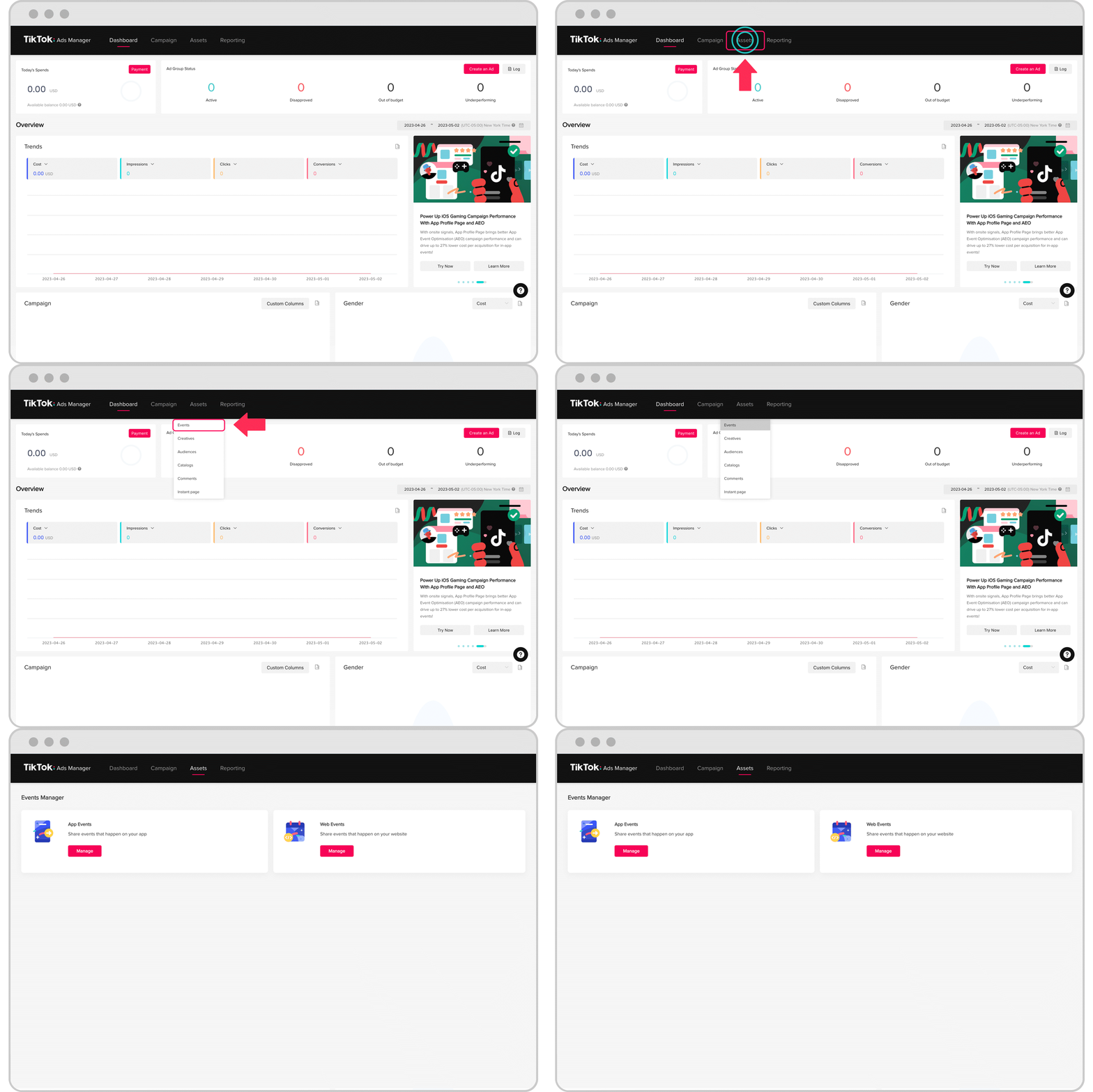
In today's digital marketing landscape, conversion tracking has become an essential tool for businesses looking to measure the effectiveness of their advertising efforts. With TikTok's growing influence as a platform for both entertainment and commerce, understanding how to set up conversion tracking on TikTok Ads is crucial for any brand aiming to maximize return on investment (ROI). This guide will walk you through the entire process of setting up conversion tracking on TikTok Ads, ensuring that you can accurately measure the impact of your campaigns.
Understanding Conversion Tracking on TikTok Ads
Conversion tracking allows you to monitor specific actions that users take after clicking on your ad. These actions can include making a purchase, signing up for a newsletter, or downloading an app. By tracking these conversions, you can gain valuable insights into which ads are performing well and which ones need improvement.
On TikTok, conversion tracking is particularly important because it helps you understand how your ads are contributing to your business goals. Whether you're selling products, generating leads, or driving traffic to your website, conversion tracking provides the data you need to make informed decisions.
Step-by-Step Guide to Setting Up Conversion Tracking on TikTok Ads
1. Accessing the TikTok Ads Manager
To begin, you'll need to log in to the TikTok Ads Manager. This is where you'll manage all aspects of your TikTok advertising campaigns, including setting up conversion tracking. If you don't have an account yet, you'll need to create one by following the prompts on the TikTok website.
2. Creating a Campaign
Once you're logged in, navigate to the "Campaigns" section of the Ads Manager. Here, you'll need to create a new campaign. Choose the objective that aligns with your business goals, such as "Sales," "Lead Generation," or "Traffic."
3. Setting Up Conversion Tracking
After creating your campaign, you'll need to set up conversion tracking. This involves defining the specific actions you want to track. For example, if you're selling products, you might want to track purchases made on your website. If you're generating leads, you might want to track sign-ups or form submissions.
To set up conversion tracking, follow these steps: - Click on the "Conversions" tab within the campaign settings. - Select "Add Conversion." - Choose the type of conversion you want to track (e.g., Purchase, Lead, Page View). - Enter the details for the conversion, such as the URL of the page where the conversion occurs.
4. Installing the TikTok Pixel
The TikTok Pixel is a piece of code that you'll need to install on your website to track conversions. This pixel allows TikTok to collect data about user interactions on your site, which is essential for accurate conversion tracking.
To install the TikTok Pixel: - Go to the "Conversions" section in the Ads Manager. - Click on "Pixel" and then "Install Pixel." - Follow the instructions to add the pixel code to your website.
5. Testing Your Conversion Tracking
Once the TikTok Pixel is installed, it's important to test your conversion tracking to ensure it's working correctly. You can do this by simulating a conversion action on your website and checking the Ads Manager to see if the conversion is recorded.
6. Monitoring and Optimizing Your Campaigns
With conversion tracking set up, you can now monitor the performance of your TikTok Ads campaigns. The Ads Manager provides detailed reports that show how many conversions your ads are generating, as well as other key metrics such as click-through rate (CTR) and cost per conversion (CPC).
Use this data to optimize your campaigns by adjusting your targeting, ad creatives, and bidding strategies. By continuously refining your approach, you can improve the effectiveness of your TikTok Ads and achieve better results.
Tips for Effective Conversion Tracking on TikTok Ads
1. Define Clear Conversion Goals
Before setting up conversion tracking, it's important to define clear conversion goals. This will help you focus your efforts on the actions that matter most to your business. Common conversion goals include:
- Purchases: Track when users make a purchase on your website.
- Sign-ups: Track when users sign up for a newsletter or create an account.
- Downloads: Track when users download an app or a file.
- Page Views: Track when users visit specific pages on your website.
2. Use Relevant Keywords and Hashtags
In addition to conversion tracking, using relevant keywords and hashtags in your TikTok Ads can help increase the visibility of your content. This can lead to more clicks and, ultimately, more conversions.
3. Leverage TikTok's Analytics Tools
TikTok provides a range of analytics tools that can help you understand how your ads are performing. These tools include:
- Audience Insights: Gain insights into your target audience's demographics, interests, and behaviors.
- Performance Reports: Get detailed reports on your ad performance, including metrics like CTR, CPC, and conversion rate.
- A/B Testing: Test different versions of your ads to see which ones perform best.
4. Optimize Your Ad Creatives
The visual and audio elements of your TikTok Ads play a significant role in attracting users and encouraging them to take action. Use high-quality images and videos, and make sure your messaging is clear and compelling.
5. Continuously Refine Your Strategy
Conversion tracking is not a one-time task; it requires ongoing monitoring and refinement. Regularly review your campaign performance and make adjustments as needed to improve your results.
Conclusion
Setting up conversion tracking on TikTok Ads is a critical step in measuring the effectiveness of your advertising efforts. By following the steps outlined in this guide, you can ensure that you're accurately tracking the actions that matter most to your business. With the right tools and strategies in place, you can maximize the ROI of your TikTok Ads campaigns and achieve your marketing goals. Remember to continuously monitor and optimize your campaigns to stay ahead of the competition and drive long-term success.

Posting Komentar untuk "How to Set Up Conversion Tracking on TikTok Ads: A Complete Guide"
Posting Komentar