
How to Set Up a TikTok Ads Account: A Step-by-Step Guide for Beginners
TikTok has become a powerful platform for businesses to reach a massive and engaged audience. With over 1 billion monthly active users, it's no surprise that many brands are turning to TikTok ads to boost their marketing efforts. If you're new to TikTok advertising, setting up your account might seem daunting, but with the right guidance, it can be straightforward and effective.
Understanding TikTok Ads
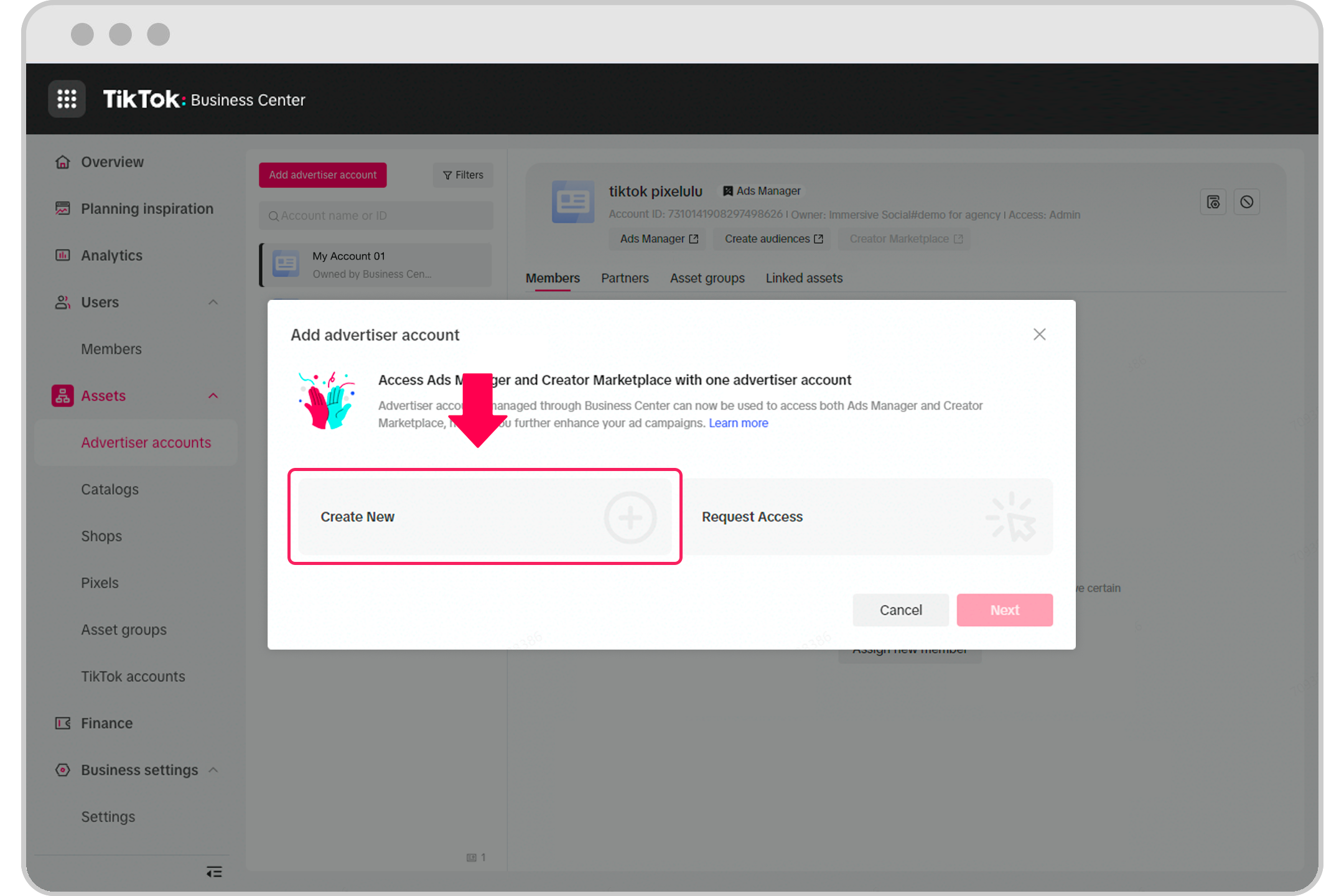
Before diving into the setup process, it's essential to understand what TikTok ads are and how they work. TikTok ads are paid videos designed to promote products, services, or brand awareness. They appear in users' feeds and can be tailored to specific audiences based on demographics, interests, and behaviors.
There are several types of TikTok ads, including In-feed Ads, TopView Ads, Spark Ads, Video Shopping Ads, and more. Each ad type serves a unique purpose and offers different engagement opportunities. For example, In-feed Ads blend seamlessly with user-generated content, while TopView Ads appear as full-screen videos when users open the app.
Step-by-Step Guide to Setting Up a TikTok Ads Account
Step 1: Create a Business Account
To access TikTok's Ads Manager, you need a business account. Here’s how to switch to a business account:
- Open the TikTok app and tap on your profile icon.
- Go to Settings and Privacy > Manage Account > Switch to Business Account.
- Follow the prompts to complete the switch. This will give you access to advanced features like analytics and ad creation tools.
Step 2: Integrate with Shopify (Optional)
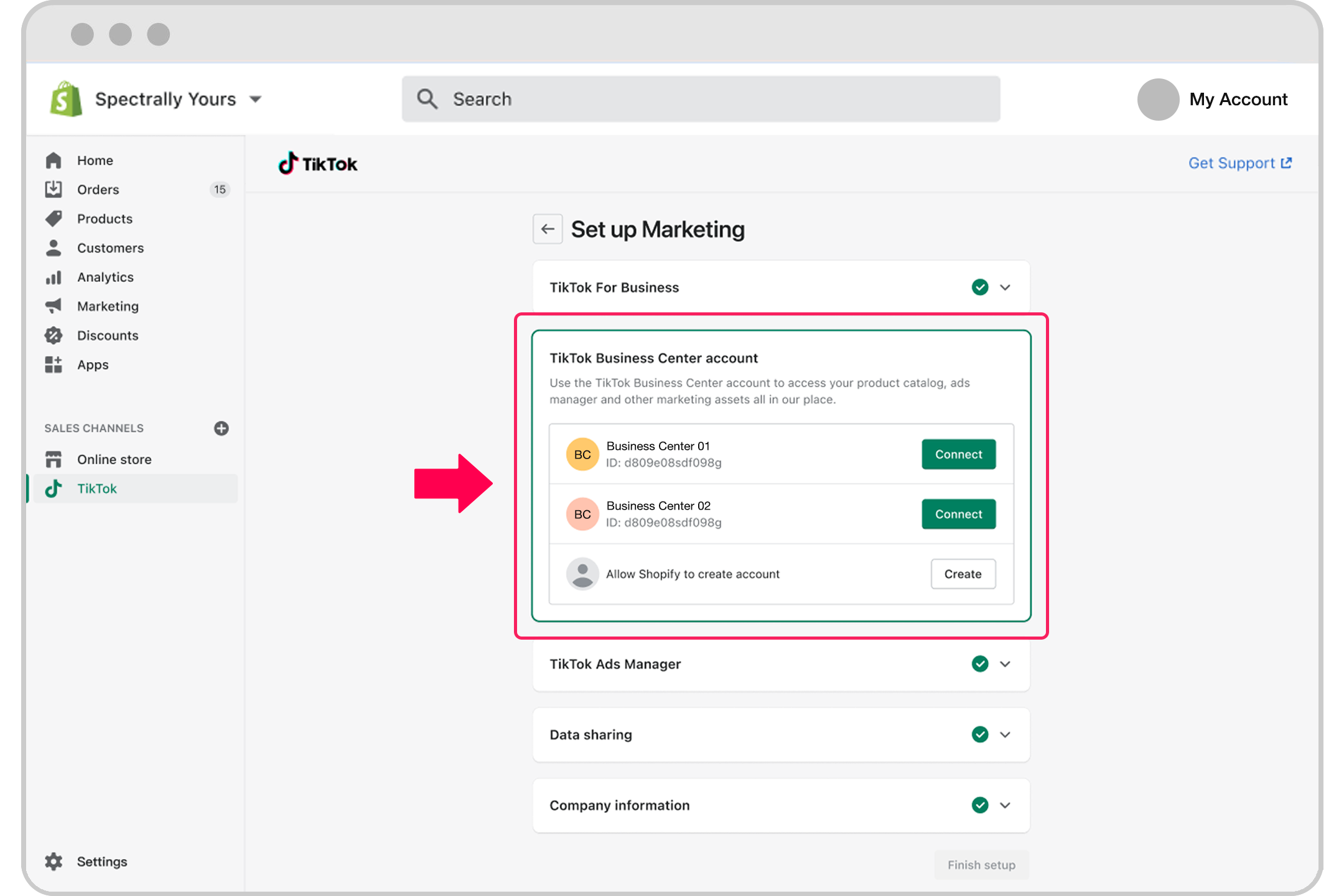
If you have a Shopify store, integrating it with TikTok can streamline your ad creation process. Here’s how:
- Install the TikTok app on your Shopify store.
- Connect your TikTok account to your Shopify store.
- You’ll gain access to automated ad creation options and the ability to launch a shopping tab on your TikTok profile.
Step 3: Access the TikTok Ads Manager
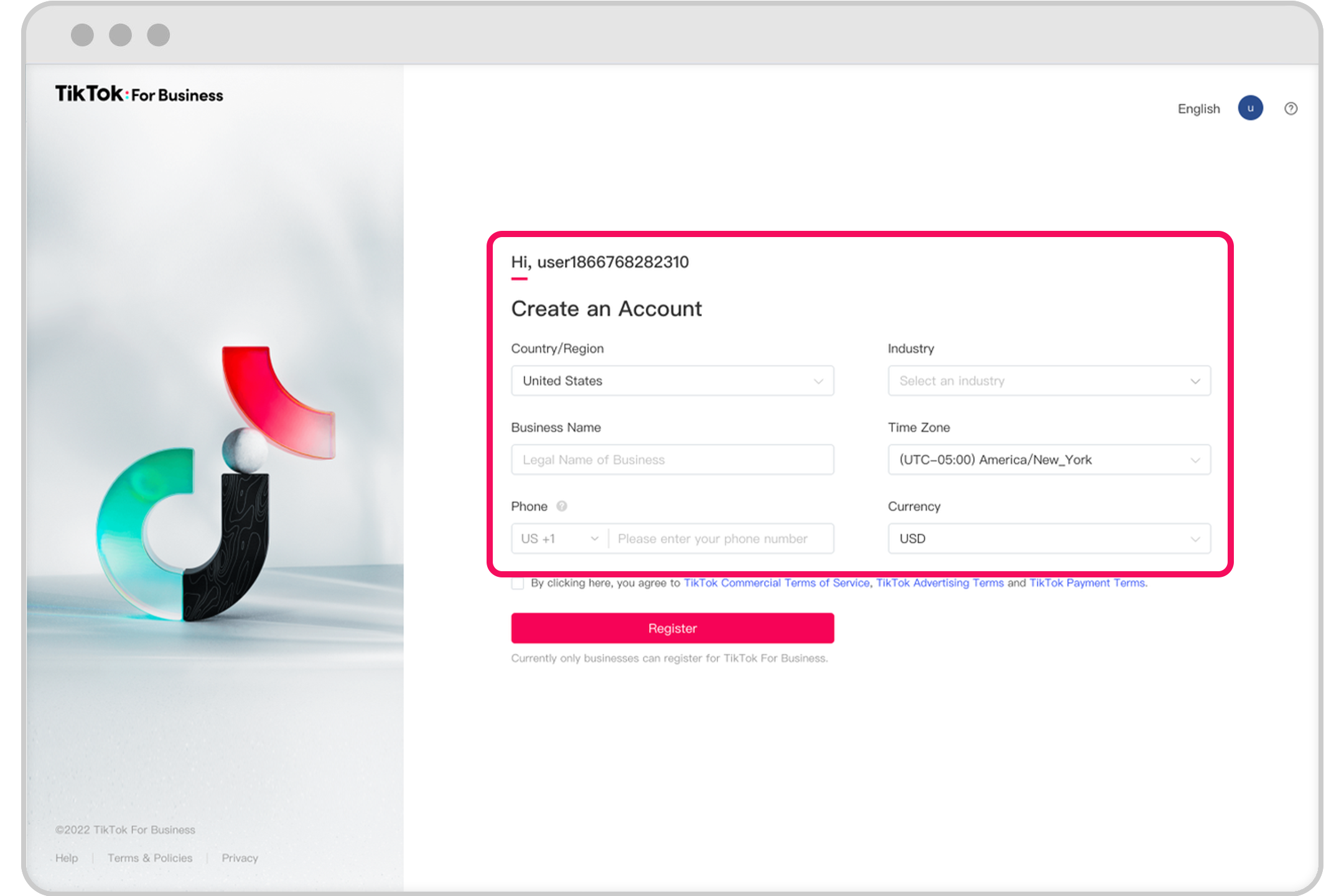
Once you have a business account, you can access the TikTok Ads Manager:
- Go to ads.tiktok.com and log in with your TikTok account.
- The Ads Manager interface will allow you to create, manage, and track your ad campaigns.
Step 4: Choose Your Advertising Goal

When setting up your first campaign, you’ll need to choose an advertising goal. TikTok offers four main goals:
- Traffic: Drive users to your website or app.
- Community Interaction: Build brand awareness and engage with your audience.
- Lead Generation: Collect contact information from potential customers.
- Website Conversions: Increase sales or other desired actions on your website.
Step 5: Define Your Target Audience
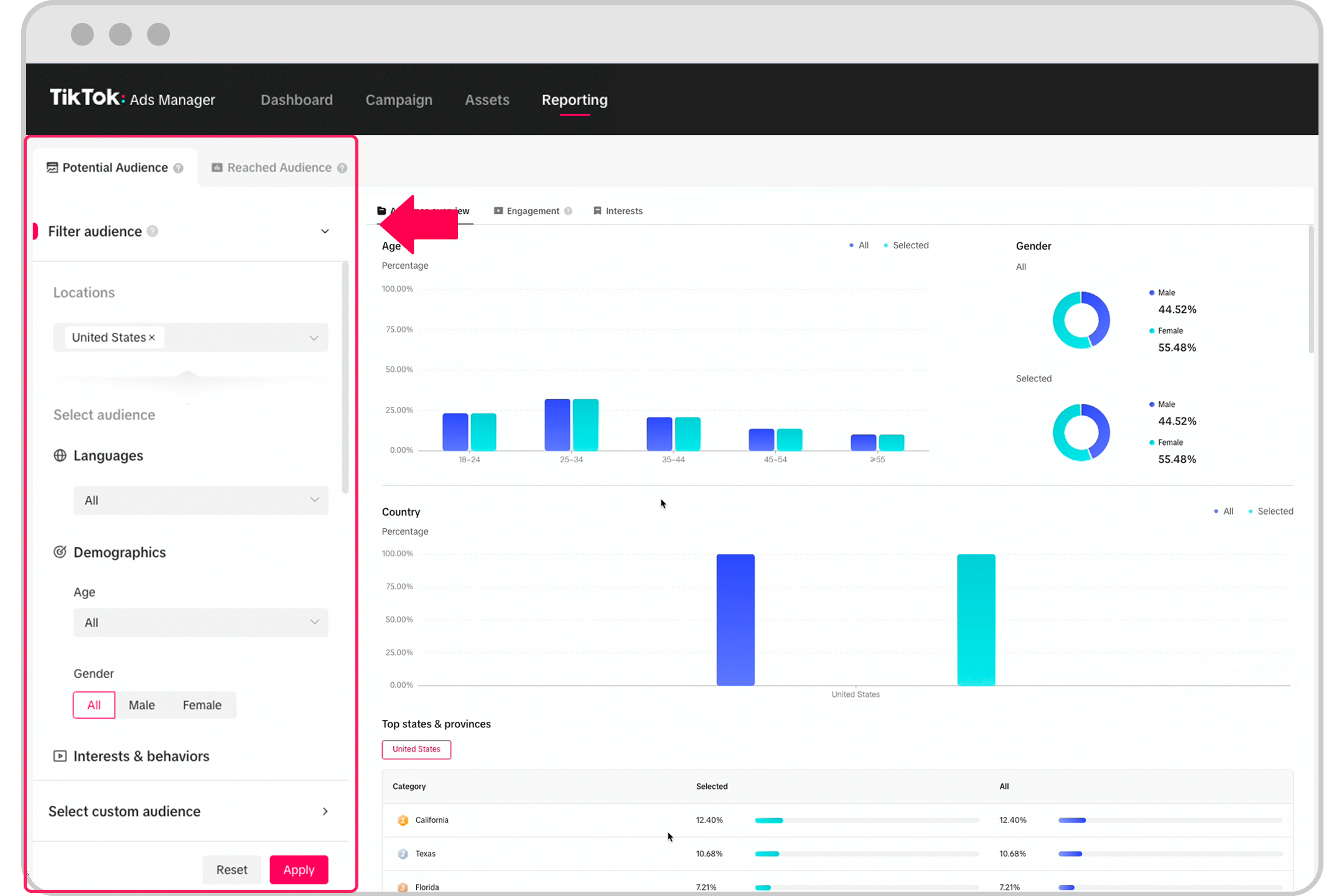
TikTok allows you to target specific audiences based on various criteria:
- Demographics: Age, gender, location, etc.
- Interests: Topics or categories that align with your product or service.
- Behaviors: Actions users have taken on TikTok, such as watching certain types of videos or engaging with specific content.
You can also use Custom Audiences to target people who have interacted with your brand before or Lookalike Audiences to find similar users.
Step 6: Set Your Budget and Schedule
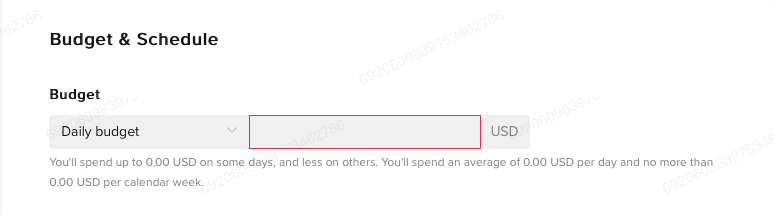
TikTok ads operate on a bidding system, so you'll need to set a budget and schedule for your campaign:
- Daily Budget: Start with a minimum of $5 per day.
- Campaign Duration: Choose a specific end date or let the campaign run indefinitely.
- Bidding Strategy: Decide whether to optimize for clicks, views, or conversions.
Step 7: Choose Bidding and Optimization

TikTok offers several bidding strategies to suit different goals:
- Cost per Click (CPC): Pay only when users click on your ad.
- Cost per Mille (CPM): Pay per 1,000 impressions.
- Optimized CPM (oCPM): TikTok optimizes your ad delivery to maximize conversions.
- Cost per View (CPV): Pay when users watch your ad for at least six seconds.
Step 8: Create Your Ad
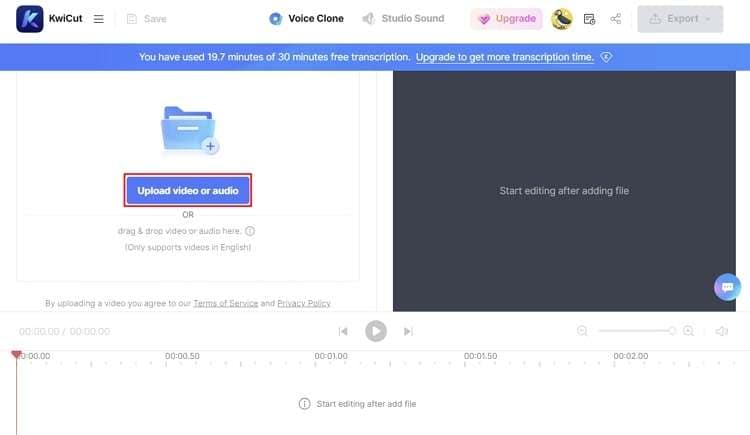
Now it's time to create your ad:
- Upload a video or select an existing one from your TikTok feed.
- Add a compelling caption and a clear call-to-action (CTA), such as "Shop Now" or "Learn More."
- Ensure your ad adheres to TikTok's technical guidelines, including resolution, file type, and aspect ratio.
Step 9: Submit and Monitor

After creating your ad, submit it for review. Once approved, your ad will go live. Use TikTok's analytics tools to monitor performance and make adjustments as needed.
Tips for Success
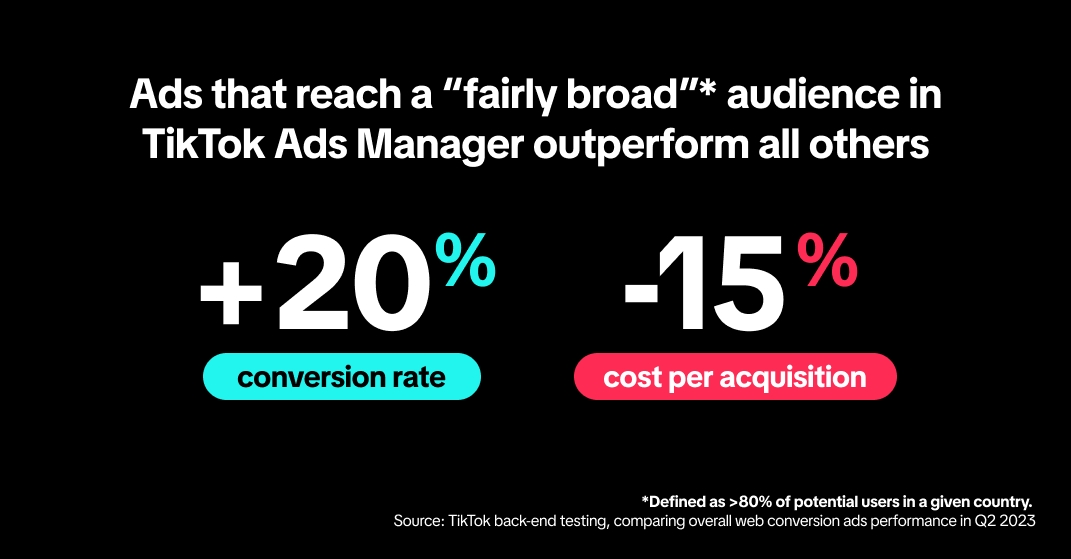
- Keep It Engaging: Capture attention within the first few seconds of your ad.
- Use Captions: Many users watch videos without sound, so captions are essential.
- Leverage Trends: Incorporate popular music and trends to increase visibility.
- Test and Optimize: Experiment with different ad formats, targeting options, and creatives to find what works best.
Conclusion
Setting up a TikTok ads account is a valuable step for any business looking to expand its online presence. By following these steps and leveraging TikTok's powerful advertising tools, you can effectively reach your target audience and drive meaningful results. Whether you're promoting a product, building brand awareness, or generating leads, TikTok offers a dynamic platform to achieve your marketing goals. Start today and unlock the potential of TikTok advertising!

Posting Komentar untuk "How to Set Up a TikTok Ads Account: A Step-by-Step Guide for Beginners"
Posting Komentar