
How to Set Up Your First TikTok Campaign: A Step-by-Step Guide

TikTok has become one of the most powerful platforms for businesses and creators to reach their target audience. With over 1 billion active users, it's no wonder that many are looking to set up their first TikTok campaign. Whether you're a small business owner or an influencer, understanding how to set up your first TikTok campaign is crucial for success.
Understanding TikTok Campaigns
Before diving into the setup process, it's important to understand what a TikTok campaign entails. A TikTok campaign is a series of ads designed to achieve specific marketing goals, such as increasing brand awareness, driving traffic to a website, or generating leads. These campaigns can be tailored to different objectives, including video views, app installs, or sales conversions.
Types of TikTok Ads
TikTok offers various ad formats, each with its own unique benefits:
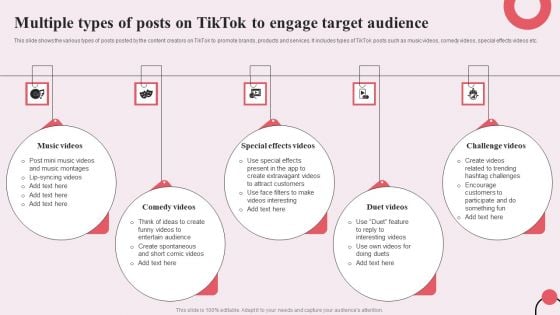
- Video Ads: These are full-screen videos that appear in users' feeds. They blend seamlessly with other content and can include a call-to-action.
- TopView Ads: These ads take over the entire screen when users open TikTok, making them ideal for creating a strong first impression.
- In-feed Ads: These appear in the For You page feed and integrate naturally with user-generated content.
- Spark Ads: These allow you to boost existing TikTok posts, either your own or others', to increase their reach.
- Image Ads: These are static images that feature your brand or product.
- Video Shopping Ads: These include product tiles that users can click on to view a shoppable gallery.
- Playable Ads: These let users interact with your game within the ad, perfect for gaming companies.
- Carousel Ads: These showcase multiple images or videos in one ad, ideal for highlighting different products.
- Branded Effects: These allow users to add special filters and effects to their videos, encouraging engagement with your brand.
- Sponsored Influencer Ads: These involve paying influencers to promote your product or service.
- Branded Hashtag Challenges: These encourage users to create videos based on a branded theme, driving engagement and brand awareness.
Setting Up Your First TikTok Campaign
Now that you understand the different types of TikTok ads, let's walk through the steps to set up your first campaign.
Step 1: Create a Business Account
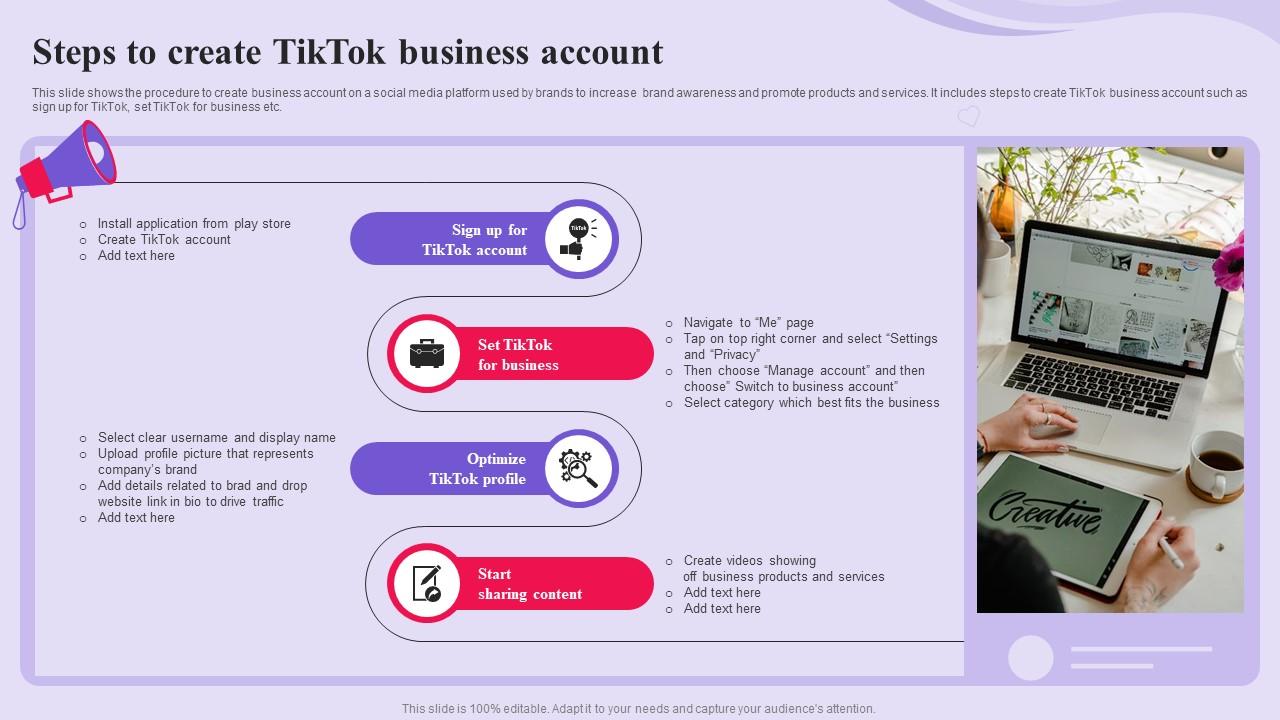
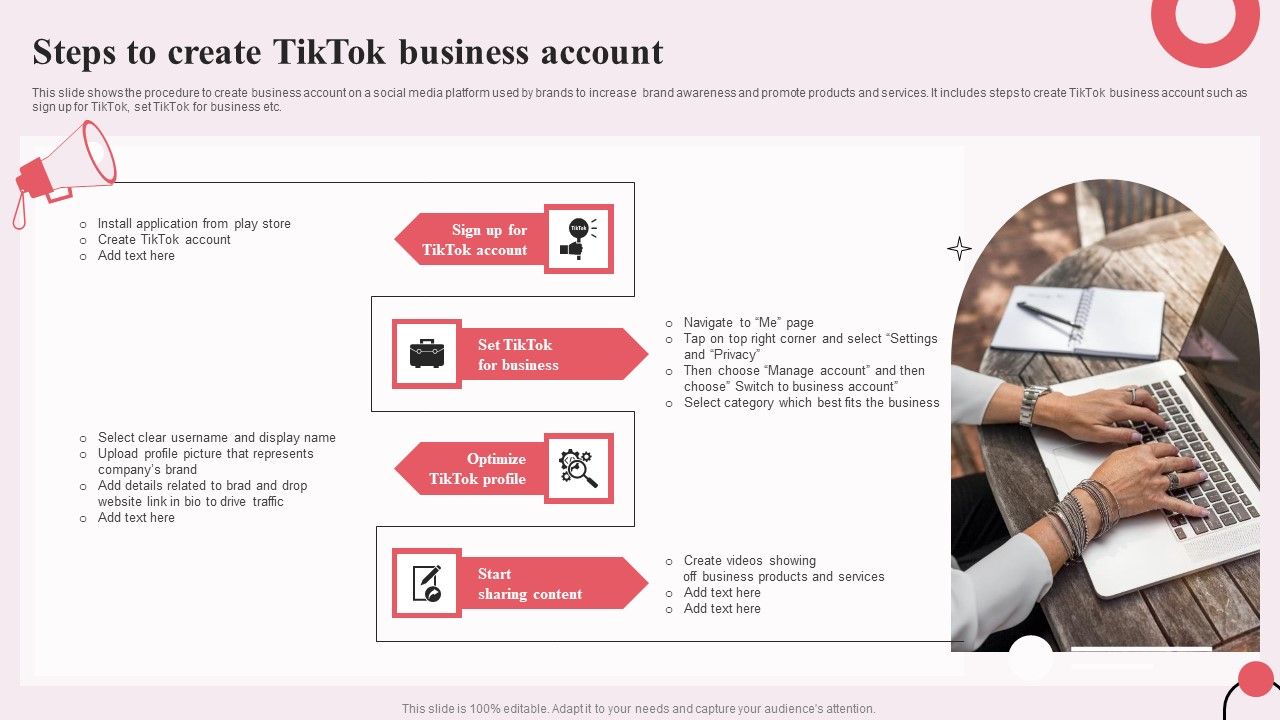
To access TikTok's Ads Manager, you need a business account. Switching to a business account is free and easy. Open TikTok, go to Settings and Privacy > Manage Account > Switch to Business Account. This will give you access to valuable analytics and the ability to run ads.
Step 2: Integrate with Shopify (Optional)

If you have a Shopify store, you can integrate it with TikTok to automate ad creation. This allows you to launch a shopping tab on your TikTok profile, making it easier for users to shop directly from your content.
Step 3: Access TikTok Ads Manager
The TikTok Ads Manager is available on desktop at ads.tiktok.com. Log in with your TikTok business account credentials to start managing your campaigns.
Step 4: Choose Your Advertising Goal
When you first open the TikTok Ads Manager, you'll be prompted to select your advertising goal. The options include:
- Traffic: Aim to bring people to your website.
- Community Interaction: Focus on growing your presence on TikTok and building trust with your audience.
- Lead Generation: Gather information from viewers through a contact form.
- Website Conversions: Increase actions on your site, such as purchases.
Step 5: Select Your Audience
Next, define your target audience by age, language, gender, and location. You can also use interests to narrow down your audience. For example, if you're selling coffee, target users interested in "coffee." TikTok will show you the estimated size of your audience as you make your selections.
Step 6: Set Your Budget and Schedule

Determine your daily ad budget, starting at $5 per day. You can choose how long you want your campaign to run, or opt for "no end date" to run indefinitely.
Step 7: Choose Bidding and Optimization
Decide if you want to optimize for clicks or views. TikTok offers several bidding options, including Cost per View (CPV), Cost per Mille (CPM), Optimized CPM (oCPM), and Cost per Click (CPC). Choose the option that best fits your campaign goals.
Step 8: Create Your Ad
Select an existing TikTok video or upload a new one. Write a caption and create a call-to-action button, like "Shop Now." Ensure your ad adheres to TikTok's technical guidelines for vertical video ads and fits in with the look and feel of the platform.
Step 9: Submit Your Ad
Hit Submit, and your ad will go into review before it goes live. Monitor your results and optimize for your next campaign.
Tips for Success
To maximize the effectiveness of your TikTok campaign, consider the following tips:
- Catch Attention Quickly: Start with a compelling visual or unexpected element to stop viewers from scrolling past.
- Use Captions: Include captions in your ads to ensure your message comes across clearly even without sound.
- Tap Into TikTok’s Music Collection: Use music from TikTok’s commercial sound library to make your ads more appealing.
- Keep Ads Fresh: Update your ad creatives every week to avoid repetition and maintain audience interest.
- Collaborate with Creators: Partner with popular TikTok creators who resonate with your brand to expand your reach.
- Leverage TikTok Features: Use voiceovers, popular challenges, and text overlays to make your ads feel more integrated into the platform.
Conclusion
Setting up your first TikTok campaign requires careful planning and execution. By following these steps and leveraging TikTok's various ad formats, you can effectively reach your target audience and achieve your marketing goals. Remember to continuously monitor and optimize your campaigns to ensure long-term success on the platform.

Posting Komentar untuk "How to Set Up Your First TikTok Campaign: A Step-by-Step Guide"
Posting Komentar