
How to Use Custom Audiences in TikTok Ads: A Complete Guide
TikTok has become a powerful platform for marketers and businesses looking to reach new audiences. With over 1 billion active users, it's no surprise that many brands are turning to TikTok ads to drive engagement, conversions, and brand awareness. One of the most effective tools available on TikTok is custom audiences, which allows advertisers to target specific groups of users based on their interests, behaviors, and demographics. This guide will walk you through how to use custom audiences in TikTok ads to maximize your ad performance and ROI.
What Are Custom Audiences on TikTok?
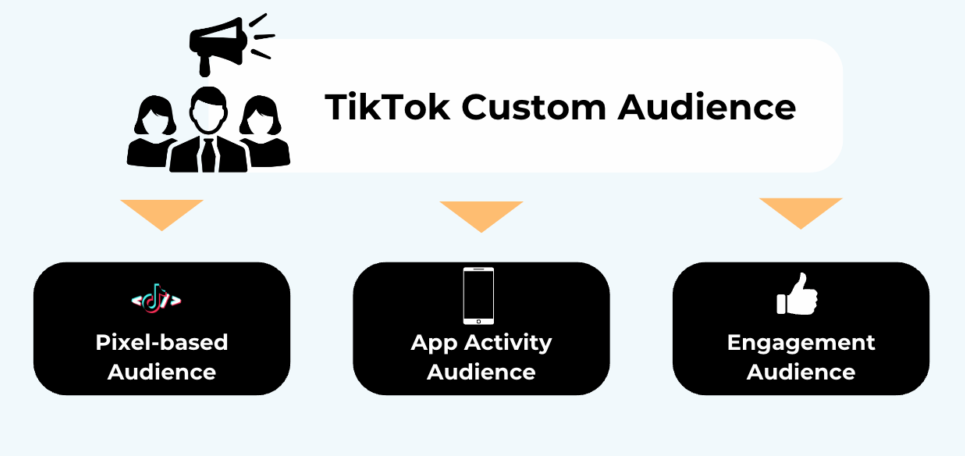
Custom audiences on TikTok are a targeting feature that lets you create highly personalized ad campaigns by leveraging data from your existing customer base or other sources. Instead of casting a wide net with broad demographic targeting, custom audiences allow you to focus on users who are more likely to be interested in your product or service. This can significantly improve the relevance of your ads and increase the chances of conversion.
Key Benefits of Using Custom Audiences:
- Higher Relevance: Target users who have already shown interest in your brand.
- Improved Conversion Rates: Reach people who are more likely to engage with your content.
- Cost Efficiency: Reduce wasted ad spend by focusing on high-value audiences.
How to Create Custom Audiences in TikTok Ads
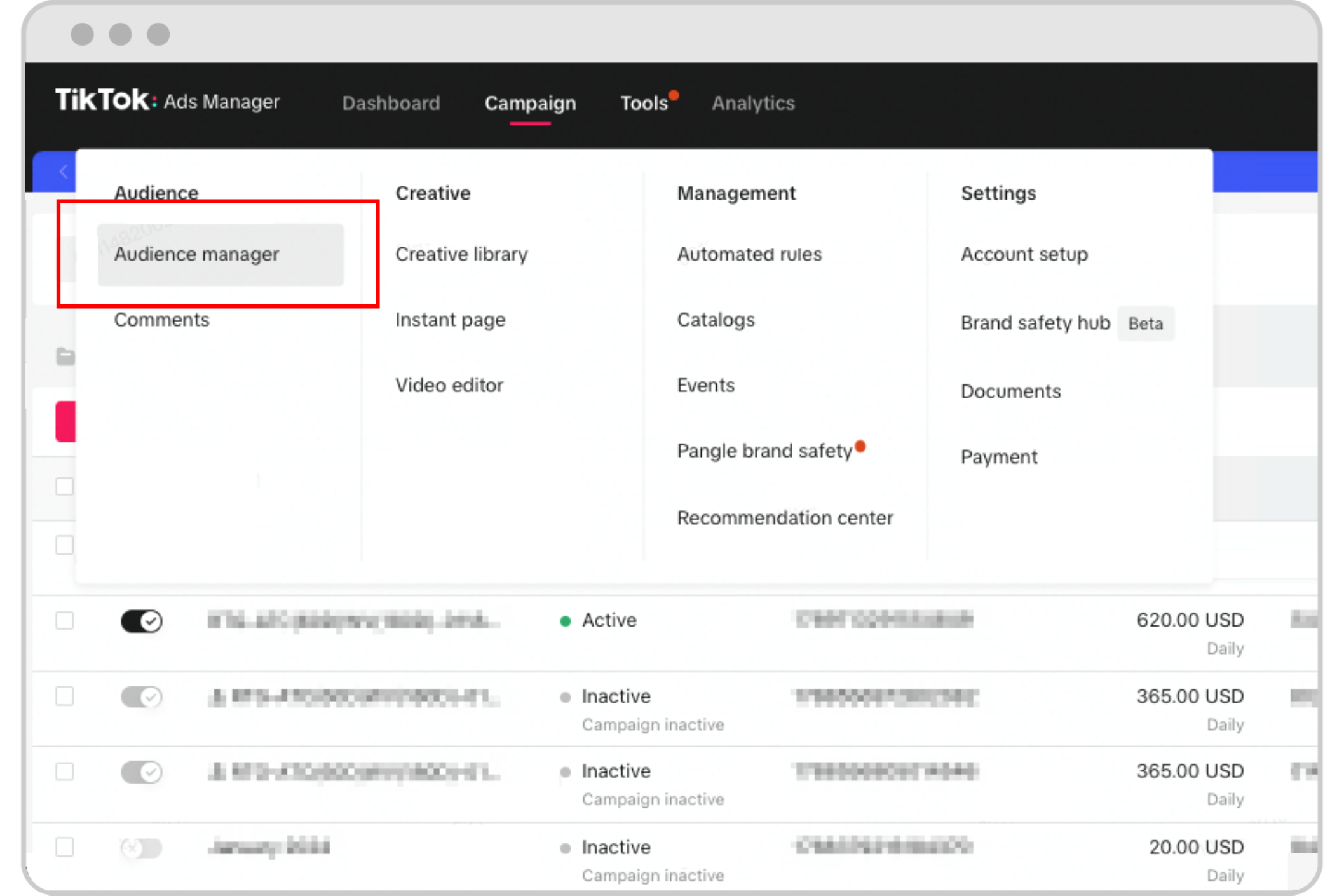
Creating custom audiences on TikTok involves using data from various sources such as website traffic, app activity, email lists, and more. Here’s a step-by-step guide to help you set up your first custom audience:
Step 1: Access the TikTok Ads Manager
Log in to your TikTok Ads Manager account. If you don’t have one, you’ll need to create it through the TikTok Business Platform.
Step 2: Choose Your Audience Source
TikTok offers several ways to build custom audiences:
- Website Traffic: Upload a list of users who have visited your website or engaged with your online content.
- App Activity: Use data from your mobile app (if you have one) to target users who have downloaded or used your app.
- Email List: Upload an email list of your existing customers or leads.
- Lookalike Audiences: TikTok allows you to create lookalike audiences based on your existing customers. This helps you find new users who resemble your current ones.
Step 3: Define Your Custom Audience
Once you’ve selected your source, define the parameters of your custom audience. You can choose to target users based on:
- Demographics: Age, gender, location, etc.
- Behaviors: Purchase history, browsing habits, app usage.
- Interests: Topics, keywords, or categories that align with your brand.
Step 4: Save and Use Your Custom Audience
After defining your audience, save it within the TikTok Ads Manager. You can then use this audience when creating new ad campaigns.
Best Practices for Using Custom Audiences

To get the most out of your custom audiences on TikTok, follow these best practices:
1. Start Small and Test
Begin with a small group of users and test different ad creatives and messaging. This will help you identify what works best before scaling up.
2. Segment Your Audience
Break down your custom audience into smaller segments based on behavior, interests, or demographics. This allows you to tailor your ads to each group for better performance.
3. Combine with Other Targeting Options
Use custom audiences in conjunction with other targeting options like interests, keywords, and placements to refine your reach even further.
4. Monitor Performance
Track the performance of your custom audience campaigns closely. Use TikTok’s analytics tools to see which audiences are driving the most engagement and conversions.
5. Refresh Your Audience Regularly
User behavior and preferences change over time. Make sure to refresh your custom audiences periodically to keep them relevant and effective.
Common Mistakes to Avoid

While custom audiences can be incredibly powerful, there are some common mistakes that can hinder your success:
1. Overly Broad Targeting
Avoid targeting too many users at once. This can lead to lower engagement and higher costs. Focus on specific, high-potential groups instead.
2. Ignoring Data Quality
Ensure that the data you’re using to build your custom audience is accurate and up-to-date. Poor-quality data can lead to ineffective targeting.
3. Not Testing Different Formats
Experiment with different ad formats such as video, carousel, and image ads to see what resonates best with your custom audience.
4. Neglecting Retargeting
Retargeting is a key component of any successful ad campaign. Use custom audiences to retarget users who have previously interacted with your brand but haven’t converted yet.
Conclusion

Custom audiences on TikTok are a game-changer for advertisers looking to reach the right people with the right message. By leveraging your existing data and creating highly targeted campaigns, you can significantly improve your ad performance and achieve better results. Whether you're a small business owner or a large enterprise, understanding how to use custom audiences effectively can give you a competitive edge in the ever-evolving world of digital marketing.
Start experimenting with custom audiences today and watch your TikTok ad campaigns thrive. Remember, the key to success lies in continuous testing, optimization, and a deep understanding of your audience. With the right strategy, you can unlock the full potential of TikTok ads and grow your business in the process.

Posting Komentar untuk "How to Use Custom Audiences in TikTok Ads: A Complete Guide"
Posting Komentar