
How to Use the TikTok Ad Platform: A Step-by-Step Guide for 2024
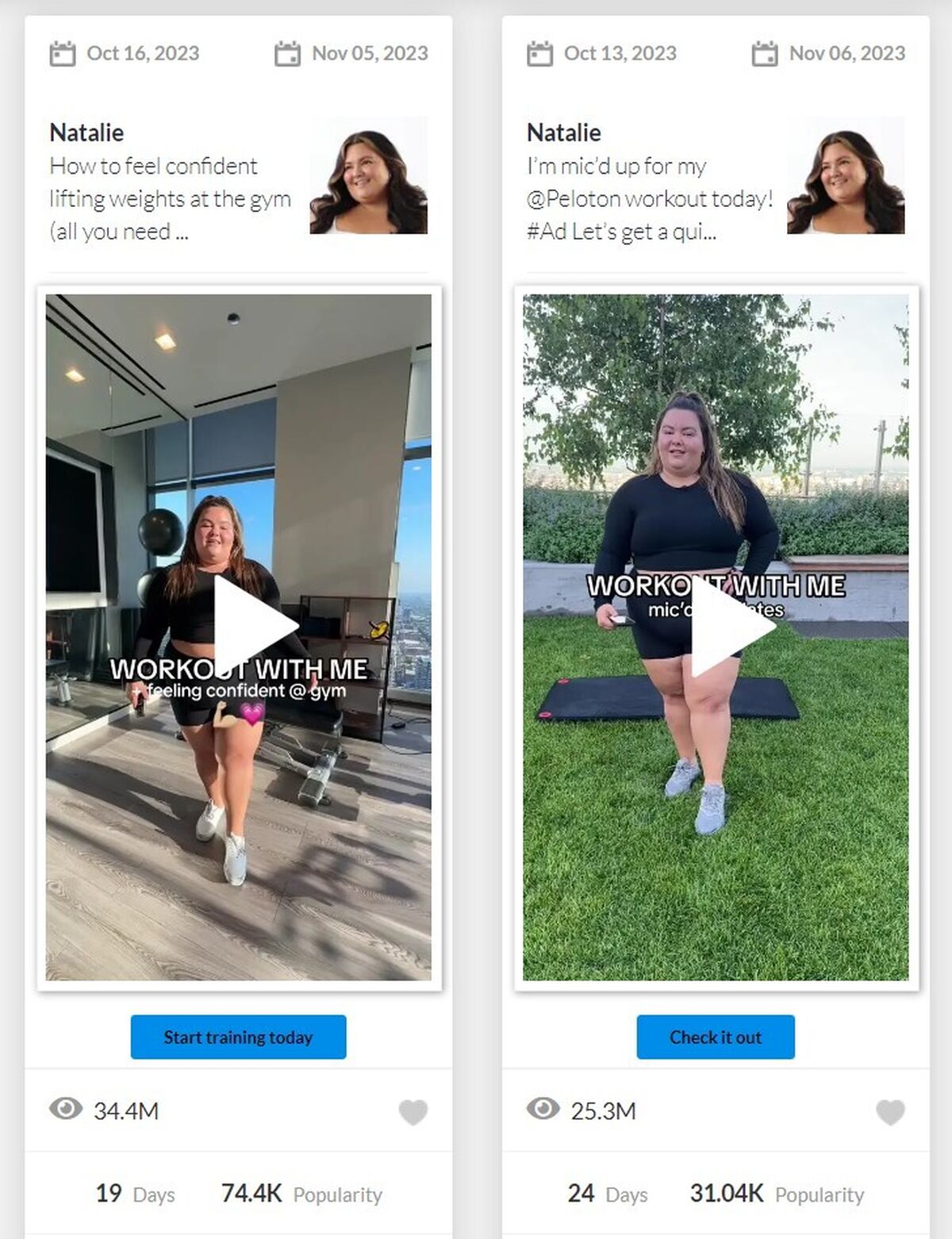
TikTok has evolved from a social media platform for short-form videos into a powerful advertising channel. With over 1 billion active users, it's no surprise that brands are leveraging TikTok ads to reach their target audience. Whether you're a small business owner or a digital marketer, understanding how to use the TikTok Ad Platform can significantly boost your marketing efforts.
Understanding TikTok Ads
TikTok ads are paid videos that businesses use to reach their target audience on the platform. These ads appear as full-screen videos between user-generated content and can be customized based on advertising goals, audience preferences, and budget. The platform offers various ad formats, including video ads, TopView ads, In-feed ads, Spark ads, and more.
Types of TikTok Ads
- Video Ads: These ads look like regular TikToks but include a direct link or call-to-action (CTA). They appear in users’ feeds and blend seamlessly with other content.
- TopView Ads: These ads appear when users open TikTok, taking over the entire screen with sound on. They are perfect for making a strong first impression.
- In-feed Ads: These ads appear in the For You page feed and integrate naturally into the browsing experience.
- Spark Ads: These allow you to boost existing TikTok posts, either your own or ads from other creators (with permission).
- Image Ads: These are still images featuring your brand or product, shown through the Global App Bundle and Pangle placements.
- Video Shopping Ads: These integrate product tiles that users can click on to view a shoppable gallery page without leaving TikTok.
- Playable Ads: These let users interact directly with your game within the ad, ideal for gaming companies.
- Carousel Ads: These contain multiple images in one frame, useful for showcasing different products or highlighting features.
- Branded Effects: These allow TikTok users to add special filters and effects to their videos, encouraging engagement with your brand.
- Sponsored Influencer Ads: These involve paying influential TikTok creators to promote your product or service.
- Branded Hashtag Challenges: These encourage users to create videos based on a branded theme, driving engagement and brand awareness.
Setting Up Your TikTok Ad Account
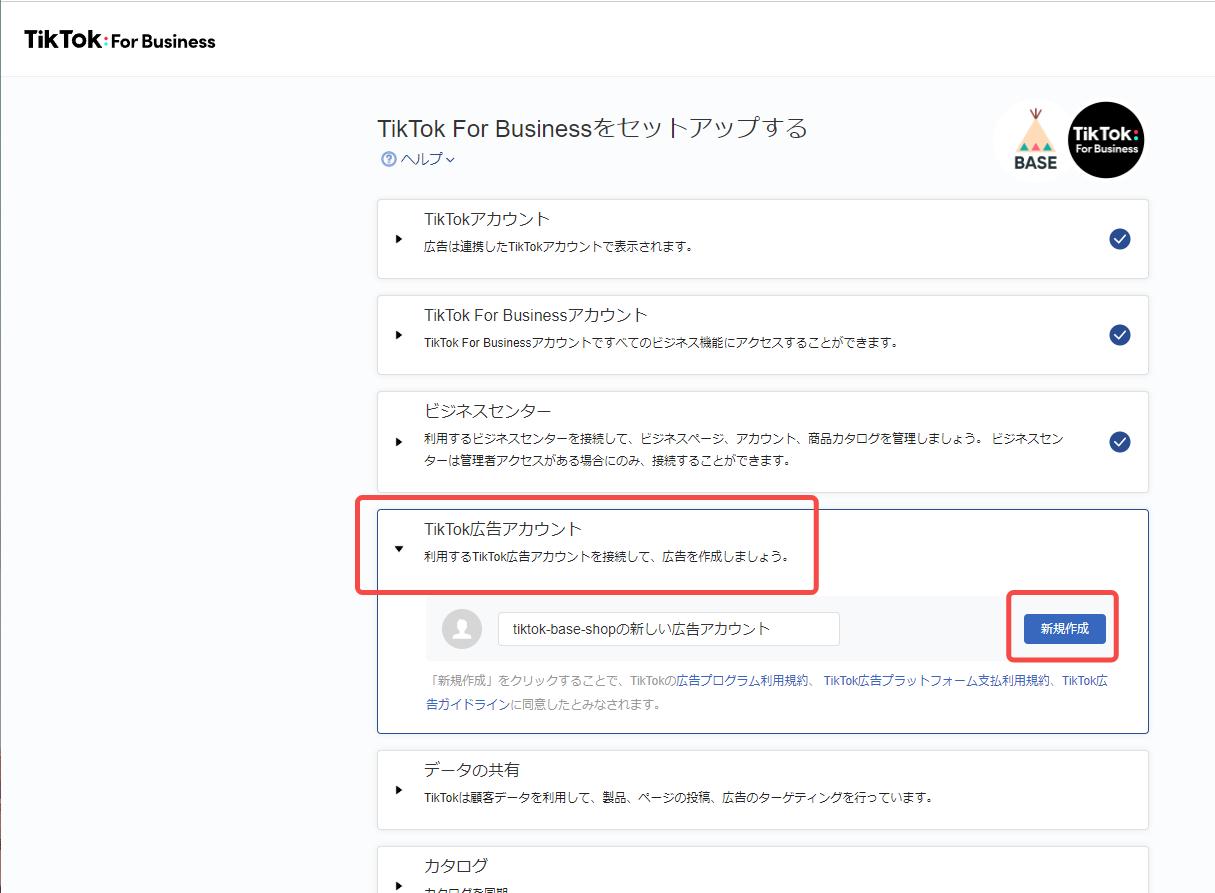
To start using TikTok Ads Manager, first, create an ad account. Self-serve customers should refer to the Business Help Center article. If you need to manage more than one ad account on TikTok, your sales representative will guide you through the process.
Step 1: Get a Business Account
Before you can use TikTok’s Ads Manager, you need to have a business account on the platform. Switching to a business account is free and easy. Open TikTok and tap Settings and Privacy > Manage Account > Switch to Business Account.
Step 2: Integrate with Shopify
If you have a Shopify store, install the TikTok app to access automated ad creation options. If you’re in select countries, you’ll also be able to launch a shopping tab on your TikTok profile.
Step 3: Open Ads Manager
The TikTok app is designed for mobile use, but for managing ads, you’ll want to use the desktop Ads Manager. Go to ads.tiktok.com and log in with your TikTok ads manager account.
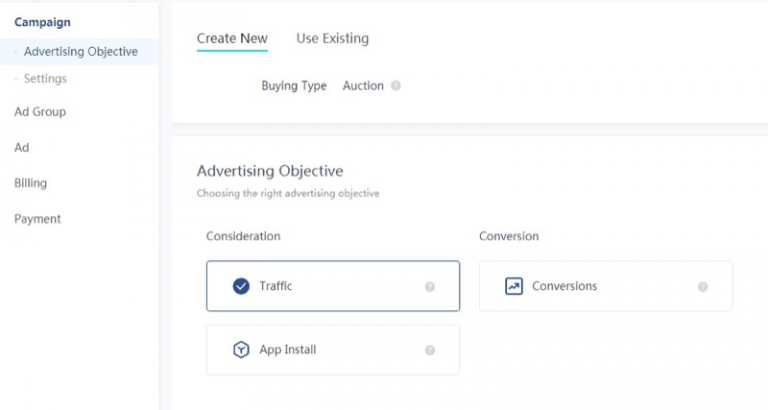
Step 4: Set Your Advertising Goal
When you select Simplified Mode in the TikTok ads manager, you can choose one of four campaign goals:
- Traffic: Bring people to your website.
- Community Interaction: Grow your presence on TikTok and build trust with your audience.
- Lead Generation: Gather information from viewers through a contact form.
- Website Conversions: Increase actions on your site, such as purchases.
Step 5: Select Your Audience
The next step in your TikTok ads manager account allows you to choose who will see your TikTok ads. You can opt for Automatic Audience and let TikTok pick for you, or go with Custom Audience and set your own criteria.
You can define your target audience by age, language, gender, and location. A slider on the top right will show the estimated size of your audience as you make your selections.
Step 6: Set Your Budget and Schedule
Determine your daily ad budget, starting at $5 per day, and choose how long you want your campaign to run. You can also select “no end date” to run your campaign indefinitely.
Step 7: Choose Bidding and Optimization
When setting up your TikTok ads, decide if you want to optimize for clicks or views. If you choose clicks, you can set a maximum cost per click to control spending.
TikTok offers four bidding options:
- CPV: Cost per view for the first six seconds.
- CPM: Cost per 1,000 impressions.
- oCPM: Optimized CPM for people likely to take action.
- CPC: Cost per click.
For bidding strategies, you can use lowest cost, where TikTok maximizes conversions based on your total budget, or use cost cap or bid cap, which lets you set a specific bid price for better control over acquisition costs.
Step 8: Create Your Ad
Select an existing TikTok or upload a new one. Write a caption and create a call-to-action button, like Shop Now. Make sure your ad adheres to TikTok’s technical guidelines for vertical video ads and fits in with the look and feel of the platform.
Step 9: Submit
Hit Submit and your ad will go into review before it goes live. Monitor your results and optimize for your next campaign.
TikTok Ad Costs

While TikTok ads have become increasingly popular among businesses, the cost of advertising on the platform varies depending on your content strategy and various factors. According to multiple sources, the average starting price of a TikTok ad campaign is $10 per 1,000 views, with a minimum cap of $500 per campaign.
However, the actual CPM may vary based on the ad placement, bidding strategy, and target audience used for the campaigns.
TikTok Ad Best Practices
Creating effective TikTok ads can be tricky. Here are six best practices to maximize your campaigns:
- Catch attention quickly: Make sure the beginning of your ad is compelling. With so many TikToks viewed daily, you need to grab viewers right away to stop them from scrolling past.
- Use captions for silent viewing: Include captions in your ads to ensure your message comes across clearly even without sound.
- Tap into TikTok’s music collection: Incorporate music from TikTok’s commercial sound library. Using familiar tunes can make your ads more appealing.
- Keep ads fresh: Update your ad creatives every week to avoid them becoming repetitive.
- Collaborate with TikTok creators: Partner with popular TikTok creators who resonate with your brand.
- Leverage TikTok features: Make full use of TikTok’s unique tools like voiceovers, popular challenges, and text overlays.

Posting Komentar untuk "How to Use the TikTok Ad Platform: A Step-by-Step Guide for 2024"
Posting Komentar