
How to Build Custom Audiences for TikTok: A Complete Guide
TikTok has become one of the most influential platforms for content creators and marketers alike. With its massive user base and highly engaging content, it's no wonder that businesses are eager to tap into this powerful tool. One of the most effective strategies for maximizing your reach on TikTok is building custom audiences. This guide will walk you through the process of creating and leveraging custom audiences to enhance your marketing efforts.
Understanding Custom Audiences on TikTok
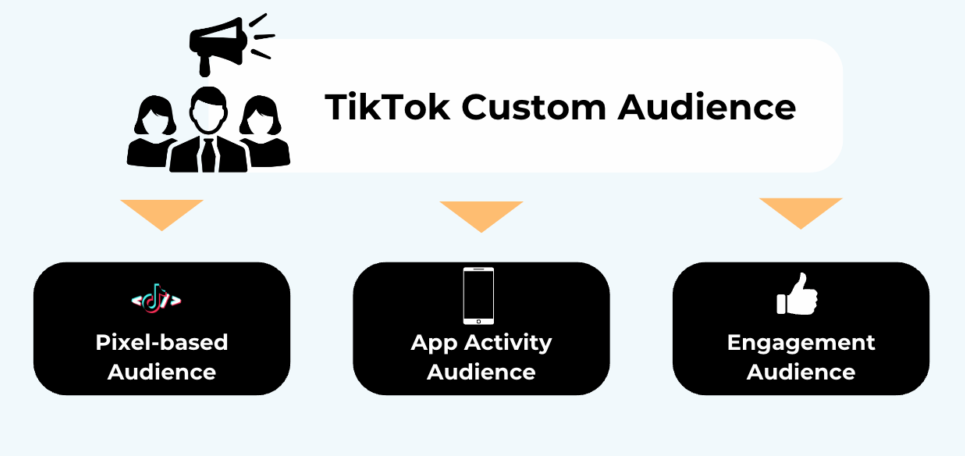
Custom audiences on TikTok are a powerful targeting option that allows advertisers to reach users who have already engaged with their brand. This feature enables businesses to connect with existing customers, expand their following, and create lookalike audiences based on similar characteristics. By utilizing custom audiences, you can ensure that your ads are seen by the right people at the right time.
Key Features of TikTok Custom Audiences
- Customer File: You can upload your customer file to create a custom audience. This allows you to target users who have previously interacted with your brand.
- Engagement: This feature lets you target users who have engaged with your content, such as those who have clicked on your ads or viewed your videos.
- App Activity: You can create custom audiences based on users who have completed specific actions within your app, such as making a purchase or signing up for a newsletter.
- Website Traffic: This feature allows you to target users who have taken specific actions on your website, such as viewing a product page or completing a form.
Steps to Build Custom Audiences on TikTok
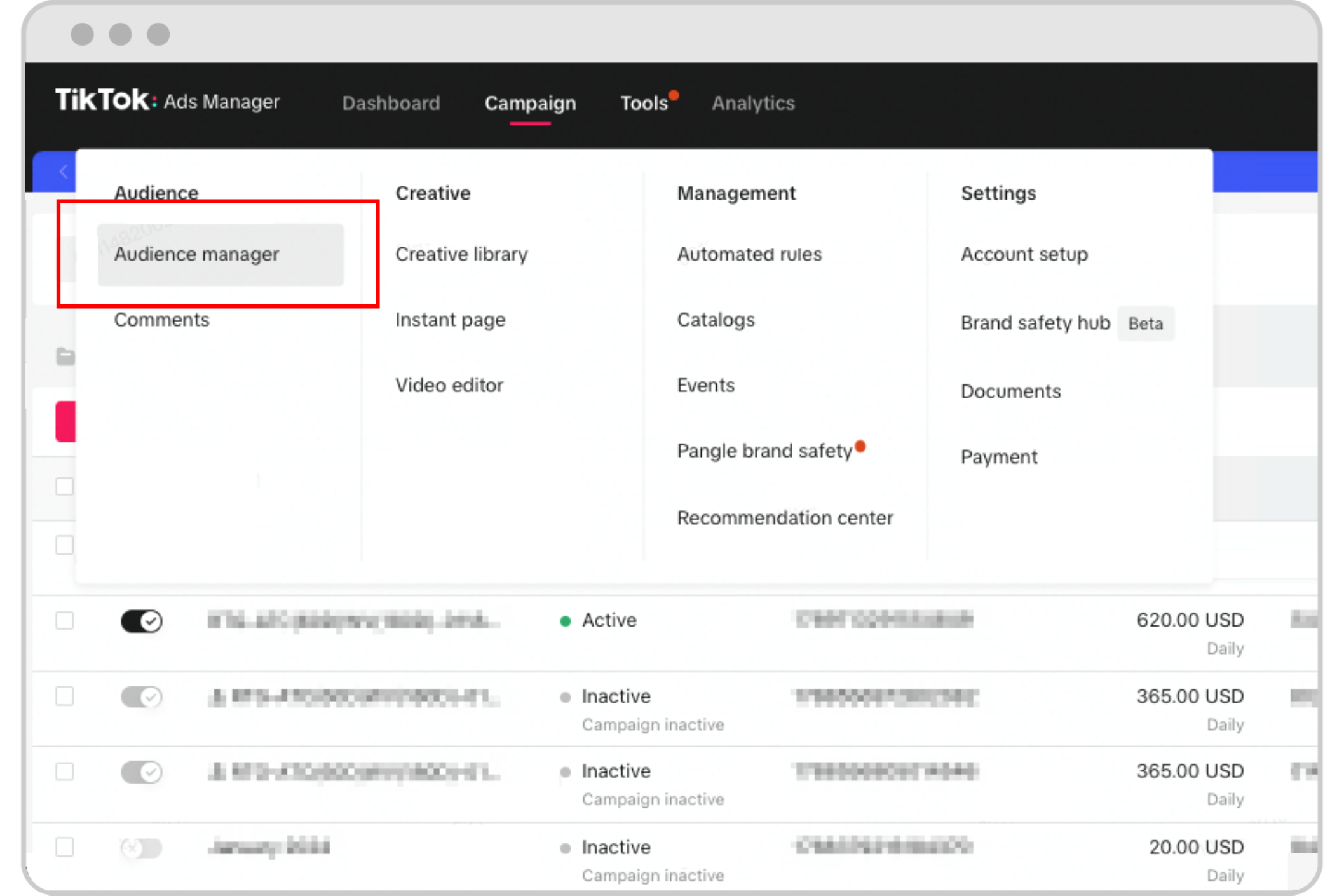
Building custom audiences on TikTok involves several key steps. Here’s a comprehensive guide to help you get started:
1. Upload Your Customer File
Start by uploading your customer file to TikTok. This file should include details such as email addresses, phone numbers, or other identifiers that can help you match users on the platform. Once uploaded, TikTok will filter out users who overlap with your existing customer base and create a custom audience.
2. Utilize Engagement Data
Leverage engagement data to create an audience of users who have interacted with your content. This includes users who have liked, commented on, or shared your videos. TikTok automatically refreshes this data, ensuring that your custom audience remains up-to-date.
3. Track App Activity
If you have a mobile app, track user activity to create custom audiences based on specific actions. This includes users who have registered, made a purchase, or added items to their cart. Configure your app events on a third-party tracking platform to ensure accurate data collection.
4. Monitor Website Traffic
Use TikTok Pixel to track website traffic and create custom audiences based on user actions. This includes users who have viewed content, clicked on buttons, or completed forms. Ensure that your website is set up to capture these interactions effectively.
Best Practices for Managing Custom Audiences

Once you've created your custom audiences, it's essential to manage them effectively to maximize the impact of your campaigns. Here are some best practices to consider:
1. Apply Audience to Ad Groups
You can apply your custom audience to specific ad groups within the TikTok Ads Manager. This allows you to target your ads more precisely and ensure that they reach the right users.
2. Delete Unwanted Audiences
If you no longer want to target a particular audience, you can simply delete it from the TikTok Ads Manager. This helps keep your campaigns focused and efficient.
3. Disconnect from Ad Groups
If you want to remove a custom audience from an ad group, you can do so easily within the TikTok Ads Manager. This allows you to adjust your targeting strategies as needed.
4. Monitor Audience Details
Keep track of your custom audience details, including application history and engagement metrics. This helps you understand how your audiences are performing and make data-driven decisions.
Auto-Refresh Features for Custom Audiences
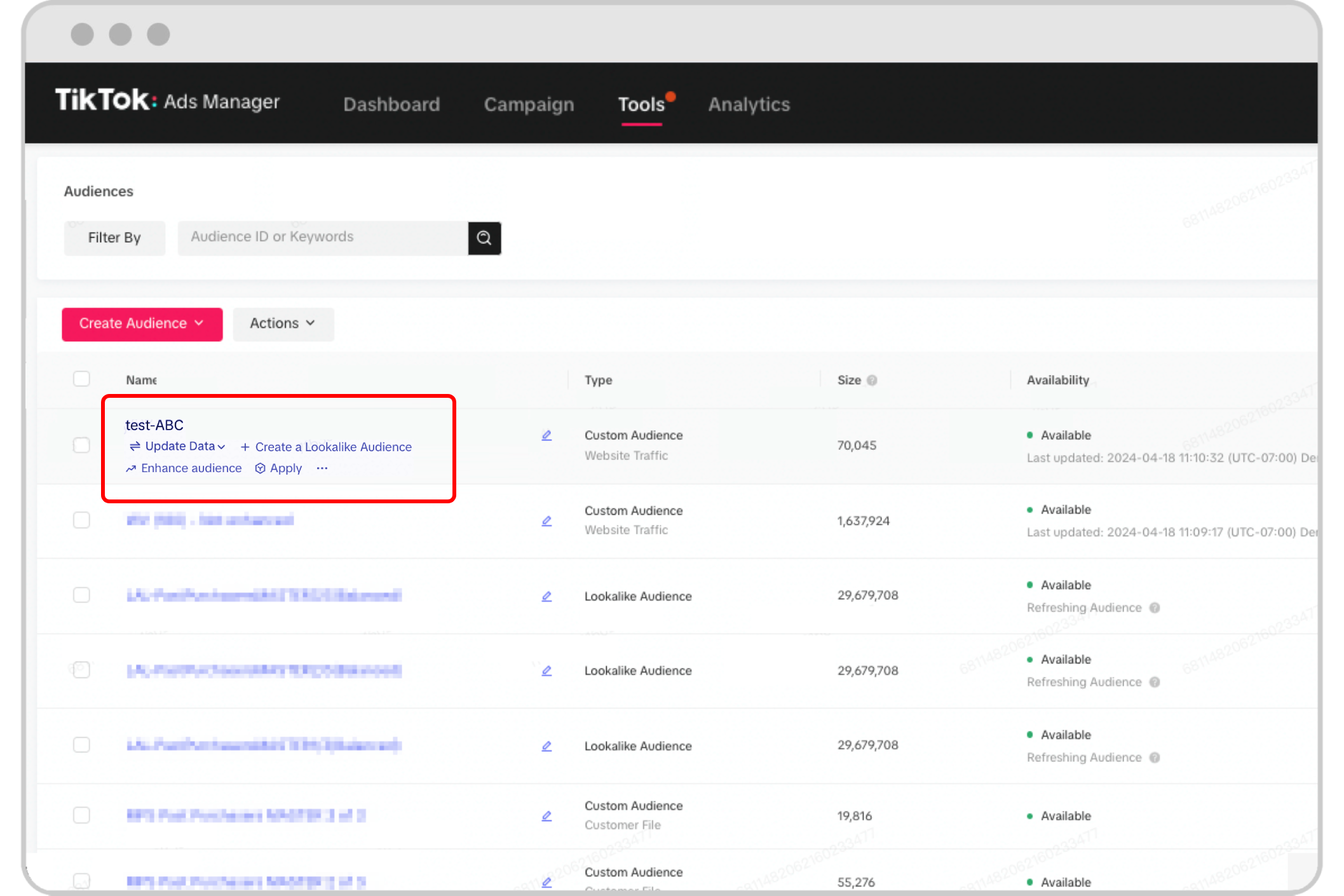
TikTok offers auto-refresh features for certain types of custom audiences, ensuring that your targeting remains accurate and up-to-date. These features include:
- Engagement: Automatically refreshes the list of users who have engaged with your content.
- App Activity: Updates the list of users based on their activity within your app.
- Website Traffic: Refreshes the list of users based on their interactions with your website.
To enable auto-refresh, ensure that your ads have been running for at least 30 days and that you have a custom audience set up for engagement, app activity, or website traffic.
Conclusion

Building custom audiences on TikTok is a powerful way to enhance your marketing efforts and reach the right users. By understanding the key features and following best practices, you can create targeted campaigns that resonate with your audience and drive results. Whether you're looking to re-engage existing customers or expand your following, TikTok's custom audience tools offer a valuable opportunity to connect with your target market effectively.

Posting Komentar untuk "How to Build Custom Audiences for TikTok: A Complete Guide"
Posting Komentar