
How to Implement TikTok Audience Retargeting in 2024: A Step-by-Step Guide

In the ever-evolving world of digital marketing, TikTok has emerged as a powerful platform for brands and creators alike. With its unique algorithm and massive user base, TikTok offers unparalleled opportunities for engagement and growth. One of the most effective strategies for maximizing your return on investment (ROI) on TikTok is audience retargeting. This technique allows you to reconnect with users who have already interacted with your brand, increasing the chances of conversion and fostering long-term customer relationships.
If you're looking to harness the power of TikTok's retargeting capabilities, this guide will walk you through the process step by step, ensuring you can effectively implement audience retargeting in 2024.
What is TikTok Audience Retargeting?
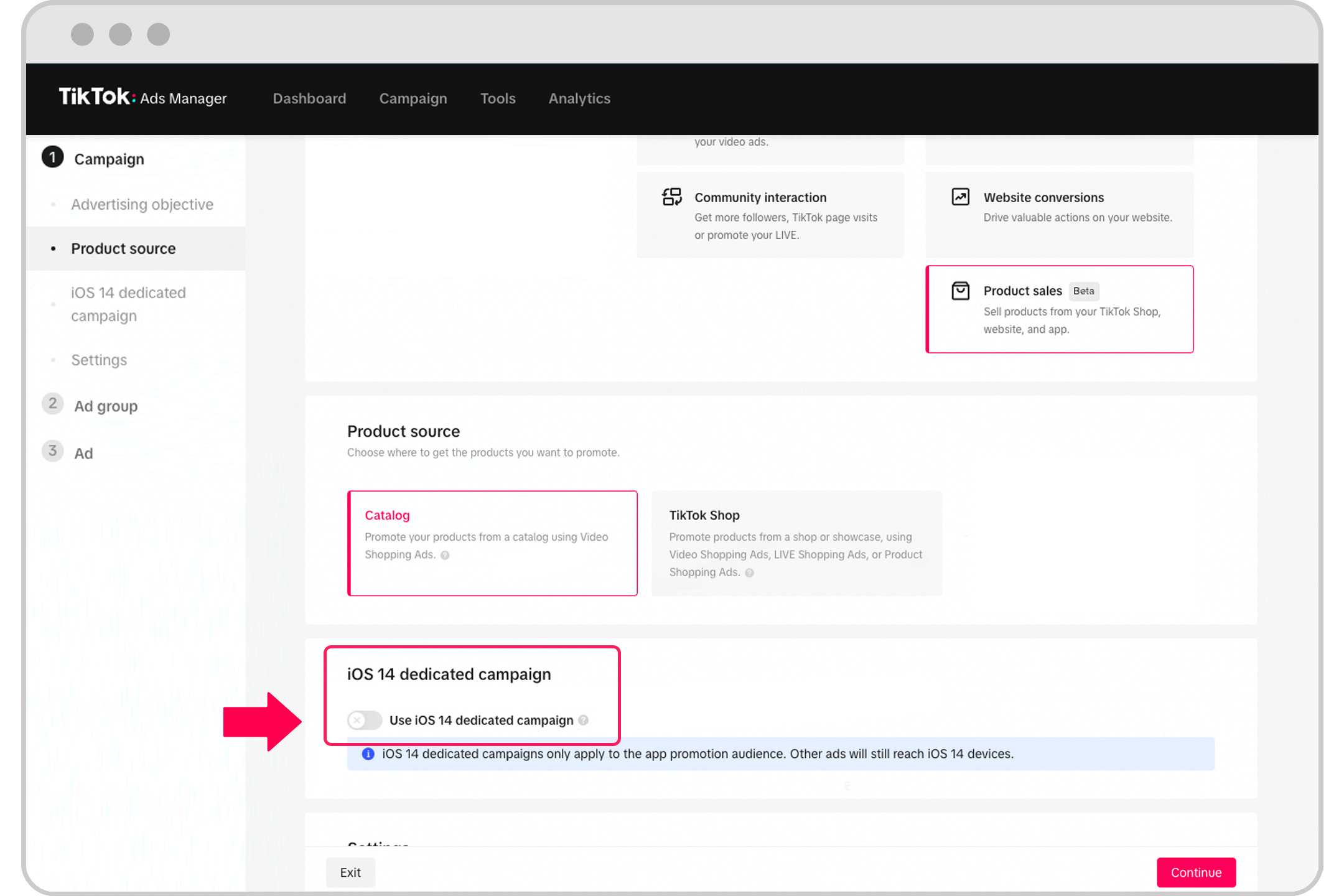
Audience retargeting on TikTok involves showing ads to users who have previously engaged with your brand, such as visiting your website, watching your videos, or interacting with your content. By targeting these users, you can reinforce your message, encourage conversions, and build brand loyalty.
TikTok provides several tools for retargeting, including:
- Custom Audiences: Target users based on their interactions with your brand.
- Lookalike Audiences: Reach new users who resemble your existing customers.
- App Retargeting: Show ads to users who have installed your app.
These tools allow you to create highly targeted campaigns that resonate with your audience, increasing the likelihood of engagement and conversions.
Why Audience Retargeting Matters on TikTok
-
Reconnecting with Lost Prospects: Many users may visit your site or engage with your content but not convert immediately. Retargeting helps you re-engage them with personalized messaging.
-
Increasing Conversion Rates: Users who have already shown interest in your brand are more likely to convert than new prospects.
-
Building Brand Awareness: Consistent exposure to your brand through retargeting ads reinforces your presence in the minds of potential customers.
-
Optimizing Ad Spend: Retargeting ensures that your ad budget is spent on users who are more likely to engage with your brand, reducing wasted impressions.
Step-by-Step Guide to Implementing TikTok Audience Retargeting
1. Set Up a TikTok Pixel
Before you can start retargeting, you need to install a TikTok Pixel on your website. This code tracks user behavior, such as page views, clicks, and purchases, allowing you to create custom audiences based on specific actions.
- How to Install the Pixel:
- Go to the TikTok Ads Manager.
- Navigate to the "Pixel" section.
- Copy the pixel code and paste it into the header of your website.
- Verify the installation by checking the "Pixel Status" in the Ads Manager.
2. Create Custom Audiences
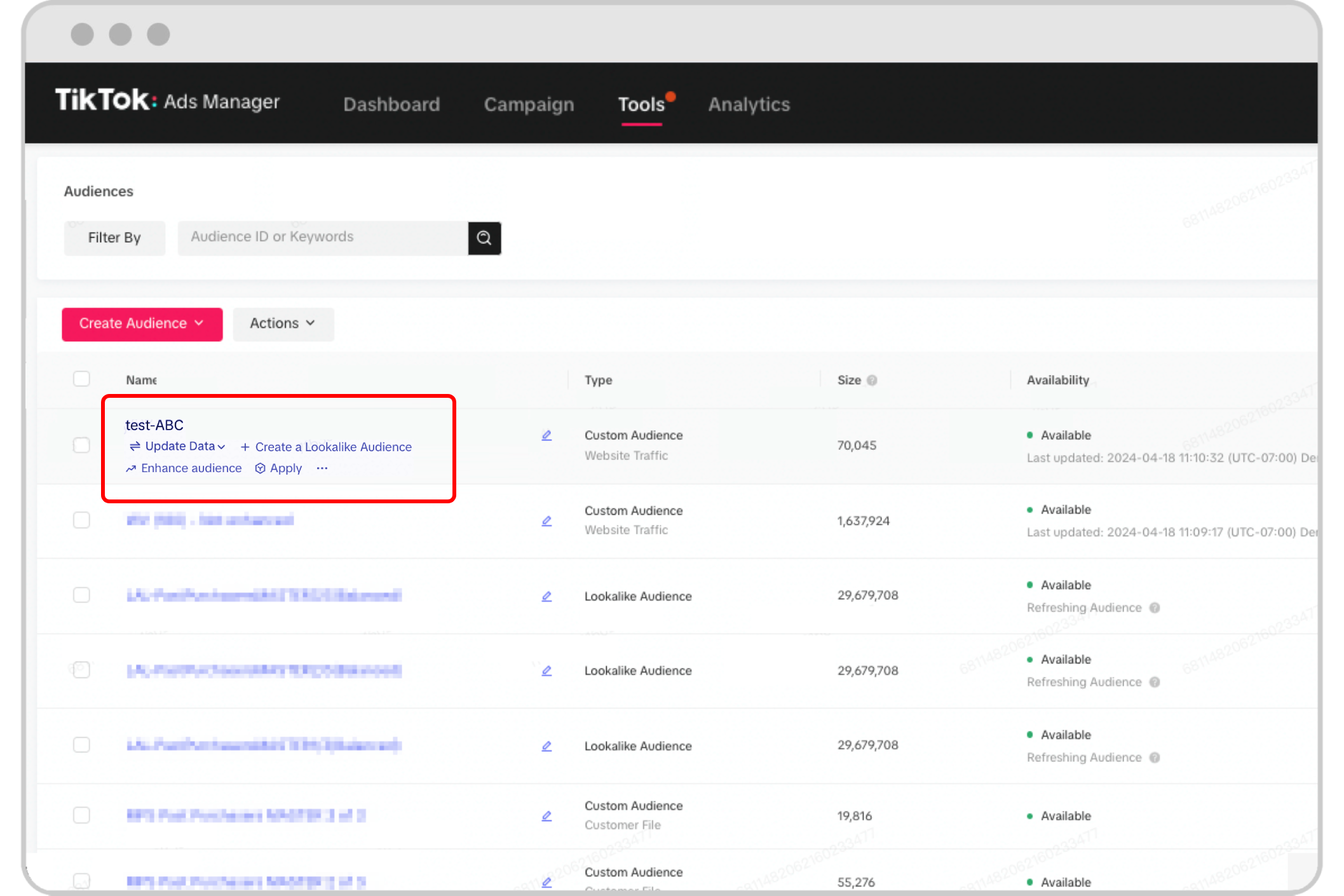
Once your pixel is set up, you can begin creating Custom Audiences based on user interactions with your brand.
- Customer File Audience: Upload a list of email addresses or phone numbers from your existing customers.
- Engagement Audience: Target users who have interacted with your TikTok content, such as liking, commenting, or sharing your videos.
- Website Traffic Audience: Reach users who have visited specific pages on your website.
- App Activity Audience: Target users who have engaged with your mobile app.
To create a custom audience: - Go to the "Audiences" section in TikTok Ads Manager. - Click "Create Audience." - Choose the type of audience you want to create (e.g., Customer File, Engagement). - Define the parameters for your audience (e.g., time frame, actions taken).
3. Build Lookalike Audiences

A Lookalike Audience is a group of users who share similar characteristics with your existing customers. This is an excellent way to expand your reach and find new potential customers.
- How to Create a Lookalike Audience:
- Start with a Custom Audience that represents your ideal customer.
- Go to the "Audiences" section in TikTok Ads Manager.
- Click "Create Audience" and select "Lookalike Audience."
- Choose the size of your lookalike audience (Small, Balanced, or Broad).
- Select the target platform (Android, iOS, or both).
- Name your audience and click "Confirm."
4. Launch Your Retargeting Campaign

With your audiences created, it's time to launch your retargeting campaign.
- Choose Your Campaign Objective:
- Conversions
- App Installs
- Video Views
-
Lead Generation
-
Set Your Targeting:
- Select the Custom Audience or Lookalike Audience you want to target.
-
Add additional filters (e.g., age, location, interests) to refine your audience.
-
Design Your Ad:
- Create engaging video content that resonates with your audience.
-
Use clear calls-to-action (CTAs) to encourage engagement.
-
Set Your Budget and Bidding Strategy:
- Choose between daily or lifetime budgets.
- Select a bidding strategy (e.g., Lowest Cost, Maximum Reach).
5. Monitor and Optimize Your Campaign
After launching your campaign, it's essential to monitor its performance and make adjustments as needed.
- Track Key Metrics:
- Click-through rate (CTR)
- Conversion rate
- Cost per conversion
-
Return on ad spend (ROAS)
-
A/B Testing:
-
Test different ad creatives, headlines, and CTAs to see what resonates best with your audience.
-
Refine Your Targeting:
- Adjust your audience parameters based on performance data.
- Experiment with different ad formats (e.g., video, carousel, image).
Tips for Success in TikTok Audience Retargeting
- Use Relevant Content: Ensure your retargeting ads align with the interests and behaviors of your audience.
- Leverage Timely Messaging: Send retargeting ads at the right moment, such as after a user abandons their cart or watches a video.
- Stay Consistent: Maintain a consistent brand voice and visual style across all your ads.
- Combine with Other Strategies: Use retargeting in conjunction with other TikTok marketing tactics, such as influencer collaborations and organic content creation.
Conclusion
Implementing TikTok audience retargeting in 2024 is a powerful way to connect with users who have already shown interest in your brand. By following the steps outlined in this guide, you can create highly targeted campaigns that drive engagement, increase conversions, and build long-term customer relationships.
Whether you're a small business owner or a digital marketer, leveraging TikTok's retargeting capabilities can give you a competitive edge in today's fast-paced digital landscape. Start experimenting with audience retargeting today and watch your ROI grow.

Posting Komentar untuk "How to Implement TikTok Audience Retargeting in 2024: A Step-by-Step Guide"
Posting Komentar